
- Overview
- Scorecard
- Updates6
This plugin allows you to publish your Obsidian documents to Halo.
Preview
Usage
- Search for "Halo" in Obsidian's community plugins browser.
- Click Install.
- Go to Settings -> Community Plugins -> Halo and configure the settings.
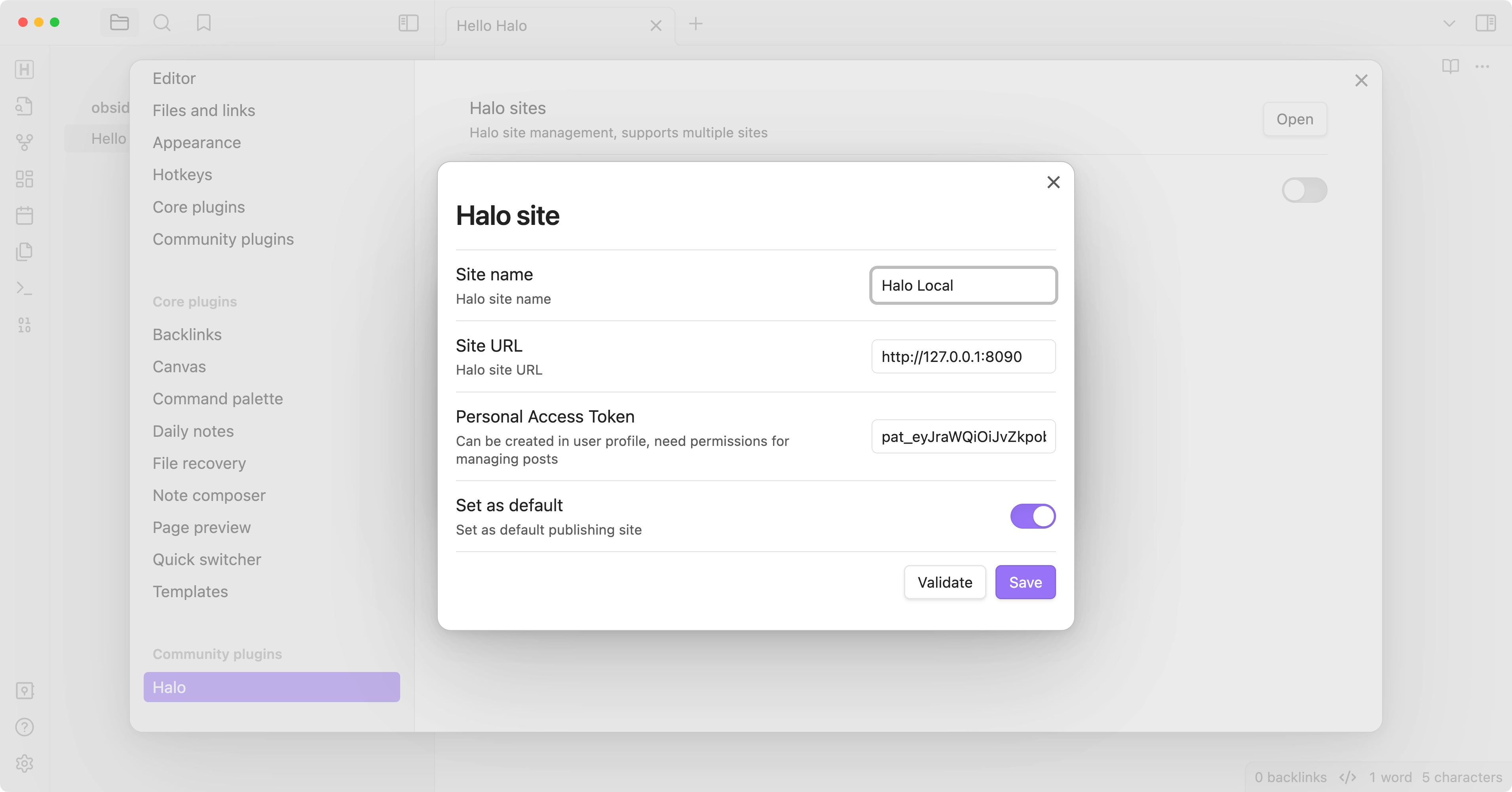
- Create a new site:
Site name: the name of the site, optional.
Site URL: the URL of the site, e.g.
https://example.com.Personal access token: The personal access token of your Halo site, needs
Post Managepermission.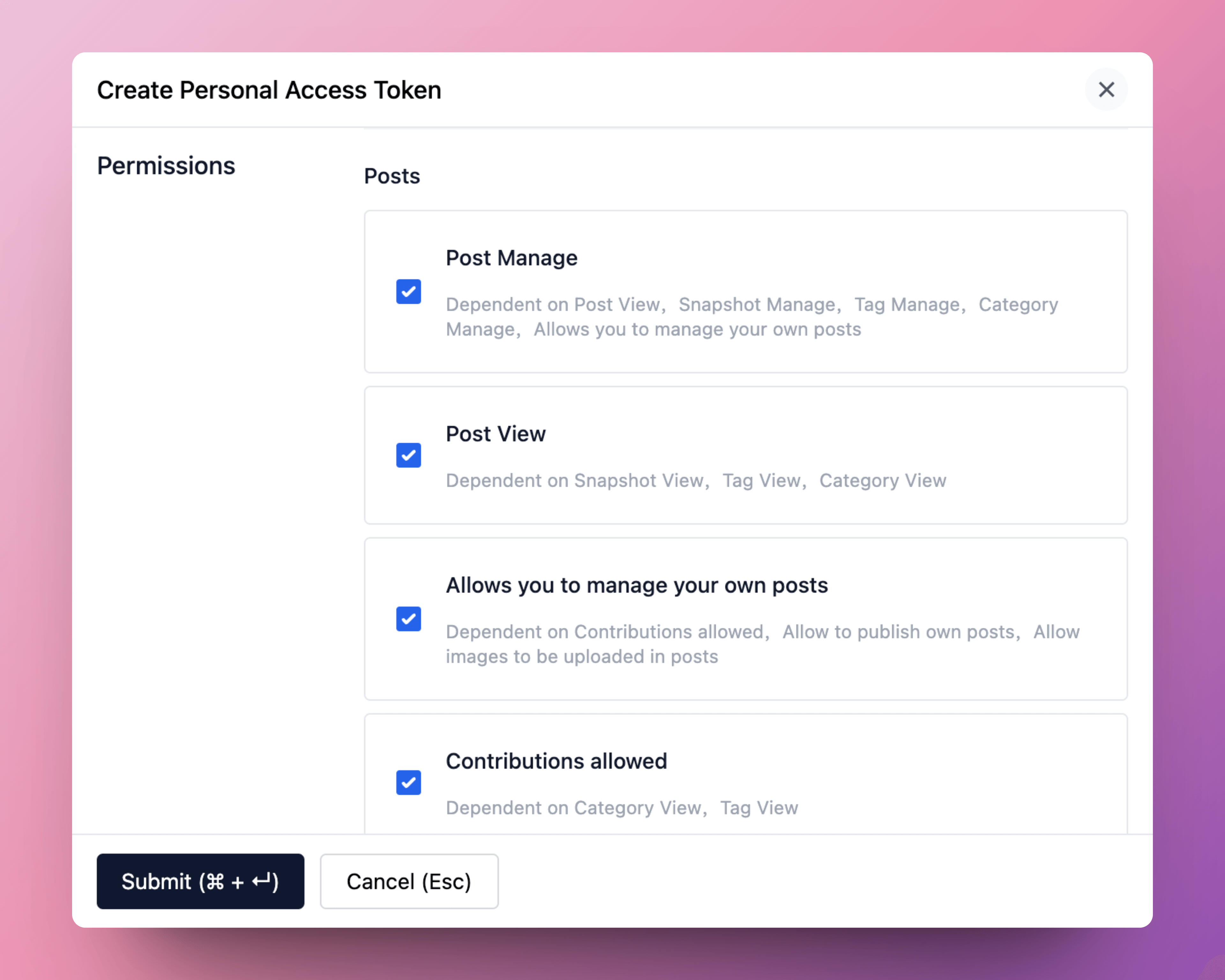
More information about personal access token: Personal Access Token
Set as default: set the site as the default site.
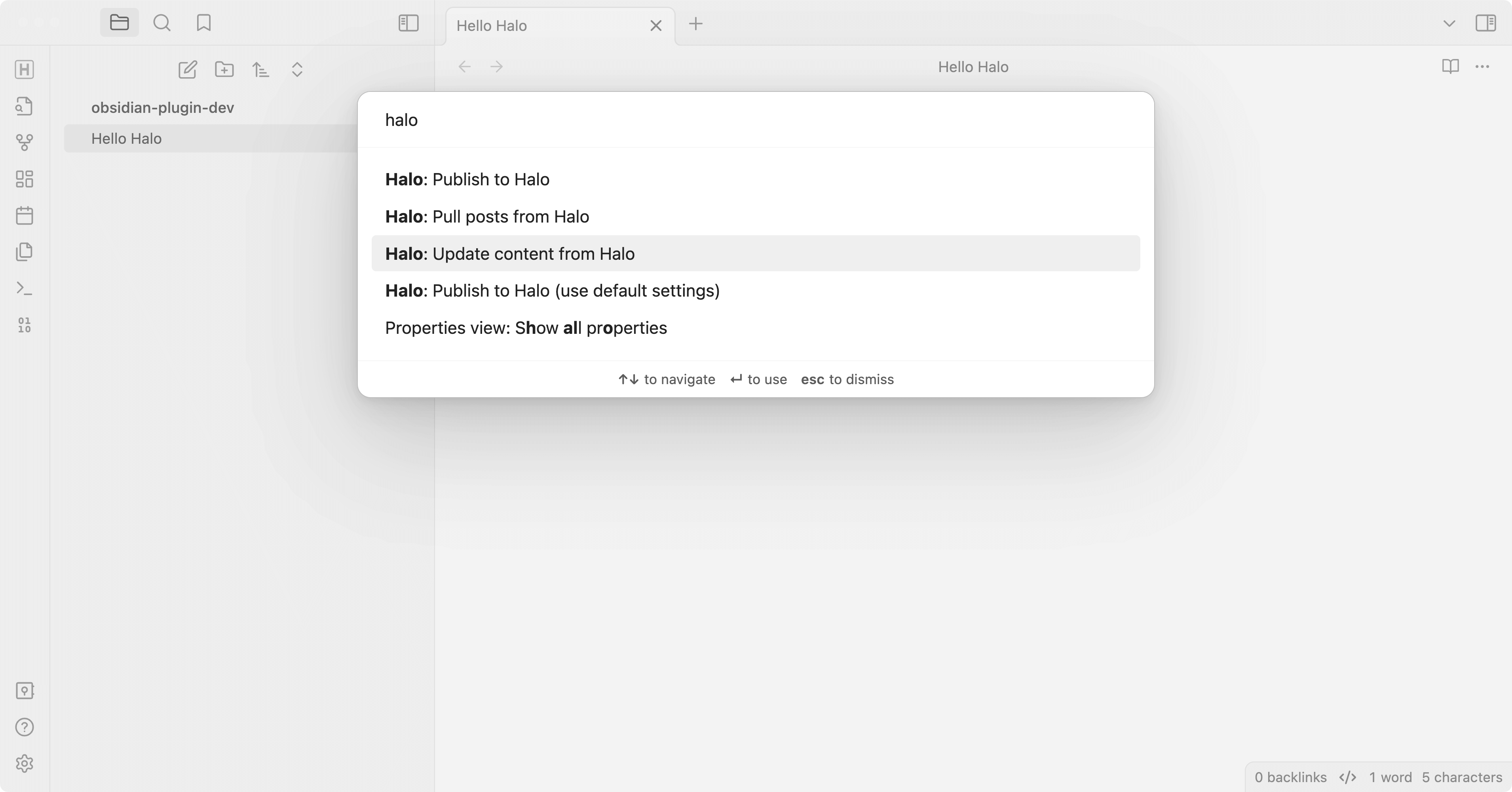
- Open a note you want to publish, and run the command
Halo: Publish to Halo. - All available commands:
- Halo: Publish to Halo: publish the current note to Halo.
- Halo: Publish to Halo (use default settings): publish the current note to the default site.
- Halo: Upload images to Halo: upload local images in the current note to Halo and replace them with remote URLs.
- Halo: Pull posts from Halo: pull posts from Halo to Obsidian.
- Halo: Update content from Halo: update the content of the current note from Halo.
Development
Create a new Obisidian vault for development.
Clone this repo to the plugins folder of the newly created vault.
cd path/to/vault/.obsidian/plugins

git clone https://github.com/ruibaby/obsidian-halo
Install dependencies
cd obsidian-halo

npm install
Build the plugin
npm run devReload Obsidian and enable the plugin in Settings.
Credits
- obsidian-wordpress: the original idea came from this repo.
TODO
- i18n
- Upload images
- Publish this plugin to Obsidian community
HealthExcellent
ReviewCaution
About
Publish Obsidian notes to your Halo site directly from the editor. Pull posts from Halo into your vault and update note content from the site to keep them synchronized. Configure multiple Halo sites and mark one as the default for quick publishing.Details
Current version
1.2.0
Last updated
3 months ago
Created
3 years ago
Updates
6 releases
Downloads
4k
Compatible with
Obsidian 1.4.4+
Platforms
Desktop, Mobile
License
GPL-3.0