GPT Pages Importer
 DLeung4 downloads
Import ChatGPT Pages Markdown with portable HTML visualizations, verified figure pairing, automatic folder cleanup and backup protection.
- Overview
- Scorecard
- Updates2
GPT Pages Importer for Obsidian
把 Pages 的圖表與互動,帶進你的 Obsidian 筆記。
完整 HTML・精準配對・自動清理・備份保護
快速開始 · 使用指南 · 配對格式 · Page 生成技能
English overview
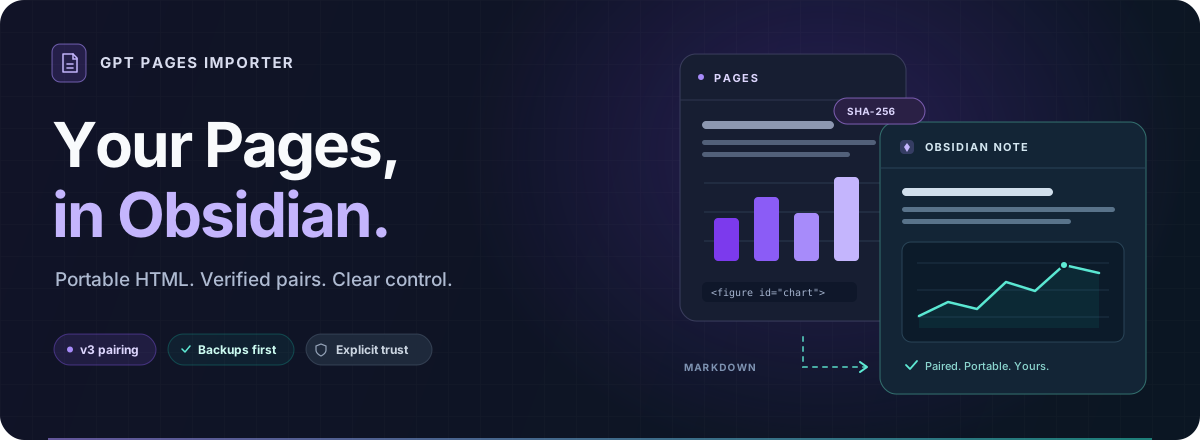
GPT Pages Importer brings Markdown exported from ChatGPT Pages into Obsidian, including complete, portable HTML visualizations. Keep native charts in the Page body and their matching HTML sources in a footer. The importer verifies each figure's unique ID, exact asset reference and SHA-256 before moving its HTML back to the original chart position and removing the matched marker and native image reference. Ambiguous pairings stay unchanged and produce warnings. Compact v3 markers and older v1/v2 formats are supported.
Install and use
- Download
gpt-pages-importer-0.1.1.zipfrom GitHub Releases. Extract itsgpt-pages-importerfolder into your vault's.obsidian/plugins/directory and enable GPT Pages Importer in Community plugins. - Export a Page as Markdown, including its complete HTML sources. The bundled authoring skill helps prepare compatible Pages; an image reference alone does not contain the HTML.
- Run the import command, choose or drop a Markdown file, inspect the text-only preview and confirm. The destination note opens automatically. Keep the same source name when importing that Page again.
Imports back up existing notes before replacement and stop when local edits or concurrent changes conflict. Alternatively, configure one watched vault folder and its subfolders to automatically clean existing, added, modified or moved Markdown files in place. Each modification creates a backup; unchanged files are not rewritten.
Rendering, privacy and support
Manual imports default to non-executable html-source fences. Rendering requires explicit trust and the separately installed Polyglot Renderer. Folder rendering trust covers all current and future HTML blocks in that folder and its subfolders. Trusted JavaScript may execute and make network requests; a matching checksum does not establish safety. Turning off rendering stops future conversions but does not revert existing html fences.
The importer is free, MIT-licensed and requires no account, payment or API key. It collects no telemetry, sends no network requests, downloads no Page assets and provides no cloud sync. It reads the external Markdown file selected by the user and writes destination notes, backups and settings within the current vault. Automatic cleanup is restricted to the configured vault folder and its subfolders. The optional renderer may contact external services referenced by trusted HTML. Report bugs through GitHub Issues. See the compatibility record for the actual scope of device testing.
The following sections provide the detailed Traditional Chinese guide.
Pages 負責呈現想法,Obsidian 負責收藏與延伸。這個外掛把匯出的 Markdown 與完整、可攜的 HTML 原始碼(portable HTML source)接起來:驗證圖表配對,將頁尾來源移回圖表位置,清除已確認的標記與原生圖片參照。
目前為 0.1.1 MVP。 採手動安裝;已完成的桌面驗證與其他平台的實測範圍,見相容性紀錄。互動 HTML 需選用的 Polyglot Renderer,並由使用者明確確認信任。
為什麼使用它?
| 能帶走的內容與工作流程 | |
|---|---|
| 圖表保留(Portable visuals) | 保存完整 HTML、CSS、JavaScript 與資料,讓互動圖有可攜的原始碼。 |
| 精簡配對(Compact pairing) | v3 正文只留短 ID,參照與 SHA-256 集中頁尾;驗證後把 HTML 移回各圖位置。 |
| 資料夾清理(Folder cleanup) | 監看指定資料夾及所有子資料夾,可一次放入多個 Markdown,自動原地處理。 |
| 寫入保護(Protected writes) | 純文字預覽、修改前備份、重複匯入不重寫,本機修改有衝突保護。 |
| 明確信任(Explicit trust) | 手動匯入預設保存為 html-source;經確認後才產生供 renderer 執行的 html。 |
| 生成技能(Authoring skill) | 附 Page 版型、自包含互動範例、標記生成器與匯出原碼驗證工具。 |
快速開始(Quick start)
1 · 取得外掛
從 GitHub Releases 下載並解壓縮 gpt-pages-importer-0.1.1.zip。壓縮檔包含 gpt-pages-importer/ 資料夾,可直接依下一步安裝。
也可個別下載 main.js、manifest.json 與 styles.css,放入同一個 gpt-pages-importer/ 資料夾。
自行建置(Build from source)
需要 Node.js 24 與 npm:
git clone https://github.com/DLeungDL/obsidian-gpt-pages-importer.git
cd obsidian-gpt-pages-importer
npm ci
npm run check
也可在成功的 GitHub Actions 工作流程 下載 gpt-pages-importer 建置產物(artifact)。
2 · 安裝到 Obsidian
將下載解壓縮的 gpt-pages-importer/(自行建置則為 dist/gpt-pages-importer/)整個資料夾複製到:
你的 vault/
└── .obsidian/
    └── plugins/
        └── gpt-pages-importer/
            ├── main.js
            ├── manifest.json
            ├── styles.css
            └── …授權檔與第三方授權 notices
在 設定 → Community plugins 啟用 GPT Pages Importer。更新檔案後,重新載入外掛。
3 · 匯入第一份筆記
- 從 Pages 下載 Markdown;視覺化的完整 HTML 需一併保存在文件中,可用附帶的 Page 生成技能 準備。
- 執行 GPT Pages Importer: 匯入 Pages Markdown,選取或拖入檔案。
- 查看目的地、成功配對數與警告,確認後寫入;目的筆記會自動開啟。
後續重匯同一 Page,沿用相同的來源識別名稱(source name)。完整流程與其他入口見使用指南。
選擇你的工作方式
| 手動匯入(Import) | 資料夾自動清理(Automatic cleanup) | |
|---|---|---|
| 適合情境 | 預覽後建立或更新目的筆記 | 將一批匯出檔直接放入指定資料夾 |
| 處理位置 | 預設建立於 GPT Pages/ |
直接修改原檔,保留路徑與檔名 |
| 重複處理 | 內容相同不寫入;本機修改停止覆寫 | 已清理內容不重寫,不新增備份 |
| HTML 語言 | 預設 html-source,信任後可輸出 html |
預設保留原語言,可另確認資料夾渲染信任 |
| 備份 | 更新既有目的筆記前備份 | 每次原地修改前備份 |
設定自動清理時,填入一個監看資料夾(watched folder),即可涵蓋所有子資料夾。儲存並啟用後,會掃描既有文件,並處理之後新增、修改與移入的 Markdown。詳見設定與信任流程。
從 Page 到筆記
flowchart LR
    A["Pages<br/>原生視覺化 + 短圖表 ID"] --> B["Markdown 匯出<br/>正文標記 + 頁尾完整 HTML"]
    B --> C["驗證配對<br/>ID · reference · SHA-256"]
    C --> D["Obsidian<br/>HTML 回到圖表位置"]
外掛從匯出檔讀取 HTML。只有唯一 ID、精確原生參照(reference)、完整來源與 SHA-256 全部通過,才清除該組標記及圖片參照;配對不明確時保留原文並警告。v1/v2 舊格式仍相容。
閱讀、渲染與信任
手動匯入預設將原始碼保留為 html-source。需要互動時,先檢查內容、明確信任,再配合獨立安裝的 Polyglot Renderer 呈現 html。
- 手動匯入的信任適用於整份文件的 HTML 區塊。
- 資料夾信任適用於該資料夾及子資料夾中,現有與日後的所有 HTML 區塊。
- 自動清理預設保留既有語言;關閉渲染選項不會還原已是
html的區塊。 - 寫入前先備份;JavaScript 可能執行並發出網路請求。SHA-256 配對成功不代表程式碼安全。
隱私與存取(Privacy and access)
此外掛免費使用,不要求帳號、付款或 API 金鑰,不收集遙測資料(telemetry),也不自行發送網路請求。手動匯入會透過檔案選擇器讀取你選擇的 vault 外 Markdown;寫入僅限目前 vault 內的目的筆記、備份與外掛設定。自動清理只處理你指定的 vault 資料夾及子資料夾。
HTML 渲染由獨立安裝的 Polyglot Renderer 提供;你信任的 HTML/JavaScript 若包含外部圖片、字型、函式庫或請求,可能由 renderer 存取相應遠端服務。請在啟用信任前檢查完整內容。
文件與資源
| 想完成的事 | 從這裡開始 |
|---|---|
| 安裝、匯入、設定監看資料夾、重匯與還原 | 完整使用指南 |
| 編寫或檢查 v3/v2/v1 配對格式 | 格式契約 |
| 生成可匯出至 Obsidian 的 Page | 完整技能與工具 |
| 核對原生圖與 Markdown 匯出的實測範圍 | 相容性紀錄 · 往返驗證摘要 |
| 試讀通用、自行編寫的資料 | 靜態範例 · 互動範例 |
開發與驗證(Development)
npm run typecheck   # TypeScript
npm run build       # 打包與載入檢查
npm test            # Vitest 回歸測試
npm run check       # 公開資料檢查 + 建置 + 測試
技能的 Python 驗證器另有標準函式庫測試:
python -B -m unittest discover -s tests -p 'test_skill_export.py' -v
轉換邏輯位於 src/convert.ts,匯入與衝突保護位於 src/importer.ts,自動清理位於 src/cleanup.ts。公開測試只使用虛構識別碼;私人 Page、原始匯出與截圖保留在 Git 外。
常見問題(FAQ)
為什麼只有原生圖片參照,沒有可攜的互動圖?
visualize: 參照本身不包含完整 HTML。請使用生成技能,在 Page 頁尾加入與原生圖配對的完整來源,再匯出 Markdown。
可以一次處理多份文件嗎?
可以把多個 Markdown 放進監看資料夾或其子資料夾,由自動清理處理;手動匯入視窗每次選取一個檔案。
會自動連線 Pages 下載或同步嗎?
匯入與清理都使用你提供的 Markdown,不連線 Pages 下載附件,也不提供雲端或雙向同步。
授權(License)
本專案採 MIT 授權,包含外掛原始碼、文件與附帶的 Page 生成技能。打包依賴保留各自授權,完整聲明(third-party notices)隨發行檔提供,並嵌入 main.js。