Search...Search plugins and themes...
⌘K
Sign in
  • Get started
  • Download
  • Pricing
  • Enterprise
  • Account
  • Obsidian
  • Overview
  • Sync
  • Publish
  • Canvas
  • Mobile
  • Web Clipper
  • CLI
  • Learn
  • Help
  • Developers
  • Changelog
  • About
  • Roadmap
  • Blog
  • Resources
  • System status
  • License overview
  • Terms of service
  • Privacy policy
  • Security
  • Community
  • Plugins
  • Themes
  • Discord
  • Forum / 中文论坛
  • Merch store
  • Brand guidelines
Follow us
DiscordTwitterBlueskyThreadsMastodonYouTubeGitHub
© 2026 Obsidian

Lazy Loader

Alan GraingerAlan Grainger139k downloads

Load plugins with a delay on startup, so that you can get your app startup down into the sub-second loading time.

Add to Obsidian
  • Overview
  • Scorecard
  • Updates20

Load plugins with a delay on Obsidian startup, so that you can get your app startup down into the sub-second loading time.

Important note #1: It may take up to 2 restarts of Obsidian to see the full speed increase, if it's the first time you're using the plugin. This will only be an issue on the first install.

Important note #2: There is no way for this plugin to know if you've manaully disabled or enabled a plugin. If you want disabling a plugin to persist through an Obsidian restart, make sure you disable it inside Lazy Loader's settings page rather than simply disabling the plugin in Obsidian's plugins page.
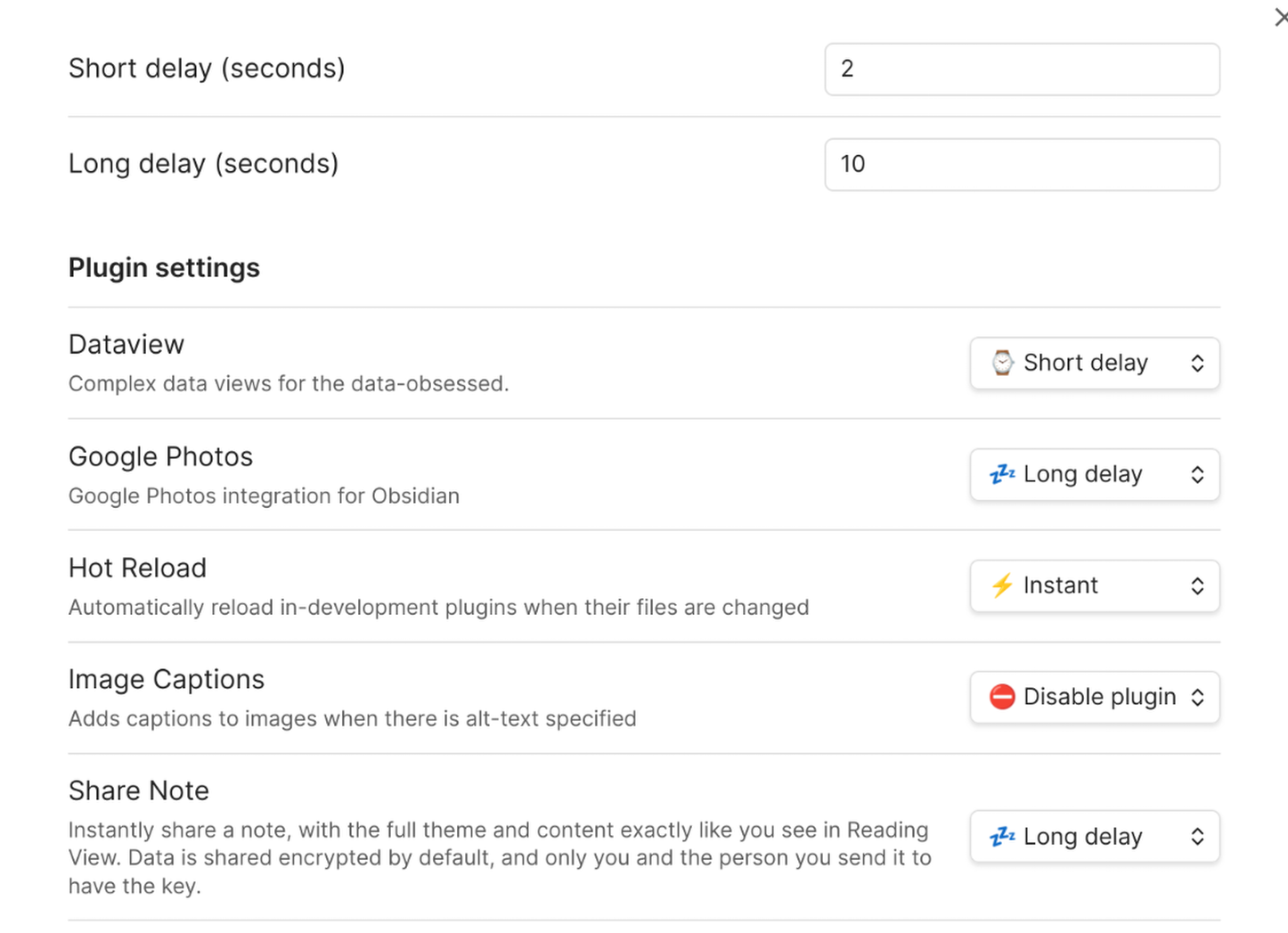
  • Obsidian forum discussion thread.

HealthExcellent
ReviewPassed
About
Delay plugin loading on Obsidian startup to push nonessential plugins into timed background loads and reduce initial app launch to sub-second times. Apply changes over up to two restarts to reach full speed; disable plugins inside Lazy Loader settings to keep them disabled across restarts.
AutomationUtilities
Details
Current version
1.0.24
Last updated
4 months ago
Created
2 years ago
Updates
20 releases
Downloads
139k
Compatible with
Obsidian 1.6.0+
Platforms
Desktop, Mobile
License
MIT
Report bugRequest featureReport plugin
Sponsor
Ko-fi
Author
Alan GraingerAlan Graingeralangrainger
github.com/alangrainger
GitHubalangrainger
  1. Community
  2. Plugins
  3. Automation
  4. Lazy Loader

Related plugins

Homepage

Open a note, base, or workspace on startup, or set it for quick access later.

BRAT

Easily install a beta version of a plugin for testing.

Linter

Format and style your notes. Linter can be used to format YAML tags, aliases, arrays, and metadata; footnotes; headings; spacing; math blocks; regular Markdown contents like list, italics, and bold styles; and more with the use of custom rule options.

Advanced URI

Control everything with URI.

QuickAdd

Quickly add new notes or content to your vault.

Hot Reload

Automatically reload in-development plugins when their files are changed

Templater

Create and use dynamic templates.

Update modified date

Automatically update a frontmatter modified date field when the file is modified.

ZettelFlow

Create and manage your notes in a Zettelkasten way via Canvas.

MetaEdit

Manage your metadata.