
- Overview
- Scorecard
- Updates9
Goban SGF for Obsidian is a plugin for managing Go game records in Obsidian, backed by the SGF (Smart Game Format). This plugin has ported and referenced most functionalities and the UI from Sabaki (excluding all engine and analysis-related features).
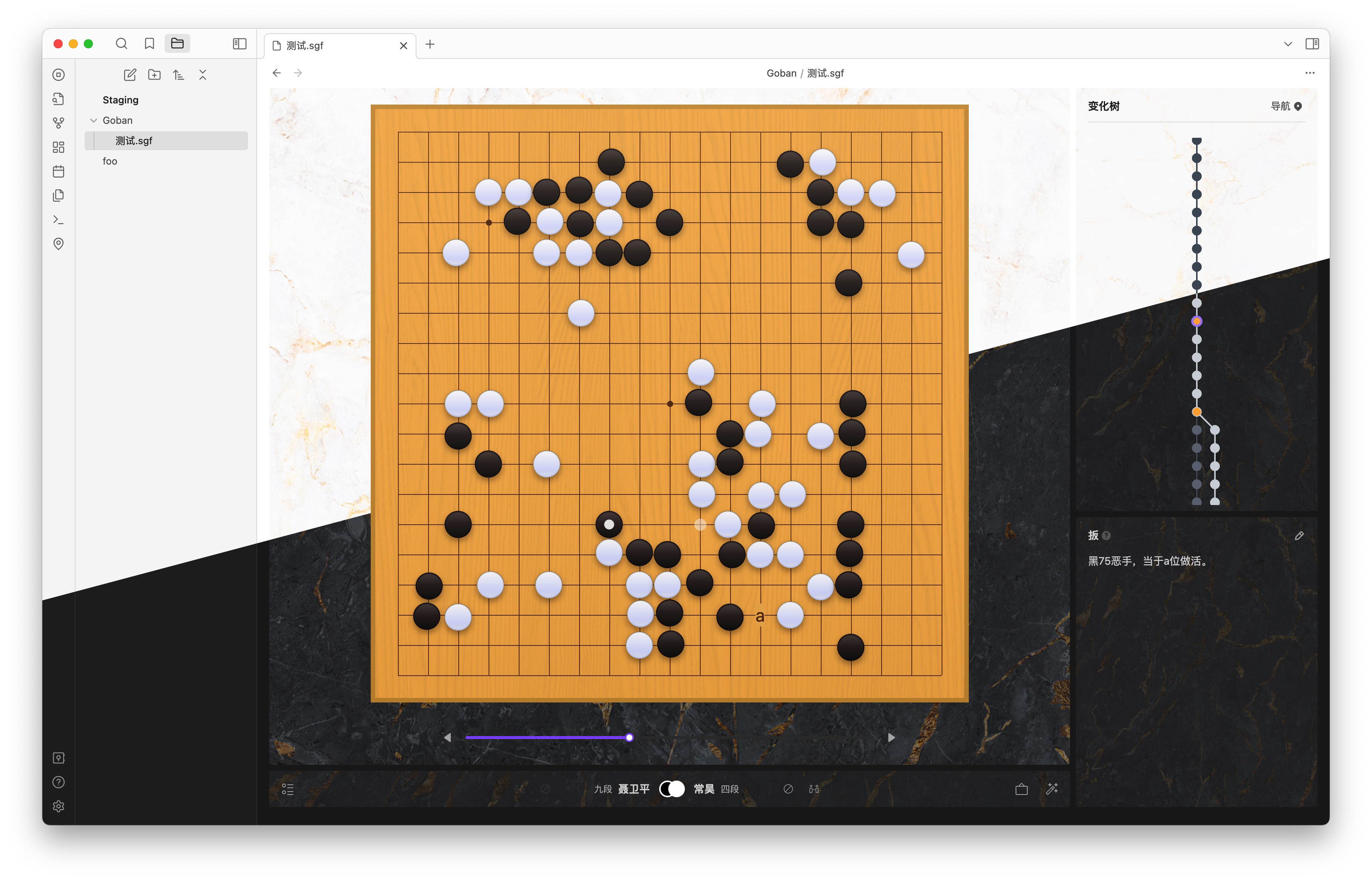
The purpose of this plugin is to assist friends learning Go. Now, they can use this plugin to study games and life-and-death problems in Obsidian, manage their game records as they would with regular notes, and make notes as they would when studying any other subject.
Features
- Basic functionalities from Sabaki, which can be referred to as Sabaki-Lite
- Play Go: Supports multiple branches and variation trees
- Edit: Allows adding various common markers
- Comment
- Free navigation
- Import and export of SGF game record files
- Flexible settings: the plugin has settings, and these can also be finely tuned to the file level (achieved through the frontmatter field)
- Support for displaying partial boards (useful for studying life-and-death problems)
- Support for rendering
sgfformat code blocks, meaning thatsgfcode blocks can be inserted into regular MD documents to render embedded read-only Go boards - Supports UI in both light and dark modes
How to
- Create a new Go game record file:
- You can find an icon resembling a "Go stone" on the leftmost part of Obsidian; click it to create a new file
- You can also find the option to create a new Go game record file through Obsidian's global command
- Right-click on a folder in the sidebar and find "Create Go Game Record File" in the menu
- After creating a new Go game record:
- If you have existing SGF format game records to import, you can immediately import them by clicking "Import SGF File" in the menu at the bottom left
- You can play Go step by step, placing stones one by one
- You can switch to "Edit Mode" at any time to mark the board and stones
- You can open "Comment" editing at any time to add comments and good/bad move markers
- Navigation:
- Navigate using the progress bar below the board
- Navigate using the arrow keys on the keyboard
- Navigate by scrolling the middle mouse button over the board
- Drag and click on a variation point in the variation tree to navigate
- Use the menu in the upper right corner of the variation tree for quick navigation to some marked points
- Save as a template:
- After creating a new Go game record file, open the settings from the menu in the bottom left
- After setting your default configurations, place the Go game record file into your Obsidian template folder
- Next time you need the same configuration, you can use a plugin like Templater to automatically generate a new file based on that template, or you can manually copy it to create a new file
Development
- Clone the code repository
- Run
pnpm installto install dependencies - Run
pnpm run devto watch for changes in the source code - Make your Obsidian accessible to this plugin, strongly recommended to use a development-specific empty Obsidian Vault instead of your daily note-taking regular vault. This can be achieved by establishing a symbolic link.
ln -s /path/to/your/<plugin-repo> /path/to/your/obsidian/vault/.obsidian/plugins/<plugin-name>
Thanks
Special thanks to the Sabaki project and all the developers involved. Without you, I might have needed to do a tremendous amount of work to implement this plugin. Thank you for developing such an excellent Go tool and for being willing to open-source it.
License
This project is licensed under the MIT License.
Lang
The English, Korean, and Japanese in the project were all translated using translation tools. If there are any issues, feel free to point them out.