
- Overview
- Scorecard
- Updates1
Gentle Memories is a local-first Obsidian plugin for rediscovering old journal notes.
It scans Markdown notes in the current vault for configured journal tags, turns one eligible note into a short memory excerpt, and shows it in a compact Obsidian modal. The plugin can show a memory on startup or on demand through the command palette.
Background
Personal notes often become useful only after time has passed, but old journal entries are easy to forget. Gentle Memories is designed as a quiet reminder system: it surfaces one past note without building a social feed, cloud backend, analytics pipeline, or notification system.
The default design favors privacy:
- Journal discovery happens inside the local Obsidian vault.
- AI is disabled by default.
- No AI request is made unless the user enables AI and configures the selected provider API key.
- AI requests send only the displayed excerpt, not the full note, path, vault name, tags, or display history.
Design
The plugin has four main parts:
- Discovery: finds Markdown notes tagged with configured journal tags.
- Memory creation: derives title, date, excerpt, and content hash from an eligible note.
- Display: shows a modal with the memory,
Open note,Next, andClosecontrols. - Optional AI reading prompt: sends only the current excerpt to the selected provider when AI is enabled and keyed, then displays the lead-in separately from the original note.
Display history is stored through Obsidian plugin data so the plugin can prefer notes that have not been shown recently.
Demo
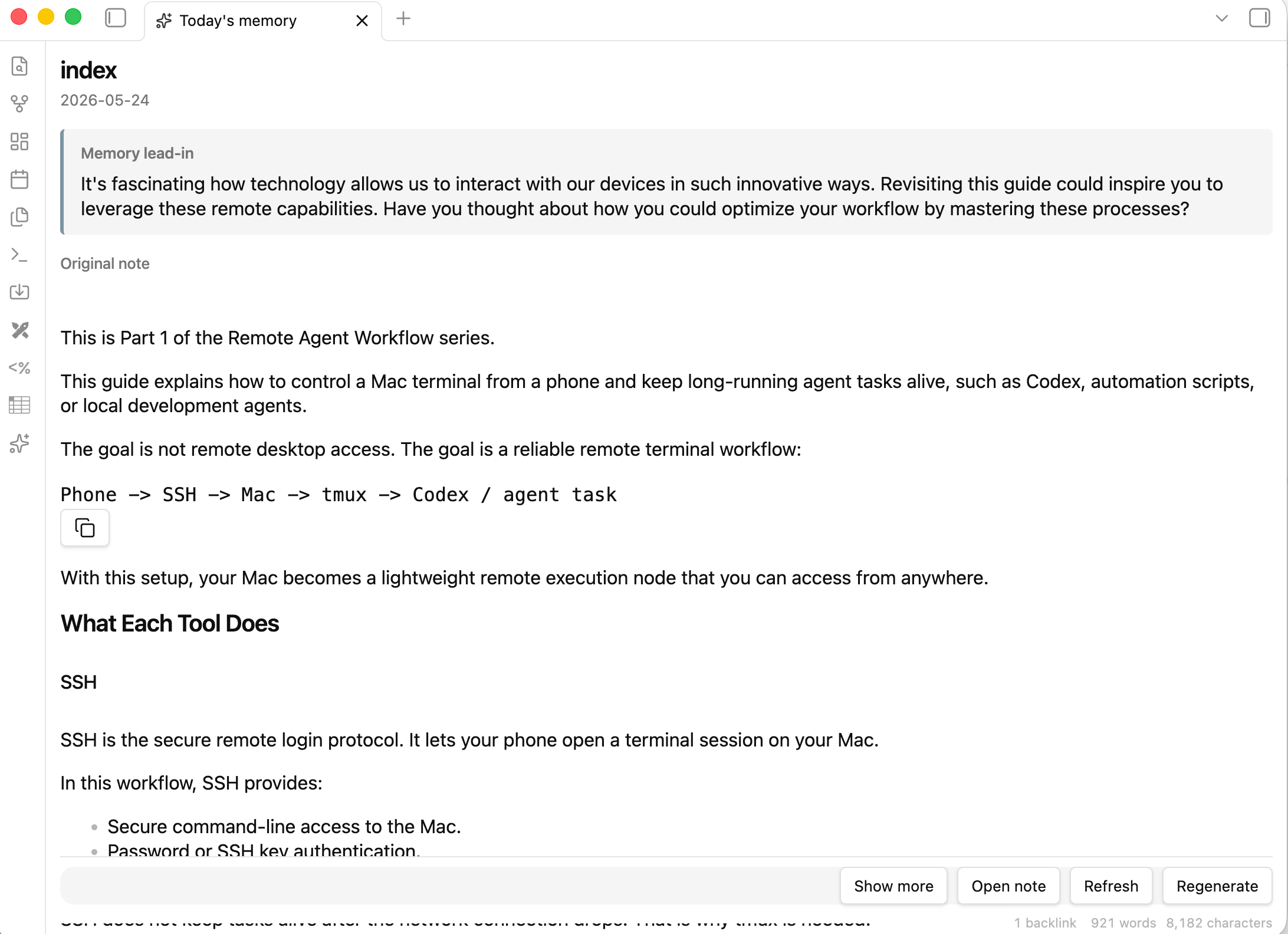
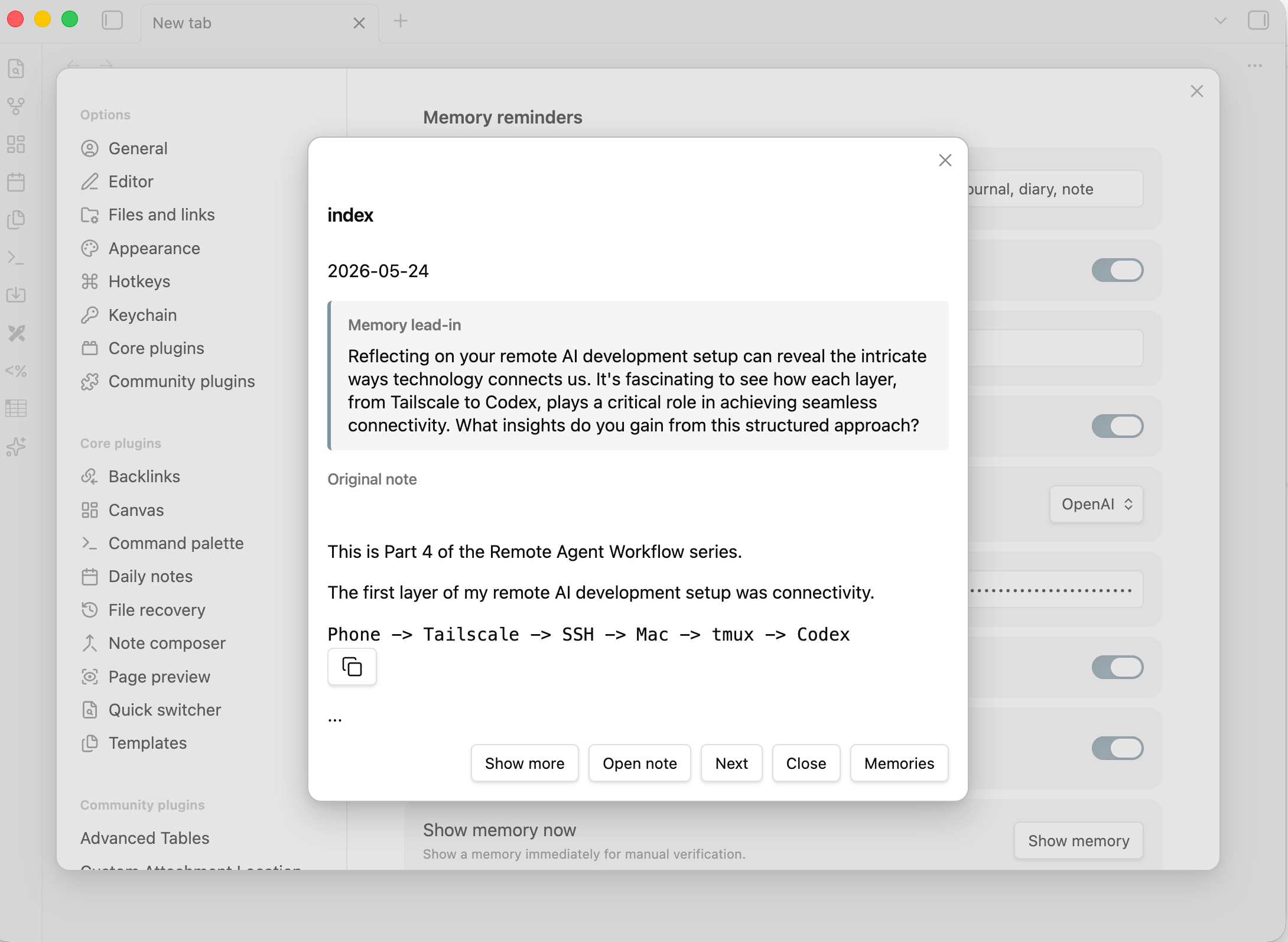
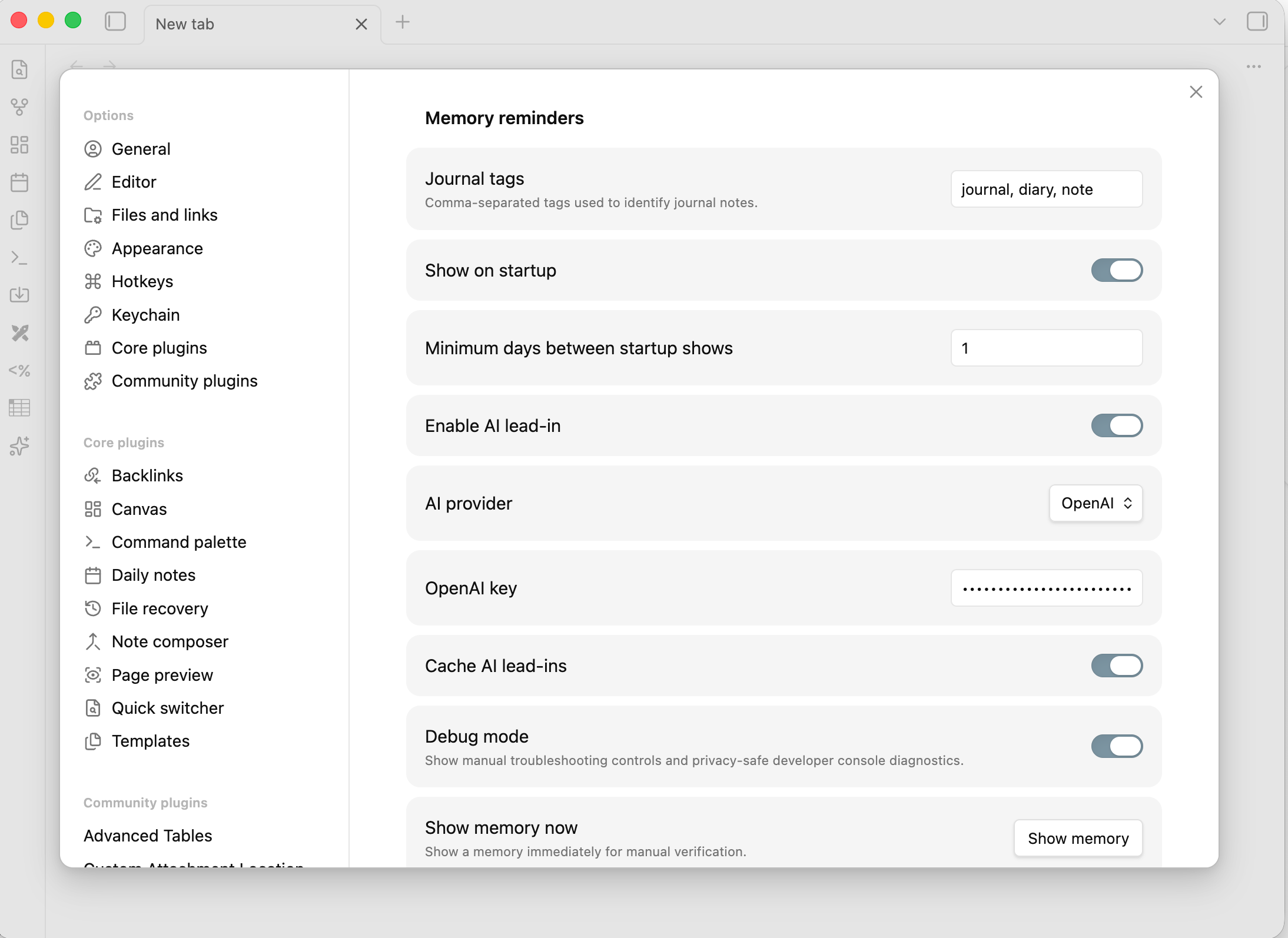
| Memory modal | Settings |
|---|---|
 |
 |
Installation
From Obsidian Community Plugins
Install from the Gentle Memories community plugin page:
- Open Settings -> Community plugins in Obsidian.
- Turn off Restricted mode if needed.
- Select Browse and search for Gentle Memories.
- Select Install, then Enable.
Manual installation
Build the plugin from the repository root:
./init.sh
For local Obsidian installation, copy or symlink the built plugin files into a vault plugin folder such as:
<vault>/.obsidian/plugins/gentle-memories/
Required files:
manifest.json
main.js
styles.css
Then enable Gentle Memories in Obsidian community plugin settings.
Privacy
Gentle Memories is designed to work locally by default. It does not create an account, run a backend service, or send note data anywhere unless AI is explicitly enabled.
When AI is enabled and the selected provider API key is configured:
- Only the displayed excerpt is sent to the selected AI provider.
- Full note content, file paths, vault names, tags, display history, and cached history text are not sent.
- API keys are stored in Obsidian plugin data on the user's device through Obsidian's normal plugin settings storage.
- Debug logging avoids API keys, full note content, vault names, and AI request secrets.
Usage
Tag journal notes with one of the default tags:
#journal
#diary
#note
Or use frontmatter:
---
tags:
  - journal
---
Run the command:
Gentle Memories: Show memory
The modal shows a short preview by default:
- Title
- Date when derivable
- Automatically loaded
Memory lead-inwhen AI is enabled and keyed Original notepreviewOpen noteNextCloseShow more/Show lessfor longer notesMemorieswhen AI is enabled
Settings
Available plugin settings:
Journal tags: comma-separated tags used to identify journal notes.Show on startup: whether to show a memory after Obsidian starts.Minimum days between startup shows: startup display cooldown.Enable AI lead-in: controls whether the AI reading prompt button appears.AI provider:OpenAIorClaude.OpenAI key: token used only when OpenAI is selected.Claude API key: token used only when Claude is selected.Cache AI lead-ins: stores generated reading prompts by${path}:${contentHash}.
Existing saved apiKey values from earlier versions are treated as OpenAI key.
AI Behavior
AI is optional and disabled by default.
When enabled with the selected provider API key configured, the modal opens immediately, shows a lightweight loading state for the lead-in, then loads a cached reading prompt or requests a new one. The request payload includes the visible excerpt and instructions for a short warm reading lead-in in the excerpt's language. It excludes full note content, file paths, vault names, tags, and display history.
If AI is enabled but the selected provider API key is missing, the modal still shows the Memories button for manual retry, but it does not make an automatic request or show repeated automatic missing-key notices.
The generated lead-in is styled separately with Obsidian theme-aware colors so it is visually distinct from the original note content.
Supported providers:
- OpenAI: uses the OpenAI chat completions endpoint.
- Claude: uses the Anthropic messages endpoint.
Development
Run the full local verification path:
./init.sh
Useful commands:
npm run build
npm run smoke
npm run verify:manual-plan
npm run smoke expects the smoke server to be running. ./init.sh starts that server before running the smoke test.
Unattended feature work is managed by:
python3 orchestrator.py
See docs/orchestrator.md for the coding/evaluator flow.
Release
For an Obsidian community plugin release:
- Confirm
manifest.json,package.json, andversions.jsonuse the same plugin version. - Run
./init.sh. - Create a GitHub release whose tag exactly matches the plugin version, for example
1.0.0. - Run the
Release assetsGitHub Actions workflow for the release tag. The workflow uploadsmanifest.json,main.js, andstyles.cssand creates artifact attestations for them. - Submit the plugin through the Obsidian Community developer dashboard at
https://community.obsidian.mdusing this repository URL:
https://github.com/yanqian/gentle-memories-obsidian
In the dashboard, label the plugin as Optional payments because the optional AI lead-in can connect to paid third-party AI APIs.