Search...Search plugins and themes...
⌘K
Sign in
  • Get started
  • Download
  • Pricing
  • Enterprise
  • Account
  • Obsidian
  • Overview
  • Sync
  • Publish
  • Canvas
  • Mobile
  • Web Clipper
  • CLI
  • Learn
  • Help
  • Developers
  • Changelog
  • About
  • Roadmap
  • Blog
  • Resources
  • System status
  • License overview
  • Terms of service
  • Privacy policy
  • Security
  • Community
  • Plugins
  • Themes
  • Discord
  • Forum / 中文论坛
  • Merch store
  • Brand guidelines
Follow us
DiscordTwitterBlueskyThreadsMastodonYouTubeGitHub
© 2026 Obsidian

Generate Hash

zigahertzzigahertz765 downloads

Generates a cryptographically strong pseudorandom hash.

Add to Obsidian
  • Overview
  • Scorecard
  • Updates2

A small plugin for generating a cryptographically strong pseudorandom hash value using crypto.randomBytes. Useful for generating unique IDs.

See this stackoverflow comment for background information.

Usage

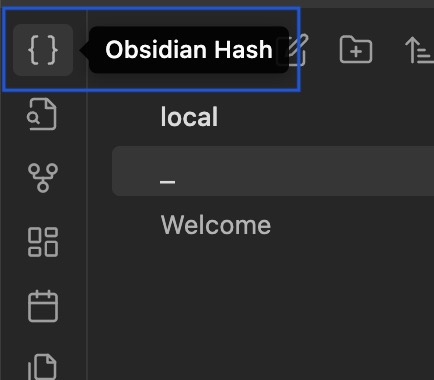
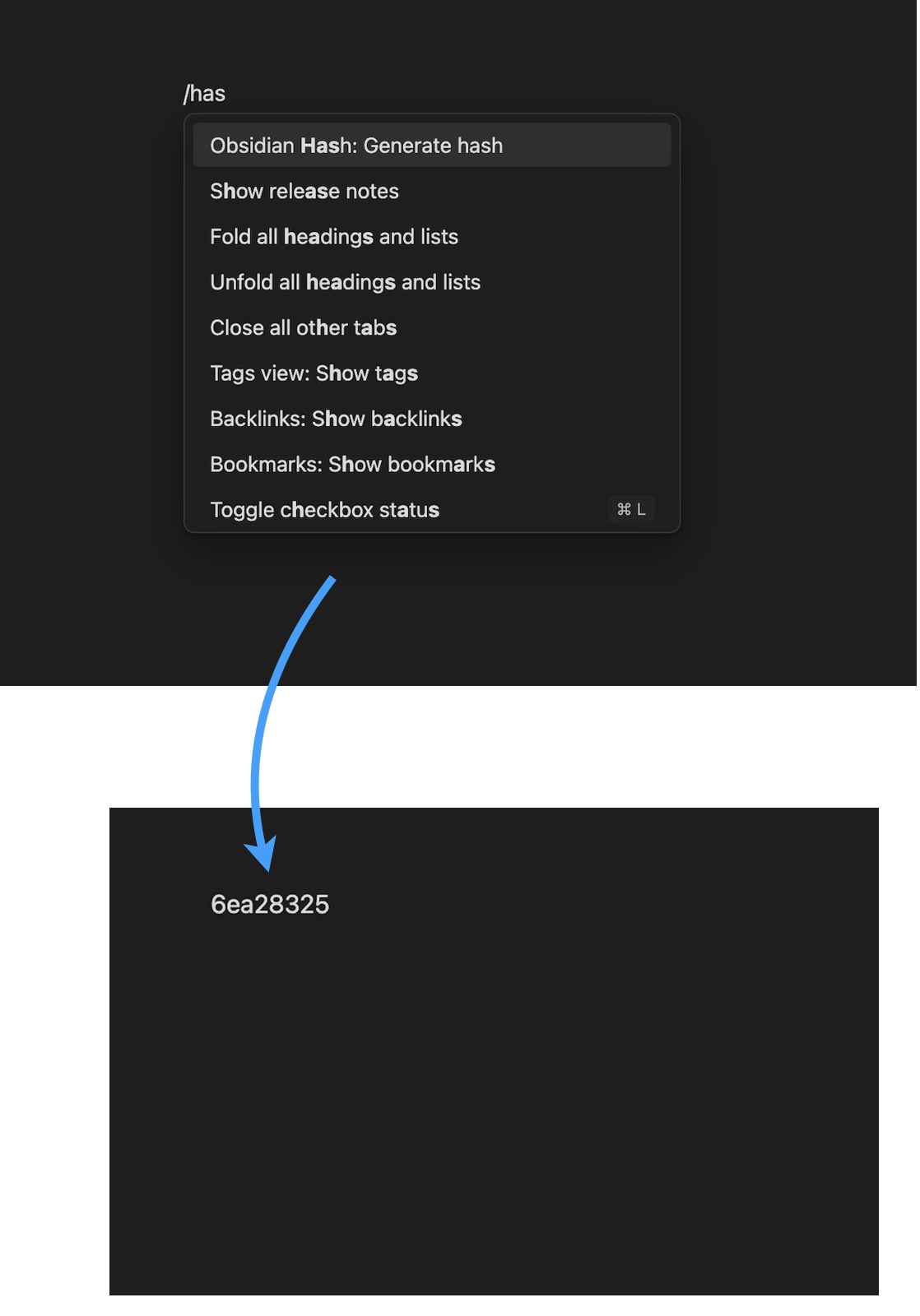
Consists of a single command, Generate hash, which can be invoked from the command pallette or from the {} button in the left ribbon.

Settings

Hash size

An integer between 1 and 2**31 - 1 specifying the number of bytes to generate. Defaults to 6.
drawing drawing
68%
HealthFair
ReviewSatisfactory
About
Generate cryptographically strong pseudorandom hashes for creating unique IDs directly in Obsidian. Run a single command to produce and insert or copy a hash with a selectable byte length.
CommandsDevelopersUtilities
Details
Current version
1.0.2
Last updated
2 years ago
Created
2 years ago
Updates
2 releases
Downloads
765
Compatible with
Obsidian 0.15.0+
Platforms
Desktop, Mobile
License
MIT
Report bugRequest featureReport plugin
Author
zigahertzzigahertz
github.com/zigahertz
GitHubzigahertz
  1. Community
  2. Plugins
  3. Commands
  4. Generate Hash

Related plugins

Global Proxy

Configure network proxies for users in areas with restricted networks.

Lean Terminal

Embedded terminal panel powered by xterm.js and node-pty - no external windows.

Notice logger

Logs all notices to the developer console, with optional prefix.

Divide & Conquer

Commands for bulk enabling/disabling of plugins. Useful for debugging when you have many plugins.

Plugin Groups

Manage your Plugins with groups: Enable & disable multiple plugins at once or delay their startup to speed up your Obsidian start up time.

Local REST API & MCP Server

Unlock your automation needs by interacting with your notes over a secure REST API.

Git

Integrate Git version control with automatic backup and other advanced features.

Claudian

Embeds Claude Code/Codex as an AI collaborator in your vault. Your vault becomes agent's working directory, giving it full agentic capabilities: file read/write, search, bash commands, and multi-step workflows.

Vertical Tabs

Offer an alternative view that displays open tabs vertically, allowing users to group and organize tabs for a better navigation experience.

Quick Switcher++

Enhanced Quick Switcher, search open panels, and symbols.