Global Proxy
 windingblack17k downloads
Configure network proxies for users in areas with restricted networks.
- Overview
- Scorecard
- Updates6
Global Proxy is an Obsidian plugin that makes it easy to configure network proxies and use these proxies throughout Obsidian. Currently supported proxy types include socks, http, and https. It may be needed by users in areas with restricted networks.
How to Use
- Fill in the input boxes with the corresponding proxy address. If all the proxies are invalid, all requests will be direct without using a proxy. If both socks and http/https proxies are set, they may be used. The plugin will use the socks proxy first, and if it fails, it will use the http/https proxy. If the http/https proxy fails, the request will be direct.
- A few plugins will maintain their own network connections that do not use the default session of Obsidian, so their traffic won't be proxied. However you can declare a Plugin Token to proxy the network traffic of one of these plugins.
- If blacklist is set, the plugin will not use the proxy for the specified URLs. The bypass list is a comma separated list of rules. The rules are described in the Blacklist section.
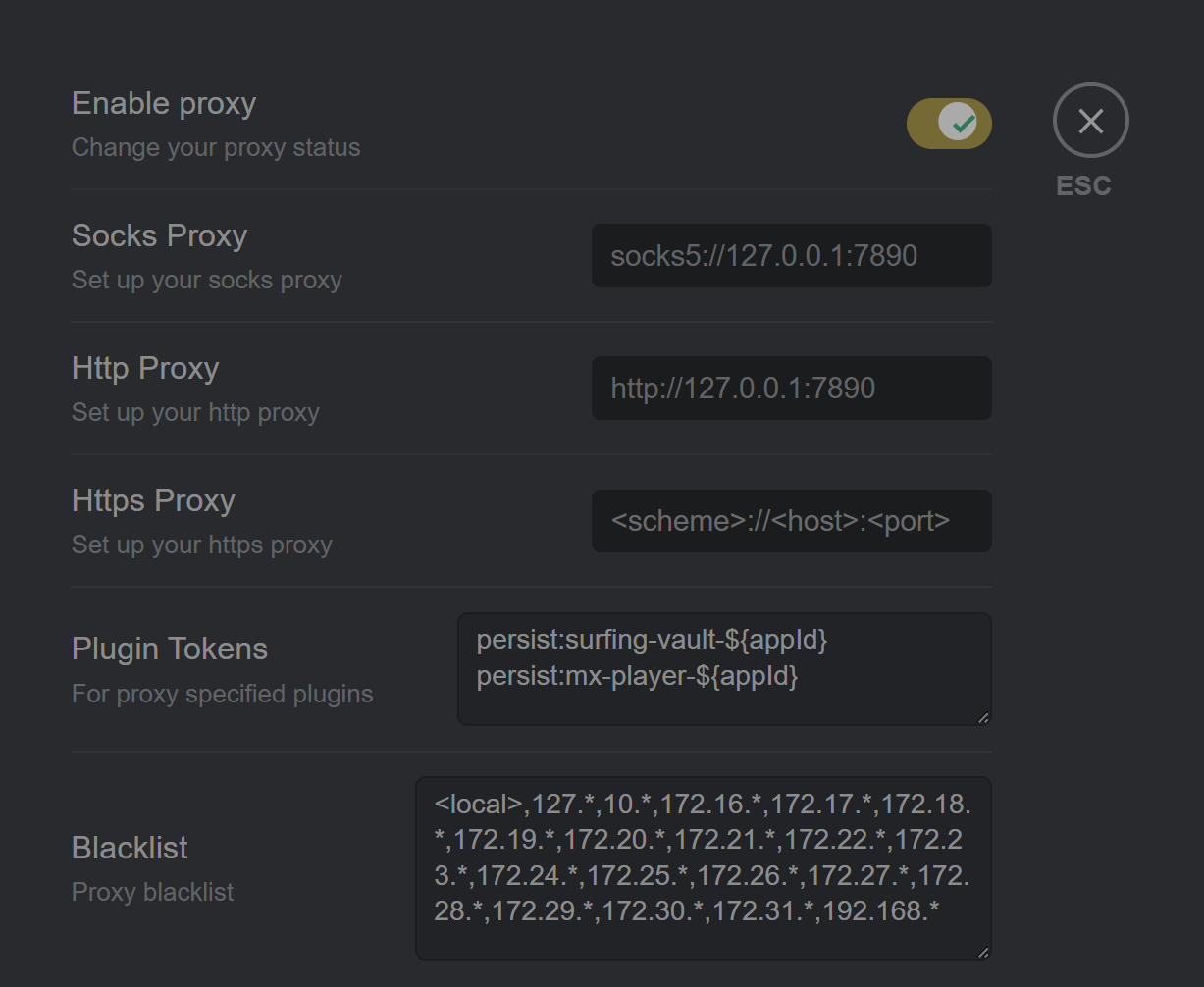
Plugin Token
Here are some Plugin Token examples for popular Obsidian plugins.
| Repo | Plugin Token |
|---|---|
| Obsidian-Surfing | persist:surfing-vault-${appId} |
| media-extended | persist:mx-player-${appId} |
Blacklist
The
Bypass Listis a comma separated list of rules described below:
[ URL_SCHEME "://" ] HOSTNAME_PATTERN [ ":" <port> ]Match all hostnames that match the pattern HOSTNAME_PATTERN. Examples: foobar.com, *foobar.com, *.foobar.com, *foobar.com:99, https://x.\*.y.com:99
"." HOSTNAME_SUFFIX_PATTERN [ ":" PORT ]Match a particular domain suffix. Examples: .google.com, .com, http://.google.com
[ SCHEME "://" ] IP_LITERAL [ ":" PORT ]Match URLs which are IP address literals. Examples: 127.0.1, [0:0::1], [::1], http://[::1]:99
IP_LITERAL "/" PREFIX_LENGTH_IN_BITSMatch any URL that is to an IP literal that falls between the given range. IP range is specified using CIDR notation. Examples: 192.168.1.1/16, fefe:13::abc/33.
<local>Match local addresses. The meaning of<local>is whether the host matches one of: 127.0.0.1, ::1, localhost.