Garmin Connect
 Tareq Alansari6 downloads
Garmin Connect directly in your Obsidian vault. Data is synced, stored in your vault, and rendered in a dashboard. View your data fully offline, compatible on mobile and desktop.
- Overview
- Scorecard
- Updates7

Garmin Connect for Obsidian
Garmin Connect inside Obsidian.
Sync all your Garmin health, performance and activity data into your vault, and browse it on the built-in dashboard. Compatible on desktop and mobile.
Install · Guide · FAQ · Troubleshooting · Contributing
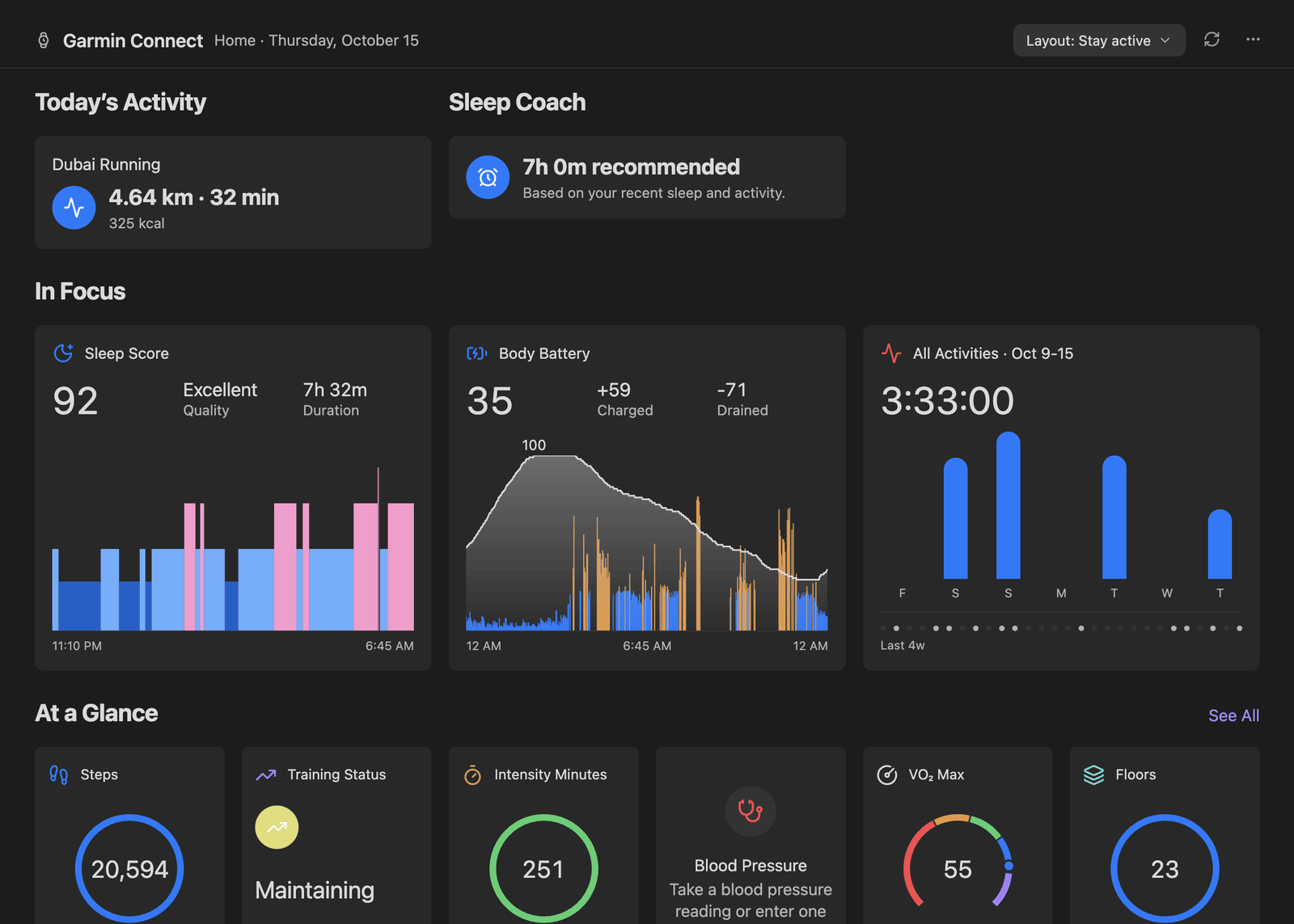
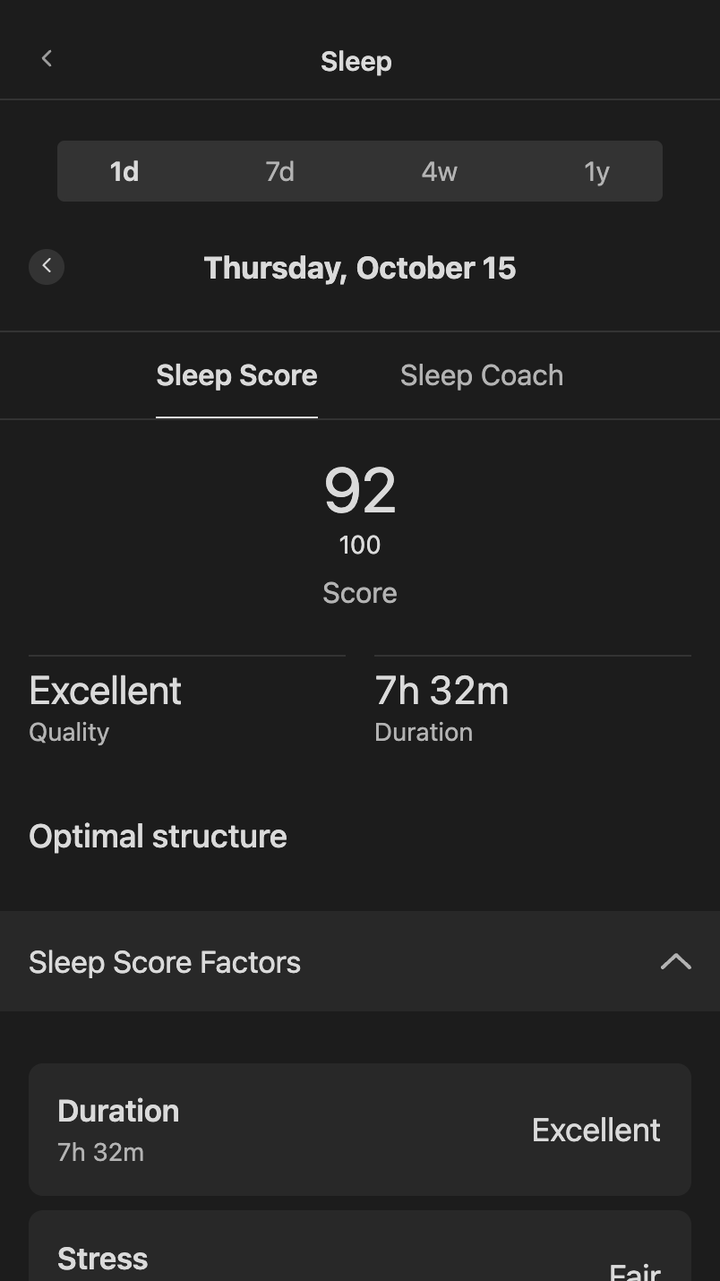
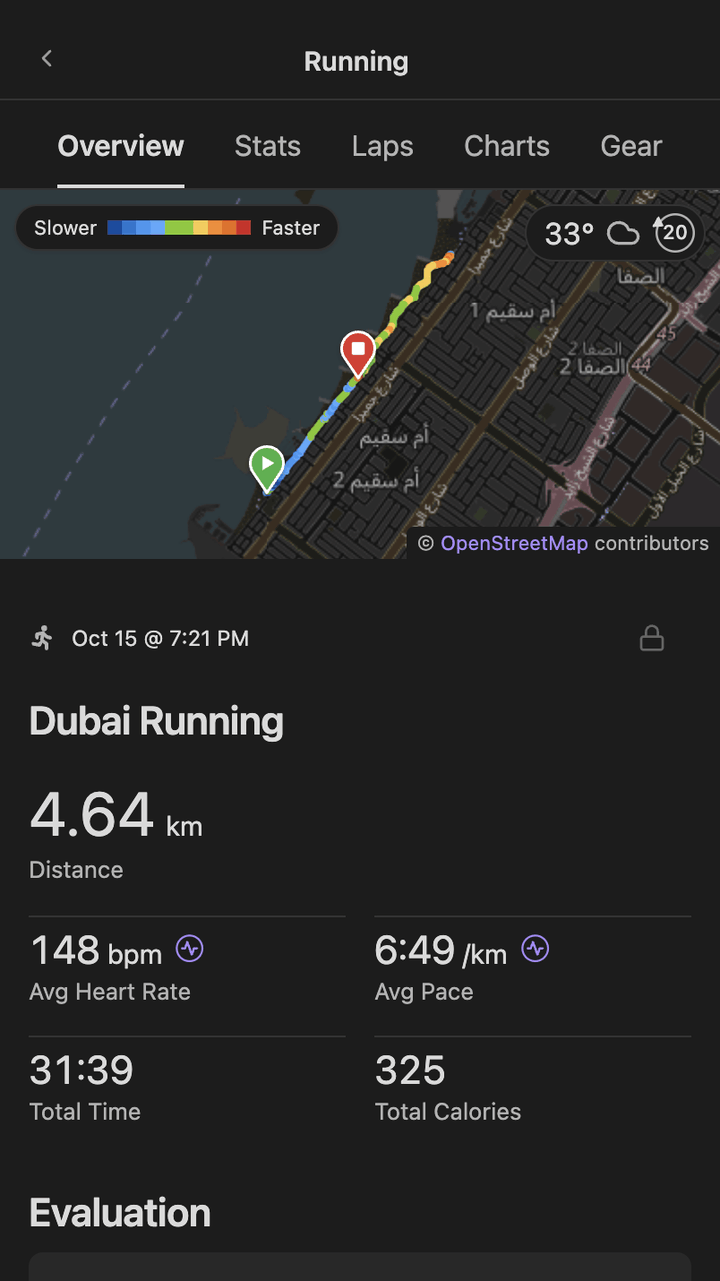
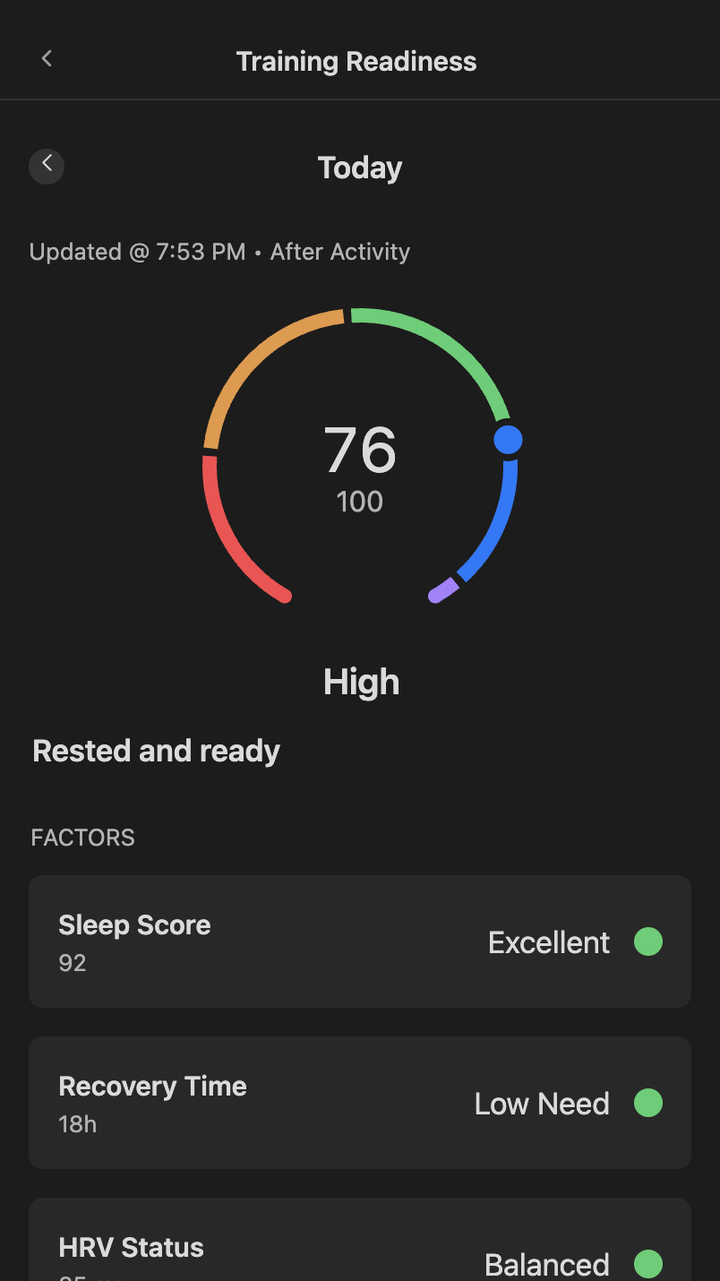
[!IMPORTANT] This plugin is not affiliated nor endorsed by Garmin.
Features
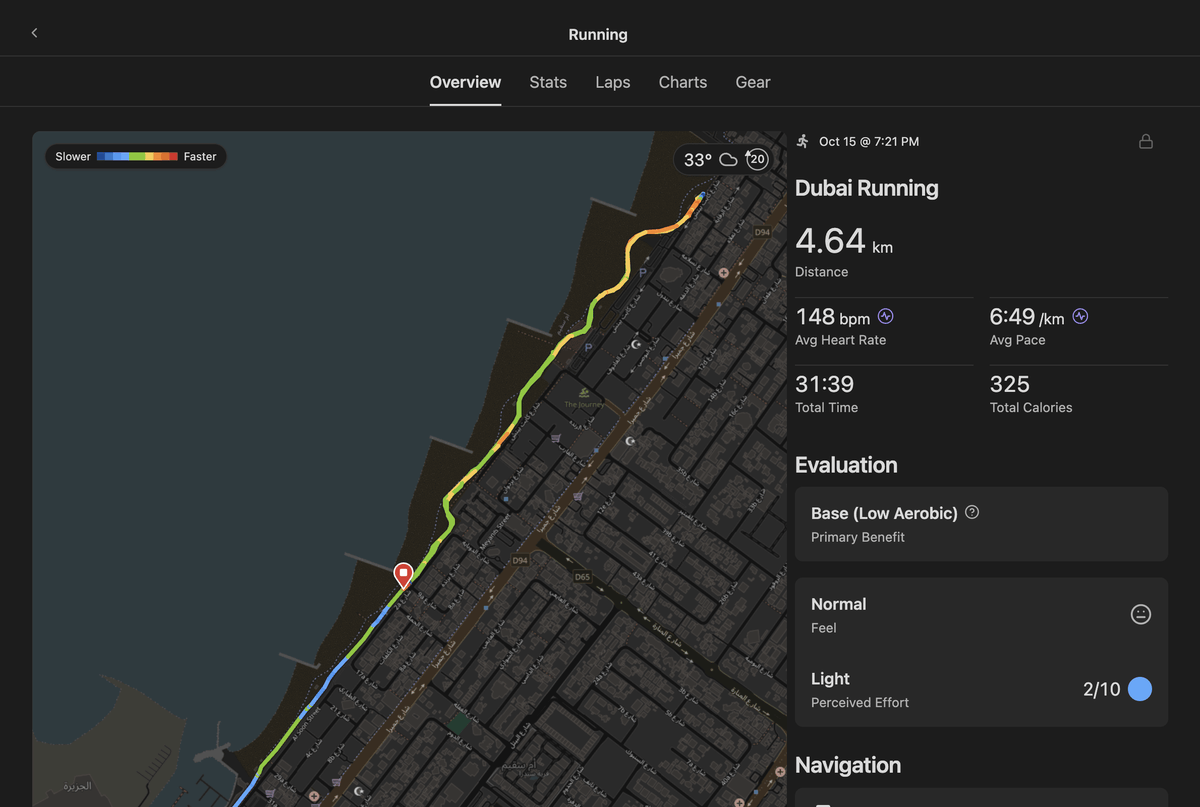
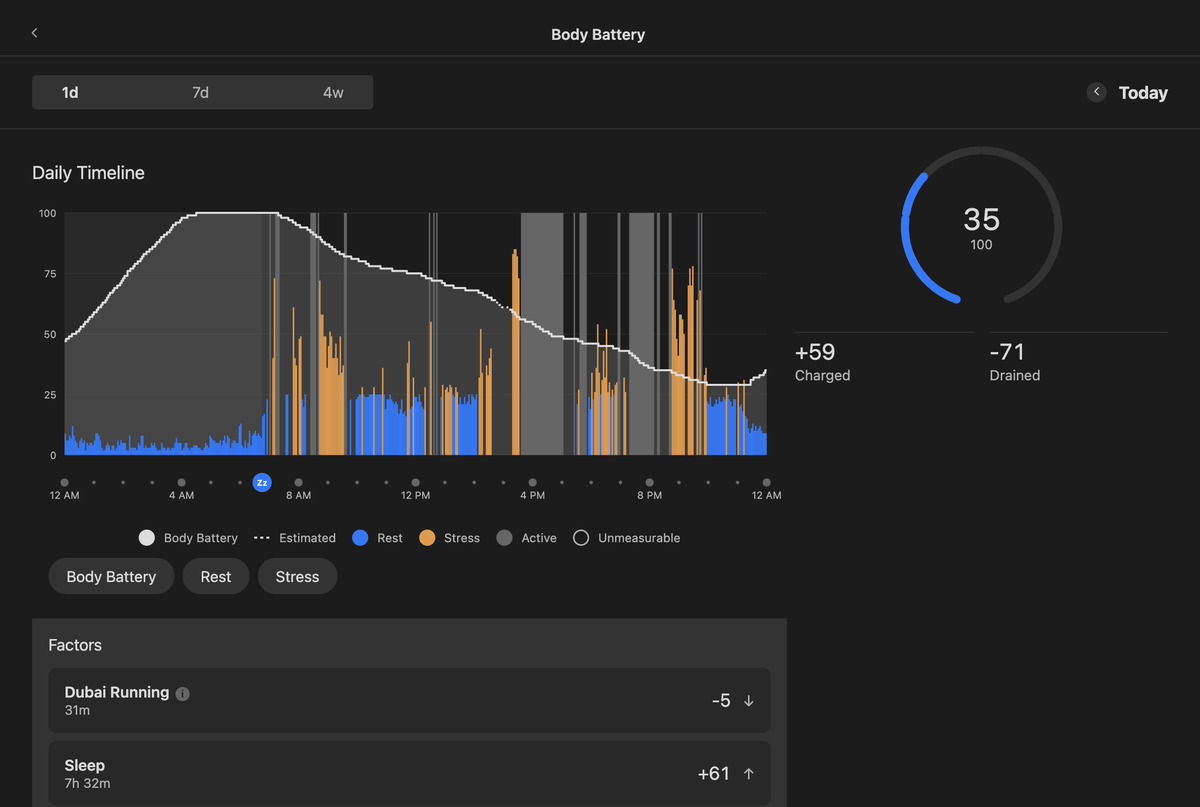
- Pages: As of now, we have pages for home, activities, health stats and performance stats. Most of these have the full stats details. For anything missing that you think could be a bug or should be included, please submit a bug report or feature request.
- You own the data: plain JSON files hold your synced data. This means you can look at stats even offline!
- Privacy and security: we respect your privacy and security. This plugin never stores your password, instead storing your session as a
refreshTokenin Obsidian's Secret Storage. Learn more about how this plugin handles security here.
Planned features
- AI Coach/advisor: Users can opt-in and use a pre-configured or custom-configured model to analyze their data. paste a model API key or enter an Ollama base URL.
- Customizable layouts & theming: The ability to customize layouts and component styles. This plugin hasn't yet been tested with popular themes. Please feel free to contribute some design ideas in feature request - ideally pair it with a visual.
- Embed data within md notes: beautiful health UI can be directly rendered in your notes. Perfect for a workout journal.
[!TIP] Have any ideas? Please send a feature request or learn how to contribute.
A closer look
 |
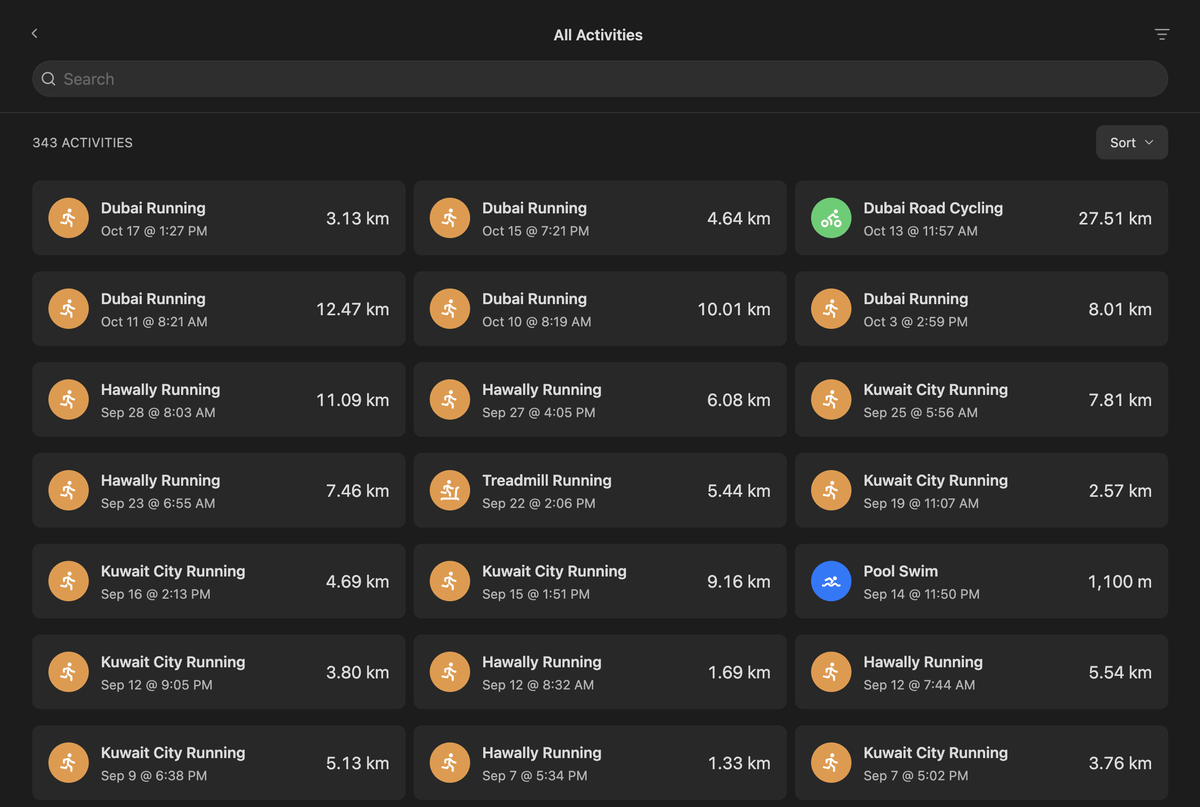 |
| A run's page: the route coloured by pace, stats, laps and charts. | All Activities: search, filter and sort everything you've recorded. |
 |
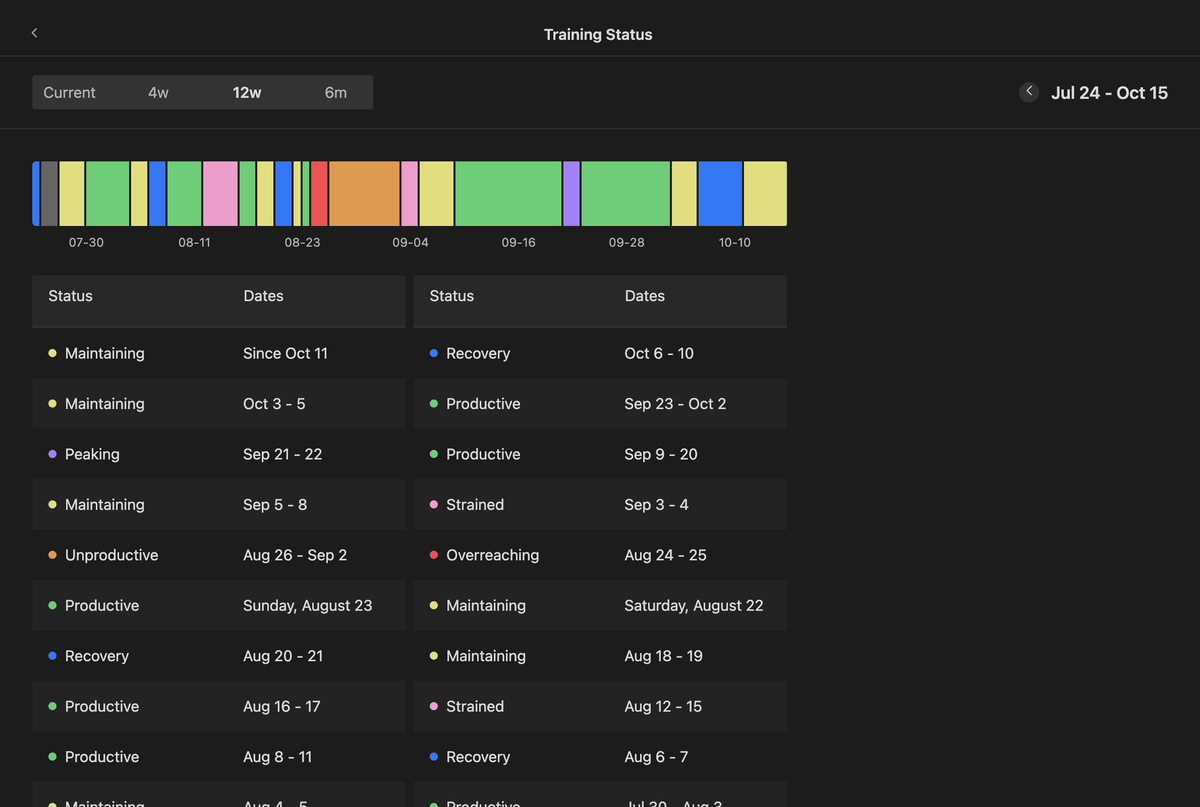 |
| Health Stats: Body Battery's day, with what charged and drained it. | Performance Stats: Training Status over the last 12 weeks. |
How it works
The plugin signs in to Garmin Connect, syncs your data into plain JSON files in your vault, and draws Garmin's pages from those files. So the pages open offline, on every device your vault syncs to.
flowchart LR
  garmin["Garmin Connect"] -->|"sync"| plugin["The plugin"]
  session["Session in Obsidian's keychain"] --- plugin
  plugin -->|"writes JSON"| folder[("Garmin/data in your vault")]
  folder -->|"read by"| pages["Home, Activities, Sleep, Health and Performance Stats"]
Install
The plugin is in beta and installs with BRAT. It needs Obsidian 1.11.4 or later.
- Install BRAT from Obsidian's community plugins.
- In BRAT, choose Add a beta plugin and enter
tareqayz/Obsidian-Garmin-Connect. - Enable Garmin Connect in Settings → Community plugins.
To install by hand or from source, see Installation.
Get started
Enabling the plugin opens a setup over Home:
- Sign in to your Garmin account. Multi-factor authentication is asked for in the same dialog.
- Scan: a few requests find where your Garmin history starts.
- Choose how much history to keep. Each choice shows its size and how long it takes.
- Start: the history downloads in the background, under an hourly request limit, and carries on after a restart.
Then sync with Home's ↻ button, Sync recent days, or Sync on startup. The Guide covers every page and command.
Storage
Everything is plain JSON in one data folder, Garmin/data by default. How much room it takes depends
on how much history you keep. A year of data may vary for individuals, but should be around 50 MB per year on average.
[!IMPORTANT] With Obsidian Sync, turn on Sync all other types so the JSON reaches your other devices.
Privacy and network use
- Sign-in flow. The plugin signs in the way Garmin's mobile app does. Your password is used for the sign-in and never stored, and the session stays on the device, in Obsidian's keychain, never in the vault.
- API Calls at
sso.garmin.com,diauth.garmin.comandconnectapi.garmin.com(or theirgarmin.cncounterparts), to sign in and to fetch your data. - Activity maps draw OpenStreetMap's map under an activity's route, from
tile.openstreetmap.org. That server sees which part of the map you open, roughly where the activity was, and each request names this plugin. Turn Map tiles off in the settings, and the route is drawn on its own with no request at all. tls.peet.wsis asked what your connection looks like, but only when you run the network check in Run diagnostics.- There is no telemetry and no analytics.
- Outside the vault it keeps only the session, a few local-storage keys and a cache of map tiles, on each device.
What is stored where, and how it is redacted, is in Security.
Feedback and support
- Something broken? Start with Troubleshooting.
- Reporting a bug: run Copy debug info and paste it into the bug report form.
- A security problem: report it privately through the security advisory form.
Documentation
| Using the plugin | |
|---|---|
| Installation | BRAT, by hand, a second device, from source |
| Guide | setup, syncing, what to keep, every page and command |
| Troubleshooting | problems by symptom, and the diagnostics |
| FAQ | short answers |
| Settings | every setting and what it does |
| Data reference | every file and key the sync writes |
| Security | what is stored, what leaves your device, reporting a vulnerability |
| Working on the plugin | |
|---|---|
| Contributing | branches, releases, data versions, local development, writing docs |
| Architecture | how the system fits together, with diagrams |
| Building pages | how the pages inside Home work, and how to add one |
| Garmin API | every endpoint called, sign-in, and the request budget |
| API catalogue | the full endpoint list, the recorded shapes and the daily check |
| Changelog | what changed in each release |
Acknowledgements
- Garmin Health Sync: the inspiration for the project, and I believe the first Garmin–Obsidian plugin. I took a lot of its ideas, like file properties on daily notes, but wanted headless sign-in, cross-platform support and data visualisation. I started by seeing if headless authentication was possible and kept building from there.
- cyberjunky/python-garminconnect: an actively maintained Garmin Connect library that saved a huge amount of reverse-engineering work.
- Lucide (ISC): the watch in the logo and the ribbon icon, and the plugin's other icons, through Obsidian.
- Tabler Icons (MIT): the sport figures on the Activities pages.
- Leaflet (BSD-2-Clause): the activity maps, bundled with the plugin.
- OpenStreetMap: the map under a route, © OpenStreetMap contributors, available under the Open Database License.
License
MIT © Tareq Alansari.
Not affiliated with or endorsed by Garmin. Garmin, Garmin Connect, Body Battery and the other Garmin names are trademarks of Garmin Ltd. or its subsidiaries.