Search...Search plugins and themes...
⌘K
Sign in
  • Get started
  • Download
  • Pricing
  • Enterprise
  • Account
  • Obsidian
  • Overview
  • Sync
  • Publish
  • Canvas
  • Mobile
  • Web Clipper
  • CLI
  • Learn
  • Help
  • Developers
  • Changelog
  • About
  • Roadmap
  • Blog
  • Resources
  • System status
  • License overview
  • Terms of service
  • Privacy policy
  • Security
  • Community
  • Plugins
  • Themes
  • Discord
  • Forum / 中文论坛
  • Merch store
  • Brand guidelines
Follow us
DiscordTwitterBlueskyThreadsMastodonYouTubeGitHub
© 2026 Obsidian

Game Backlog Tracker

kevmorellikevmorelli33 downloads

Track completed games from your game backlog.

Add to Obsidian
  • Overview
  • Scorecard
  • Updates9

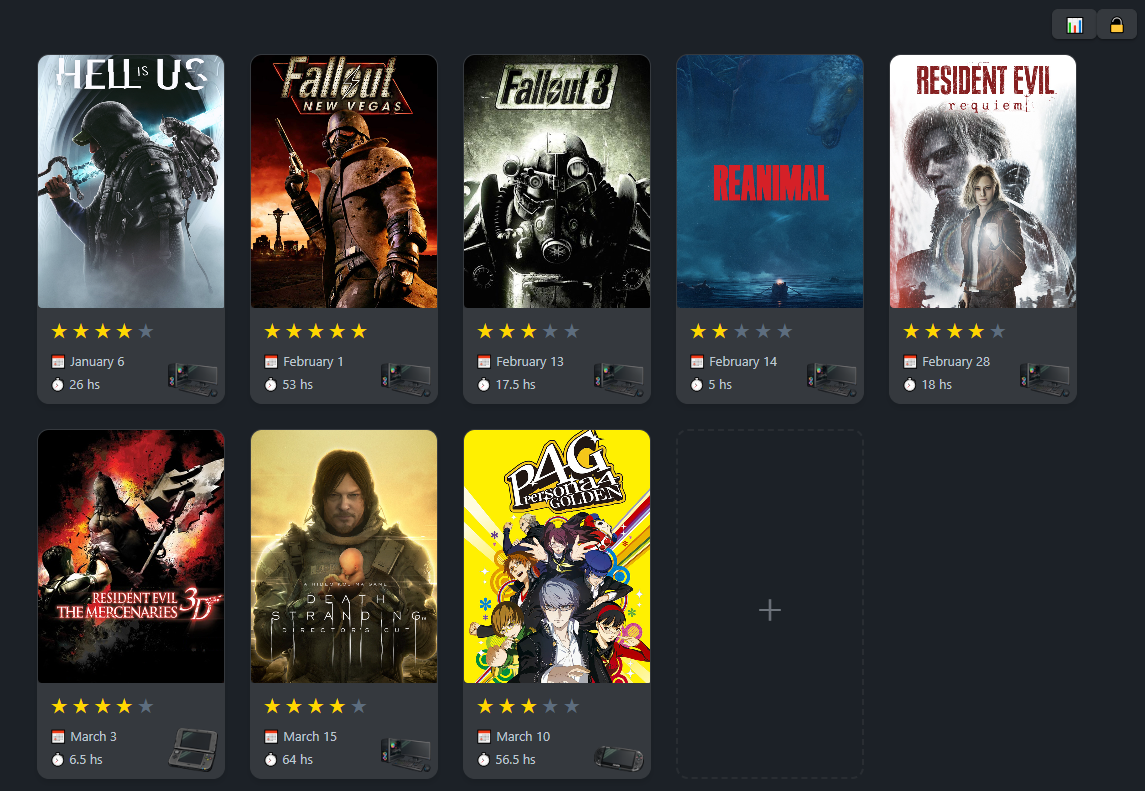
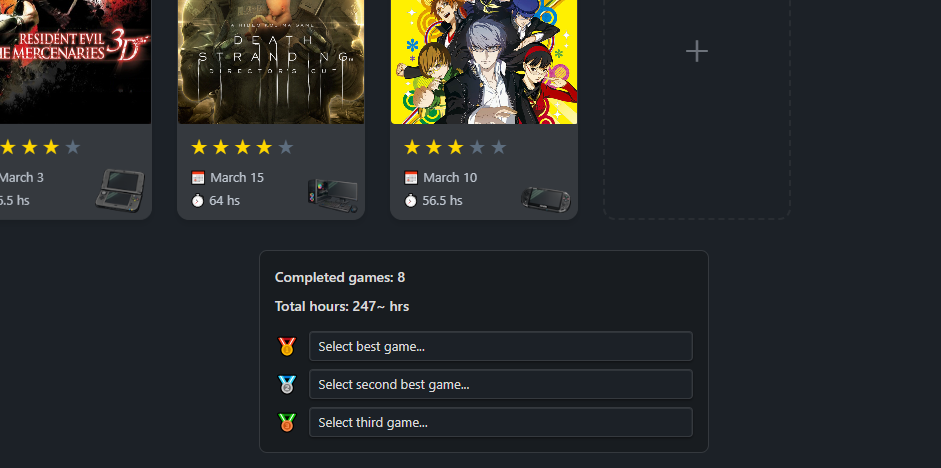
A plugin for Obsidian to track completed games from your game backlog. The main focus of this plugin is to track yearly completions and simplify the process of adding new entries.

❓ How to use it

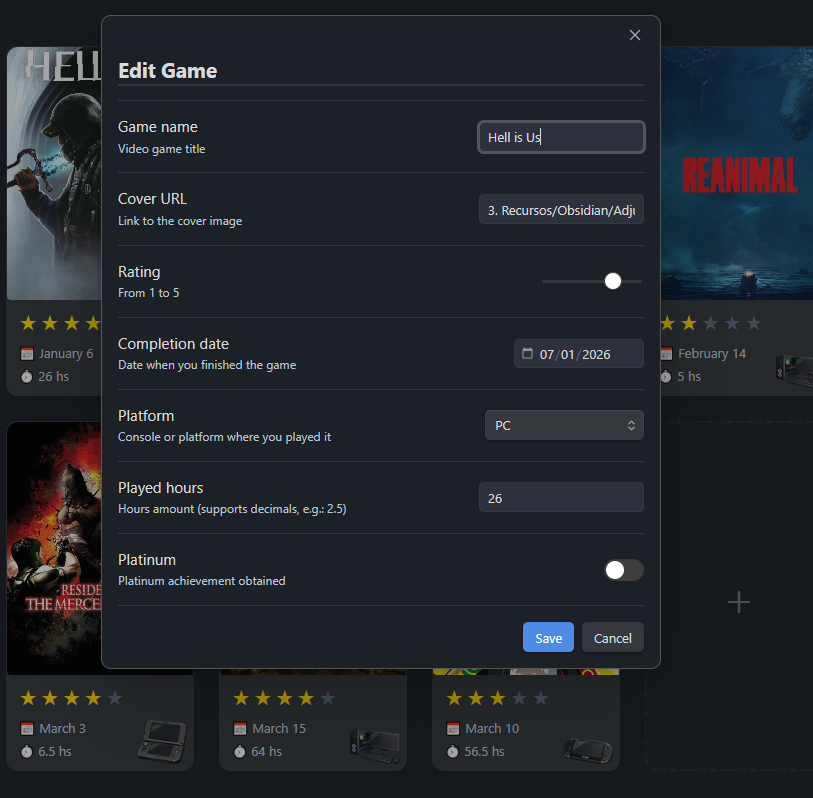
On a MD file press Control + P and search for Game Backlog: Insert game-backlog block. This will create a specific block that this widget uses. From here you can just use the interactive interface to add new entries.

📦 Manual installation

Releases for this plugin are published on the GitHub repository Releases page.

  1. Download the latest release files from GitHub Releases:
    • main.js
    • manifest.json
    • styles.css
  2. In your Obsidian vault, open the folder .obsidian/plugins/game-backlog-tracker/.
  3. Copy the downloaded files into that folder.
  4. Open Obsidian and go to Settings > Community plugins.
  5. Refresh community plugins if needed, then enable Game Backlog Tracker.

If the game-backlog-tracker folder does not exist yet, create it manually before copying the files.

🎮 Features

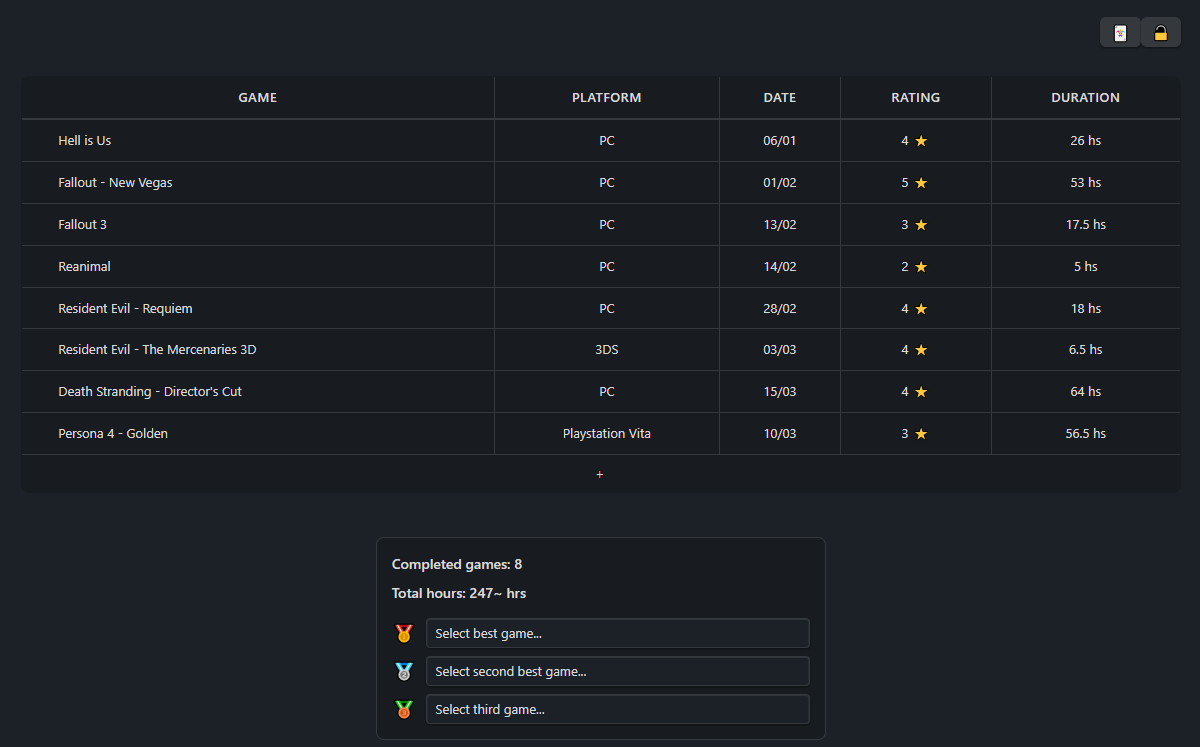
  • Switch between visual grid or table mode
  • 1-5 rating system
  • Different styles for game platform
  • Local or remote game covers
  • Option to download remote game covers into your vault
  • Mark games as platinum
  • Responsive design
  • English/spanish language
  • Fully customizable
  • Customizable themes
  • Support for SteamGridDB
  • Support for DLC campaigns

❗ Assets

Since assets cannot be included directly into the plugin there is a button inside plugin configuration screen to downloaded platform images and the platinum badge. This is totally optional but required if you want to use the image option on the platform config.

📄 License

MIT

📷 Screenshots
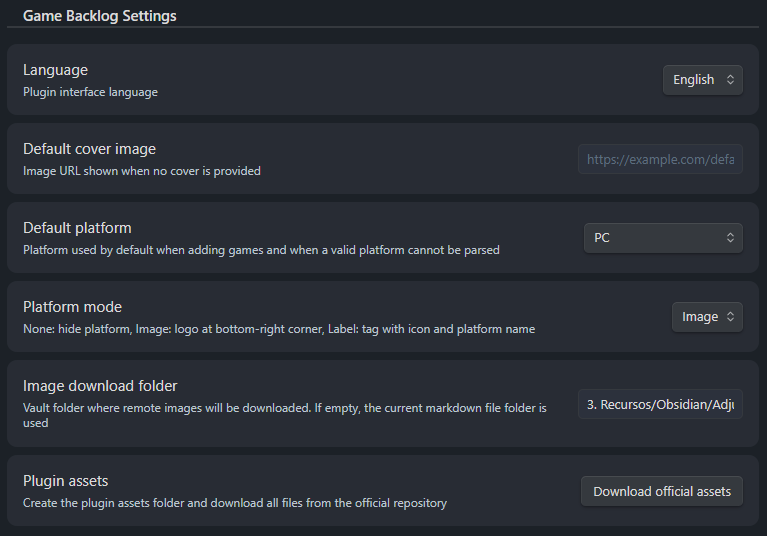
Screenshot 1

Screenshot 2

Screenshot 3

Screenshot 4

Screenshot 5

🤝 Contributions

Contributions are welcome! Feel free to open issues or submit pull requests.

80%
HealthExcellent
ReviewSatisfactory
About
Track completed games and record yearly completions with an in-note game-backlog block and interactive entry interface. Switch between grid or table views, add 1–5 ratings and local or remote covers, manage DLC and SteamGridDB covers, and customize styles.
TablesImagesIntegrations
Details
Current version
1.3.0
Last updated
6 hours ago
Created
2 months ago
Updates
9 releases
Downloads
33
Compatible with
Obsidian 1.2.3+
Platforms
Desktop, Mobile
License
MIT
Report bugRequest featureReport plugin
Author
kevmorellikevmorelli
github.com/KevMorelli
GitHubkevmorelli
  1. Community
  2. Plugins
  3. Tables
  4. Game Backlog Tracker

Related plugins

Super Simple Time Tracker

Multi-purpose time trackers for your notes.

Image auto upload

Upload images from your clipboard by PicGo.

Imgur

Upload images from your clipboard to imgur.com and embeds uploaded image to your note.

Advanced Tables

Improved table navigation, formatting, and manipulation.

Local REST API & MCP Server

Unlock your automation needs by interacting with your notes over a secure REST API.

BRAT

Easily install a beta version of a plugin for testing.

Maps

Adds a map layout to bases so you can display notes as an interactive map view.

Self-hosted LiveSync

Sync vaults securely to self-hosted servers or WEBRTC.

Zotero Integration

Insert and import citations, bibliographies, notes, and PDF annotations from Zotero.

Readwise Official

Sync highlights from Readwise to your vault.