Search...Search plugins and themes...
⌘K
Sign in
  • Get started
  • Download
  • Pricing
  • Enterprise
  • Account
  • Obsidian
  • Overview
  • Sync
  • Publish
  • Canvas
  • Mobile
  • Web Clipper
  • CLI
  • Learn
  • Help
  • Developers
  • Changelog
  • About
  • Roadmap
  • Blog
  • Resources
  • System status
  • License overview
  • Terms of service
  • Privacy policy
  • Security
  • Community
  • Plugins
  • Themes
  • Discord
  • Forum / 中文论坛
  • Merch store
  • Brand guidelines
Follow us
DiscordTwitterBlueskyThreadsMastodonYouTubeGitHub
© 2026 Obsidian

Full Width Toggle

JaeKyung HwangJaeKyung Hwang121 downloads

Toggle full width per note from a Notion-style switch in the status bar.

Add to Obsidian
  • Overview
  • Scorecard
  • Updates4

English · 한국어

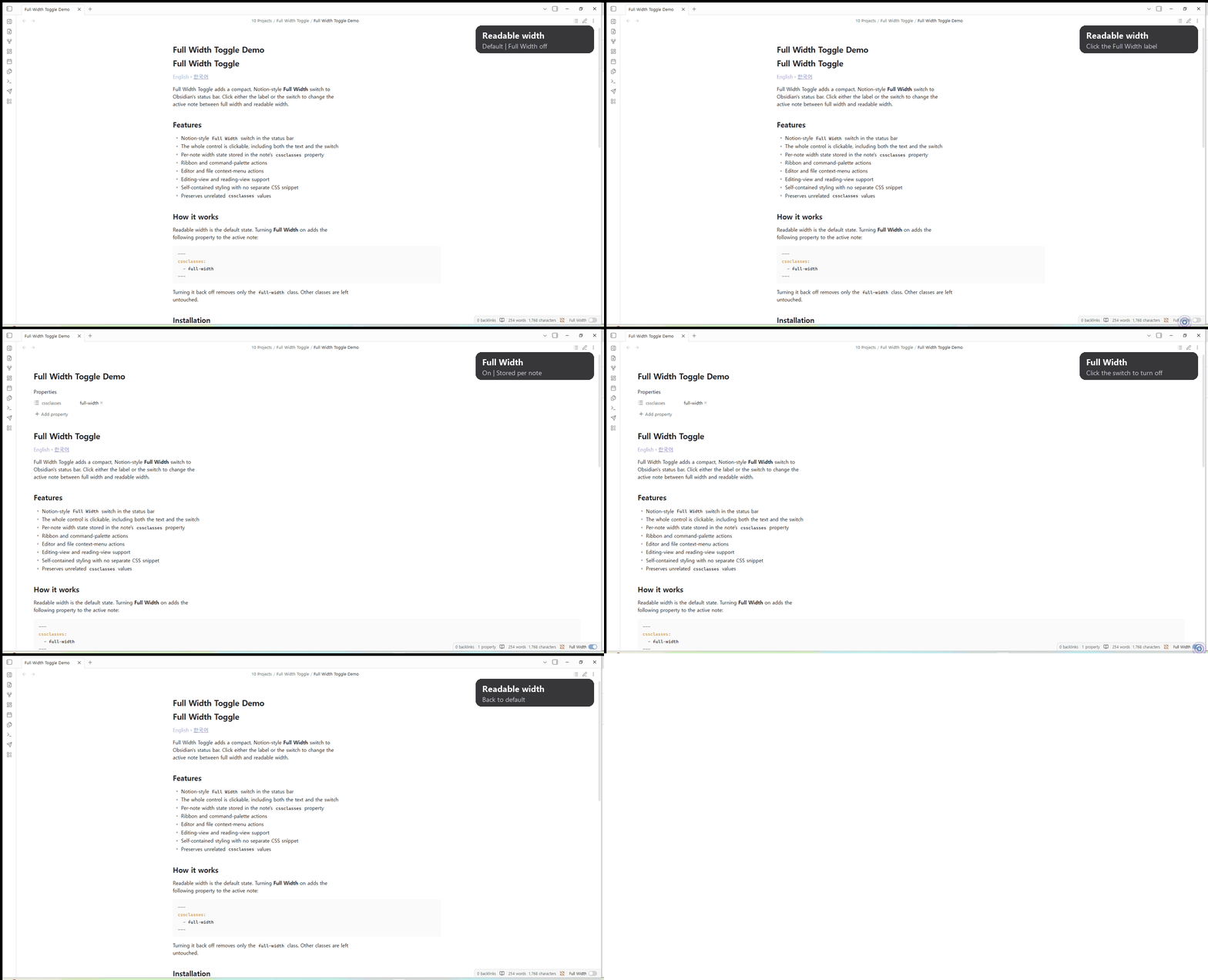
Full Width Toggle adds a compact, Notion-style Full Width switch to Obsidian's status bar. Click either the label or the switch to change the active note between full width and readable width.
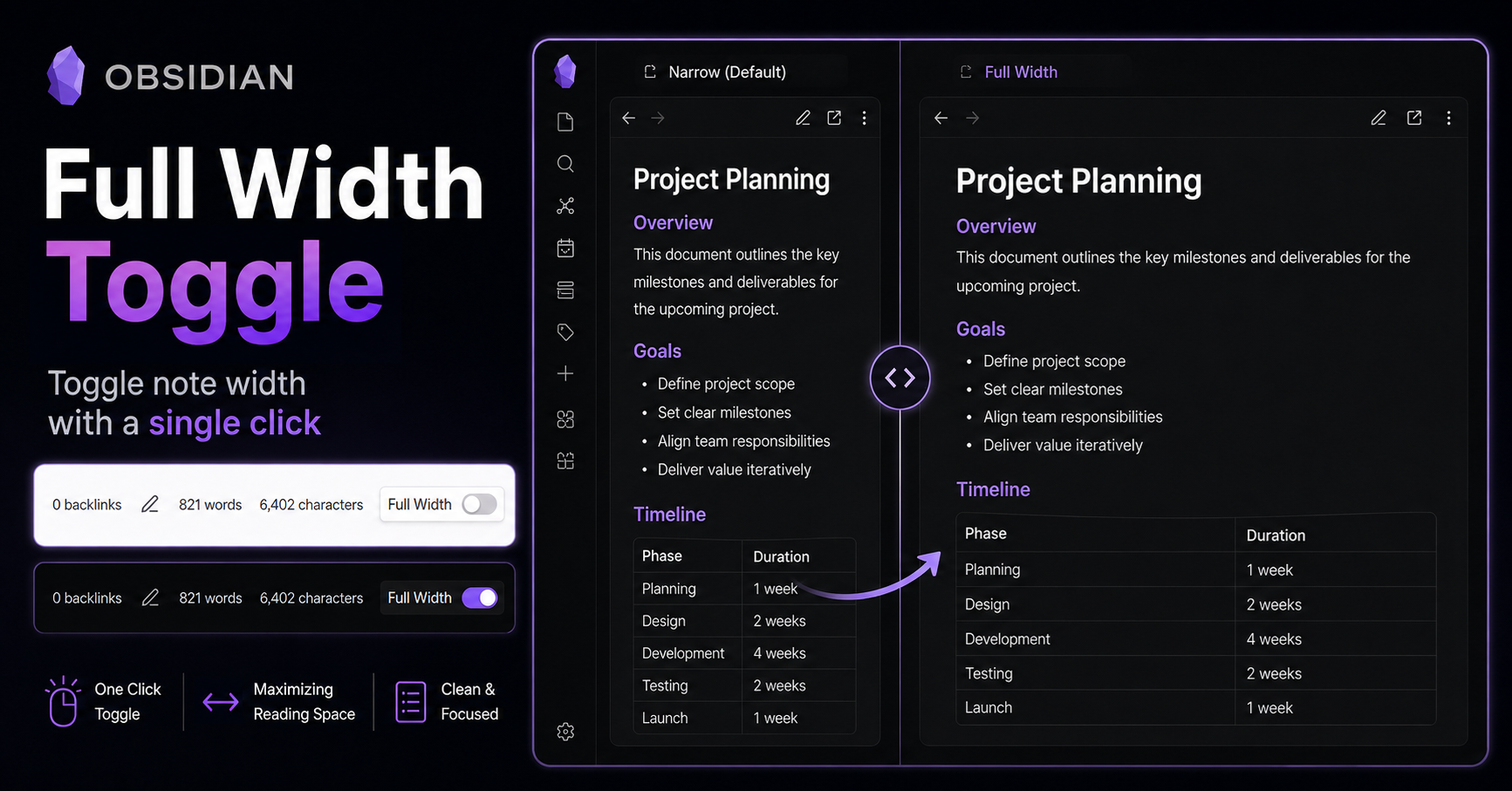
Full Width Toggle preview

Demo

Full Width Toggle demo

Features

  • Notion-style Full Width switch in the status bar
  • The whole control is clickable, including both the text and the switch
  • Per-note width state stored in the note's cssclasses property
  • Ribbon and command-palette actions
  • Editor and file context-menu actions
  • Editing-view and reading-view support
  • Self-contained styling with no separate CSS snippet
  • Preserves unrelated cssclasses values

How it works

Full Width is off by default. In the off state, Obsidian uses its current default note width (normally readable width). Turning Full Width on adds the following property to the active note:

---
cssclasses:
  - full-width
---

Turning it back off removes only the full-width class. Other classes are left untouched.

Installation

Manual installation

  1. Download main.js, manifest.json, and styles.css.

  2. Create this folder inside your vault:

    <vault>/.obsidian/plugins/full-width-toggle/
    
  3. Copy the three files into that folder.

  4. Open Settings → Community plugins and enable Full Width Toggle.

BRAT

Install BRAT, choose Add Beta plugin, and enter:

do0ori/obsidian-full-width-toggle

Commands

  • Toggle current note width

The same action is also available from the ribbon, editor context menu, and file context menu.

Development

npm install
npm run dev

Run npm run build to create the production main.js used in GitHub Releases.

Support

If Full Width Toggle makes your Obsidian workflow a little nicer, you can support the project through PayPal.

License

MIT

HealthExcellent
ReviewPassed
About
Add a compact Notion-style Full Width switch to Obsidian's status bar. Toggle the active note between full-width and readable width with a fully clickable control and save per-note state to the note's cssclasses while preserving other classes.
AppearanceStatus barProperties
Details
Current version
1.1.2
Last updated
Last week
Created
Last week
Updates
4 releases
Downloads
121
Compatible with
Obsidian 1.4.4+
Platforms
Desktop, Mobile
License
MIT
Report bugRequest featureReport plugin
Sponsor
PayPal
Author
JaeKyung HwangJaeKyung Hwangdo0ori
GitHubdo0ori
  1. Community
  2. Plugins
  3. Appearance
  4. Full Width Toggle

Related plugins

Pretty Properties

Makes note properties look more fun: adds side image, banners, list property colors and allows to hide specific properties.

Colored Bases Properties

Color property lists and formula properties in Bases.

Minimal Theme Settings

Control the colors and fonts in Minimal Theme.

Hider

Hide interface elements such as tooltips, status bar, titlebar, and more.

Meta Bind

Make your notes interactive with inline input fields, metadata displays, and buttons.

Advanced Canvas

Supercharge your canvas experience. Create presentations, flowcharts and more.

Style Settings

Adjust theme, plugin, and snippet CSS variables.

Note Toolbar

Add customizable toolbars to your notes.

Update modified date

Automatically update a frontmatter modified date field when the file is modified.

MetaEdit

Manage your metadata.