Fountain Reference Panel
 theluckystrike1 downloads
Show incoming references from Fountain scripts to the current note.
- Overview
- Scorecard
- Updates1
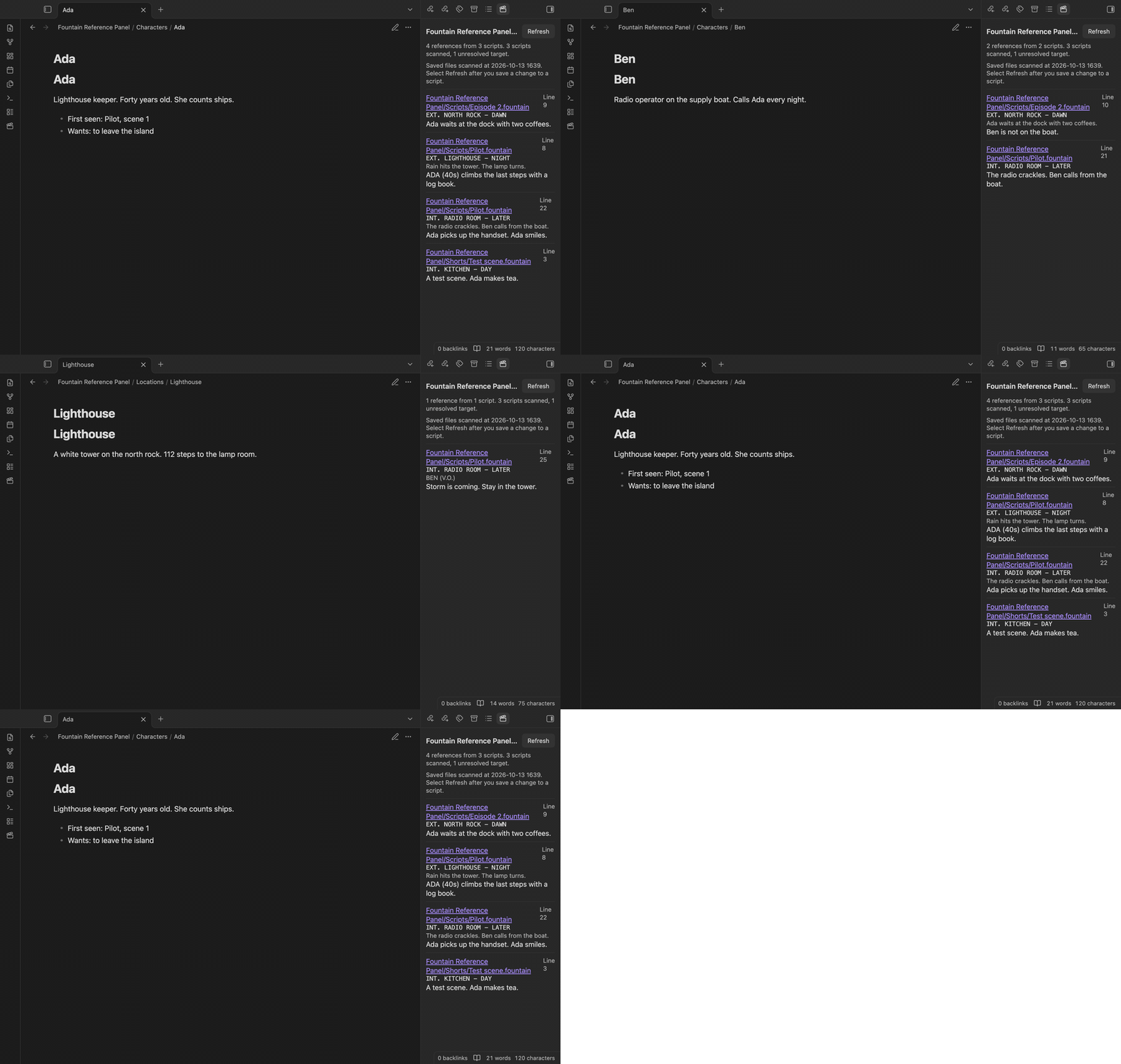
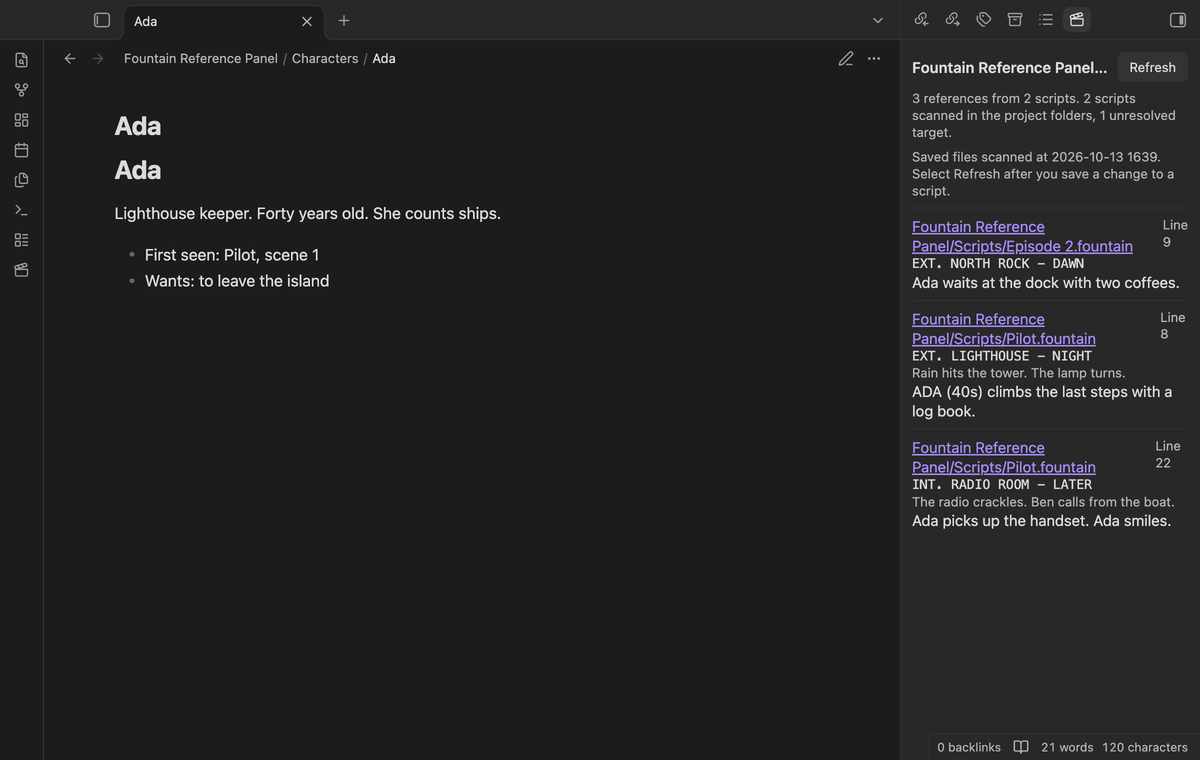
Fountain Reference Panel shows which Fountain scripts in your vault refer to the note that you have open. Write [[>Ada]] in a .fountain script, open the note Ada, and the panel lists that line with its scene heading and the text around it.
The panel reads the saved .fountain files in the vault. The scan does not change your scripts or notes, and it sends nothing over the network. The Pro report writes a new note when you select Export.
Features
Incoming references to the active note
The panel scans the saved .fountain files for references of the form [[>target]] and [[>target|display text]]. For the Markdown note that is active, it lists each reference whose target resolves to that note. Each row shows the script path, the line number, the scene heading above the reference and the line of the reference.
To find the target file, the plugin asks Obsidian with MetadataCache.getFirstLinkpathDest and the path of the script. When two folders each have an Ada.md, [[>Ada]] goes to one file only, the file that Obsidian picks for that script.
Display text, scene headings and nearby text
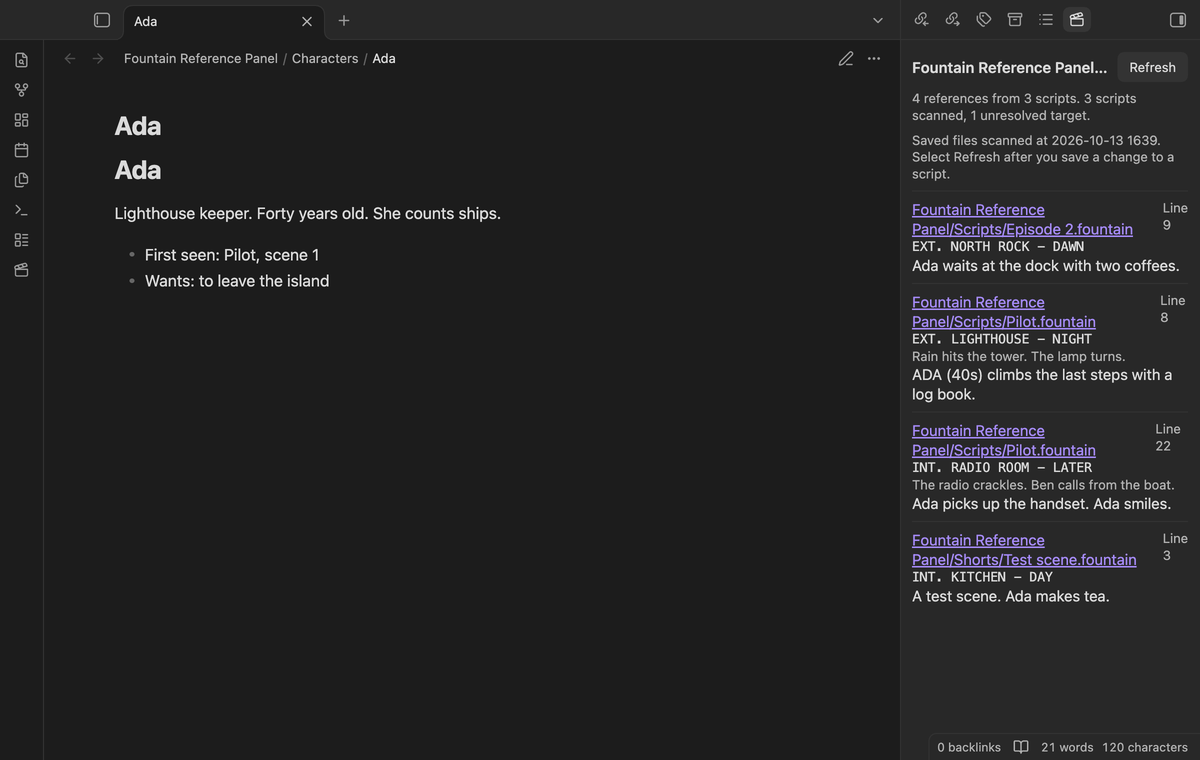
A reference such as [[>Lighthouse|tower]] shows "tower" in the line text. A #heading part of a target is removed before the lookup, so [[>Ada#Backstory]] goes to the note Ada.
The scene heading is the last line above the reference that starts with INT, EXT, EST, INT./EXT, INT/EXT or I/E, or a forced heading that starts with one period. A scene heading must come after a blank line or at the start of the script. A scene number such as #12# is removed. A reference above the first scene heading shows "Before the first scene heading". The row also shows the previous non-blank line in the same scene. Long lines are cut to 200 characters.
The scanner skips text inside /* boneyard */ blocks, also when a block spans several lines, so cut text does not show up. Ordinary Fountain notes such as [[check this]] or [[todo:fix this]] are not references, because they do not start with >.
Open the script, Refresh and clear status
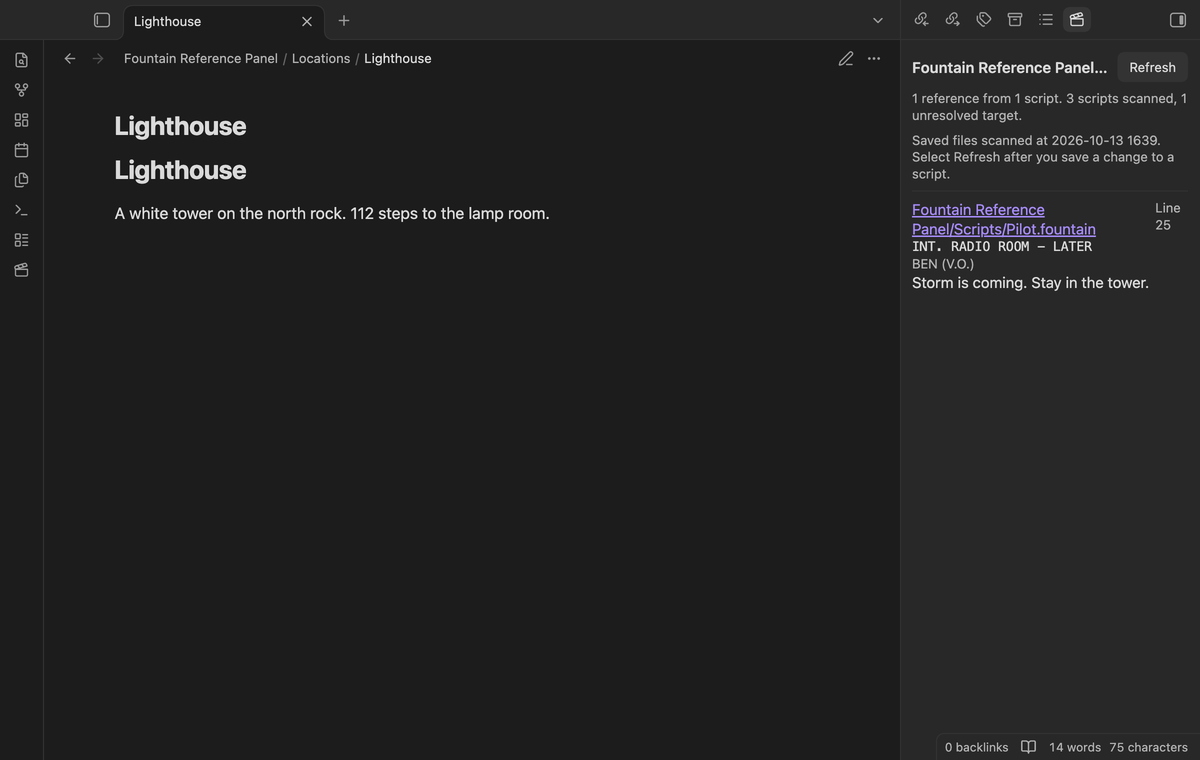
Select the script path in a row to ask Obsidian to open the saved script in the main area. Obsidian itself has no view for .fountain files. If no installed plugin adds one, the file does not open. Then a notice says that a view for .fountain files is necessary, and the row and its path stay in the panel. When a script opens, the panel keeps the rows of the last note.
The Refresh button reads the saved scripts again and builds the list from the start. After you edit, rename or delete a script, select Refresh, and the old rows go away. The status line under the note name says how many references and scripts it found, how many scripts it scanned and how many targets did not resolve to a file. A target with no file, such as [[>Harbor master]] before you make that note, counts as unresolved and is not assigned to the open note.
The panel does not show an empty list without a reason. When no Markdown note is open, when no scan has run, when the vault has no .fountain file, or when a script could not be read, the status line says so. Scripts that could not be read are listed with the error message.
Project folder filters (Pro)
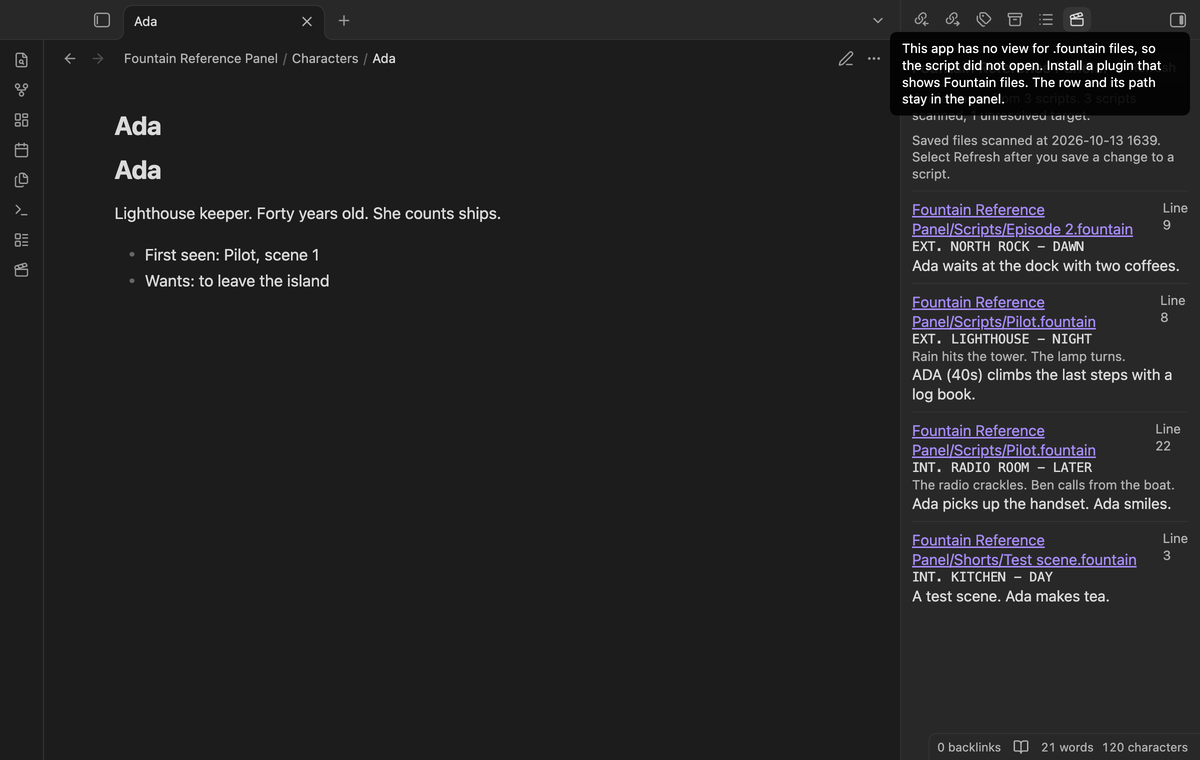
With Pro, write one or more project folders in the settings. The scan then reads only the .fountain files in those folders and their subfolders. The status line says "scanned in the project folders" while a filter is on. The list is saved with the plugin settings.
Reference report (Pro)
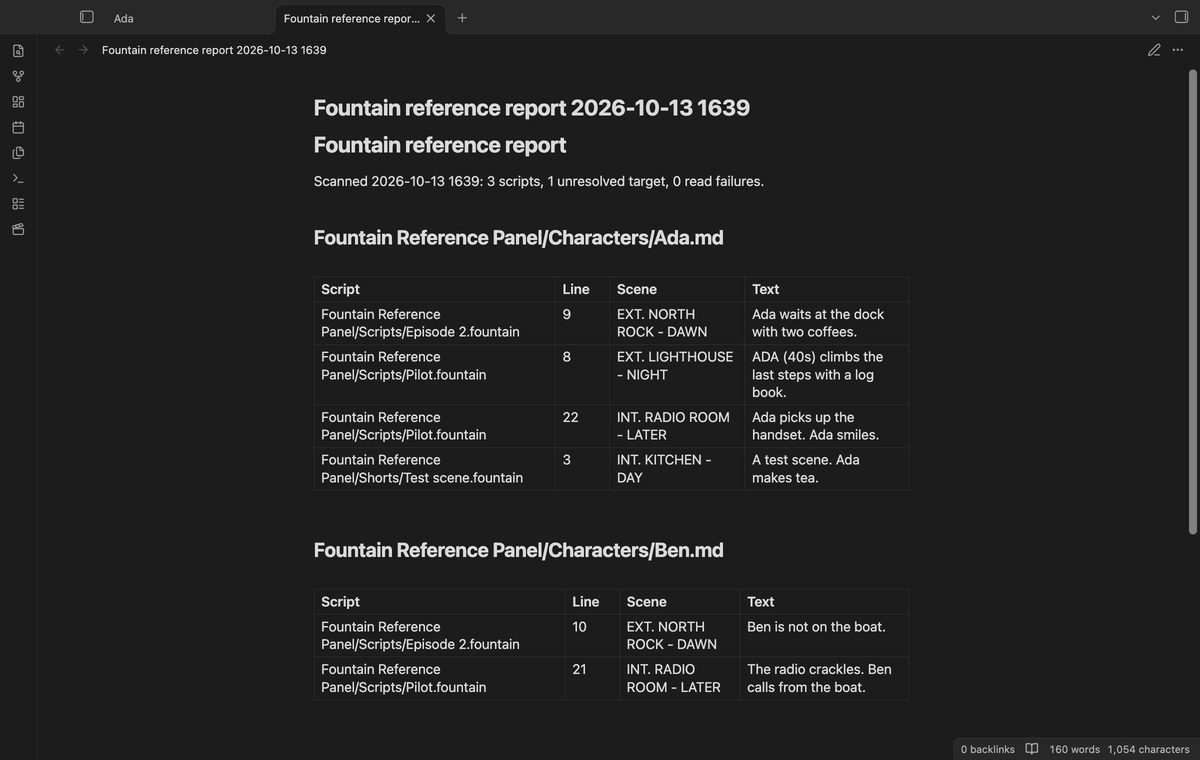
With Pro, the command "Export a reference report for selected notes" opens a list of the notes that have references in the last scan, with their counts. Select the notes that you want, then select Export. The plugin writes a new Markdown note in your folder for new notes. It has one table for each selected note with the script, line, scene heading and text of each reference, and a line with the scan counts and read failures.
Install
For local installation, build the source, then copy main.js, manifest.json and styles.css into <vault>/.obsidian/plugins/fountain-reference-panel/. Open "Settings → Community plugins" and enable the plugin. You need Obsidian 1.13.4 or later. The desktop tests run on 1.13.4 and 1.14.4.
To read or edit .fountain files in Obsidian, you also need a plugin that adds a view for them. Fountain Reference Panel does not add one.
Usage
- Open a character, location or prop note.
- Run the command "Fountain Reference Panel: Open the reference panel", or select the clapperboard icon in the ribbon. The panel opens in the right sidebar and runs its first scan.
- Open other notes. The panel shows the references to each note from the last scan.
- Save your script, then select Refresh to scan again.
The command "Refresh the references from saved scripts" does the same as the Refresh button.
In a script, write references like this:
INT. RADIO ROOM - LATER

The radio crackles. [[>Ben]] calls from the boat.
Stay in the [[>Lighthouse|tower]].
Settings
| Setting | What it does |
|---|---|
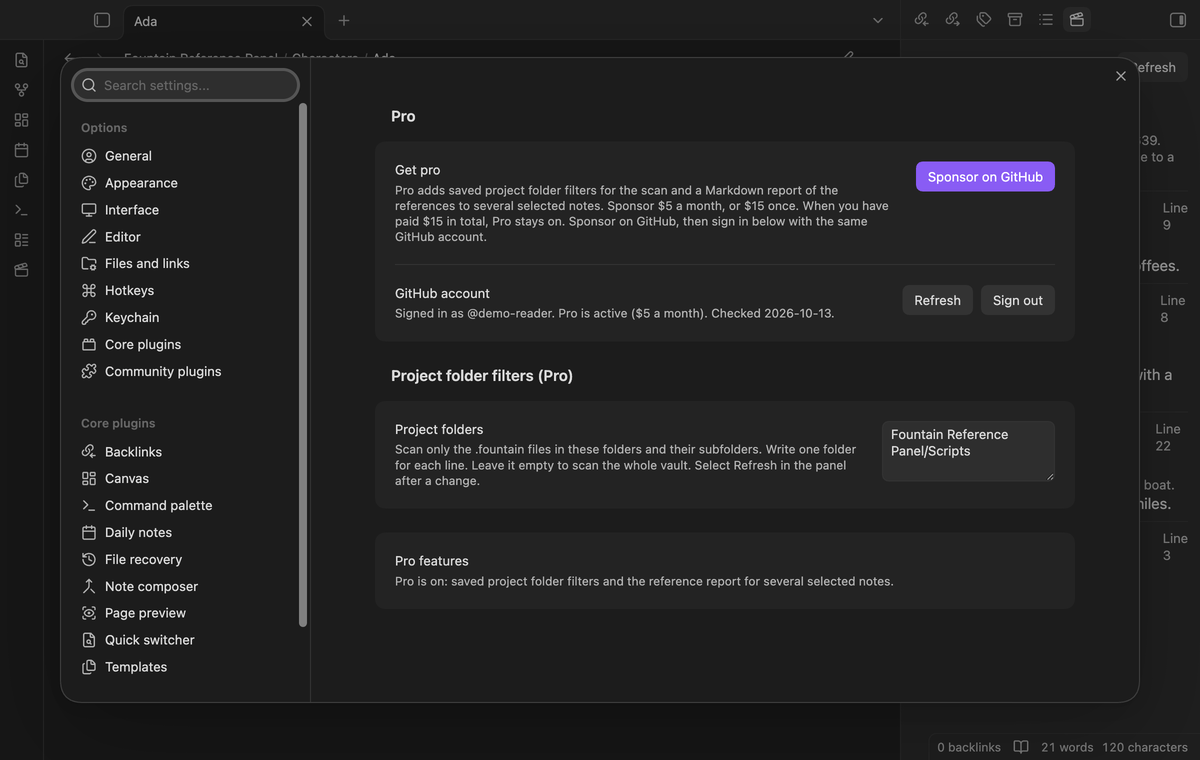
| Get pro | Shows what Pro adds and the price, with a Sponsor on GitHub button. |
| GitHub account | Sign in with GitHub, Refresh and Sign out for the Pro check. |
| Project folders (Pro) | One folder for each line. The scan reads only these folders. Empty scans the whole vault. Without Pro, this list is ignored. |
Select Refresh after you change the folders.
FAQ
Does it add Fountain references to backlinks or the graph?
No. This plugin puts Fountain references in its own panel. It does not change the backlinks pane or the graph.
Does it see changes that I have not saved?
No. The scan reads the saved files. A Fountain editor can keep newer text in memory before it saves. Save the script, then select Refresh.
Does it scan on its own when a script changes?
No. The first scan runs when you open the panel. After that, select Refresh. When you change the open note, the panel shows the rows for the new note from the last scan.
Does it open the script at the line of the reference?
No. It asks Obsidian to open the file. The line number is in the row.
What did you not test?
We did not test the plugin on a phone or a tablet. The plugin uses no desktop-only API, but no device test has run. We did not test it with a Fountain editor plugin installed, so we do not know which view opens the script then. We did not test vaults with thousands of scripts, and we have no speed numbers. The end-to-end test in test/e2e runs in the desktop app.
Payment, account and network
The core features are free. Pro features need a GitHub Sponsors sponsorship of theluckystrike: $5 a month or more, or $15 once. A total payment of $15 meets the payment requirement for Pro without further payment. Sign-in and the checks below still apply. Your notes stay readable and editable with or without Pro.
GitHub handles the payment. Sponsor at https://github.com/sponsors/theluckystrike. You need no account for the free features. Pro needs the GitHub account that sponsors.
Until you select "Sign in with GitHub" in the settings, Fountain Reference Panel makes no network requests. Sign in uses the GitHub device flow. Fountain Reference Panel sends its public client ID and the scope read:user to https://github.com/login/device/code and shows you a code. While you enter the code at https://github.com/login/device, it asks https://github.com/login/oauth/access_token every few seconds to check the sign-in status. The scope permits profile reads only. GitHub needs this access to show the sponsorship tier. It grants no repository scope and no write access.
After sign in, Fountain Reference Panel sends one query to https://api.github.com/graphql. It checks if the signed-in account sponsors theluckystrike. It asks for the tier and the total payment to theluckystrike. The plugin reuses a successful check for 7 days. Failed checks can retry after 6 hours. Select Refresh to request an earlier check. It sends no note content, file names or other vault data, and it has no telemetry.
After a successful check, Pro can work offline for up to 14 days. Sign out or a negative sponsorship answer turns Pro off. The plugin stores the GitHub token through the secret storage API of Obsidian. It does not put the token in its saved settings or its local sponsorship data. The local storage of this device keeps your GitHub login, the tier and the time of the last check. Sign out clears the token. You can also revoke the access in your GitHub settings, under Applications.
Support
When you report a problem, include your Obsidian version and, if possible, a short sample script. Give the source path, the target note path and the reference text. These items help us check the same case without your full vault.