Folder Accents
 Emma270 downloads
Automatically change accent colour based on which folder your note is in.
- Overview
- Scorecard
- Updates1
Automatically change Obsidian's accent colour based on which folder your note is in.
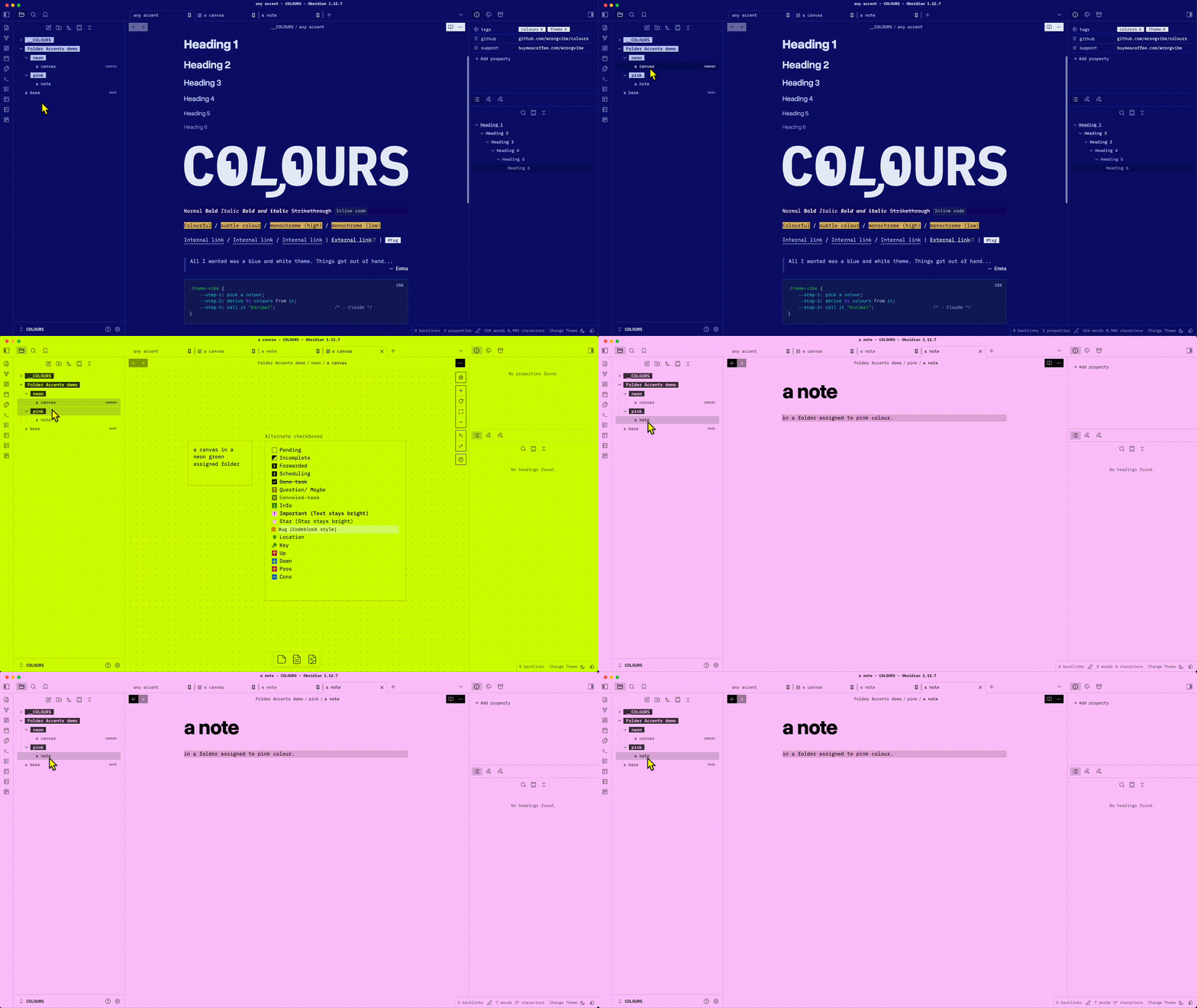
Companion plugin for the COLOURS theme. COLOURS derives its entire palette from a single
--color-accentvariable. Folder Accents extends that by letting different parts of your vault have their own distinct colour identity, automatically, without any manual switching.It is designed specifically to unlock COLOURS' per-folder palette feature. Might work with any theme that respects
--color-accent.
How It Works
When you open a note, the plugin checks which folder it lives in. If the folder has a colour assigned, the entire UI shifts to that accent colour instantly. Open a note in a different folder and the colour follows.
Features
- Per-folder accent colours — assign any colour to any folder
- Subfolder inheritance —
Projects/Workinherits fromProjectsif no exact match is defined - Most-specific match wins — no need to worry about order; deeper paths always take priority
- Native folder search — type to find folders, just like Obsidian's core plugins
- Live preview — colour changes the moment you switch files
- Backup & Restore — export and import your mappings as JSON
Installation
Manual
- Download
main.jsandmanifest.json - Create
.obsidian/plugins/folder-accents/in your vault - Place both files there
- Settings → Community Plugins → enable Folder Accents
From Community Plugins
- Settings → Community Plugins → Browse
- Search for Folder Accents
- Install and enable
Usage
- Open Settings → Community Plugins → Folder Accents → Options
- Click + Add Folder
- Type a folder name — matching folders appear as you type
- Pick a colour with the colour picker
- Open any note in that folder — the accent changes automatically
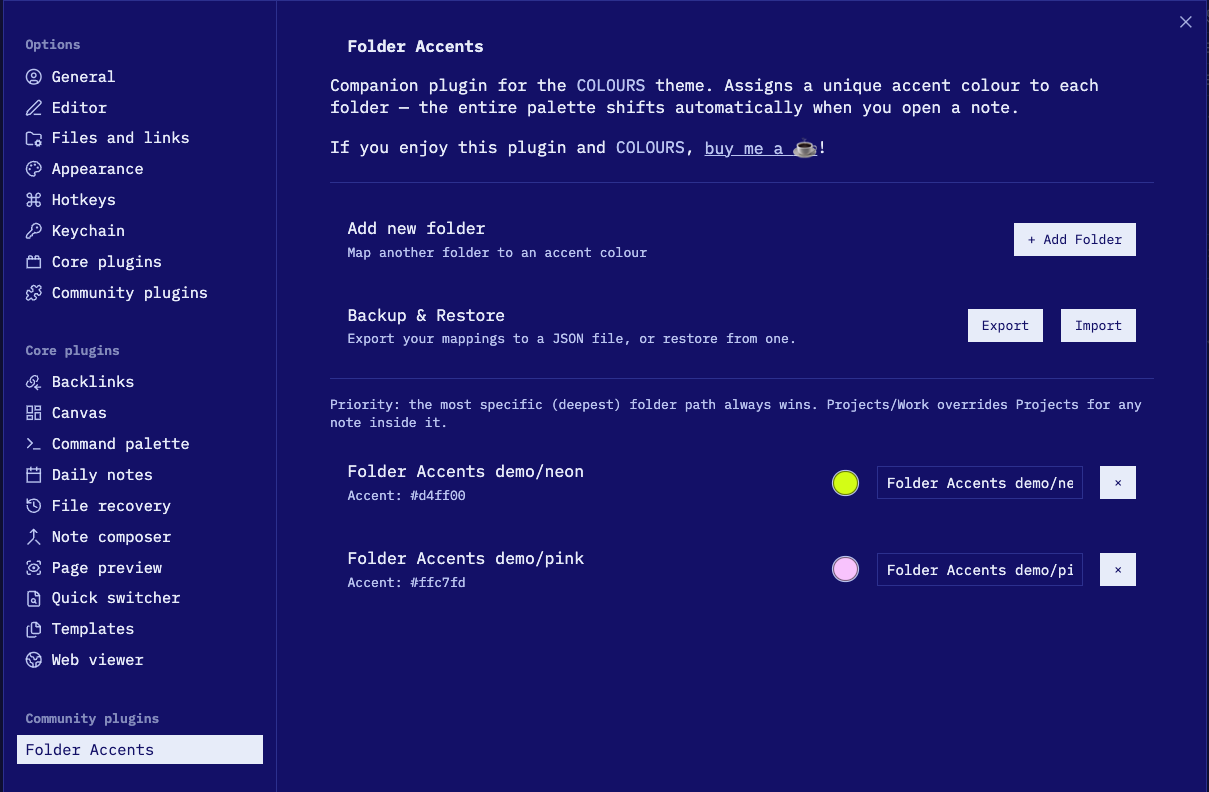
To back up your mappings, use Export in the settings panel. To restore, use Import.
Folder Priority
When a note could match more than one mapped folder, the most specific path always wins — meaning the longest matching folder path takes precedence, regardless of the order mappings appear in settings.
Example:
| Mapping | Colour |
|---|---|
Projects |
Blue |
Projects/Work |
Red |
Projects/Work/Active |
Green |
Opening a note in Projects/Work/Active/note.md applies Green, because Projects/Work/Active is the longest match. A note in Projects/Work/old-note.md gets Red. A note directly in Projects/ gets Blue.
If only Projects is mapped, all notes inside it — including those in Projects/Work and deeper — inherit Blue. Add a more specific mapping at any time to override just that subtree.
How It Works (Technical)
The plugin injects a small CSS override onto <body> when you open a file:
body[data-folder-accent="folder-accent-0"] {
  --color-accent: #7F8C8D !important;
}
Because Obsidian themes derive UI colours from --color-accent, the entire interface updates instantly — no reload needed.
Compatibility
- Obsidian: v0.15.0+
- Mobile: Yes (iOS and Android)
- Themes: Any theme using CSS
--color-accent
License
GPL-3.0