FluxTimer
 天堂鸟10 downloads
Compact countdown and stopwatch timers pinned above your notes, with Markdown time logs and built-in task time tracking.
- Overview
- Scorecard
- Updates1
English · 中文
Compact countdown and stopwatch timers pinned to the top of the active note, with Markdown time logs and a built-in task time tracker. Desktop only.
Screenshots
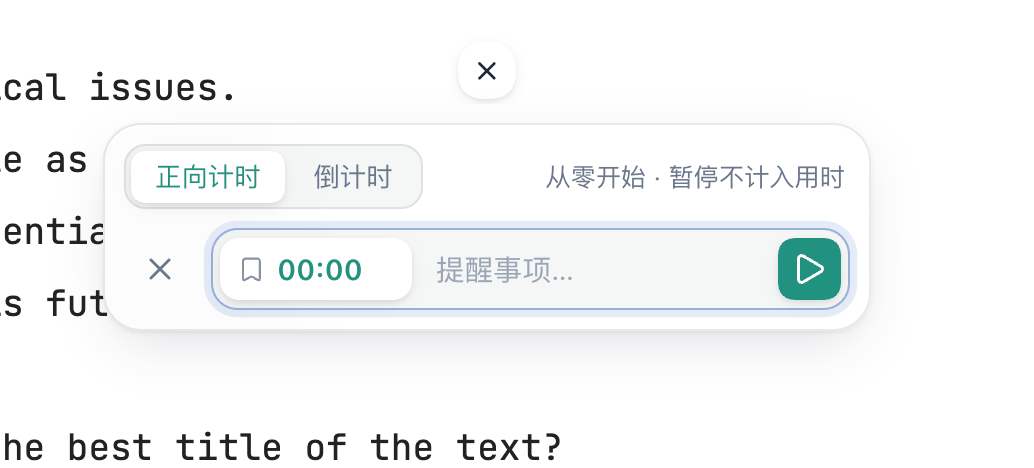
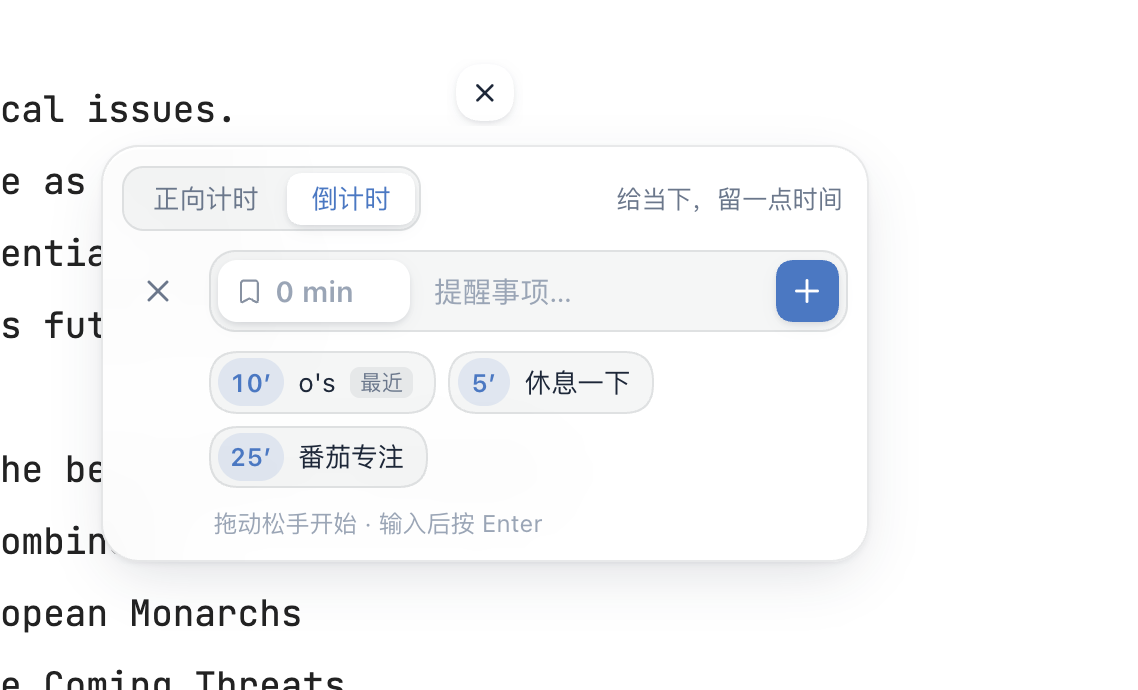
| Stopwatch | Countdown with presets |
|---|---|
 |
 |
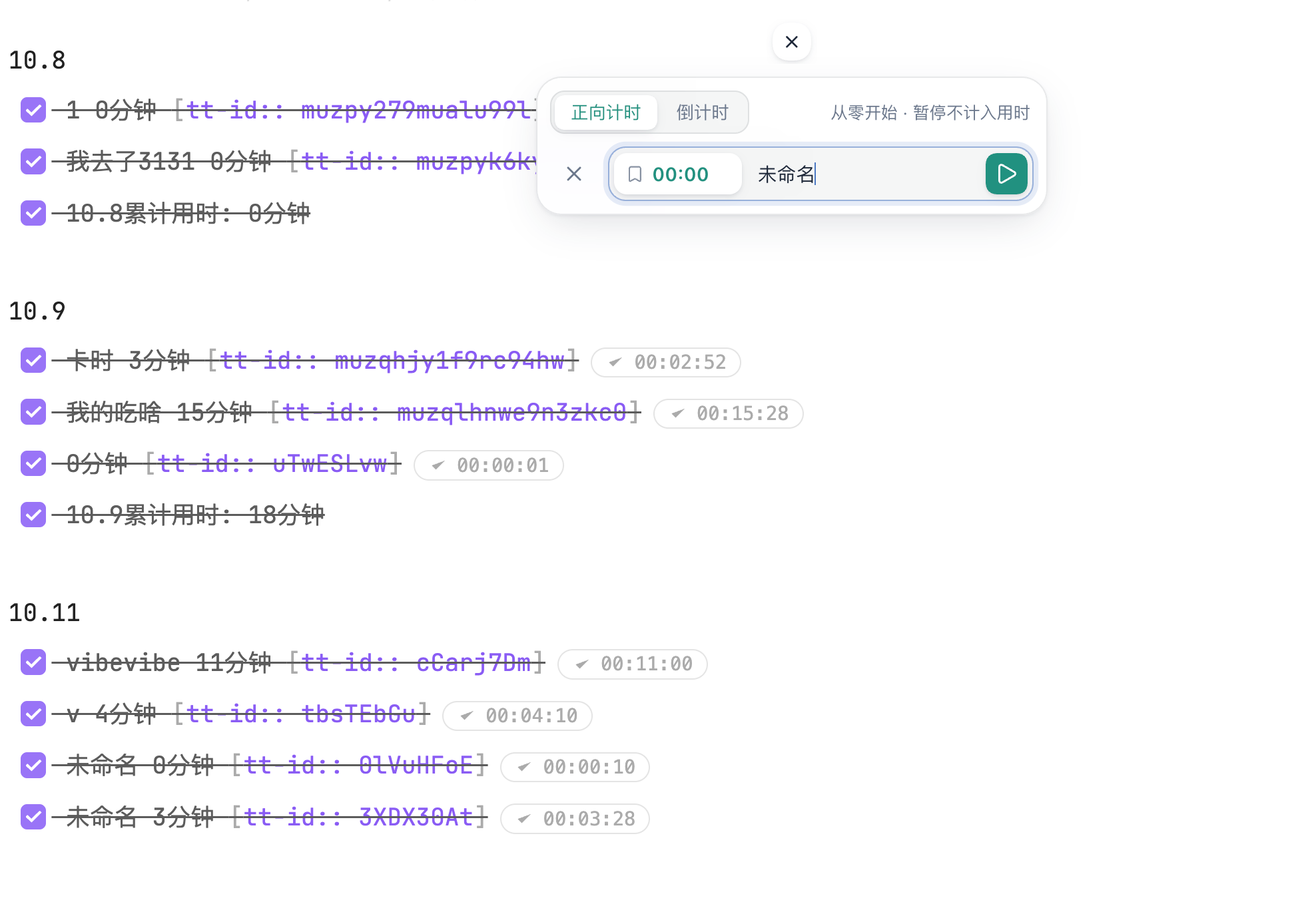
Finished timers are logged to a Markdown note, grouped by date with a daily total:
Features
Countdowns and stopwatches shown as small rings at the top center of the note. Several countdowns can run at once; stopwatches share a single task tracker.
Quick input: type minutes or
mm:ss(e.g.25,00:30) and press Enter, or pick a preset. Presets are configurable (e.g.Short break=5, Focus=25, up to 6).Details panel: click a ring for large remaining/elapsed time, a progress bar and the expected end time. Countdowns can be extended by +1 / +5 minutes or restarted.
Finish reminders: a glass-style card when a countdown ends (+1 / +5 / +30 min, restart), an optional sound, and an optional system notification when Obsidian is in the background.
Status bar shows the next countdown to finish; click it to open that timer.
Markdown time log: named timers are written to a log note as tasks, grouped by date with a daily total:
9.20
- [x] Math review 250分钟
- [x] 9.20累计用时: 250分钟
Task time tracking (bundled Task Time Tracker 0.0.31, MIT): play/stop buttons on task lines, history editing, projects and clients, a statistics dashboard, and CSV / Toggl / Clockify export.
Horizontal or vertical layout, adjustable size (20–48 px), and light/dark theme support.
Interface in English or Chinese, following Obsidian's language by default.
Commands for adding timers, pausing/resuming the latest timer, dismissing reminders, switching layout and opening the log or statistics. No default hotkeys.
Usage
- Click + at the top of a note and choose stopwatch or countdown.
- Give it a name if you want it logged, then start it.
- Click a ring to pause, resume, extend or finish it. Right-click + to switch layout or open history and statistics.
Files and privacy
- On first load, FluxTimer creates
提示事项.mdin the vault root as the default log note. Existing files are never overwritten, and you can pick any other note in settings. Only timers with a name are logged. - Settings and running timers are stored in the plugin's
data.json. Tracker history is stored intracker-data.jsonin the plugin folder. - If the standalone Task Time Tracker plugin has data, it is copied (with a backup) on first load. If that plugin is still enabled, FluxTimer asks you to disable it to avoid double tracking. FluxTimer never disables other plugins itself.
- FluxTimer makes no network requests and does not read or write files outside your vault.
Installation
From Obsidian: Settings → Community plugins → Browse, search for “FluxTimer”.
Manual: download main.js, manifest.json and styles.css from the latest release into <vault>/.obsidian/plugins/fluxtimer/, then enable the plugin.
Development
main.js is generated. Edit main.source.js, i18n.cjs or tracker-bridge.cjs, then:
node build.cjs
node --check main.js
node tests/timer.cjs
node tests/logfile-race.cjs
node tests/browser.cjs   # requires playwright
To release, bump version in manifest.json and versions.json, then push a tag with the same version (for example 4.3.0). GitHub Actions builds the plugin and creates a draft release with main.js, manifest.json and styles.css.
License
MIT © jarrycf. The bundled Task Time Tracker in vendor/ is MIT licensed by Mythanar. See vendor/NOTICE.md.