Fancy Kanban
 Roberto Allende3k downloads
Kanban that finally lives where your notes do.
- Overview
- Scorecard
- Updates27

Fancy Kanban
Kanban that finally lives where your notes do.
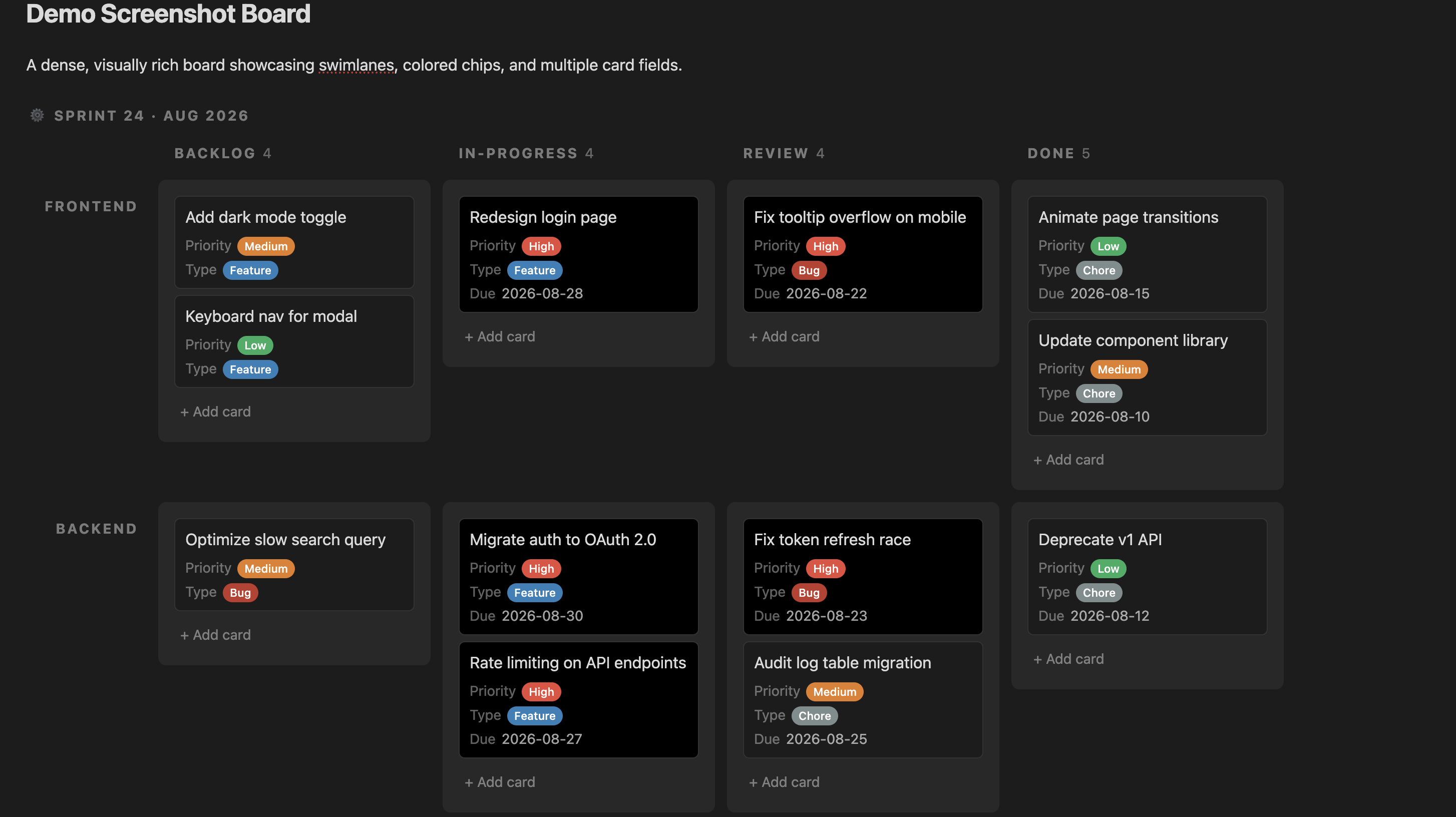
Why
I kept bouncing off every kanban plugin I tried. They lived in their own tab, cut off from the note I actually cared about — and honestly, the UI looked stuck in 1999. I could build something better. That's how I started Fancy Kanban. Here it is — you be the judge.
Features
- Boards embedded directly in notes — no separate view required, boards render inline alongside your other content
- Relational card data — define custom fields (text, long text, date, number, select, file) per board, not just a title and a list of tags
- Drag-and-drop — reorder cards within and across columns, with workflow validation
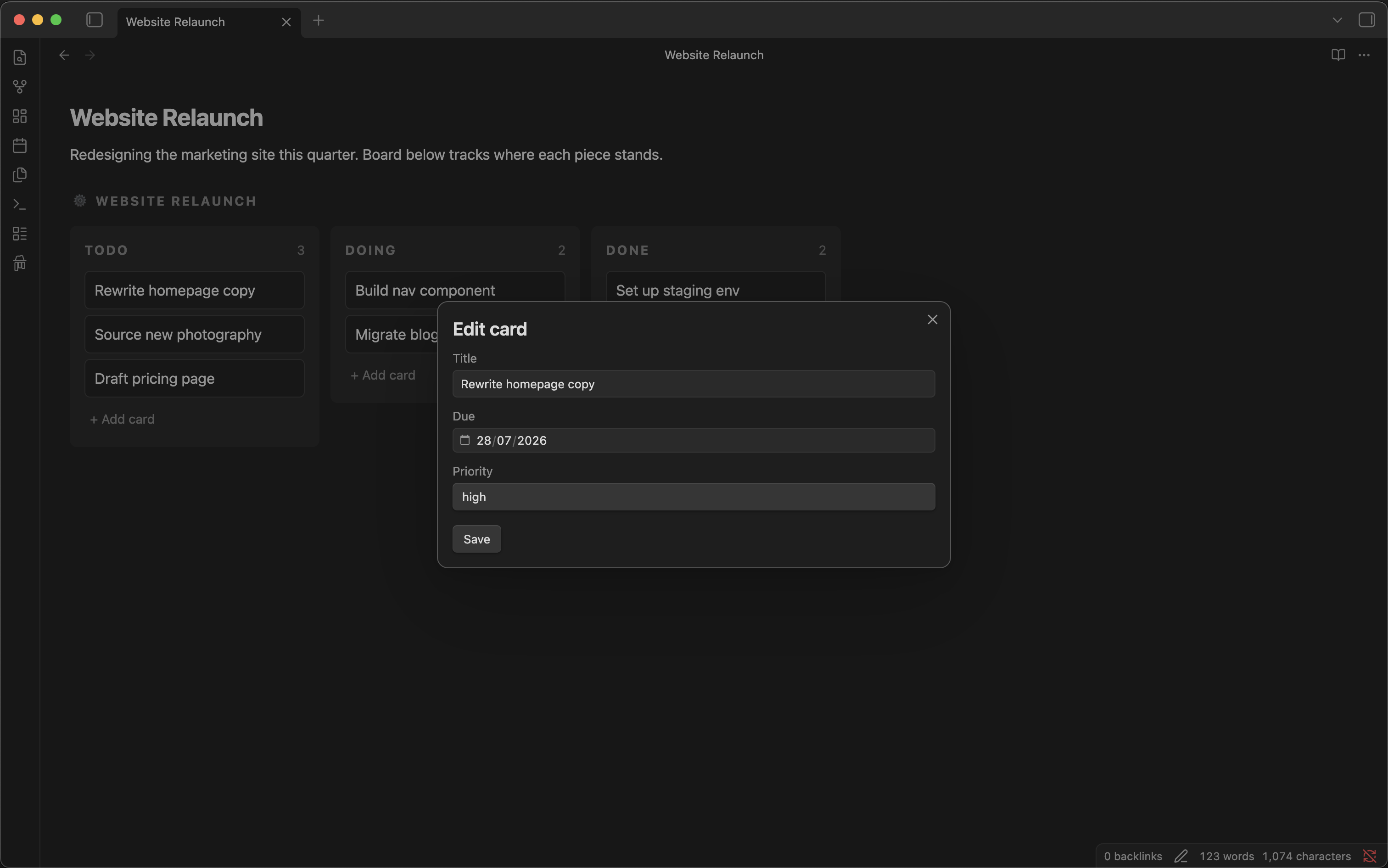
- Card editor — a dedicated modal for viewing and editing every field on a card
- Standalone board view — open a board in its own pane via the ribbon icon or command palette, in addition to inline embedding
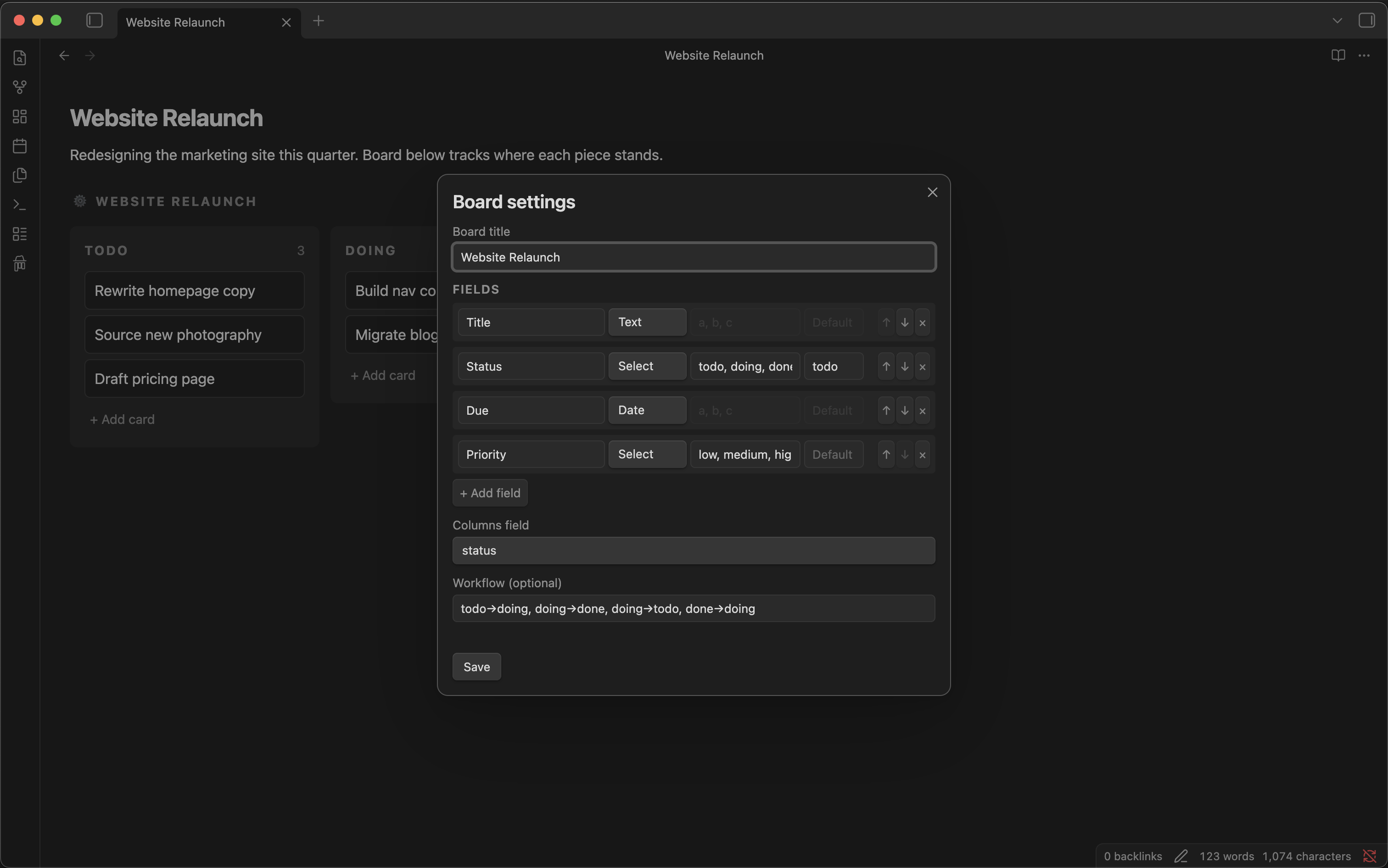
- Board setup panel — create and edit fields, columns, and workflow through a dedicated UI, no hand-editing the config block required
- Human-readable format — boards are stored as a fenced code block containing a config section and a standard Markdown table, so the data is still readable (as a table) even without the plugin installed
- Swimlanes — add a second grouping dimension with
lanes: <field>in the board config; cards are arranged in a grid of columns × lanes, and dragging a card across a lane row updates both fields at once - Import from Obsidian Kanban — bring existing
obsidian-kanbanboards over with one command; lanes become columns, cards and their notes are preserved, inline metadata (dates, tags) is stripped cleanly
Installation
From within Obsidian:
- Go to Settings → Community plugins → Browse
- Search for Fancy Kanban
- Click Install, then Enable
Usage
Create a board
- Run Fancy Kanban: New board from the command palette, or
- Click the Fancy Kanban ribbon icon
This inserts a fancy-kanban code block into your note (or opens one in a standalone view), pre-populated with a starter config and an empty table. From there, open the board setup panel to add or edit fields, columns, and workflow — no need to hand-edit the config block unless you want to.
Edit a board
- Add, move, and reorder cards directly on the rendered board
- Click a card to open the card editor, where every field on that card is editable
- The underlying table updates automatically as you work — your note's Markdown source stays in sync with the board
Import from Obsidian Kanban
If you have existing boards created with the Obsidian Kanban plugin, you can bring them into Fancy Kanban in one step:
- Open the
.mdfile of an Obsidian Kanban board - Run Fancy Kanban: Import from Obsidian Kanban from the command palette
- A new file
<original-name>-fk.mdis created in the same folder and opened automatically
The original file is not modified. Each lane becomes a status column, card titles are preserved (dates, tags, block IDs, and wiki-links are stripped), and any multi-line card body becomes a description field on the card.
Swimlanes
Add lanes: <field> to the board config to group cards by a second Select field. The board renders as a grid — column headers across the top, lane labels on the left. Dragging a card to a different lane row updates both the column and the lane field in the same operation.
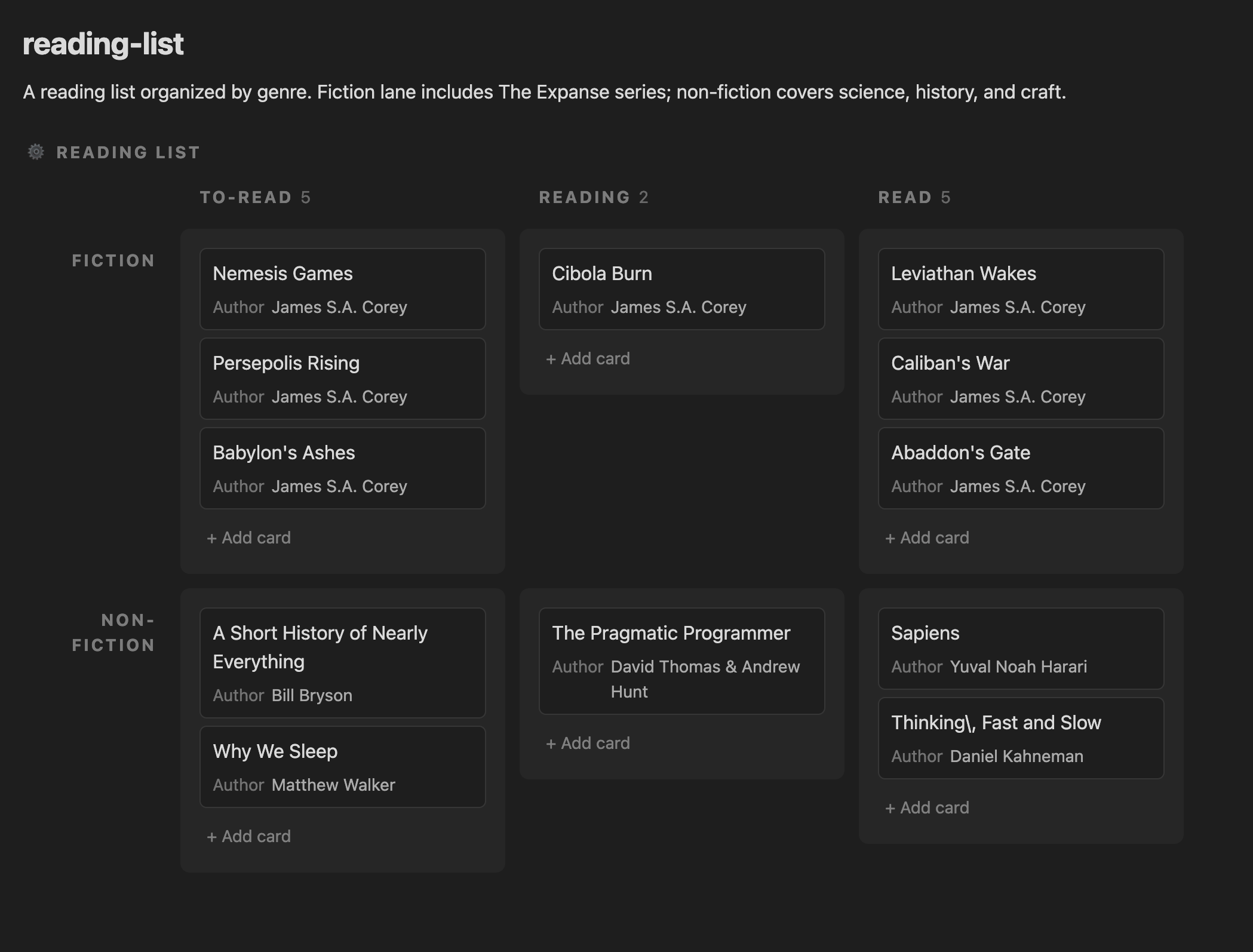
```fancy-kanban
lanes: genre
```
Any Select field can be the swimlane field. You can also set it through the board settings panel — no hand-editing required.
The data format
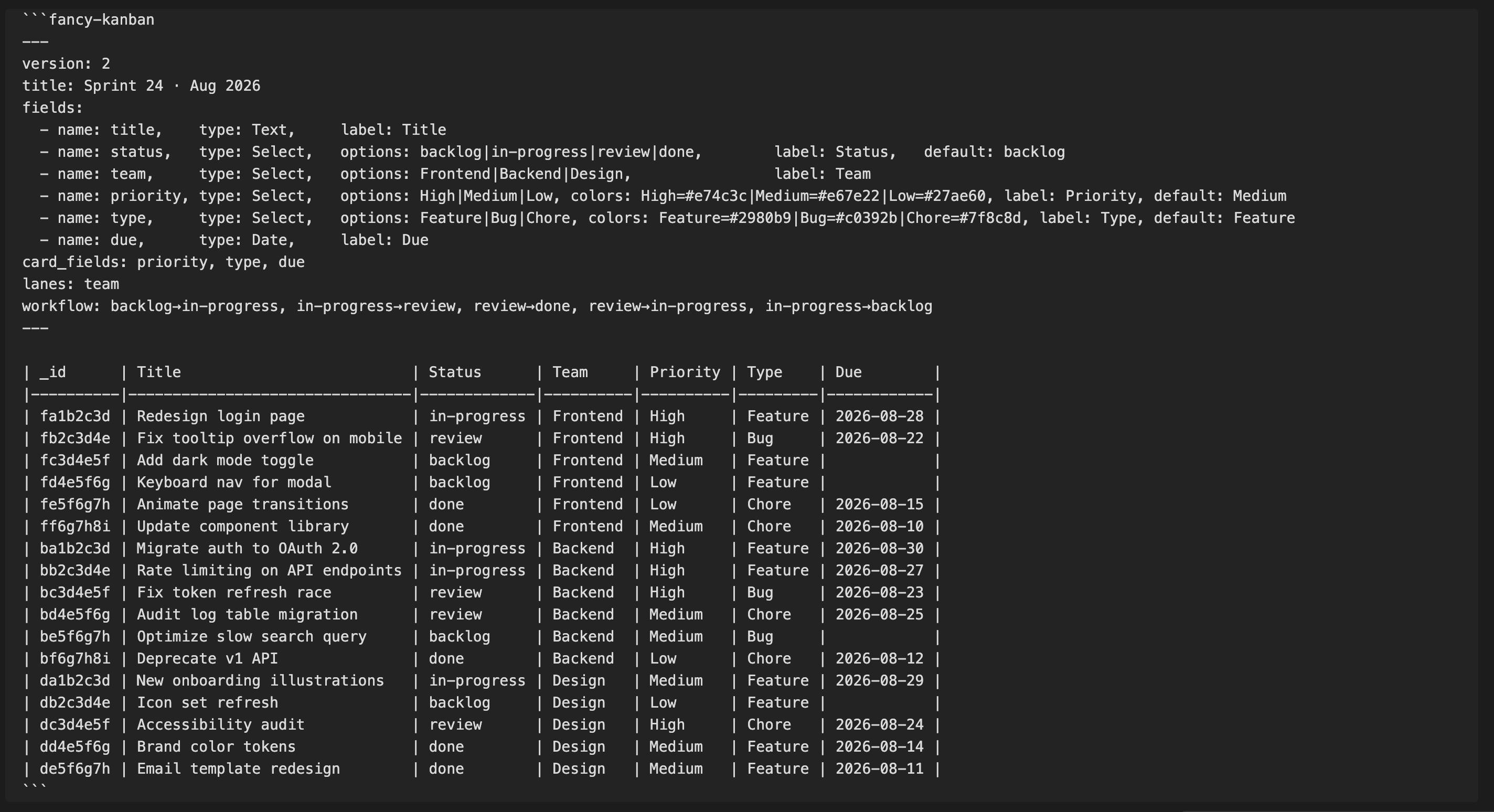
Each board is a fenced code block — here's the board above, as it actually looks in the note's source:
```fancy-kanban
---
version: 2
title: Sprint 24 · Aug 2026
fields:
  - name: title,    type: Text,     label: Title
  - name: status,   type: Select,   options: backlog|in-progress|review|done,        label: Status,   default: backlog
  - name: team,     type: Select,   options: Frontend|Backend|Design,                label: Team
  - name: priority, type: Select,   options: High|Medium|Low, colors: High=#e74c3c|Medium=#e67e22|Low=#27ae60, label: Priority, default: Medium
  - name: type,     type: Select,   options: Feature|Bug|Chore, colors: Feature=#2980b9|Bug=#c0392b|Chore=#7f8c8d, label: Type, default: Feature
  - name: due,      type: Date,     label: Due
card_fields: priority, type, due
lanes: team
workflow: backlog→in-progress, in-progress→review, review→done, review→in-progress, in-progress→backlog
---

| _id      | Title                          | Status      | Team     | Priority | Type    | Due        |
|----------|--------------------------------|-------------|----------|----------|---------|------------|
| fa1b2c3d | Redesign login page            | in-progress | Frontend | High     | Feature | 2026-08-28 |
| fb2c3d4e | Fix tooltip overflow on mobile | review      | Frontend | High     | Bug     | 2026-08-22 |
| fc3d4e5f | Add dark mode toggle           | backlog     | Frontend | Medium   | Feature |            |
| ba1b2c3d | Migrate auth to OAuth 2.0      | in-progress | Backend  | High     | Feature | 2026-08-30 |
| bc3d4e5f | Fix token refresh race         | review      | Backend  | High     | Bug     | 2026-08-23 |
| be5f6g7h | Optimize slow search query     | backlog     | Backend  | Medium   | Bug     |            |
| da1b2c3d | New onboarding illustrations   | in-progress | Design   | Medium   | Feature | 2026-08-29 |
| dc3d4e5f | Accessibility audit            | review      | Design   | High     | Chore   | 2026-08-24 |
| db2c3d4e | Icon set refresh               | backlog     | Design   | Low      | Feature |            |
```
Because it's a standard Markdown table under the hood, a board is still legible — as a table, without interactivity — in any Markdown viewer, even without the plugin.
Generate boards with AI
If you use an agentic AI coding tool — Claude Code, Kiro, Codex, Pi, or any of the 75+ supported agents — you can install the Fancy Kanban skill and ask it to generate boards for you directly in your vault.
npx skills add robertoallende/fancy-kanban
Once installed, your AI assistant knows the full board schema: field types, config keys, workflow syntax, swimlanes, escaping rules, and the correct markdown table format. You can prompt it naturally:
- "Create a software project board with backlog, in-progress, review, and done columns, grouped by team"
- "Add a priority Select field with High, Medium, and Low options to this board"
- "Generate a content pipeline board with idea, draft, review, and published statuses"
The AI writes a valid fancy-kanban block directly into your note, ready to render with the plugin.
Feature Requests and Issues
If there's a gap you'd like prioritized, open an issue — this roadmap takes real usage and feedback into account.
Acknowledgements
Thanks to mgmeyers for obsidian-kanban, and to the Obsidian community for the feedback and reactions that helped shape this project's direction.
License
MIT — Copyright (c) 2026 Astuten.io Ltd