Extract url content
 trashhalo35k downloads
Extract URL converting content into Markdown.
- Overview
- Scorecard
- Updates13
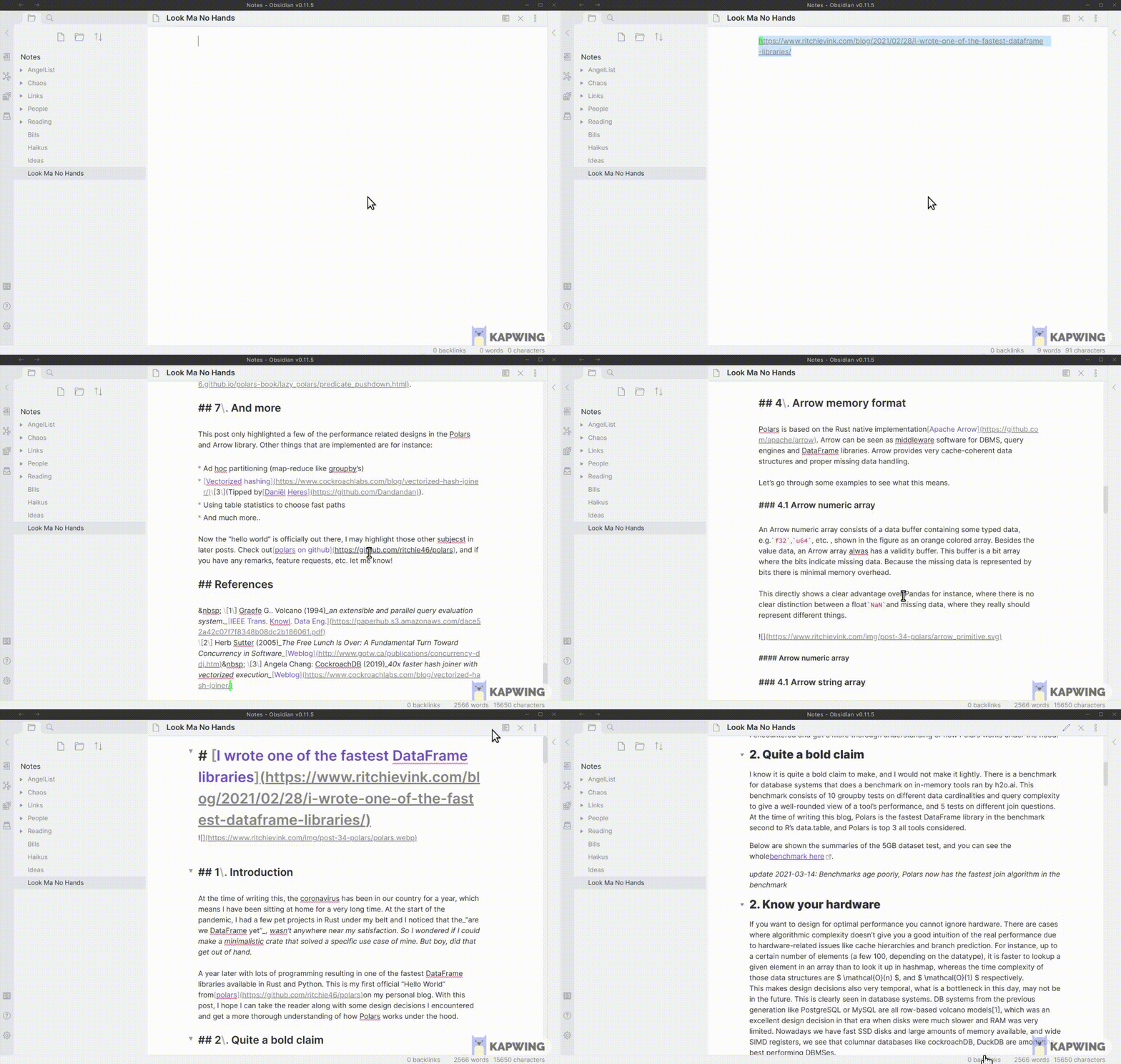
Transforms a URL to markdown view if the website allows it.
Installation
Available in the community plugin store in options.
Modes
Operates in 2 modes.
- Selection - If you select a URL in the document and execute these commands it will replace the selection with the markdown content.
- Document - If you add front mater with the key of
linkto your document then it is treated as a linked document. Then calling extract will look for the link and replace the content of the document with the extracted content. - Archive - Extract every
[foo](https://url.com)url found in the doucment. Replace external links to internal ones. Files created inarchivefolder.
Document mode example
---
link: "https://bart.degoe.de/building-a-full-text-search-engine-150-lines-of-code/"
---

everything below the --- will be replaced when calling extract
Commands
- Extract: Replace url or document with readable markdown extracted from the sites html content
- Title Only: Replace url or document with a markdown anchor with the title extracted from the page content
- Import from Clipboard: Extract content from url that is found in your clipboard and dump it at your cursor.
Youtube
If your system has youtube-dl installed extra details like channel name and description will be extracted for youtube urls.

HealthFair
ReviewSatisfactory
About
Convert a URL into readable Markdown by replacing a selected link, a frontmatter-specified link in a note, or all links in a note (archive mode). Create archived markdown files, replace external links with internal copies, insert title-only anchors, or extract extra YouTube metadata when youtube-dl is available.Details
Current version
0.12.1
Last updated
4 years ago
Created
6 years ago
Updates
13 releases
Downloads
35k
Compatible with
Obsidian 0.12.15+
Platforms
Desktop, Mobile
License
GPL-3.0