Search...Search plugins and themes...
⌘K
Sign in
  • Get started
  • Download
  • Pricing
  • Enterprise
  • Account
  • Obsidian
  • Overview
  • Sync
  • Publish
  • Canvas
  • Mobile
  • Web Clipper
  • CLI
  • Learn
  • Help
  • Developers
  • Changelog
  • About
  • Roadmap
  • Blog
  • Resources
  • System status
  • License overview
  • Terms of service
  • Privacy policy
  • Security
  • Community
  • Plugins
  • Themes
  • Discord
  • Forum / 中文论坛
  • Merch store
  • Brand guidelines
Follow us
DiscordTwitterBlueskyThreadsMastodonYouTubeGitHub
© 2026 Obsidian

Embed Code File

almariahalmariah8k downloads

Embed code file from vault using code blocks.

Add to Obsidian
  • Overview
  • Scorecard
  • Updates3

This plugin allows to embed code files from Obsidian vault or remote file (eg., GitHub). It works better with live preview feature of Obsidian.

Settings

The plugin include multiple language by default (c,cpp,java,python,go,ruby,javascript,js,typescript,ts,shell,sh,bash). You can include any needed language to the comma separated list.

How to use

First you need to activate the plugin from Community Plugins. Then you can embed the code as follow:

```embed-<some-language>
PATH: "vault://<some-path-to-code-file>" or "http[s]://<some-path-to-remote-file>"
LINES: "<some-line-number>,<other-number>,...,<some-range>"
TITLE: "<some-title>"
```

Examples:

Vault File:

```embed-cpp
PATH: "vault://Code/main.cpp"
LINES: "2,9,30-40,100-122,150"
TITLE: "Some title"
```

Remote File:

```embed-cpp
PATH: "https://raw.githubusercontent.com/almariah/embed-code-file/main/main.ts"
LINES: "30-40"
TITLE: "Some title"
```

where PATH, LINES and TITLE properties are set as YAML key-value pairs:

  • The PATH should be a code file in the vault or remote. If you have used GitHub for example, make sure to use https://raw.githubusercontent.com/...

  • The LINES will include only the specified lines of the code file. Every set of included lines either range or explicit line will append dots (...) to included line in a newline. If you want to get rid of dots, minimize the number of sets by using one range as much as you can.

  • If TITLE is not set, then the title of the code block will be PATH value.

You can use also TITLE with normal code block (without embed-), but make sure that the title value is set with double quotes:

```cpp TITLE: "Some title"
// some code
...
```

Using live preview feature will enhance the embedding experience.

Demo

Embed code file
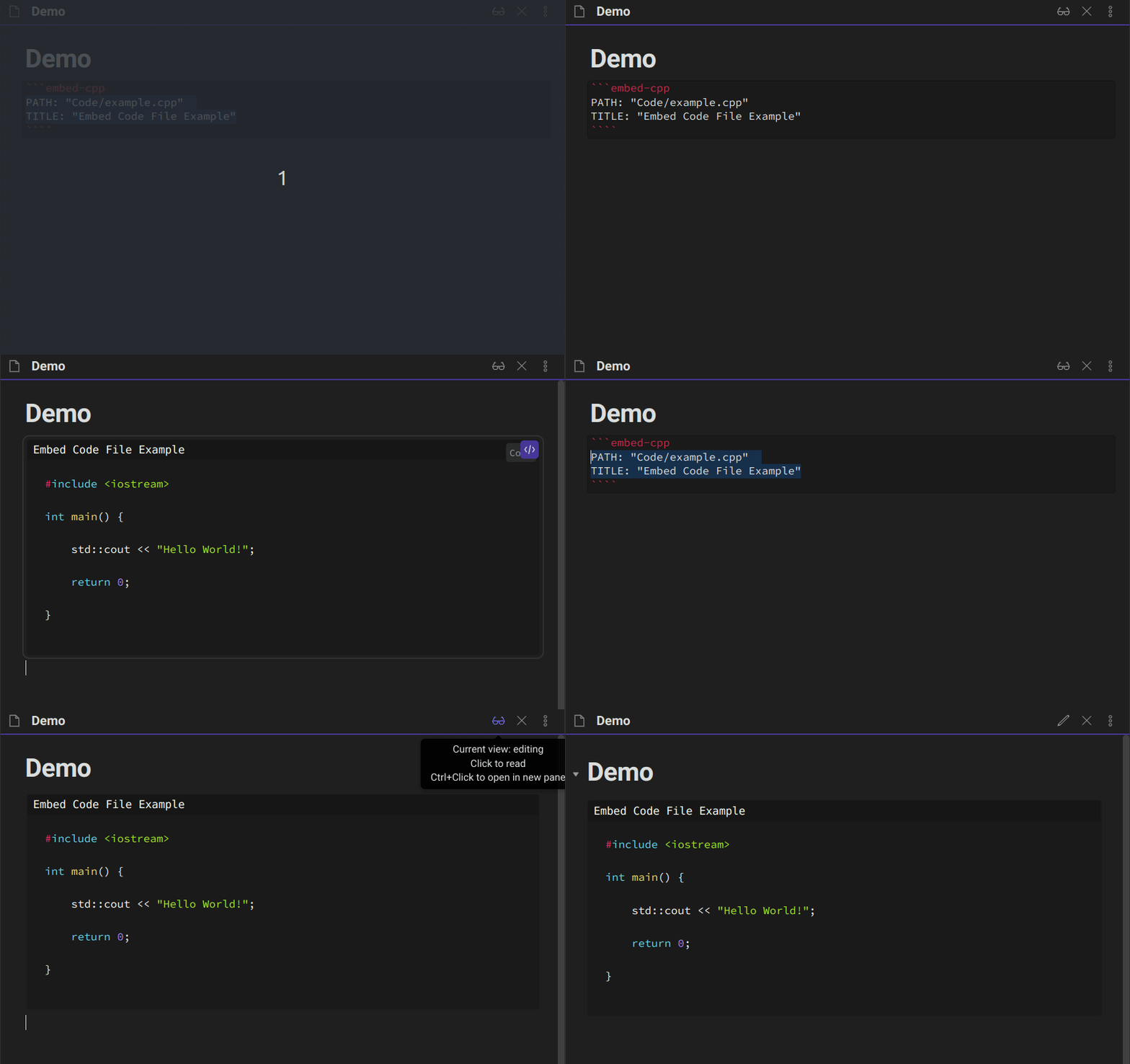
Gif

Embed lines from code file

Gif

Embed lines from remote file (eg., GitHub)
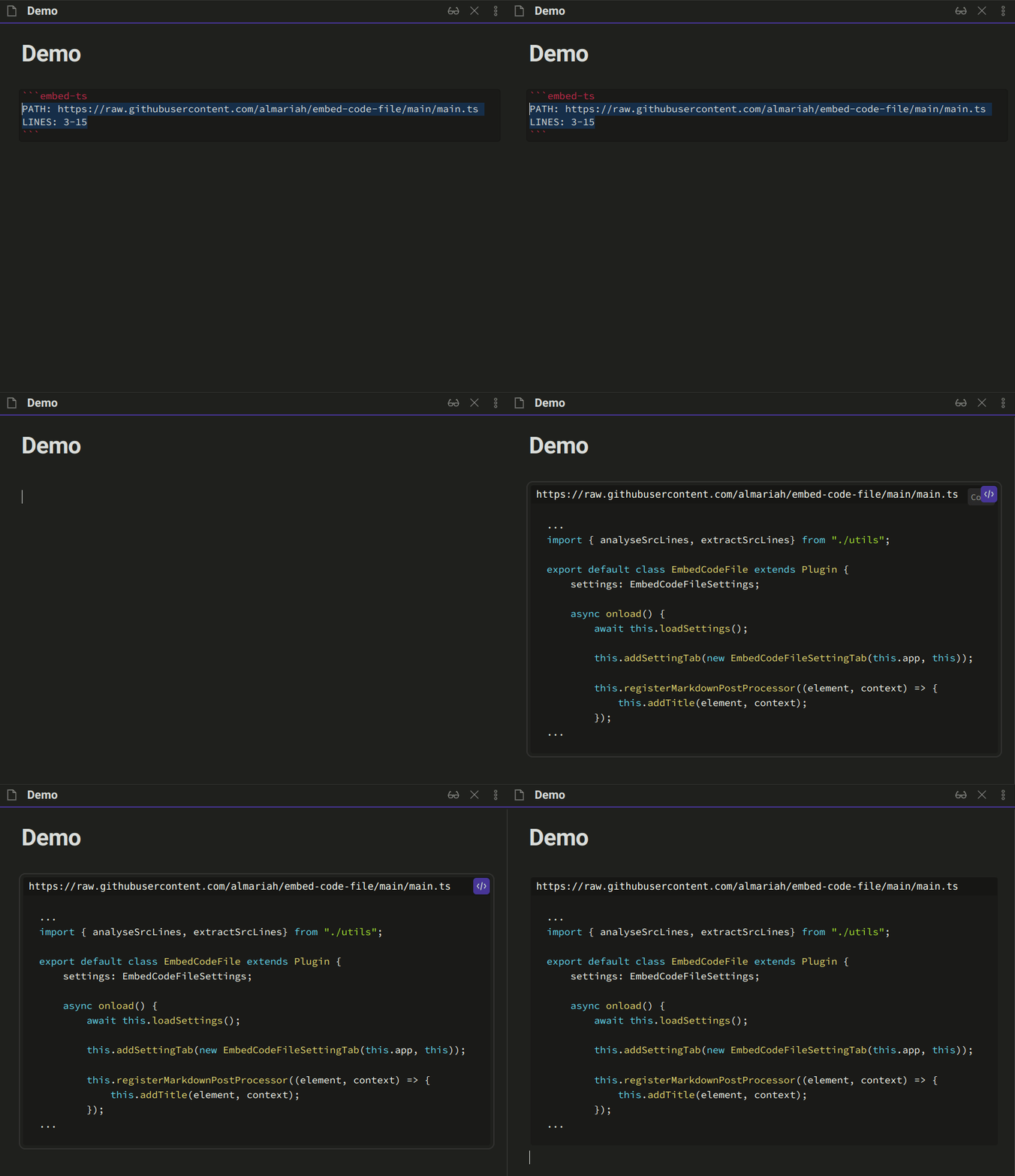
Gif

Add title to normal code block

Gif

65%
HealthFair
ReviewCaution
About
Embed code files from your vault or from remote URLs (for example GitHub raw) directly into Markdown code blocks. Include specific line ranges, add custom titles, and render cleanly in Obsidian's live preview for readable inline code snippets.
CodeImportFiles
Details
Current version
1.2.0
Last updated
4 years ago
Created
4 years ago
Updates
3 releases
Downloads
8k
Compatible with
Obsidian 0.15.0+
Platforms
Desktop, Mobile
License
MIT
Report bugRequest featureReport plugin
Author
almariahalmariah
obsidian.md
GitHubalmariah
  1. Community
  2. Plugins
  3. Code
  4. Embed Code File

Related plugins

Code Space

Professional code file management with visual dashboard, syntax highlighting editor, and Markdown embedding.

Telegram Sync

Transfer messages and files from Telegram to Obsidian.

Notebook Navigator

A better file browser and calendar inspired by Apple Notes, Bear, Evernote and Day One.

Local REST API & MCP Server

Unlock your automation needs by interacting with your notes over a secure REST API.

QuickAdd

Quickly add new notes or content to your vault.

Templater

Create and use dynamic templates.

Recent Files

Display a list of recently opened files.

Importer

Import data from Notion, Evernote, Apple Notes, Microsoft OneNote, Google Keep, Bear, Roam, and HTML files.

Omnisearch

Intelligent search for your notes, PDFs, and OCR for images.

Claudian

Embeds Claude Code/Codex as an AI collaborator in your vault. Your vault becomes agent's working directory, giving it full agentic capabilities: file read/write, search, bash commands, and multi-step workflows.