Is Discovery Worth It
 Ruan32 downloads
Shows whether each Discovery product is worth what you pay, using your own Budget notes and only the benefits you actually use.
- Overview
- Scorecard
- Updates7
Is each Discovery product worth what you pay for it, for you?
This is a plugin for South African Discovery clients. It reads the bank transactions you already keep in Obsidian with the Budget plugin and works out, product by product, what you pay Discovery and what comes back to you. Then it compares each product with what other providers charge.
It counts a benefit only at the value it has for you. A gym discount is worth nothing if you never go to the gym. A flight discount is worth nothing if you never fly. You tell it which benefits you use, and the answer changes to match.
No account, no network, no telemetry and no AI. Everything is worked out on your device from your own notes.
The plugin is free. It gives no financial advice: it shows calculations from your own statements and published prices, and never tells you to buy, change, replace or cancel a product. The decision is yours.
What it looks like
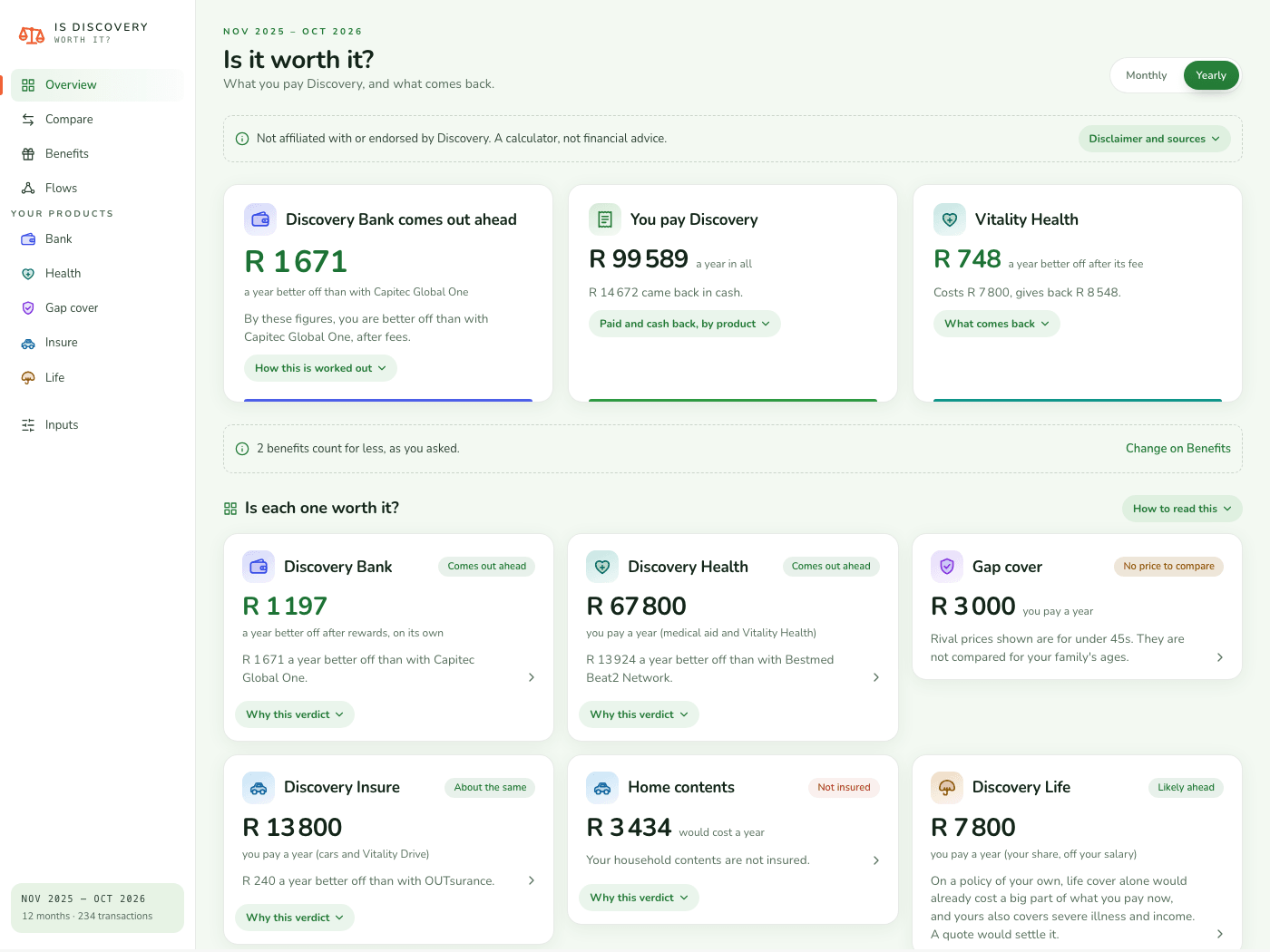
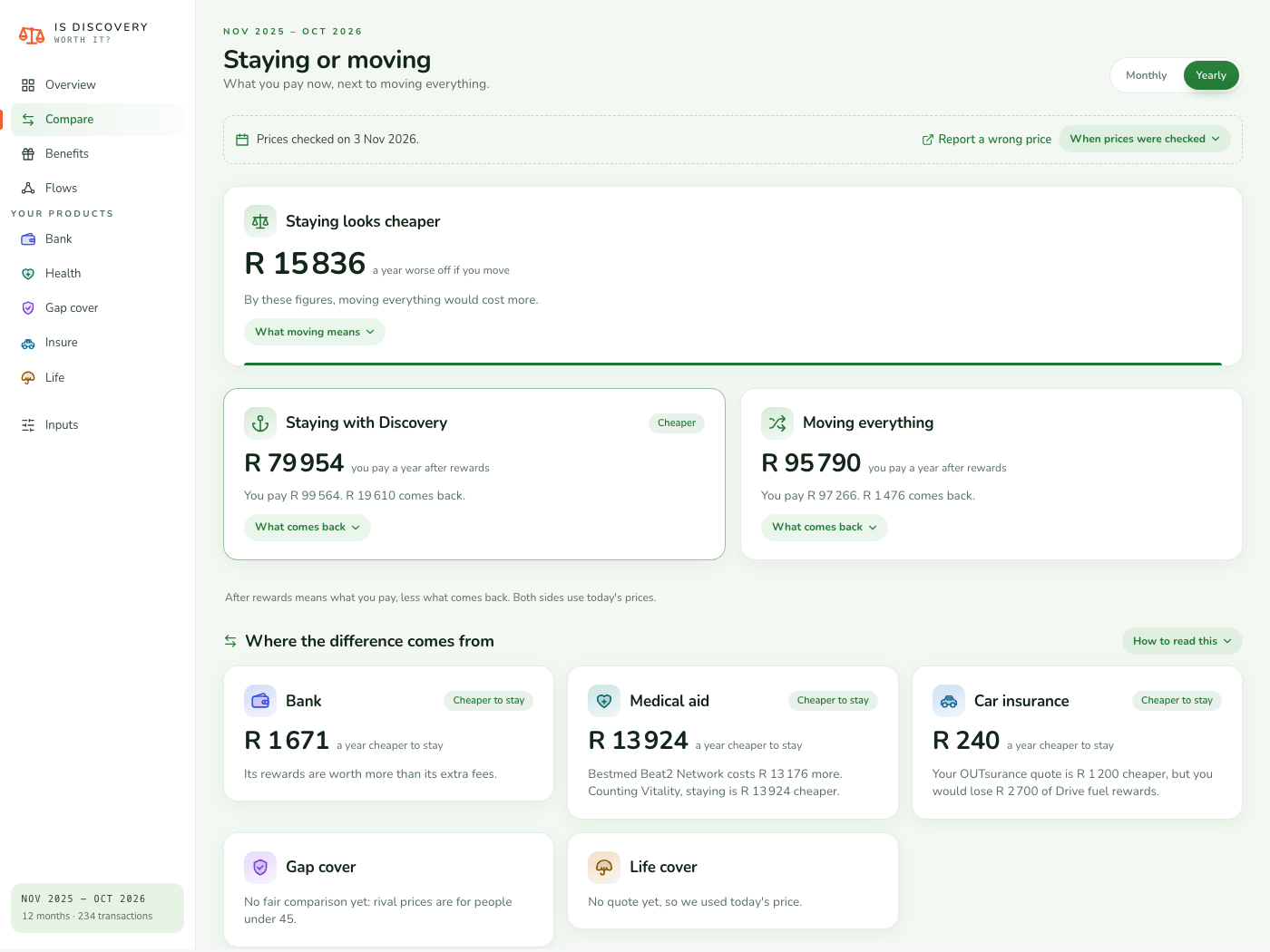
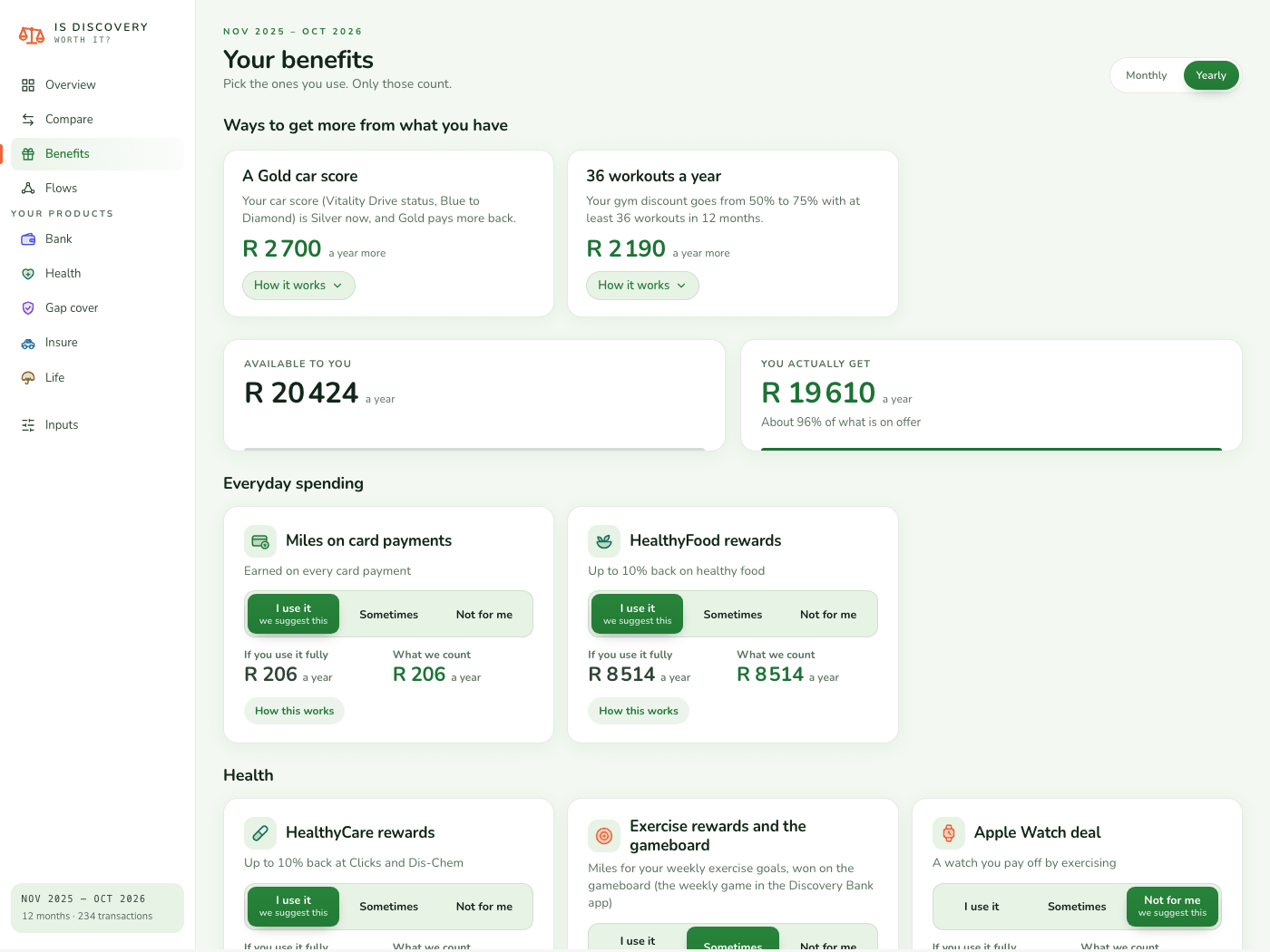
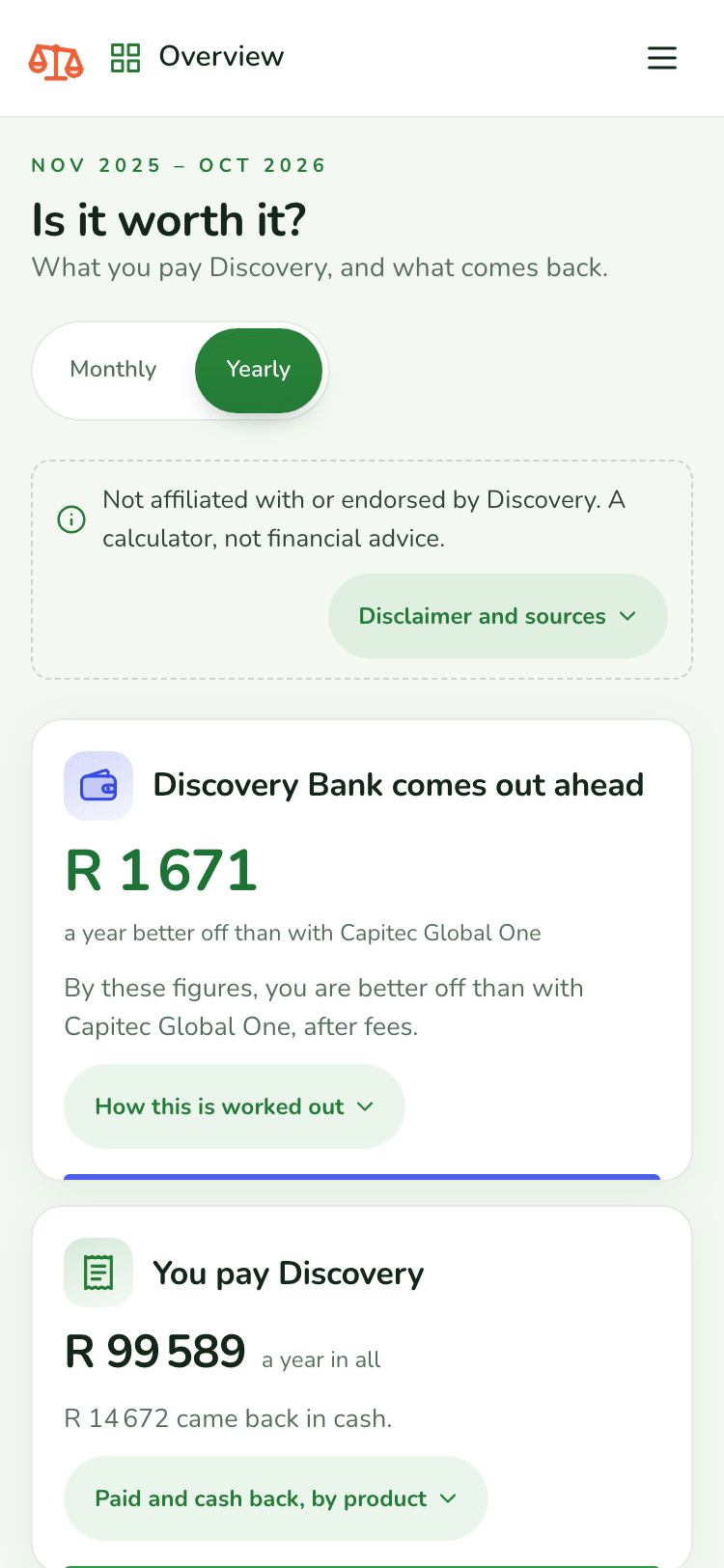
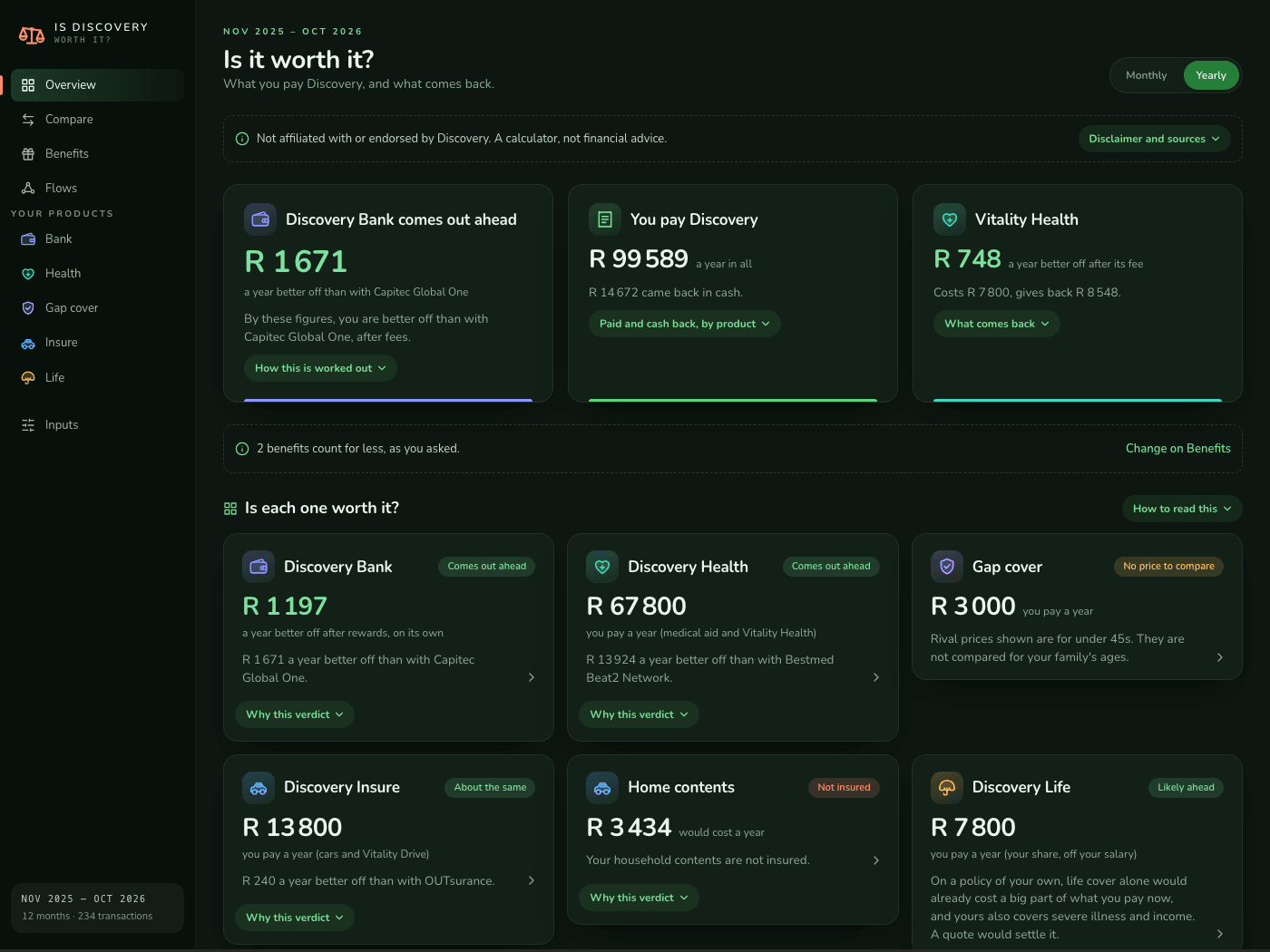
Screens show a made-up example household.
What you need
- The Budget plugin (id
budget-app) with your bank statements imported. This plugin reads its notes:Transactions/<account>/<YYYY-MM>.md, withAccounts/andCategories/beside them. Without them it finds no budget and offers to let you type your numbers in instead (see below). - Optional, recommended: your Discovery Miles statement. In Discovery Bank online, open Discovery Miles, then Download transactions, and save the CSV anywhere in your vault. It is found by its header, wherever it is. Bank statements do not show Miles, and the Miles statement names who paid each reward, so with it more figures are read from your own records and fewer are estimated.
- Obsidian 1.8 or later, on desktop or phone.
Without the Budget plugin
No budget in your vault? Choose Type in my numbers on the first screen (or run the command Type in my numbers). It asks, one question at a time, only what the products you tick need: your Discovery Bank package and its fees (the published fee for your package, or what you pay), your card spend in a normal month, what you spend at Checkers, Woolworths, Pick n Pay, Clicks, Dis-Chem, bp and Shell, your gym, flights booked through Vitality Travel in the last year, your Discovery Health debit order and the claims it paid back, gap cover, your Discovery Insure premium and your share of Discovery Life. Each question says where to find the figure (the Discovery app, a bank statement). Leave one blank if you are not sure: it is then not counted, never guessed.
Your answers are treated as a rough average month and made into a year, so every page works the same way. Figures from them are labelled You entered, and the page says they are typed averages, not statements. They are kept only in this plugin's settings (data.json). A Discovery Miles statement saved in the vault still counts. Change any answer on the Inputs tab, under Your typed numbers. If a Budget-plugin budget appears in the vault later, the page asks which figures to use, and Read my budget instead on the Inputs tab switches over (your typed numbers are kept).
First run
On first open it asks a few questions, one at a time. You can go back at any question, and you can use "Skip the questions" and answer later under Inputs.
- Which Discovery products do you have? Bank, medical aid, gap cover, car and home insurance, life cover. The list is pre-ticked from what your statements show, with a line saying why. A product whose payments stopped is not ticked, and the line says when you stopped paying. Untick or tick to correct it. Products you do not have get no tab and are left out of the totals and the comparison.
- Your Discovery Bank package (the all-in-one package, a credit card on its own, and so on), and your score in each Vitality programme you have: your bank score (Vitality Money status), your health score (Vitality Health status) and your car score (Vitality Drive status). Each question says where to find the score in the Discovery app. If you are unsure, pick Blue, which lowers the estimate.
- Your household, adults and children, and your medical aid plan. The plan is picked for you only when one plan clearly fits your monthly debit; if not, it says so and puts the plans that fit first. If you have gap cover it also asks how old the oldest person on it is, because other providers charge more from 45.
- Which benefits do you actually use? One row per benefit, with a suggestion taken from your statements and the reason for it. For each, choose:
- I use it: counts in full.
- Sometimes: counts for half.
- Not for me: counts for nothing.
Costs are never reduced. You pay them whether or not you use the benefit. Only the value you get back is weighed by how much of it is really yours.
The tabs
- Overview. A short not-affiliated notice, then a verdict for each product you have and the whole Discovery bill against what comes back, with dates to watch.
- Compare. Stay with Discovery, or move everything away. Each cost and each benefit side by side, with a total for both. Anything nobody has priced is taken as the same on both sides, and the page says so.
- Flows. An animated diagram of where your money goes and what comes back. Tap a product to follow it.
- Bank. What your Discovery Bank package costs, what you would lose by leaving, and the same card spend at other South African banks.
- Health. Premium, claims paid to you, and how your plan compares with other medical aids.
- Gap. Gap cover against other providers.
- Insure. Car and home insurance against other insurers.
- Life. An individual policy against other cover, including an employer's group scheme.
- Inputs. Everything you can set: statuses, your plan, the benefits you use, your own quotes, and any rate you want to change.
Only the products you said you have show up.
Where every number comes from
Each figure is labelled with where it came from, so you can judge it:
- From your statements: read from your Budget notes.
- From your Miles statement: read from the CSV.
- You entered: typed by you (with Type in my numbers, every figure that would come from your statements).
- Estimate: worked out from a rate, which can be changed beside the line it affects. Most rates are published, and name their source and date. Some rates, such as a few rival banks' rewards, are not published: those are the plugin's own guesses, and the page marks each one it knows about as not published. It cannot know about a rate that changed after the release you installed. Type your own figure when you know it.
Privacy
- It reads your Budget notes and the CSV files in your vault. Each CSV is opened once to see whether it is a Discovery Miles statement, and again only when the file changes.
- It writes only its own settings file,
.obsidian/plugins/discovery-worth-it/data.json. That holds your answers, not your transactions: your health plan, family size, Vitality statuses, health-check answers, benefits you use, any quotes you type, and your typed numbers if you use Type in my numbers. If your vault is synced or kept in git,data.jsontravels with it. Leave that file out of any vault you share or publish. - Nothing leaves your vault. There are no network requests, no account, no telemetry and no AI.
Market data and how fresh it is
Prices, plans and fees for Discovery and for the other providers are written into the plugin, each set with an "as at" date shown on the Compare page. The plugin does not fetch anything. They are checked and refreshed about every six months, in a new release. When the date gets old, every tab that shows another provider's prices carries a warning that they may be out of date.
Every figure, its value at the source, the link and whether it was confirmed is listed in docs/market-data-sources.html (checked 3 November 2026). Where a provider has already published next year's prices, they are in too and take over on the day they start. How the numbers are refreshed is written up in docs/updating-market-data.html. Spotted a wrong or old price? Open an issue with the "Wrong or outdated price" form.
Install
Until the plugin is in Obsidian's community directory, install it by hand:
- Download
main.js,manifest.jsonandstyles.cssfrom the latest release. - Put them in
<your vault>/.obsidian/plugins/discovery-worth-it/. - In Obsidian, open Settings, then Community plugins, and turn on Is Discovery Worth It. Open it from the calculator icon in the ribbon, or with the command palette.
Each release's files carry a build attestation, so you can check they were built from this repository:
gh attestation verify main.js -R RuanPienaarCode/Is-Discovery-Worth-it-
Limits
- It can only judge what it can see. If your statements do not show a Discovery product, it will not know you have it until you say so. If you tell it you have a product it cannot see any payments for, the figures for it will be thin.
- The prices of other providers are their published prices, for a typical case. Your own quote can be higher or lower, because insurers price you, not the average person. Type your own quotes under Inputs for a fair comparison.
- Some reward rates are not published. Where the plugin knows that, the page says it is an estimate.
- Medical aids and insurers differ in ways a table cannot show: hospital networks, waiting periods, what happens to your cover history if you move. Check these before you move anything.
- Discovery changes its rewards and prices every year. Read the "as at" dates.
- This is a calculator, not financial advice. It shows calculations and comparisons from your statements and published prices. Nothing in it is a recommendation, guidance or proposal to buy, keep, change, replace or cancel any product, and it does not know your whole situation. It is free, and the figures are estimates. Cover is never exactly the same from one provider to the next, so what changing, replacing or ending a product would mean for you is for the provider or a licensed financial adviser to say. The not-affiliated notice is on every tab, the first-run questions and the summary note, and a test (
tests/no-advice.test.cjs) fails the build if wording that tells you what to do with a product comes back. - A product with fewer than 6 months of its own payments shows "Not enough data" instead of a verdict, and no figure is drawn under those words. The same goes for the whole comparison when there are fewer than 6 months of Discovery payments.
Not affiliated
This is an independent, unofficial plugin. It is not made, endorsed, sponsored or approved by Discovery Limited, or by Discovery Bank, Discovery Health, Discovery Insure, Discovery Life, Vitality, or any of their companies, nor by any other bank, medical scheme or insurer named in it. Those names and brands belong to their owners. They are used only to say which product is being compared, and no endorsement is meant or implied.
All the artwork in the plugin is original, drawn for it. It contains no Discovery, Vitality or other company's logos or pictures.
Developing
./build.sh                                   # bundle src/ into main.js, then run the tests
DISCOVERY_WORTH_IT_VAULT_PATH="/path/to/vault" ./scripts/deploy.sh
A green build installs nothing. deploy.sh copies the three built files into the vault and checks they match by hash.
main.jsandstyles.cssare build output. Editsrc/, never the root files. CI rebuilds them and fails if the committed files differ.- Styles:
src/styles.cssfirst, then everysrc/css/*.cssfile in name order, joined intostyles.css. Every rule sits under adc-class. - Obsidian on a phone runs the system web view, so the code must work on iOS 15 Safari: no lookbehind regex, no Node APIs, no
innerHTML, nocolor-mix,:has()or container queries. The tests intests/check this. - Amounts are formatted with
src/format.js, in plain words: positive rands, with words for direction.
Preview over a made-up household, in a browser:
npm run preview
python3 -m http.server 8862      # then open http://localhost:8862/_preview/preview.html
To print what the plugin works out for a real vault, to the terminal only:
node scripts/real-vault.cjs "/path/to/vault"
Real figures stay in your vault, never in this repository. Never commit what that script prints. Never copy a real name, place, account number or amount into a test, the preview or an issue. The tests and the preview use an invented household.
To release, make the tag equal manifest.json's version (no v). The release workflow builds, tests, checks the tag, attests and publishes main.js, manifest.json and styles.css.
Licence
AGPL-3.0-only. See LICENSE.
Font: the page uses Nunito, under the SIL Open Font License 1.1 (assets/fonts/OFL.txt), carried inside main.js (regenerate with npm run fonts).