Search...Search plugins and themes...
⌘K
Sign in
  • Get started
  • Download
  • Pricing
  • Enterprise
  • Account
  • Obsidian
  • Overview
  • Sync
  • Publish
  • Canvas
  • Mobile
  • Web Clipper
  • CLI
  • Learn
  • Help
  • Developers
  • Changelog
  • About
  • Roadmap
  • Blog
  • Resources
  • System status
  • License overview
  • Terms of service
  • Privacy policy
  • Security
  • Community
  • Plugins
  • Themes
  • Discord
  • Forum / 中文论坛
  • Merch store
  • Brand guidelines
Follow us
DiscordTwitterBlueskyThreadsMastodonYouTubeGitHub
© 2026 Obsidian

Digital Rain Background

Musashino SoftwareMusashino Software53 downloads

Adds animated Matrix-style rain and adjusts your theme’s colors and transparency to match.

Add to Obsidian
  • Overview
  • Scorecard
  • Updates3

An Obsidian plugin that adds animated Matrix-style rain and adjusts your theme’s colors and transparency to match.
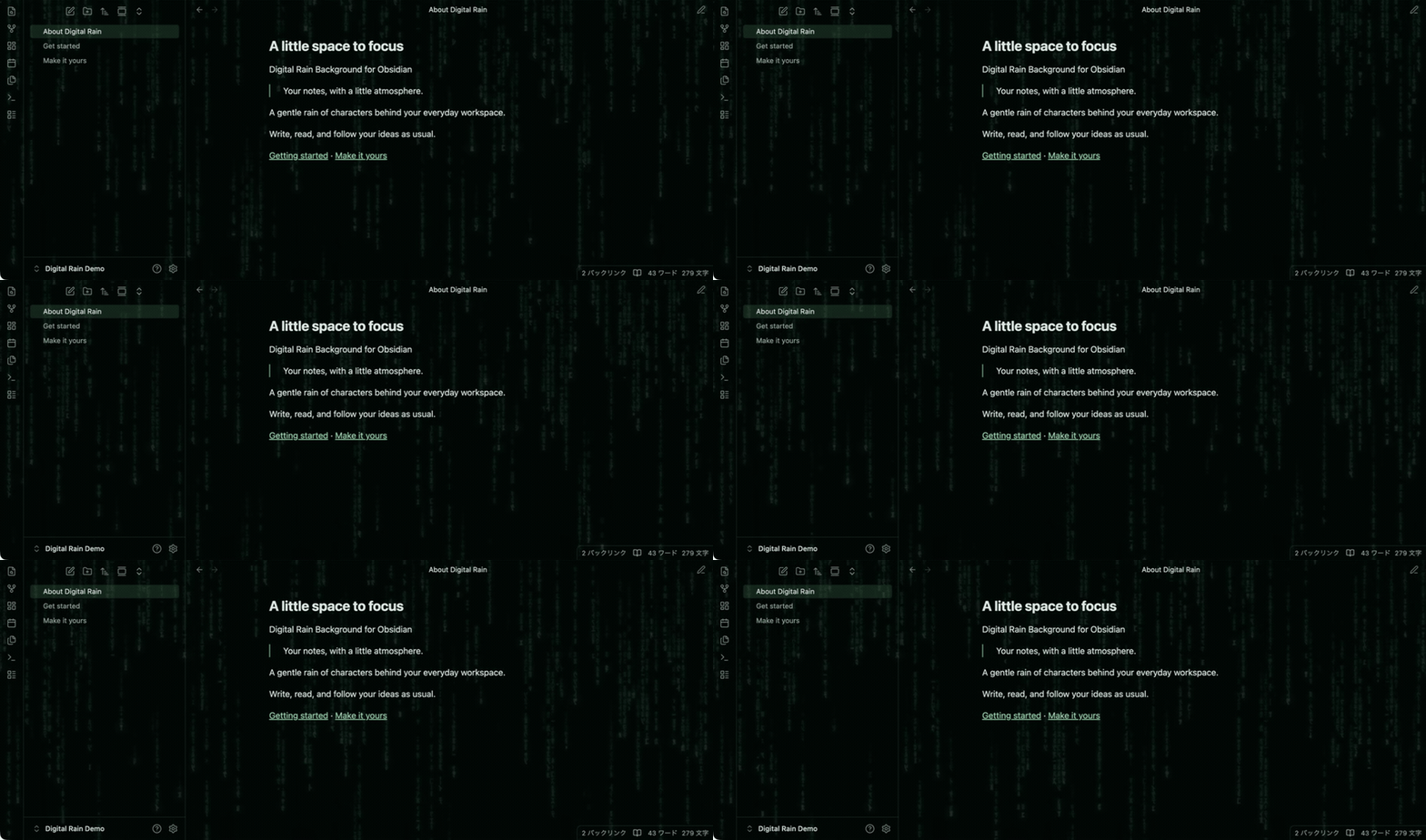
Digital Rain Background in Obsidian

Install

Requires Obsidian 1.13.7+.

Download main.js, manifest.json, and styles.css from GitHub Releases. Place them in your vault's .obsidian/plugins/digital-rain-background/, reload Obsidian, and enable it under Settings → Community plugins. Your selected theme stays in Appearance → Themes.

Use

Adjust the look in Settings → Digital Rain Background. Higher interface opacity makes the rain more subtle.

Toggle with Digital Rain Background: Toggle background in the command palette.

Notes

  • Pauses in inactive windows; stays still with reduced motion.
  • Uses the same dark green palette in light and dark modes.
  • Tested on macOS with Default and Minimal. Other themes and platforms may vary.
  • No network access. No reading or editing your notes.

Build

npm ci
npm test

Release files are generated in dist/.


MIT · Musashino Software

HealthExcellent
ReviewPassed
About
Add animated Matrix-style rain to your vault background while matching theme colors and adjusting interface transparency for a seamless look. Pause animation in inactive windows, honor reduced-motion preferences, and maintain a consistent dark-green palette across light and dark themes.
AppearanceThemingInterface
Details
Current version
0.4.6
Last updated
2 weeks ago
Created
2 weeks ago
Updates
3 releases
Downloads
53
Compatible with
Obsidian 1.13.7+
Platforms
Desktop, Mobile
License
MIT
Report bugRequest featureReport plugin
Sponsor
Buy Me a Coffee
Author
Musashino SoftwareMusashino Softwaremssoftjp
github.com/mssoftjp
GitHubmssoftjp
  1. Community
  2. Plugins
  3. Appearance
  4. Digital Rain Background

Related plugins

Hider

Hide interface elements such as tooltips, status bar, titlebar, and more.

Minimal Theme Settings

Control the colors and fonts in Minimal Theme.

Note Toolbar

Add customizable toolbars to your notes.

Style Settings

Adjust theme, plugin, and snippet CSS variables.

Zen Mode

Hide most UI elements.

Pseudo Mica

Customize translucent window effects on Windows and macOS.

Meta Bind

Make your notes interactive with inline input fields, metadata displays, and buttons.

Share Note

Instantly share/publish a note, with the full theme and content exactly like you see in Obsidian. Data is shared encrypted by default, and only you and the person you send it to have the key.

Supercharged Links

Add attributes to internal links with the values of target note's frontmatter attributes.

Editing Toolbar

The Editing Toolbar is modified from cMenu, which provides more powerful customization settings and has many built-in editing commands to be a MS Word-like toolbar editing experience.