Search...Search plugins and themes...
⌘K
Sign in
  • Get started
  • Download
  • Pricing
  • Enterprise
  • Account
  • Obsidian
  • Overview
  • Sync
  • Publish
  • Canvas
  • Mobile
  • Web Clipper
  • CLI
  • Learn
  • Help
  • Developers
  • Changelog
  • About
  • Roadmap
  • Blog
  • Resources
  • System status
  • License overview
  • Terms of service
  • Privacy policy
  • Security
  • Community
  • Plugins
  • Themes
  • Discord
  • Forum / 中文论坛
  • Merch store
  • Brand guidelines
Follow us
DiscordTwitterBlueskyThreadsMastodonYouTubeGitHub
© 2026 Obsidian

Cooklang

rvecianarveciana3k downloads

Display and edit recipes written in the Cooklang format.
Add to Obsidian
  • Overview
  • Scorecard
  • Updates10

Cooklang

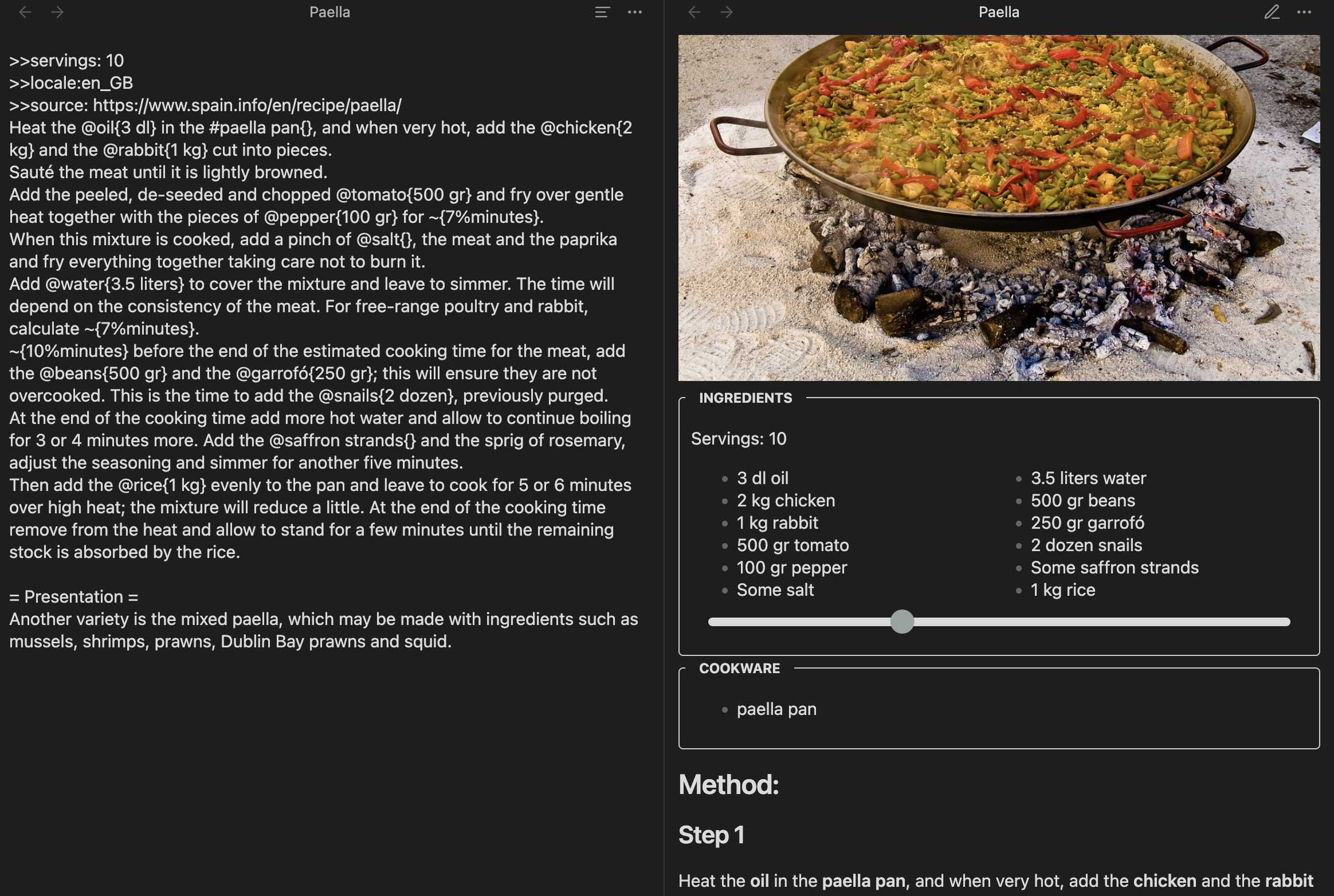
This plugin allows you to edit and view recipes written in the Cooklang format.

Screenshot

Installation

  • You can find this plugin in the Community Plugins section inside the Settings.
  • To develop, you can download the code into the .obsidian/plugins folder in a vault and run npm install and npm run dev to see the changes.

Features

  • Multi language: The titles for the sections (i.e. ingredients, cookware and so on) will be translated into the recipe language or the one configured in the Obsidian settings

  • Scale quantities: The slider in the ingredients part allows multiplying or dividing the amounts

Searching

Obsidian won't search files that aren't of the extension *.md by default. Since cooklang has the .cook extension, any search will gnore the files, which is really impractical. Fortuntely, there's a workaround:

  • Install the omnisearch plugin
  • Open its settings
  • Add the word cook at the section Additional TEXT files to index

The search has to be done from the sidebar search icon, but it works perfectly.

Changelog

  • 0.0.10: Choose quantities as fractions or decimals
  • 0.0.9: Support webp images, add languages
  • 0.0.8: Initial version. Can edit, view, and select the language

Acknowledgments

  • This plugin is obviously inspired by cooklang-obsidian by deathau. I wanted to learn how to code for Obsidian and add multi-language capabilities to the Cooklang plugin.

  • The plugin is using cooklang-ts, which passes all the tests and seems better than the other JavaScript alternatives.

73%
HealthGood
ReviewCaution
About
Edit and view recipes in Cooklang format inside Obsidian with localized section titles. Scale ingredient quantities with a slider and choose fraction or decimal displays; include webp image support and full Cooklang syntax editing.
FormatsEditingImages
Details
Current version
0.1.0
Last updated
12 months ago
Created
2 years ago
Updates
10 releases
Downloads
3k
Compatible with
Obsidian 0.12.0+
Platforms
Desktop, Mobile
License
MIT
Report bugRequest featureReport plugin
Author
rvecianarveciana
geoexamples.com
GitHubrveciana
  1. Community
  2. Plugins
  3. Formats
  4. Cooklang

Related plugins

Advanced Tables

Improved table navigation, formatting, and manipulation.

Importer

Import data from Notion, Evernote, Apple Notes, Microsoft OneNote, Google Keep, Bear, Roam, and HTML files.

Meta Bind

Make your notes interactive with inline input fields, metadata displays, and buttons.

Outliner

Work with your lists like in Workflowy or Roam Research.

Various Complements

Complete words similar to auto-completion in an IDE.

Creases

Tools for effectively folding Markdown sections.

Image Converter

Convert, compress, resize, annotate, markup, draw, crop, rotate, flip, align, drag-resize, rename with variables, and batch process images: WEBP, JPG, PNG, HEIC, TIF

Simplified Chinese Word Splitting

Adds Simplified Chinese word splitting support for the editor and Vim mode.

LanguageTool Integration

advanced spell/grammar checks with the help of language-tool.

Image Context Menus

Image context menus (mostly on right click): Copy to clipboard, Open in default app, Show in system explorer, Reveal file in navigation, Open in new tab.