Search...Search plugins and themes...
⌘K
Sign in
  • Get started
  • Download
  • Pricing
  • Enterprise
  • Account
  • Obsidian
  • Overview
  • Sync
  • Publish
  • Canvas
  • Mobile
  • Web Clipper
  • CLI
  • Learn
  • Help
  • Developers
  • Changelog
  • About
  • Roadmap
  • Blog
  • Resources
  • System status
  • License overview
  • Terms of service
  • Privacy policy
  • Security
  • Community
  • Plugins
  • Themes
  • Discord
  • Forum / 中文论坛
  • Merch store
  • Brand guidelines
Follow us
DiscordTwitterBlueskyThreadsMastodonYouTubeGitHub
© 2026 Obsidian

Colorizelt

wine-ineffwine-ineff2k downloads

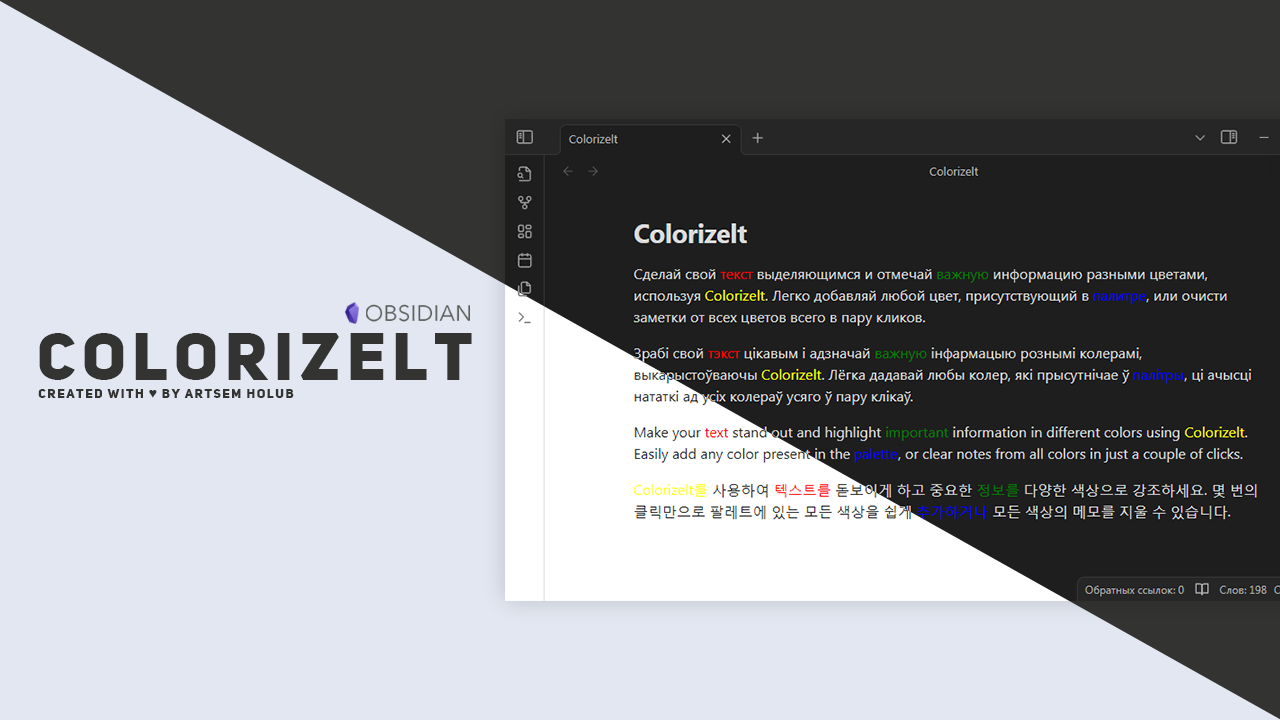
Easy color and clear selected text

Add to Obsidian
  • Overview
  • Scorecard
  • Updates7

visitor badge

Easy color or clear selected text

Features

  • Add any of the available colors to text with a simple keyboard shortcut or using command pallete
    Windows/Mac:
    Shift + Ctrl/Command + 1 for red color; Shift + Ctrl/Command + 2 for yellow color
    Shift + Ctrl/Command + 3 for green color: Shift + Ctrl/Command + 4 for blue color
    
  • Easy work on mobile with using buttons
  • Using the same keyboard shortcuts, remove all colors in the selected fragment

Plan for future updates

  • Add icons for quick access from your phone
  • Add setting tab for edit some colors
  • Add more colors
  • Add different type of text highlights

Development support

If you want to support this project and author of this project:

Wallet Adress
TON UQDXHLtVLfeMsUjk_XtvgEC6CYxo63ZkLOrrFlaAe2cGn3-Z
BTC 3KhWEKA2LpGeesshPCfgRRLsZuBHFtCnfU
USDT (TRC20) TGfzwpq2FhQbWisZMWyY98h2KgqV2JVjFH

Licensed under MIT | Copyright Ⓒ 2024 Artsem Holub

72%
HealthGood
ReviewSatisfactory
About
Add quick red, yellow, green, or blue highlights to selected text using keyboard shortcuts or the command palette, with mobile-friendly buttons for touch devices. Remove all colors from a selection using the same shortcuts.
FormattingHotkeysInterface
Details
Current version
0.0.7
Last updated
2 years ago
Created
2 years ago
Updates
7 releases
Downloads
2k
Compatible with
Obsidian 0.12.0+
Platforms
Desktop, Mobile
License
MIT
Report bugRequest featureReport plugin
Author
wine-ineffwine-ineff
github.com/WiNE-iNEFF
GitHubwine-ineff
  1. Community
  2. Plugins
  3. Formatting
  4. Colorizelt

Related plugins

Tray

Run Obsidian from the system tray for customisable window management and global quick notes.

Colored Text

Color the selected texts.

Mousewheel Image zoom

Increase or decrease the size of an image by scrolling.

Floating Search

Search text by using Obsidian default search view.

Hotkey Helper

Easily see and access any plugin's settings or hotkey assignments (and conflicts) from the Community Plugins tab.

Hider

Hide interface elements such as tooltips, status bar, titlebar, and more.

Meta Bind

Make your notes interactive with inline input fields, metadata displays, and buttons.

Commander

Customize your workspace by adding commands everywhere, create macros and supercharge your mobile toolbar.

Agent Client

Chat with Claude Code, Codex, Gemini CLI, and more via the Agent Client Protocol — right from your vault.

Linter

Format and style your notes. Linter can be used to format YAML tags, aliases, arrays, and metadata; footnotes; headings; spacing; math blocks; regular Markdown contents like list, italics, and bold styles; and more with the use of custom rule options.