Codex AI Agent
 j4charlie1k downloads
A note-focused Codex agent for Obsidian, deeply integrated with Codex CLI.
- Overview
- Scorecard
- Updates12
Codex AI Agent is an independent community plugin for using the local Codex CLI inside an Obsidian vault. It is not affiliated with Obsidian or OpenAI.
Overview
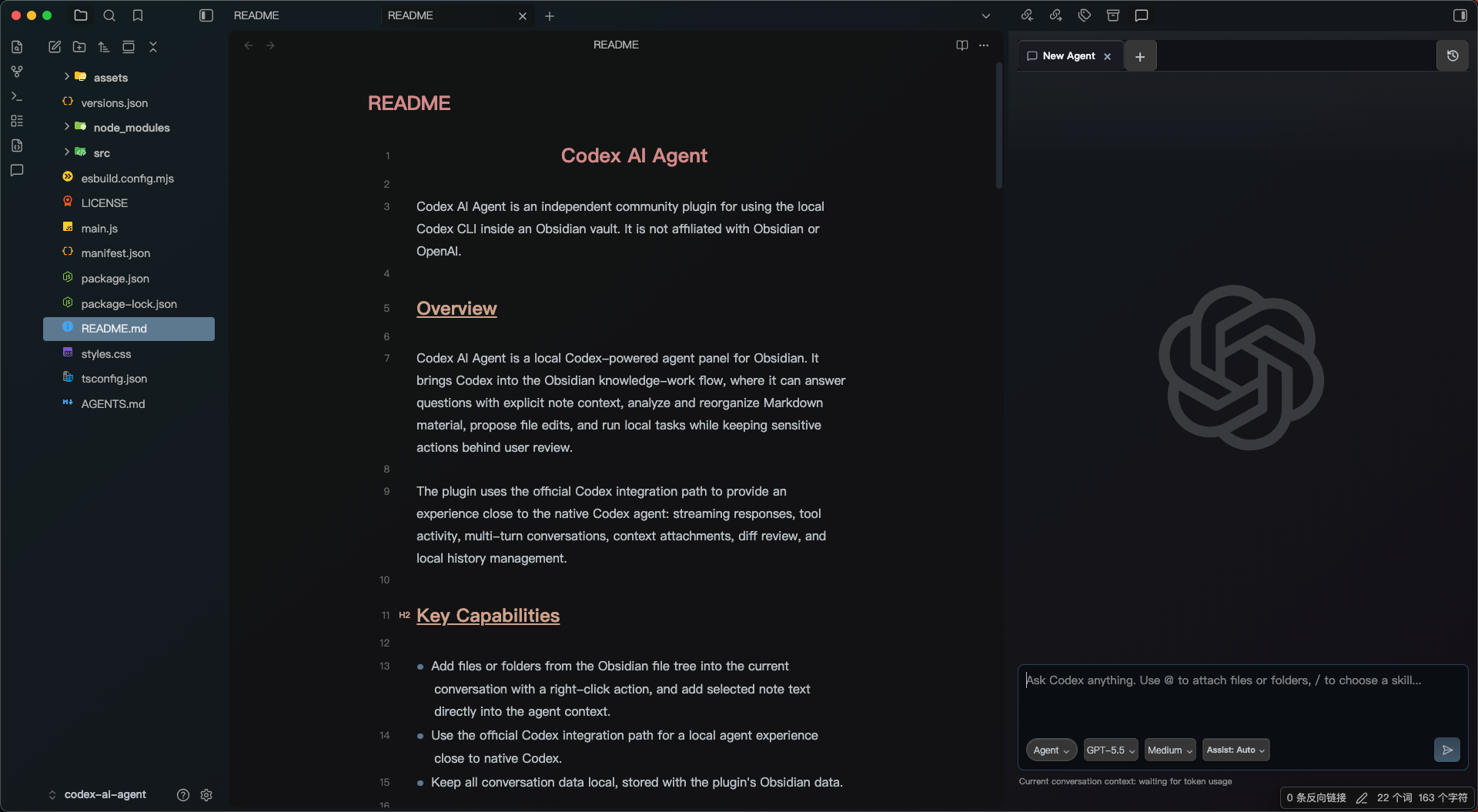
Codex AI Agent is a local Codex-powered agent panel for Obsidian. It brings Codex into the Obsidian knowledge-work flow, where it can answer questions with explicit note context, analyze and reorganize Markdown material, propose file edits, and run local tasks while keeping sensitive actions behind user review.
The plugin uses the official Codex integration path to provide an experience close to the native Codex agent: streaming responses, tool activity, multi-turn conversations, context attachments, diff review, and local history management.
Key Capabilities
- Add files or folders from the Obsidian file tree into the current conversation with a right-click action, and add selected note text directly into the agent context.
- Use the official Codex integration path for a local agent experience close to native Codex.
- Keep all conversation data local, stored with the plugin's Obsidian data.
Supported Features
- Open a Codex Agent panel in the Obsidian sidebar and work across multiple independent Agent tabs.
- Use Ask / Agent modes: Ask is for read-only Q&A and analysis; Agent is for write-capable local tasks.
- Attach explicit context, including the active note, selected text, files, folders, and quick
@search for vault files and folders. - Use Skills with
/search to add specific workflow guidance or capability descriptions to the current conversation. - Keep local conversation history, with search, restore, and delete actions.
- Stream Codex responses and show tool activity for file reads, command execution, plan progress, and diff status.
- Review file-change diffs, including per-file added and removed lines.
- Use auxiliary turn modes:
- Plan: ask Codex to organize a plan for complex tasks.
- Confirm First: have Codex restate the request and approach before doing the work.
- Deep Questions: have Codex ask deeper follow-up questions before proceeding.
- Choose the model and reasoning level per conversation.
- Run locally first; the plugin itself does not depend on a remote background service.
Planned Features
- Sub-agent mode for dynamically splitting work and assigning suitable subtasks to lower-cost models.
- MCP support for connecting more tools, data sources, and workflows.
- More structured context delivery to Codex.
- A more complete vault file-change review workflow.
Current Limitation
Codex AI Agent cannot show the exact context-window usage percentage. The current official interface does not expose full context-window occupancy, so the plugin cannot accurately display a value such as "current context used: 72%".
Requirements
- Obsidian desktop.
- Node.js for development.
- A local
codexCLI installation for runtime use.
The plugin is desktop-only because it starts local processes.
Install From Source
Clone the repository, install dependencies, and build the plugin:
npm install
npm run build
Copy these files into your vault plugin folder:
.obsidian/plugins/codex-ai-agent/main.js
.obsidian/plugins/codex-ai-agent/manifest.json
.obsidian/plugins/codex-ai-agent/styles.css
Then enable Codex AI Agent from Obsidian's Community plugins settings.
Development
The TypeScript source lives in src/main.ts. Obsidian loads main.js, which is generated by esbuild.
Useful commands:
npm run dev
npm run build
npm run typecheck
npm run check
npm run release:check
npm run dev watches src/main.ts and writes main.js. npm run build creates a production build.
For local testing, copy the release files to a test vault plugin directory:
<your-vault>/.obsidian/plugins/codex-ai-agent/
Privacy and Security
Codex AI Agent is desktop-only because it starts the local codex CLI as a child process. The plugin does not collect telemetry or store API keys.
The plugin sends prompts, attached context, approval decisions, selected text, and selected file references to the local Codex CLI process. If you attach a note, file, folder, or selection, that content can be included in the prompt sent to Codex CLI.
Codex CLI handles model provider access, authentication, sandboxing, network access, and any external services according to your local Codex CLI configuration. Depending on that configuration, Codex CLI may send prompt content to external model providers.
In Agent mode, Codex may request shell command execution, file changes, or expanded permissions. The plugin shows approval cards for those requests and does not silently approve them by default.
Repository Layout
.
├── AGENTS.md
├── LICENSE
├── README.md
├── esbuild.config.mjs
├── main.js
├── manifest.json
├── package.json
├── src/
│   └── main.ts
├── styles.css
├── tsconfig.json
└── versions.json
Release Checklist
Update
versioninmanifest.jsonandpackage.json.Run:
npm run release:checkCreate a GitHub release whose tag exactly matches
manifest.jsonversion, for example0.1.0.Upload these release assets:
main.js
manifest.json
styles.css
For the first public listing, submit the GitHub repository URL through the Obsidian Community directory at https://community.obsidian.md after signing in and linking your GitHub account. The directory reads
manifest.jsonfrom the default branch and installs assets from the GitHub release whose tag matches the manifest version.
License
MIT