Code Block Fold
 mkali548 downloads
Fold and unfold code blocks in the editor with a single click.
- Overview
- Scorecard
- Updates1
An Obsidian plugin that lets you fold and unfold code blocks in the editor with a single click, keeping long snippets out of the way until you need them.
Features
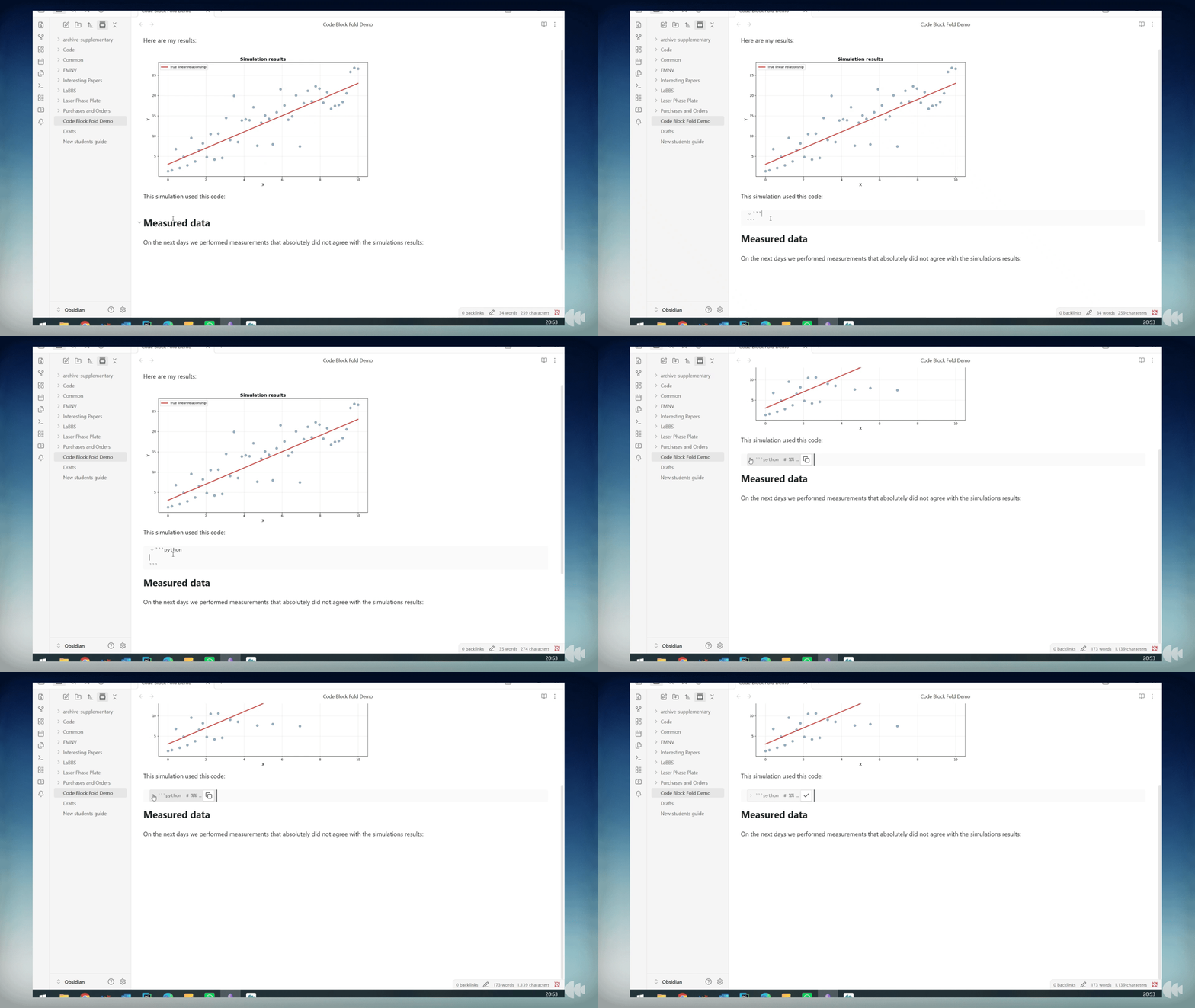
- Click the ▶ arrow to the left of any code block to fold it into a single preview line
- Folded blocks show the language, first line of code, and a copy button — no need to unfold just to copy
- Click the arrow again (or the preview line) to unfold and return to the full block
- Fold state is saved in the file as
{fold}on the opening fence, so it persists across sessions and syncs to other devices - Two commands for bulk operations: fold/unfold all blocks at once, or toggle the block under the cursor
Usage
Folding a block
Click the ▼ chevron that appears to the left of any code block's opening fence. The block collapses into a one-line preview:
▶ ```python x = compute_result(data) … [python]
Click the ▶ chevron to expand it again.
Copying without unfolding
The clipboard button on the right of a folded block copies the full block content to the clipboard without needing to unfold it first. The icon briefly changes to a checkmark to confirm.
Commands
| Command | Description |
|---|---|
| Toggle fold all code blocks | Folds all blocks if any are open; unfolds all if all are folded |
| Toggle fold code block at cursor | Folds or unfolds the block the cursor is currently inside |
Both commands are available from the Command Palette and can be assigned a keyboard shortcut in Settings → Hotkeys.
How fold state is stored
The {fold} marker is appended to the opening fence line:
```python {fold}
x = compute_result(data)
```
This means fold state is part of the note and syncs automatically alongside your vault content.