Claude Notes
 Jefferson Simão Gonçalves91 downloads
Sidebar, generate-note command, and live refresh for Markdown notes written into this vault by the Claude Code obsidian-notes CLI.
- Overview
- Scorecard
- Updates8
Claude Notes (Obsidian plugin)
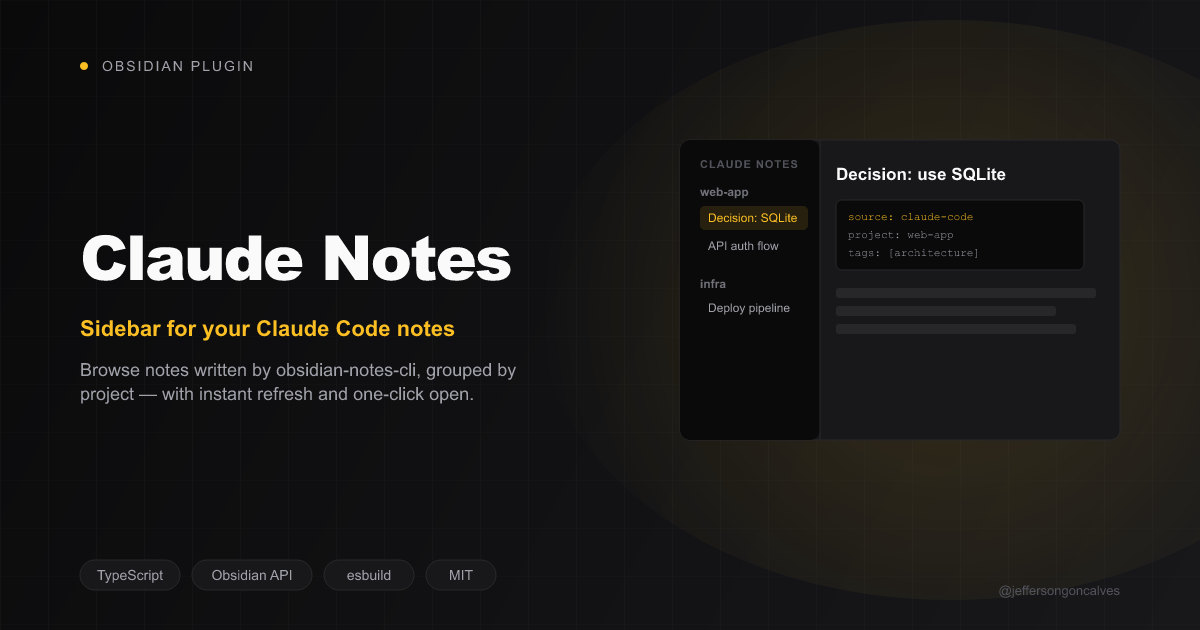
Sidebar, generate-note command, and live refresh for Markdown notes written into your vault by the Claude Code obsidian-notes-cli. No custom note format, no lock-in — it reads plain Markdown with YAML frontmatter via Obsidian's own metadata cache.
Part of a 3-repo integration:
obsidian-notes-cli— writes the notes; this plugin reads them. Works fine without this plugin installed.obsidian-claude-notes(this repo, TypeScript).claude-code-obsidian-notes— Claude Code plugin that shells out to the CLI.
Requirements
- Obsidian >= 1.13.0
- Desktop only (see below)
Features
- Sidebar — lists every note with
source: claude-codefrontmatter, grouped byproject. Click to open. Read via Obsidian's own metadata cache (getMarkdownFiles()+metadataCache.getFileCache()) — the plugin keeps no index of its own. - "Generate note here" command — spawns the CLI with the current selection (or, if nothing's selected, the whole active note) piped in as the body. Desktop only: it spawns a child process, which isn't available on Obsidian mobile. Set the CLI binary path in settings first, or the command shows a
Noticetelling you to. - Live refresh — if the local bridge is enabled, the CLI pings
127.0.0.1:<port>/notesright after writing a file; the sidebar re-renders ~150ms later. With the bridge off, the sidebar still updates — just on Obsidian's normal file-watcher cadence instead of instantly.
Settings
| Setting | Notes |
|---|---|
| CLI binary path | Absolute path to obsidian-notes. Required for the command; not needed just to browse the sidebar. |
| Folder pattern | {project} {date} {slug} placeholders. Written to .claude-notes.json at the vault root — the CLI reads the same file, so changing it here also changes where the CLI writes. |
| Enable local bridge | Off by default. An always-open local port is unnecessary attack surface for most setups; without it, Obsidian still picks up new notes natively on focus, just not instantly. |
| Bridge port | Default 27124. Toggle the bridge off/on (or restart Obsidian) after changing this for it to take effect. |
On load, the plugin reads .claude-notes.json if one already exists (e.g. from obsidian-notes vault:init) and uses its folderPattern/bridgePort — that file is the shared source of truth, not the plugin's own settings storage.
How it works
- Reading — no polling, no file watcher of its own: the sidebar is a live view over Obsidian's
MetadataCache, so it's as current as Obsidian's index already is. - Writing (the CLI's job) — this plugin never writes note content itself. The "Generate note here" command spawns the external CLI binary and lets it do the actual write + frontmatter; the plugin's role there is purely to invoke it with the right arguments and stdin.
- The bridge (
src/bridge.ts) — an opt-in, loopback-only (127.0.0.1) HTTP server. It does not write or read vault content over the network; the POST body from the CLI is informational only, used solely to time a sidebar refresh shortly after a write. Nothing is exposed beyond localhost.
Disclosed capabilities
Obsidian's plugin review surfaces what a plugin can technically do, for transparency:
- Vault read/write/enumeration — the sidebar reads every Markdown file's cached frontmatter (
getMarkdownFiles) to findsource: claude-codenotes, and the settings tab reads/writes.claude-notes.jsondirectly via the vault adapter (needed because Obsidian doesn't index dotfiles through the normal Vault API). - Shell execution (
child_process.spawn) — only from the explicit "Generate note here" command, only to run the CLI binary path you configured in settings. Never triggered automatically.
Install
From Obsidian: Settings → Community plugins → Browse, search for "Claude Notes", install and enable. Or view it directly on the community plugin list.
Manual install
npm install && npm run build.- Copy
manifest.json,main.js,styles.cssinto<vault>/.obsidian/plugins/claude-notes/. - Enable "Claude Notes" in Obsidian's Community Plugins settings.
Or grab the built main.js/manifest.json/styles.css straight from a release instead of building locally.
Development
npm install
npm run dev     # esbuild watch — rebuilds main.js on change
npm run build   # type-check (tsc) + production build
npm run lint    # eslint-plugin-obsidianmd, same checks as the plugin review
License
MIT.