Chess
 mrrepac270 downloads
Play chess against a built-in bot with adjustable 1-10 difficulty, in a workspace pane.
- Overview
- Scorecard
- Updates3
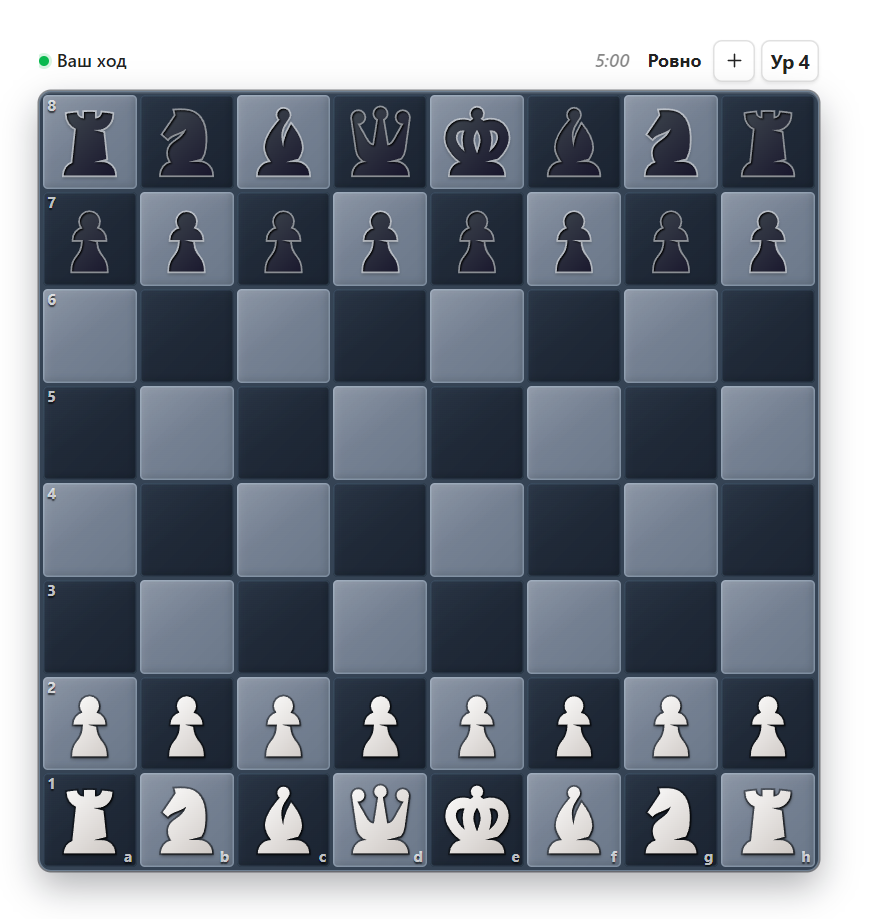
Play chess against a built-in bot in an Obsidian pane. No account, no server, no internet: the engine runs inside the plugin, and the game you left behind is still there when you come back.
Русское описание: README.ru.md
Highlights
- Ten difficulty levels that actually differ. The table behind them is measured, not guessed. What makes the low levels genuinely beatable is not a smaller number: below level 4 the search has no capture-only extension at its leaves, so the bot walks a piece onto a square it just vacated a capture from — a mistake you can see and punish, rather than "weaker Elo". The top levels always play the best move they found and search three to four plies deep inside their time budget.
- Difficulty that follows your results. Off by default. Turn it on and the level moves a step once you win — or lose — several games in a row (one to five, your choice). Draws break the streak without moving anything, and undoing a finished game takes the change back with it.
- A clock, if you want one. Five minutes to an hour, or none at all, with an optional Fischer increment of 2–30 seconds. The clock starts with your first move and runs only while the board is open: closing Obsidian for the night does not lose you the game.
- An opening book. 56 lines of classical theory, used from level 5 up — the bot varies its openings instead of walking into the same position every game. Levels 1–4 are on their own from move one, which is the point of them.
- Move by mouse, drag, or keyboard. Click to pick up and click to place, or drag the piece; arrow keys and Enter work the board without a mouse, and every square is labelled for screen readers.
- It tells you why a move is illegal. A move that cannot be played flashes the square and says what is in the way — a blocked path, a pinned piece, a king still in check — instead of quietly ignoring the click.
- An arrow for the bot's move, so you can see what it just played on a crowded board. Both squares stay highlighted either way.
- Step back through the game. Right-click the board to walk backwards, left-click to walk forward. Reviewing never changes the result.
- A tally per level. Wins, losses and draws for every level you have played, on the board's tooltip, in the level menu and in the settings. A game counts towards the level it was actually played at.
- Sounds for moves, captures, check and the end of a game — synthesised, no audio files, and adjustable or off.
- Desktop and mobile.
Getting started
Open the board from the crown icon in the ribbon, or from the command palette: Open the board.
- Level. The button on the board's toolbar shows the current level. Click it to step up, use the mouse wheel to go either way, or right-click it for the whole ladder at once — each rung with what it plays like and your record against it.
- New game / resign. One button, and it knows which of the two you mean: a game in progress offers to resign, a finished one deals the next. Enter starts a new game once the result is on the board.
- Promotion. Reaching the last rank opens a small chooser; Escape cancels the move.
The game in progress lives in the plugin's data.json, so it survives a restart — and syncs with your vault, if you sync that folder.
How the bot works
Alpha-beta search with a transposition table, iterative deepening, quiescence at the leaves and a piece-square evaluation, on top of chess.js for the rules. It runs in a Web Worker, so the board never freezes while the bot thinks — and it talks to chess.js through the library's internal move generator rather than moves({ verbose: true }), which costs about 35× more per node and is what used to hold the search down to two plies at every level.
Credits
The chess piece artwork is not mine and is licensed separately from the plugin's code — see THIRD_PARTY_NOTICES.md.
License
The plugin's own code is MIT. The bundled piece artwork is not covered by it and keeps its own license — see THIRD_PARTY_NOTICES.md.