Search...Search plugins and themes...
⌘K
Sign in
  • Get started
  • Download
  • Pricing
  • Enterprise
  • Account
  • Obsidian
  • Overview
  • Sync
  • Publish
  • Canvas
  • Mobile
  • Web Clipper
  • CLI
  • Learn
  • Help
  • Developers
  • Changelog
  • About
  • Roadmap
  • Blog
  • Resources
  • System status
  • License overview
  • Terms of service
  • Privacy policy
  • Security
  • Community
  • Plugins
  • Themes
  • Discord
  • Forum / 中文论坛
  • Merch store
  • Brand guidelines
Follow us
DiscordTwitterBlueskyThreadsMastodonYouTubeGitHub
© 2026 Obsidian

Chatty

ssaquifssaquif3k downloads

Allows you to listen to your notes using text-to-speech. Uses the browser's built-in speech synthesis capabilities and your default system voices.

Add to Obsidian
  • Overview
  • Scorecard
  • Updates3

A simple plugin for Obsidian that allows you to listen to your notes using text-to-speech.

No external apis, just uses the browser's built-in speech synthesis capabilities and your default system voices.

This plugin has been tested on Windows only.

Setup

The plugin uses your system's default languages and their text-to-speech voices. In order to add a new language, you need to install the language pack for your operating system.

For Windows, you can do this by going to Settings > Time & Language > Language, and then adding a new language.
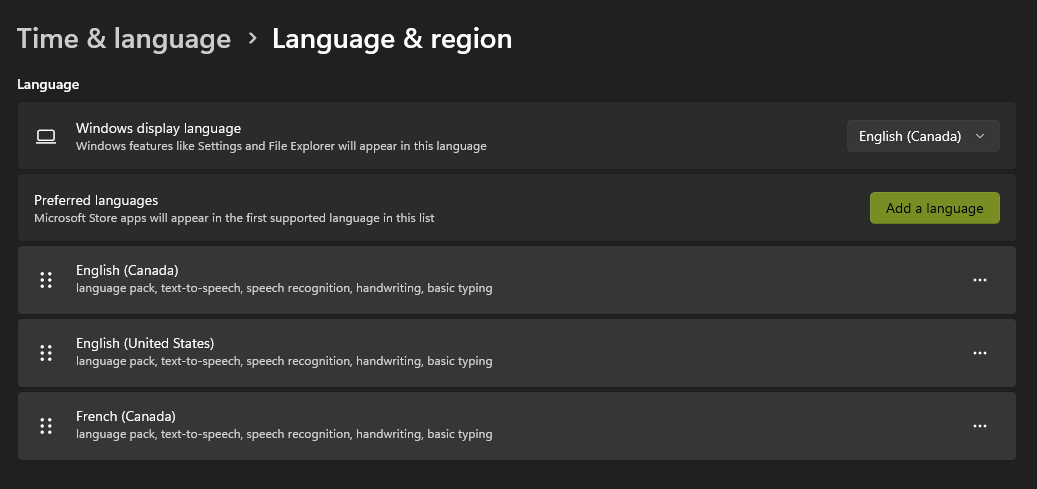
Windows Language Settings

Features

You can either select the text in your notes, right-click, and select "Speak Selected Text".
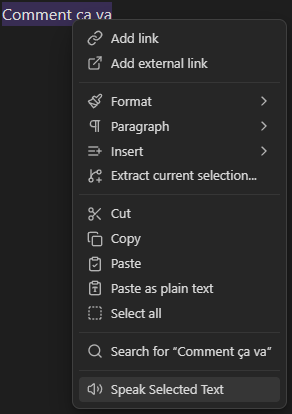
Speak Selected Text

Or you can select the text and then use the hotkey combination, the default hotkey is Ctrl + Alt + S.

But you can change this in the plugin settings, along with the voice and language settings.

Beware that certain hotkey combinations may not work as they might already be used by Obsidian or by other plugins.
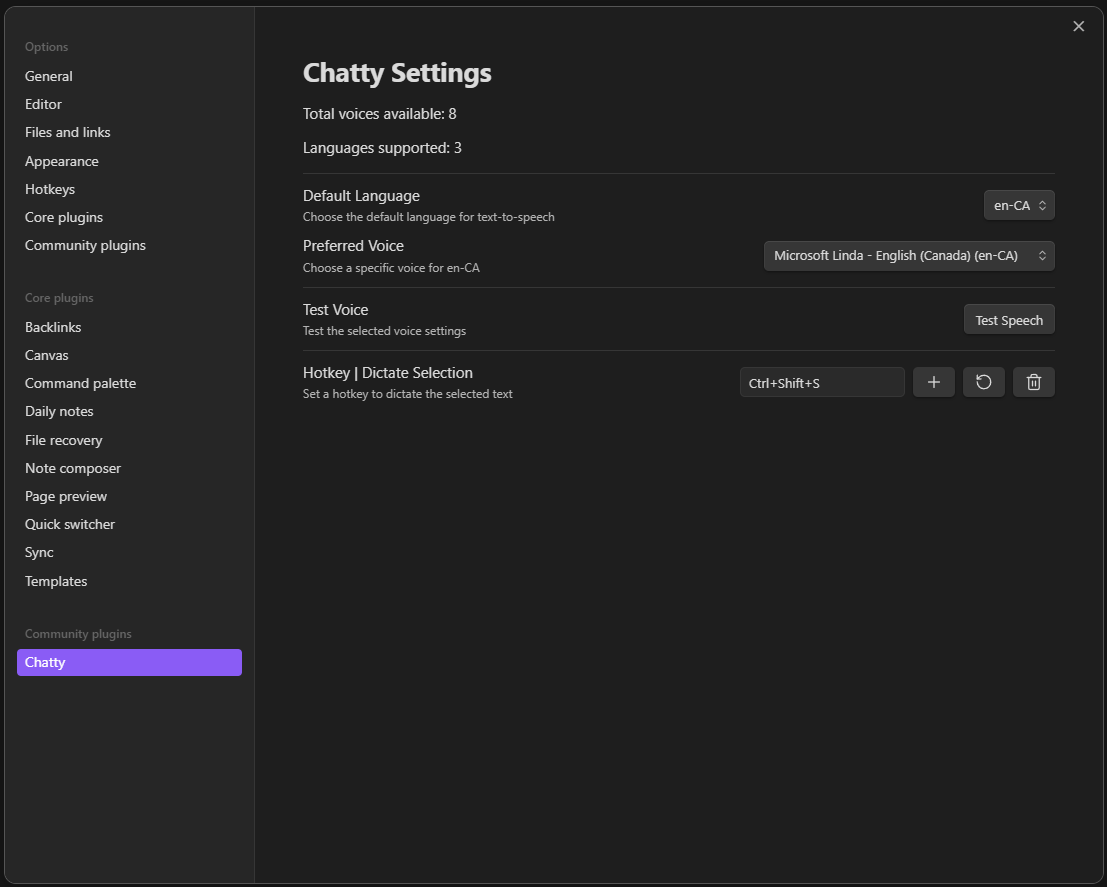
Chatty Settings

80%
HealthExcellent
ReviewSatisfactory
About
Hear notes using the browser's built-in speech synthesis and your system voices, with no external APIs. Select text and speak it via the context menu or a hotkey, using installed system languages (tested on Windows).
UtilitiesCommandsHotkeys
Details
Current version
1.0.2
Last updated
7 months ago
Created
10 months ago
Updates
3 releases
Downloads
3k
Compatible with
Obsidian 1.8.10+
Platforms
Desktop, Mobile
License
OTHER
Report bugRequest featureReport plugin
Author
ssaquifssaquif
github.com/SSaquif
GitHubssaquif
  1. Community
  2. Plugins
  3. Utilities
  4. Chatty

Related plugins

Tray

Run Obsidian from the system tray for customisable window management and global quick notes.

Leader Hotkeys

Add leader hotkey support to any command (like tmux or vim).

Code Editor Shortcuts

Add keyboard shortcuts (hotkeys) commonly found in code editors such as Visual Studio Code (VS Code) or Sublime Text.

Doubleshift

Open the command palette by pressing Shift (or any other key) twice like in IntelliJ and create your own shortcuts.

Tab Switcher

Switch your tabs with Ctrl + Tab in recently used order like in a browser.

Hotkey Helper

Easily see and access any plugin's settings or hotkey assignments (and conflicts) from the Community Plugins tab.

Collapse All

Extend collapse/expand all with commands that can be bound to hotkeys.

Keyshots

Add classic hotkey/shortcuts commands from popular IDEs like Visual Studio Code or JetBrains Family.

Plugin Groups

Manage your Plugins with groups: Enable & disable multiple plugins at once or delay their startup to speed up your Obsidian start up time.

Vertical Tabs

Offer an alternative view that displays open tabs vertically, allowing users to group and organize tabs for a better navigation experience.