
- Overview
- Scorecard
- Updates6
This plugin allows record chat in markdown list in editing view, and display comments-like layout in reading view.
Example
Editing view
1. #chatclips
2. p 1
    - What's the weather today?
        - Today's weather is sunny with a high temperature of 9°C and a low temperature of -2°C. The wind is from the northwest at level 3, and the relative humidity is 22%. The UV index is strong, and the air quality is moderate with an AQI of 54.
            - Thank you!
Reading view
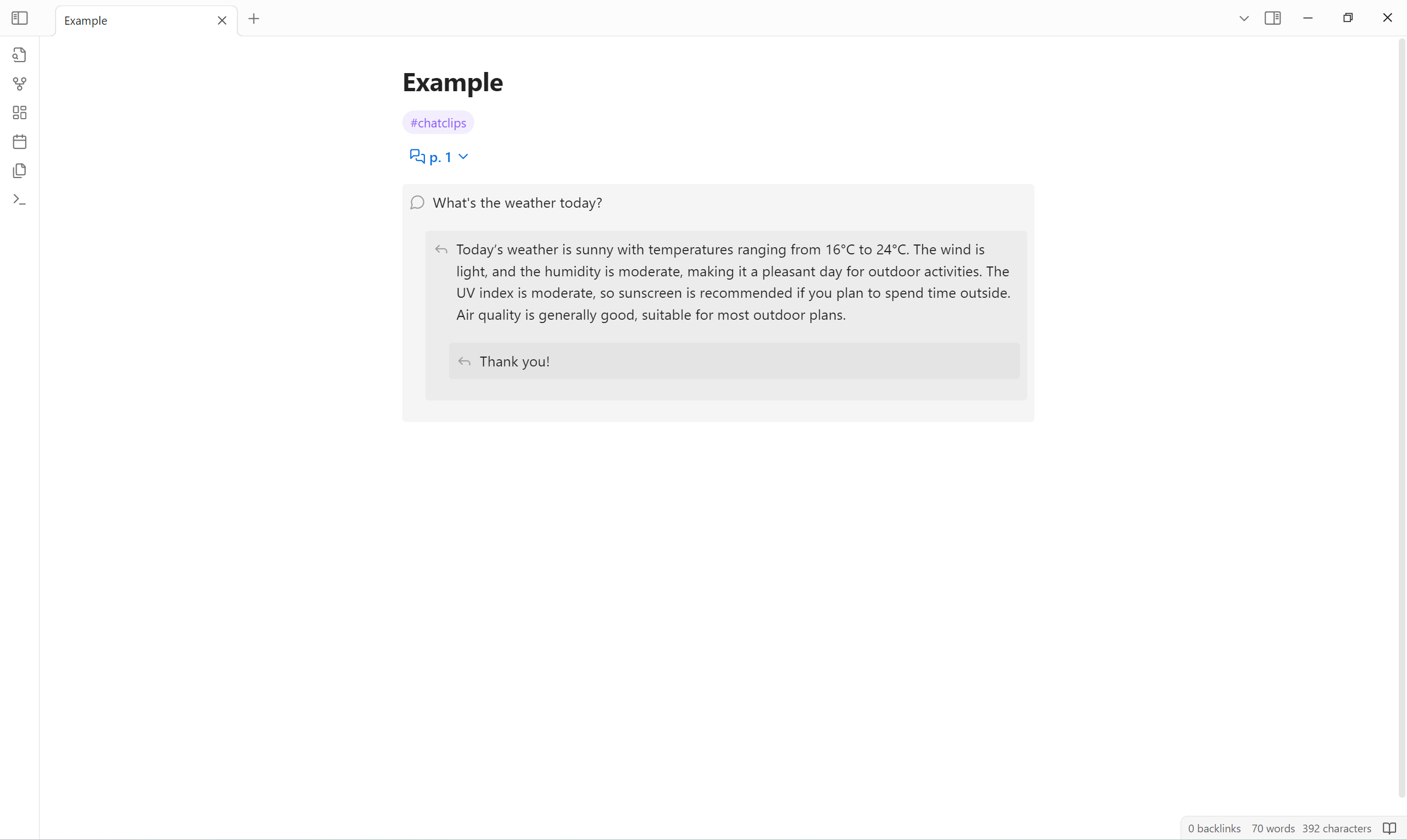
Usage
Define a chat clips list
A chat clips list is defined by:
- An ordered list at first level.
- First list item is to indicate chat clips.
- Followed list items are recognized as chat clips commands.
- Unordered lists that start at the second level.
- Each unordered list item is rendered to a chat clips comment in reading view.
Chat clips commands
| Name | Description | Pattern |
|---|---|---|
| Group | Fold sublists into a group. | <group-title> | "<group-title>" |
| Page | Fold sublists into a page. | p <page-number> |
Customize appearance
You can use CSS snippets to customize the appearance.
Example:
.callout[data-callout^="chat-clips-folder"] {
  background-color: transparent;
}
.callout[data-callout^="chat-clips-comment"] {
  --callout-color: var(--callout-quote);
}
Applicable CSS selectors are as follows:
/* fuzzyly select */
.callout[data-callout^="chat-clips-folder"],
.callout[data-callout^="chat-clips-comment"] {
}

/* precisely select */
.callout[data-callout="chat-clips-folder-group"],
.callout[data-callout="chat-clips-folder-page"],
.callout[data-callout="chat-clips-comment-1"],
.callout[data-callout="chat-clips-comment-2"]/*,
.callout[data-callout="chat-clips-comment-3"],
…… */ {
}
Limitation
- Chat clips comment can not contain unordered list.
Installation
Install from community plugins
Install manually
- Open latest release.
- Download
main.js,manifest.jsonandstyles.cssto<obsidian-vault>/.obsidian/plugins/chat-clips.
HealthGood
ReviewSatisfactory
About
Record chats as simple Markdown lists in the editor and render them as comment-style chat clips in reading view. Group clips into folders or pages with list markers and customize the visual style with CSS.Details
Current version
0.5.1
Last updated
Last year
Created
2 years ago
Updates
6 releases
Downloads
587
Compatible with
Obsidian 1.8.4+
Platforms
Desktop, Mobile
License
MIT