cashlog
 uuq0071k downloads
A personal finance plugin with multi-account, transfers, tag categorization, query syntax, budgets, goals, and chart visualization.
- Overview
- Scorecard
- Updates4
A personal finance tracking plugin for Obsidian. Record income and expenses directly in your Markdown notes with an emoji-based syntax, then query, visualize, and analyze your data — all within your vault.
Features
- Markdown-native bookkeeping — Record transactions as plain list items using emoji markers (
💴 ➕ ⏰) - Tag categorization — Classify entries with hierarchical tags like
#expense/food,#income/salary - Query language — Filter, sort, group, and summarize entries in
cashlogcode blocks - Chart visualization — Bar charts, line charts, pie charts, and custom tables via
cashlog-chartblocks - Dashboard panel — Interactive side panel with summary cards, account balances, budgets, and goals
- Multi-account support — Track multiple accounts (WeChat, Alipay, bank cards), transfers, and balance adjustments
- Budgets & goals — Set spending budgets and income goals with period-aware progress tracking
- Attachments — Attach receipt photos to entries, stored in your vault
- i18n — English and Chinese UI
- Natural language dates —
date today,date last month,date 14 days ago, etc.
Quick Start
Record a transaction
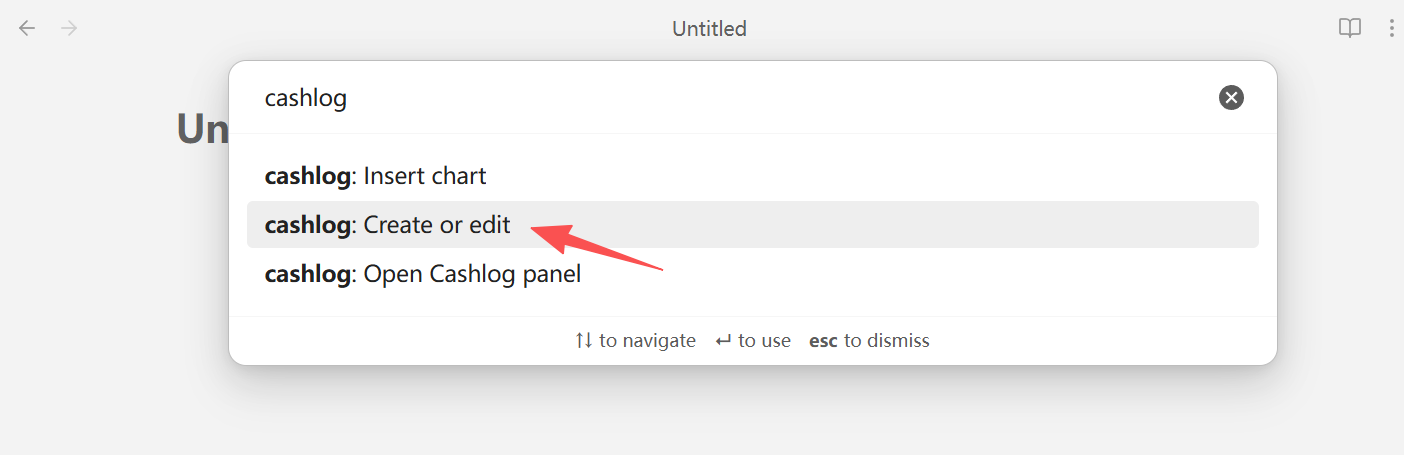
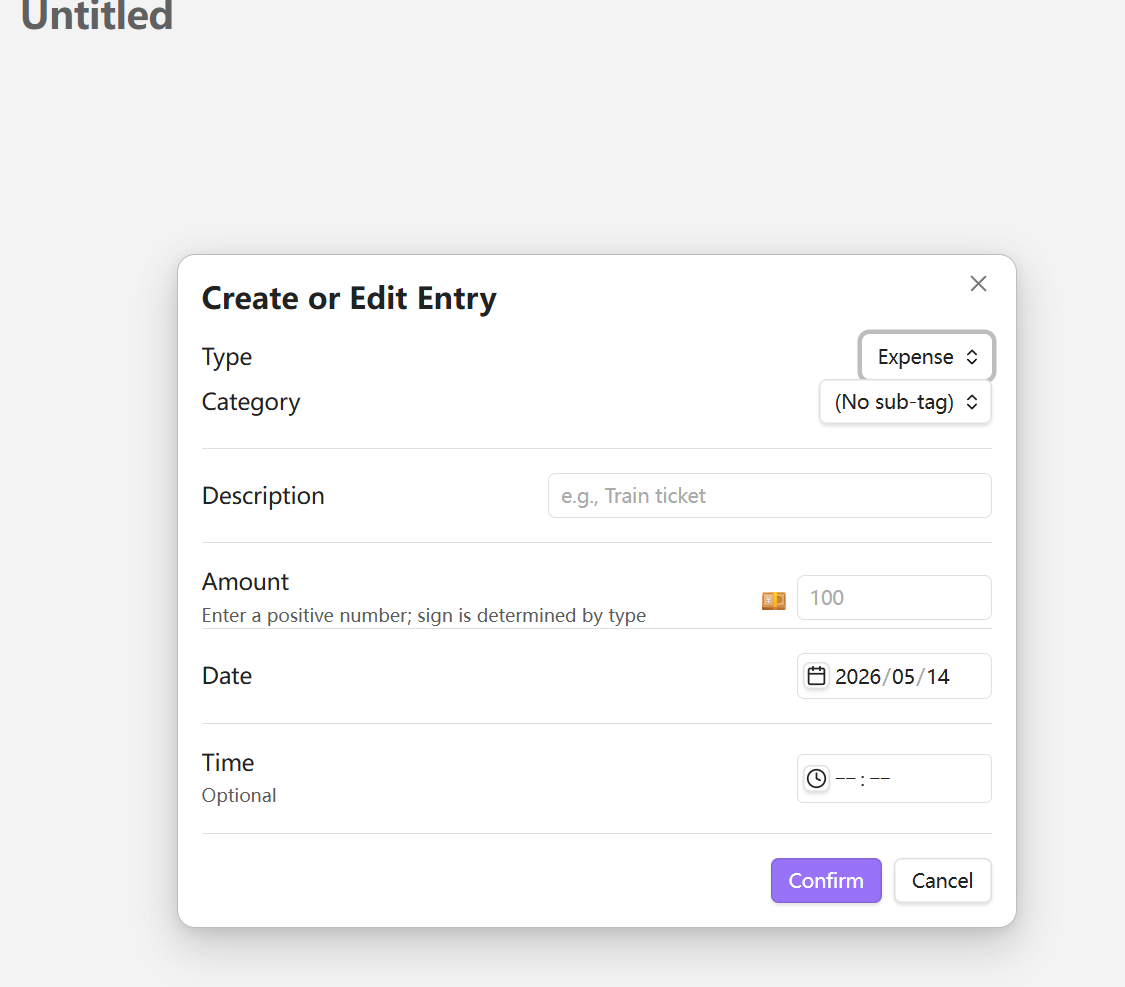
Use the command palette (Ctrl+P) → Create or edit cashlog, or write manually:
- #expense/transport train ticket 💴-100 ➕2026-04-25 ⏰17:30
- #income/salary monthly pay 💴10000 ➕2026-04-25
| Symbol | Meaning | Format |
|---|---|---|
💴 |
Amount | 💴 + number (negative = expense) |
➕ |
Date | ➕ + YYYY-MM-DD |
⏰ |
Time | ⏰ + HH:mm |
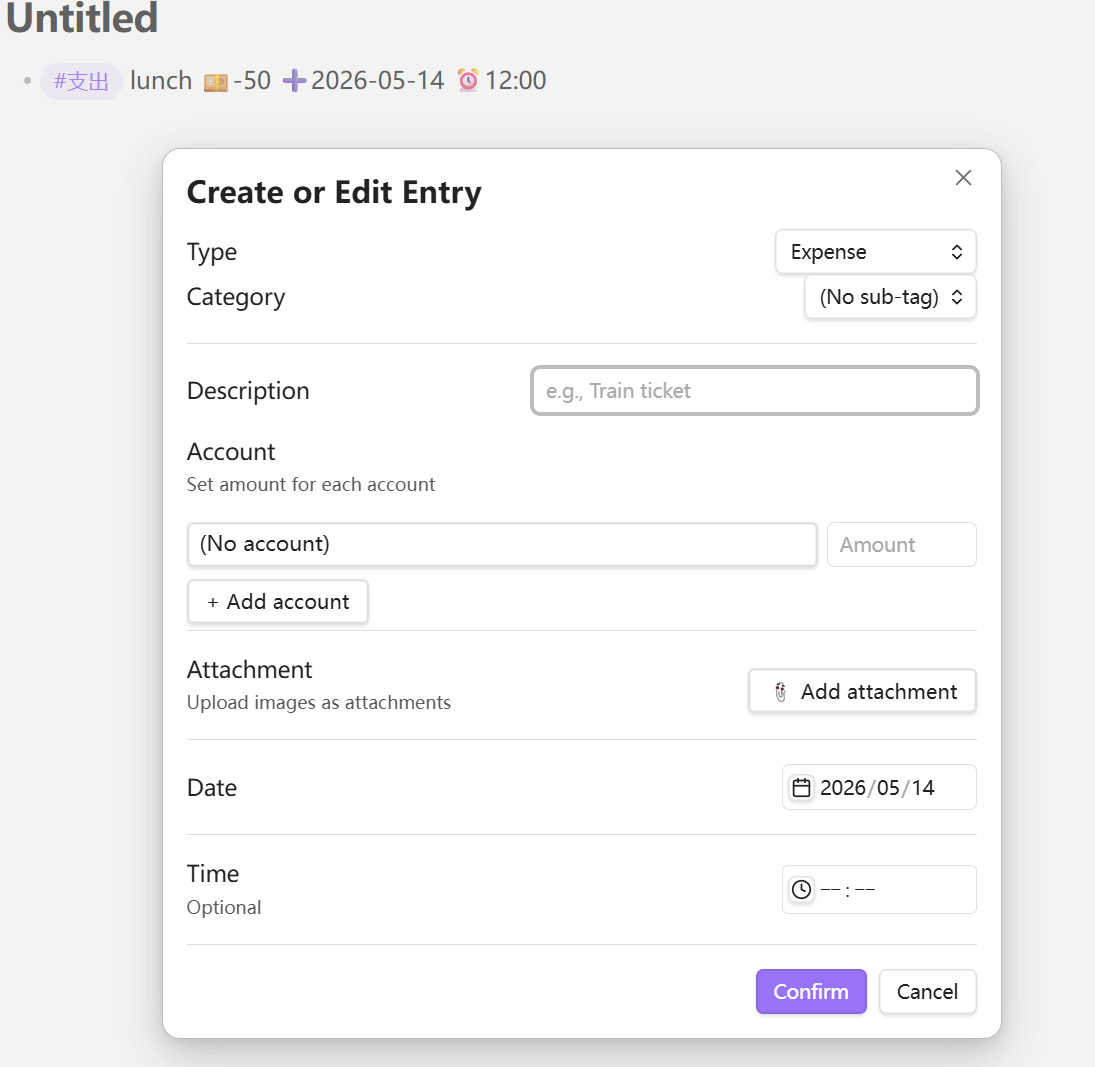
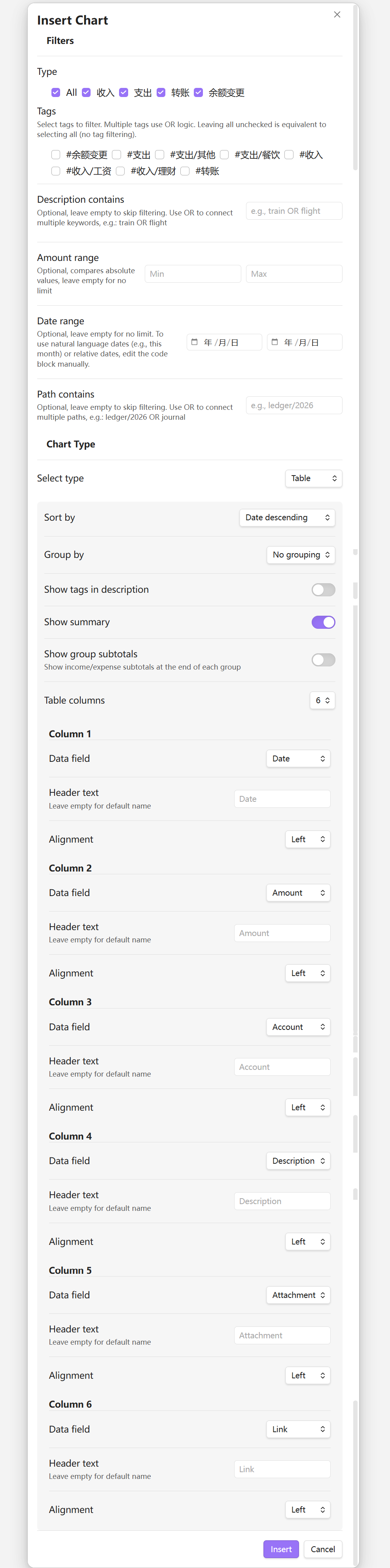
After enabling the account and attachment features in the plugin settings, the full create/edit menu looks like this:
Dashboard Panel
Open via command palette → Open Cashlog Panel. The panel provides:
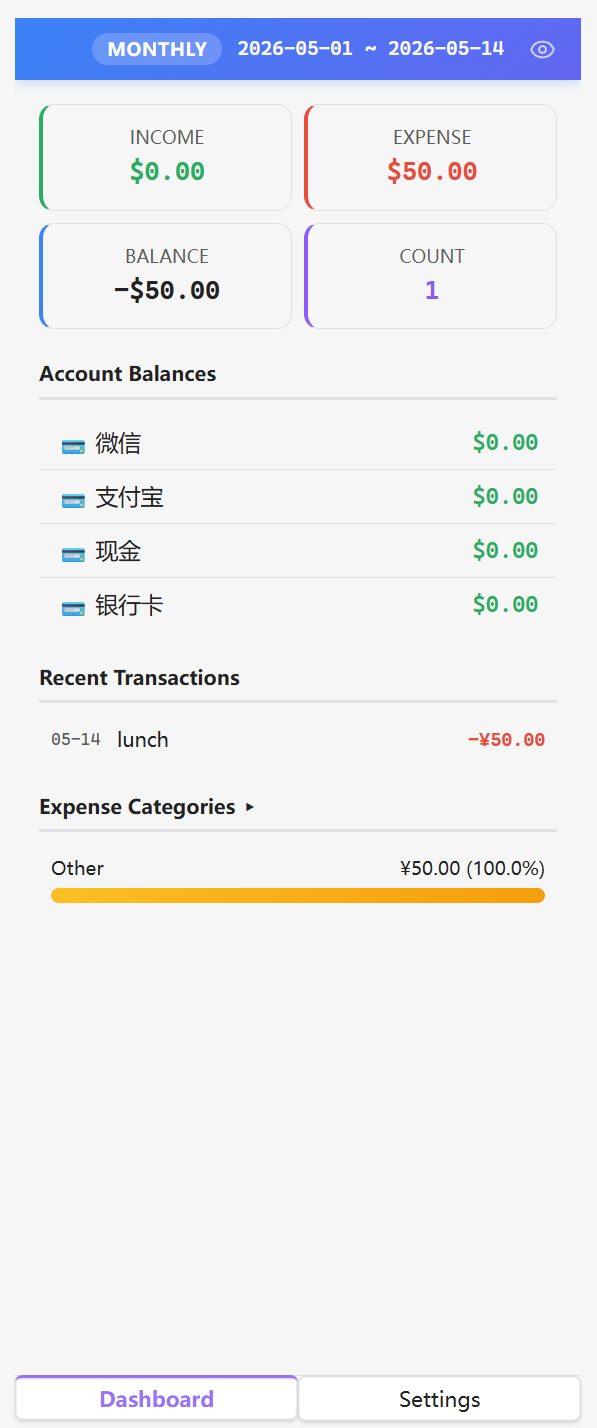
- Summary cards — Income, expense, balance, count for the current period
- Account balances — Real-time balance for each account with drill-down details
- Budget progress — Spending vs. budget with period-aware tracking
- Goal progress — Income achievement vs. target
- Recent transactions — Last 10 entries with hover details
- Category ranking — Top 5 expense categories with percentage
All dashboard areas are clickable for drill-down navigation.
Query your data
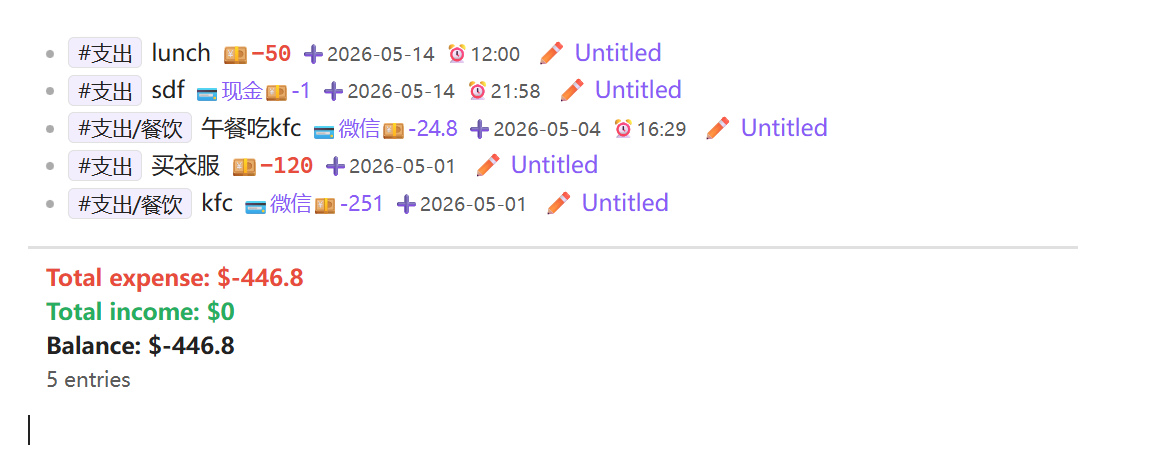
```cashlog
is expense
date this month
sort by date descending
show total expense
```
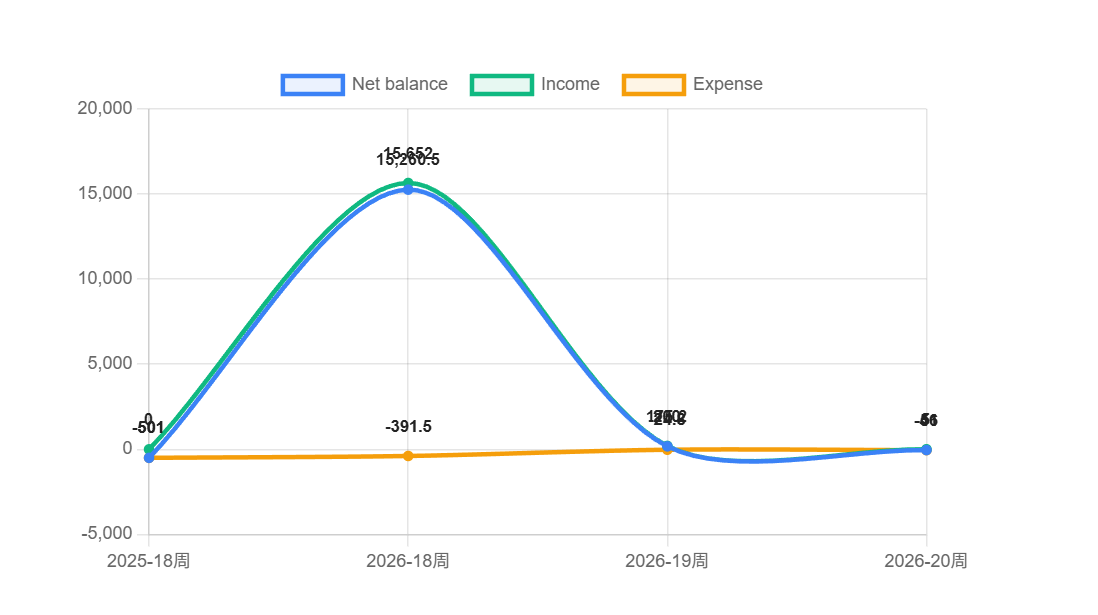
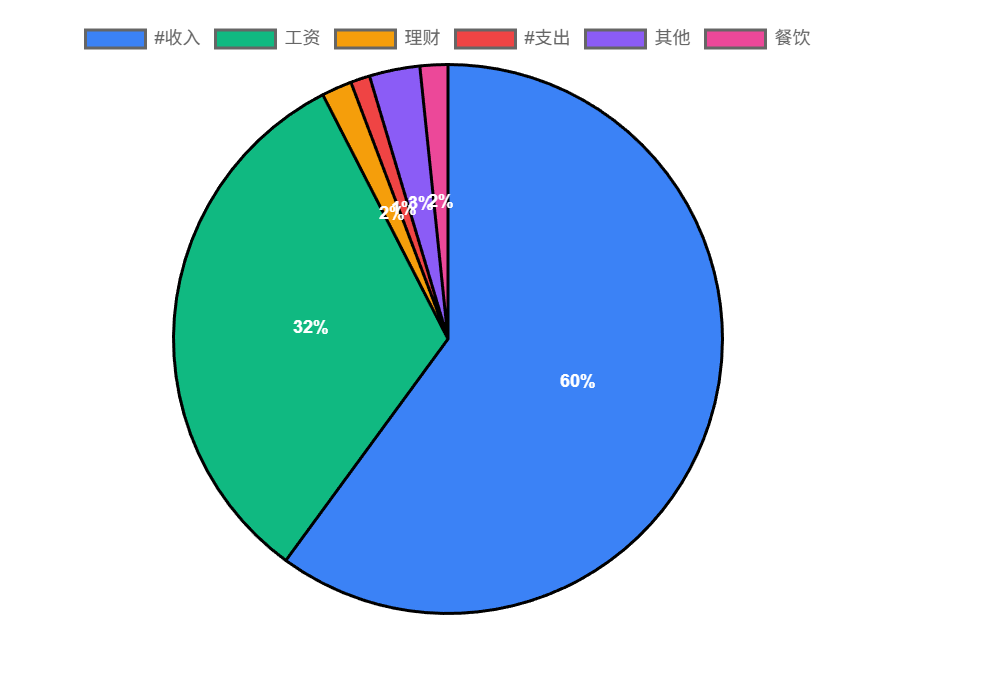
Visualize with charts
Use the command palette (Ctrl+P) → Insert chart, or write manually:
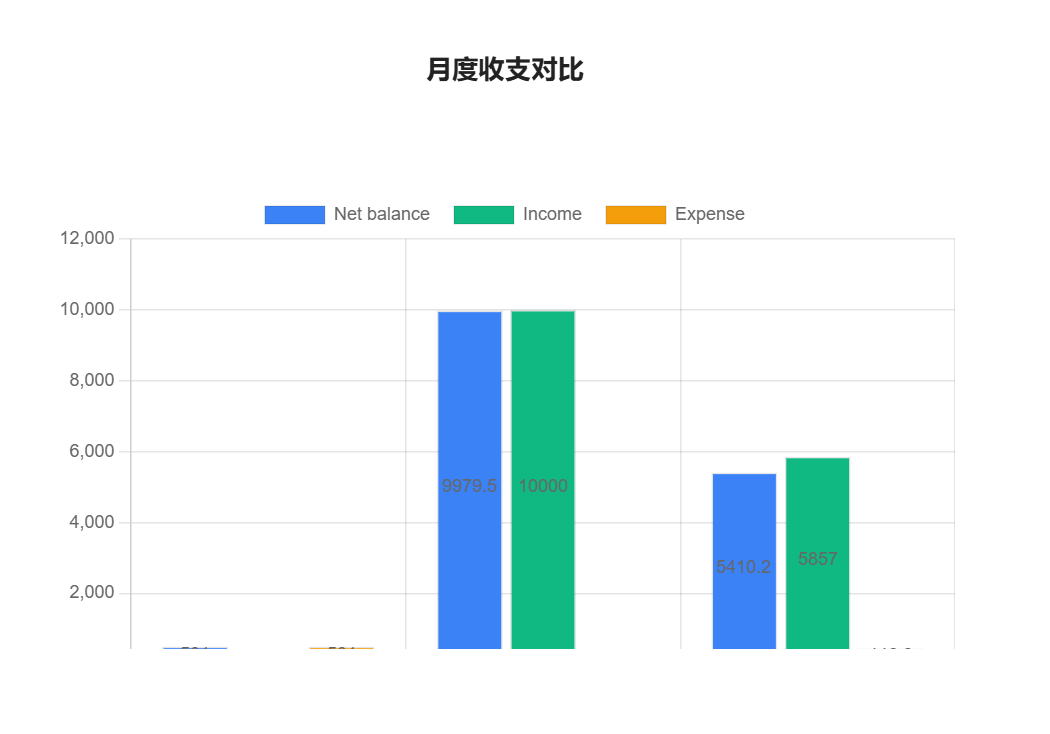
```cashlog-chart
group by month
chart type bar
chart title "Monthly Overview"
chart bar split by valueType
chart legend true
```
Entry Format
Basic
- #expense/food lunch 💴-25 ➕2026-04-25 ⏰12:00
With account
- #expense/shopping clothes 💳WeChat💴-200 ➕2026-04-25
Transfer
- #transfer pay credit card 💳Alipay💴-500 💳ICBC Card💴500 ➕2026-04-25
Balance adjustment
- #balance-change adjust balance 💳Alipay💴50 ➕2026-04-25
With attachments
- #expense/shopping clothes 💳WeChat💴-200 🧷[[cashlog-2026042517303050|receipt]] ➕2026-04-25
Query Syntax
Use ```cashlog code blocks to query entries across your entire vault.
Filters
| Instruction | Description |
|---|---|
is income / is expense / is transfer |
Filter by type |
tag includes #expense/food |
Tag contains (supports OR) |
description includes lunch |
Description contains text (supports OR) |
amount above 100 |
Amount absolute value comparisons |
date this month |
Date filtering (natural language, ranges, etc.) |
account is WeChat |
Account filtering (supports OR) |
path includes journal/ |
File path filtering |
has attachment |
Only entries with attachments |
Sorting
| Instruction | Description |
|---|---|
sort by date descending |
Sort by date |
sort by amount descending |
Sort by amount |
sort by description ascending |
Sort by description |
Grouping
| Instruction | Description |
|---|---|
group by tag |
Group by tag |
group by month |
Group by month |
group by account |
Group by account |
group by type |
Group by entry type |
Summaries
| Instruction | Description |
|---|---|
show total |
Total income, expense, balance, count |
show total expense |
Total expense only |
show balance |
Balance only |
show count |
Entry count only |
Date formats
date 2026-04-25              # specific date
date today                   # natural language
date this month              # relative range
date 2026                    # full year
date 2026-04                 # full month
date 2026-W15                # ISO week
date 2026-Q2                 # quarter
date 2026-01-01 2026-03-31   # absolute range
Charts
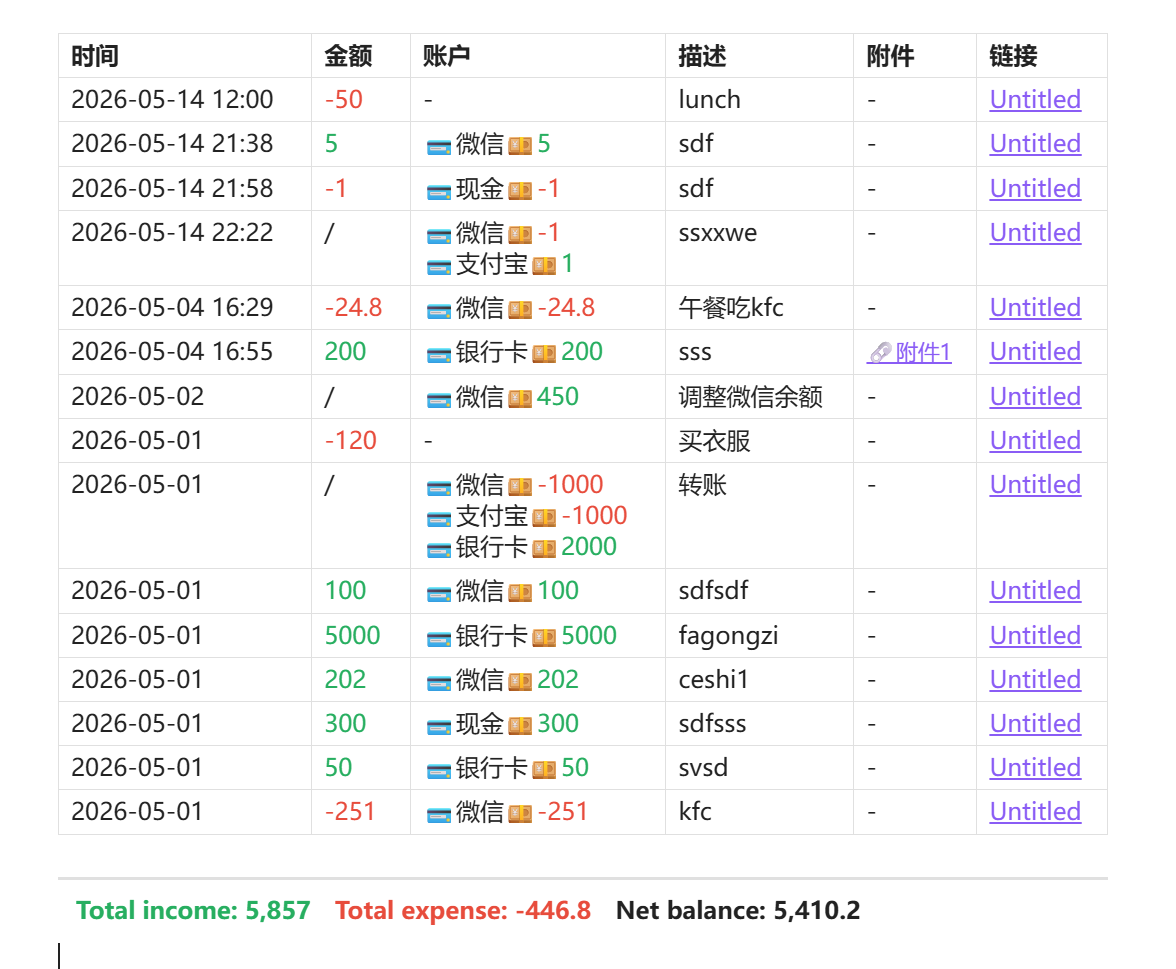
Use ```cashlog-chart code blocks to render visualizations powered by Chart.js.
| Type | Instruction |
|---|---|
| Bar chart | chart type bar |
| Line chart | chart type line |
| Pie chart | chart type pie |
| Table | table columns N + colN field "header" alignment |
Chart options
| Instruction | Description |
|---|---|
chart title "Title" |
Chart title |
chart width 800 |
Width in pixels |
chart height 400 |
Height in pixels |
chart legend true |
Show legend |
chart labels true |
Show data labels |
chart bar split by valueType |
Split bars by value type |
chart line split by tag |
Split lines by tag |
chart value income |
Pie chart value mode |
Installation
Manual
- Download
main.js,manifest.json, andstyles.cssfrom the latest release - Copy them to
.obsidian/plugins/obsidian-cashlog/in your vault - Enable the plugin in Obsidian Settings → Community Plugins
Build from source
git clone https://github.com/uuq007/obsidian-cashlog.git
cd obsidian-cashlog
npm install
npm run build
Settings
| Category | Options |
|---|---|
| Tags | Customize income/expense/transfer/balance-change tag names; auto-migration on rename |
| Sub-tags | Add, rename, merge, or delete sub-tags; auto-discovered from vault |
| Accounts | Enable multi-account, add/rename/delete accounts, set initial balances |
| Attachments | Enable file uploads, configure storage directory |
| Budgets | Set spending limits with period (weekly/monthly/yearly/custom) and tag filters |
| Goals | Set income targets with period and tag filters |
| Statistics | Period mode (daily/weekly/monthly/yearly), custom start dates |
| Paths | Include/exclude vault paths from indexing |
Requirements
- Obsidian v1.7.2+
License
MIT