Cascade Templates
 Matteo Palazzolo2 downloads
A modular cascading templating system based on folder-level !Template.md files.
- Overview
- Scorecard
- Updates2
A modular cascading templating system for Obsidian.
Assume that you want to track some media you consumed or some lightly-structured data in your vault, maybe some items and spells for your TTRPG campaign, or some notes from school across different subjects.
You would usually use Templater for such occurrences, but what happens when maybe an item needs a new property for durability, while maybe the spell doesn't use it... You could add a new field "durability" and keep it empty in spells, or maybe you could just link the /Items and /Spells folder to two different templates, but now you have no guarantee that the two templates are aligned with each other for all the common properties...
I struggled a bit with this kind of problem in my media tracking vault and came up with a solution that I believe might also be of use to someone else.
Usage
You reserve a specific filename to mark the template file across the vault, by default "!Template.md", then each file checks if there is a template in its folder or, if not, in the folder above, recursively, and uses it as its reference template.
This is true also for template files: each template will check in the folders above for another template and will inherit its properties. Now each template can extend the parent template adding new properties specific to that folder, while compatibility with the others is guaranteed.
Going back to the previous TTRPG-related example.
Objects/
├── !Template.md
├── Items/
│   ├── !Template.md
│   └── Sword.md
└── Spells/
    ├── !Template.md
    └── Fireball.md
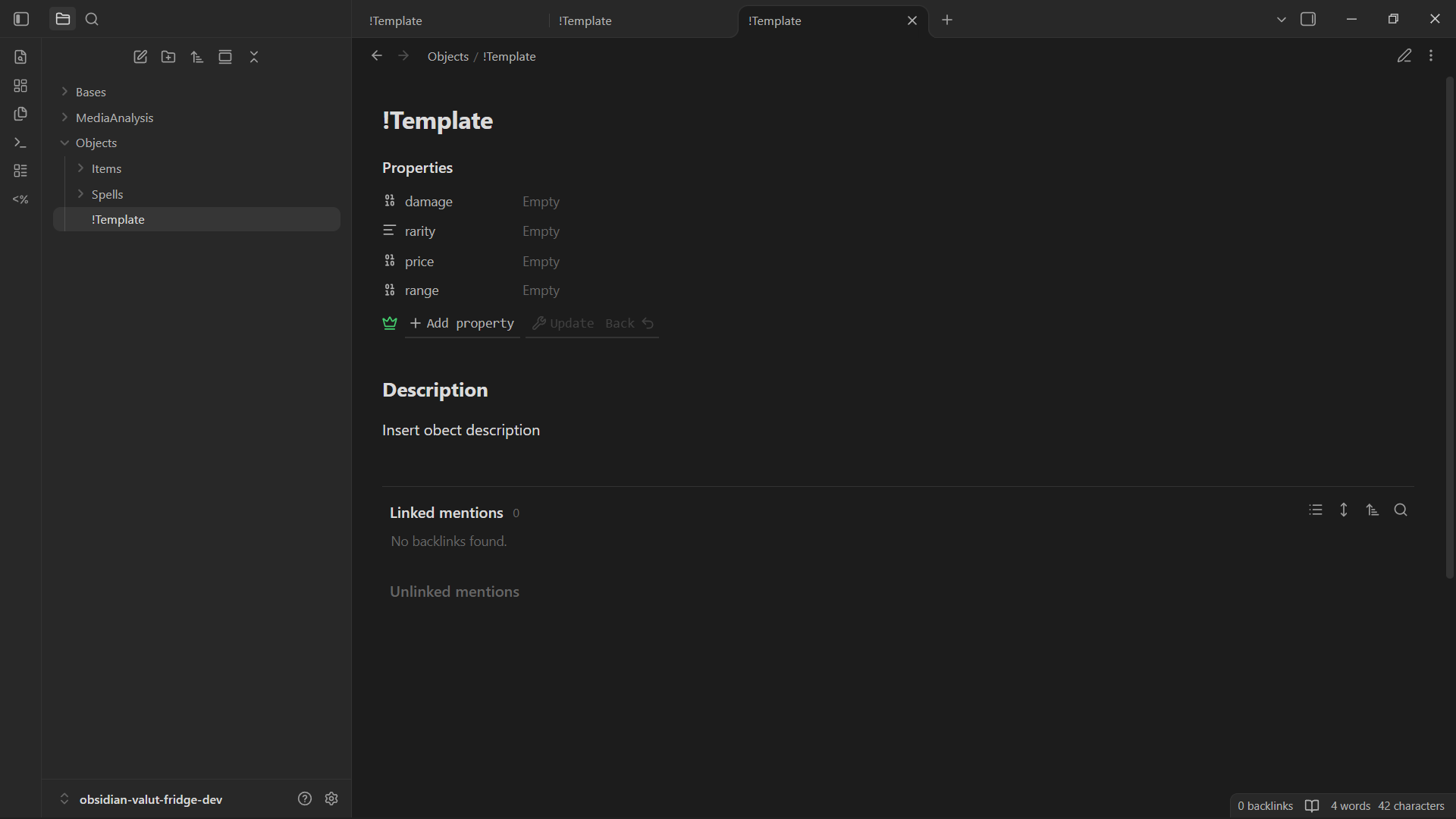
Objects/!Template.md
---
damage:
rarity:
price:
range:
---

# Description
Insert object description
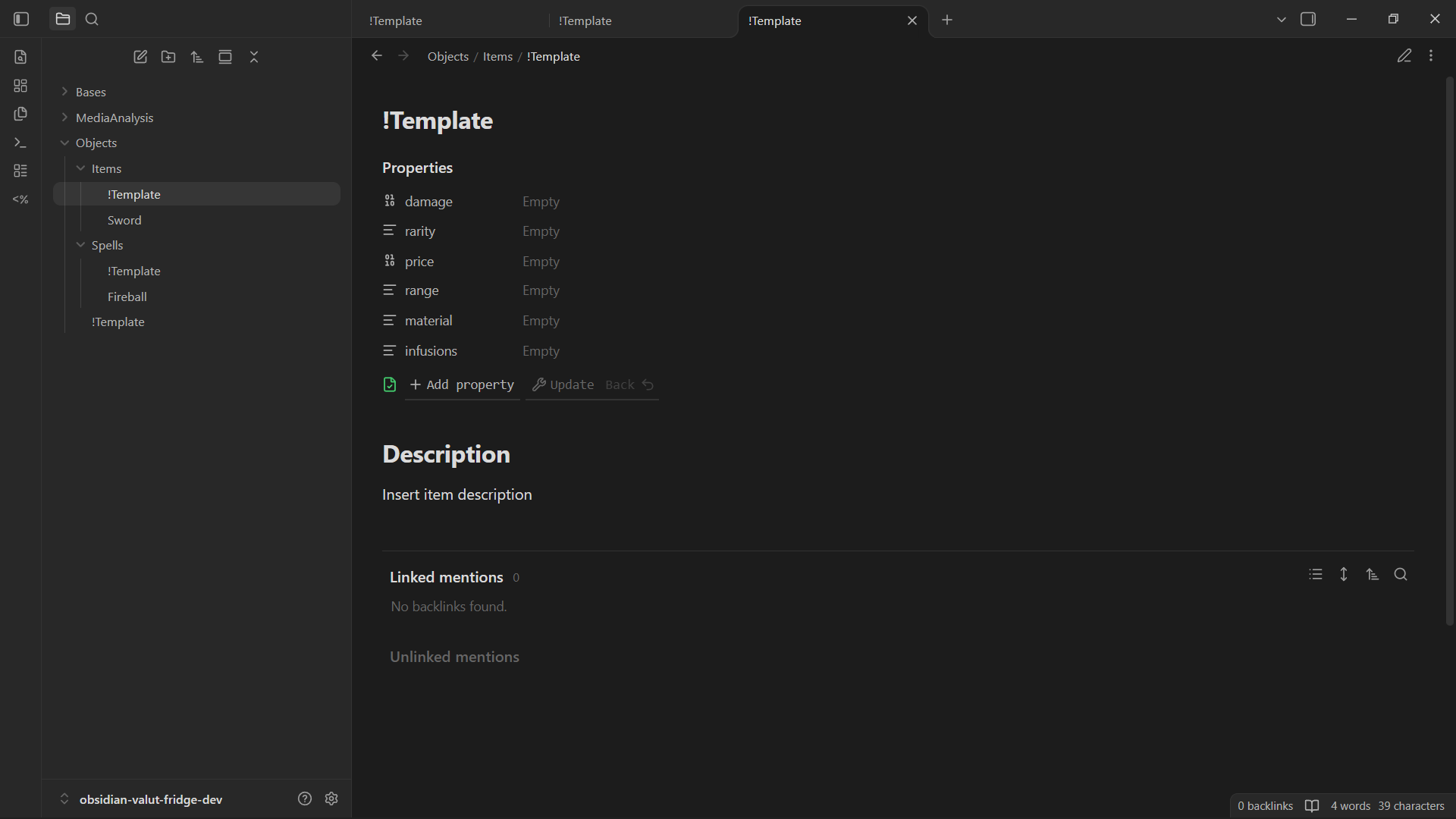
Objects/Items/!Template.md
---
damage:
rarity:
price:
range:
material:
infusions:
---

# Description
Insert item description
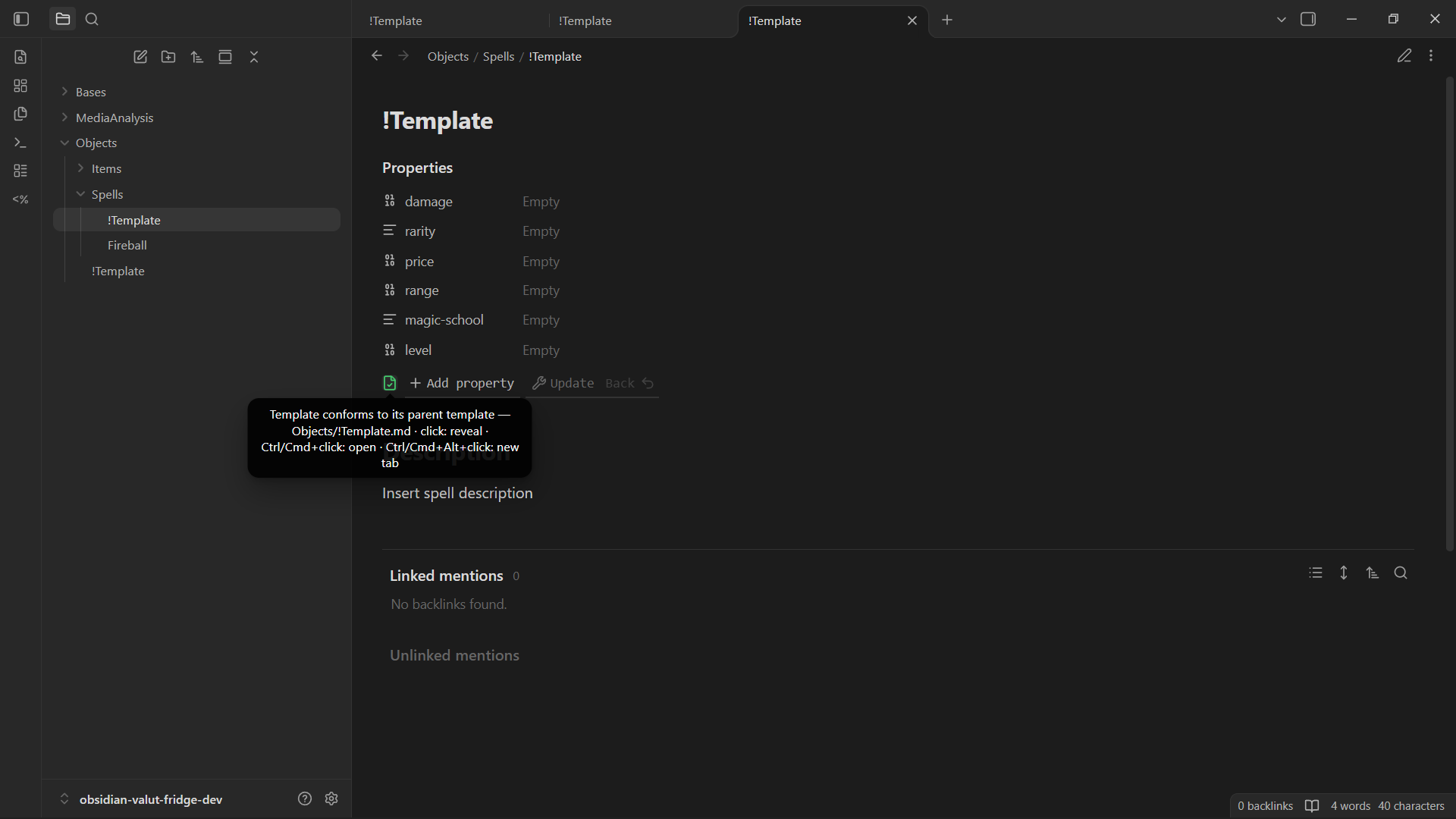
Objects/Spells/!Template.md
---
damage:
rarity:
price:
range:
magic-school:
level:
---

# Description
Insert spell description
Now you can have your common properties shared between Items and Spells with little to no setup, and without opening the settings for every new folder!!!
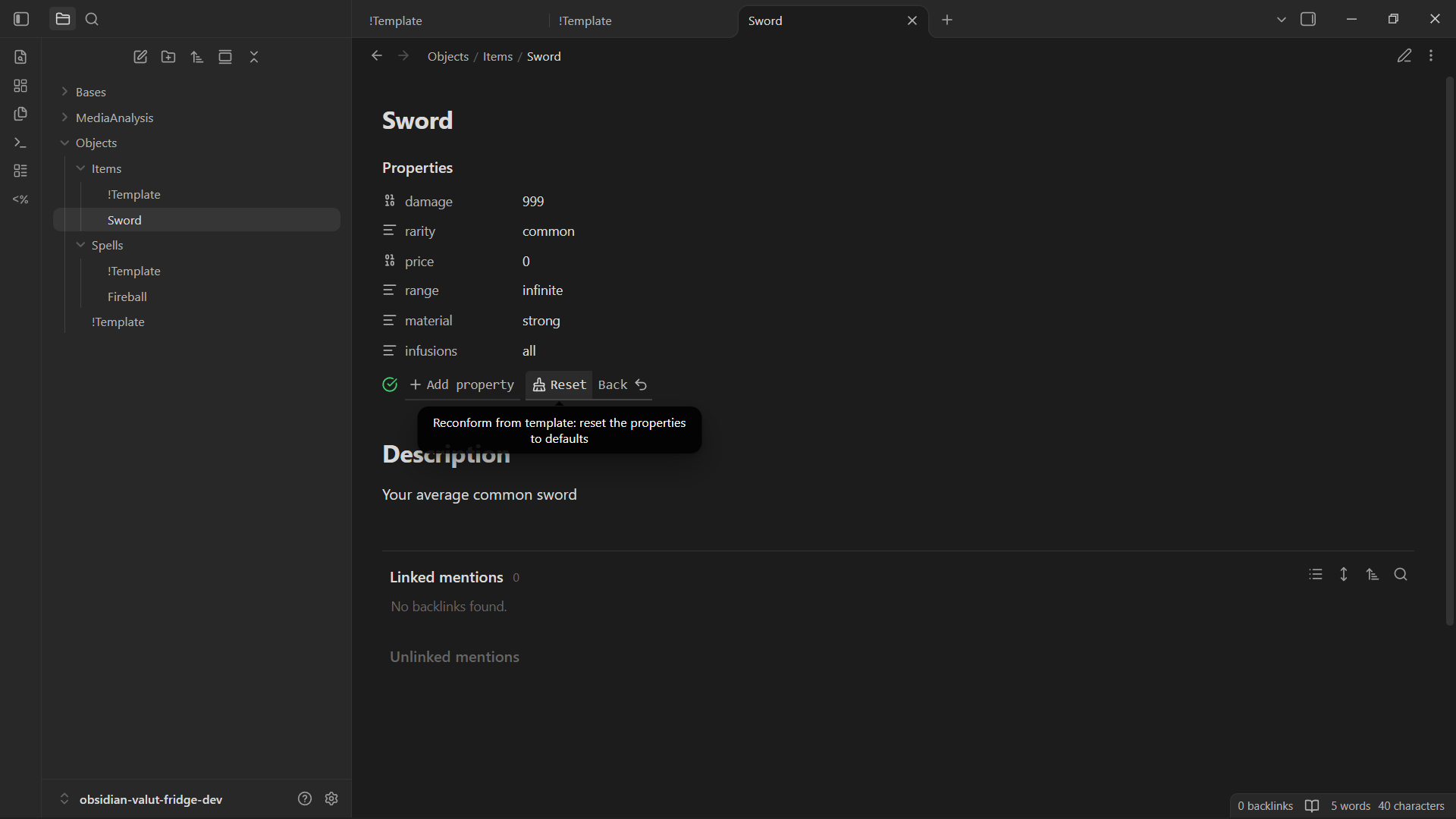
Objects/Items/Sword.md
---
damage: 999
price: 0
rarity: common
range: infinite
material: strong
infusions: all
---

# Description
Your average common sword
Objects/Spells/Fireball.md
---
damage: 1
rarity: legendary
price: 9999999
range: 1
magic-school: explosions
level: 9999
---

# Description
A spell for no common mortal (or something)
(Note that it is not limited to a single step, you can add as many layers and nested inheritance as you want :)
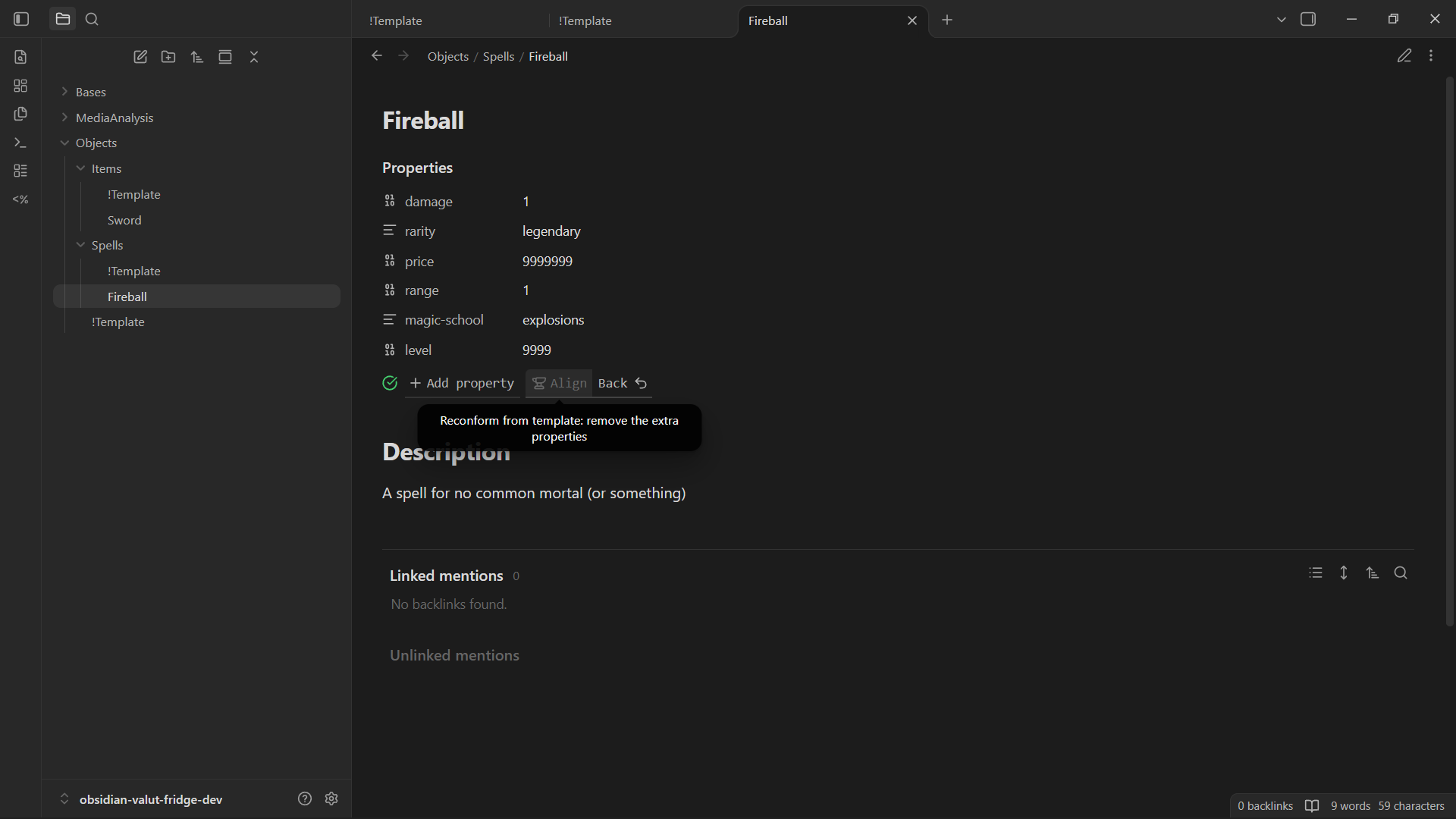
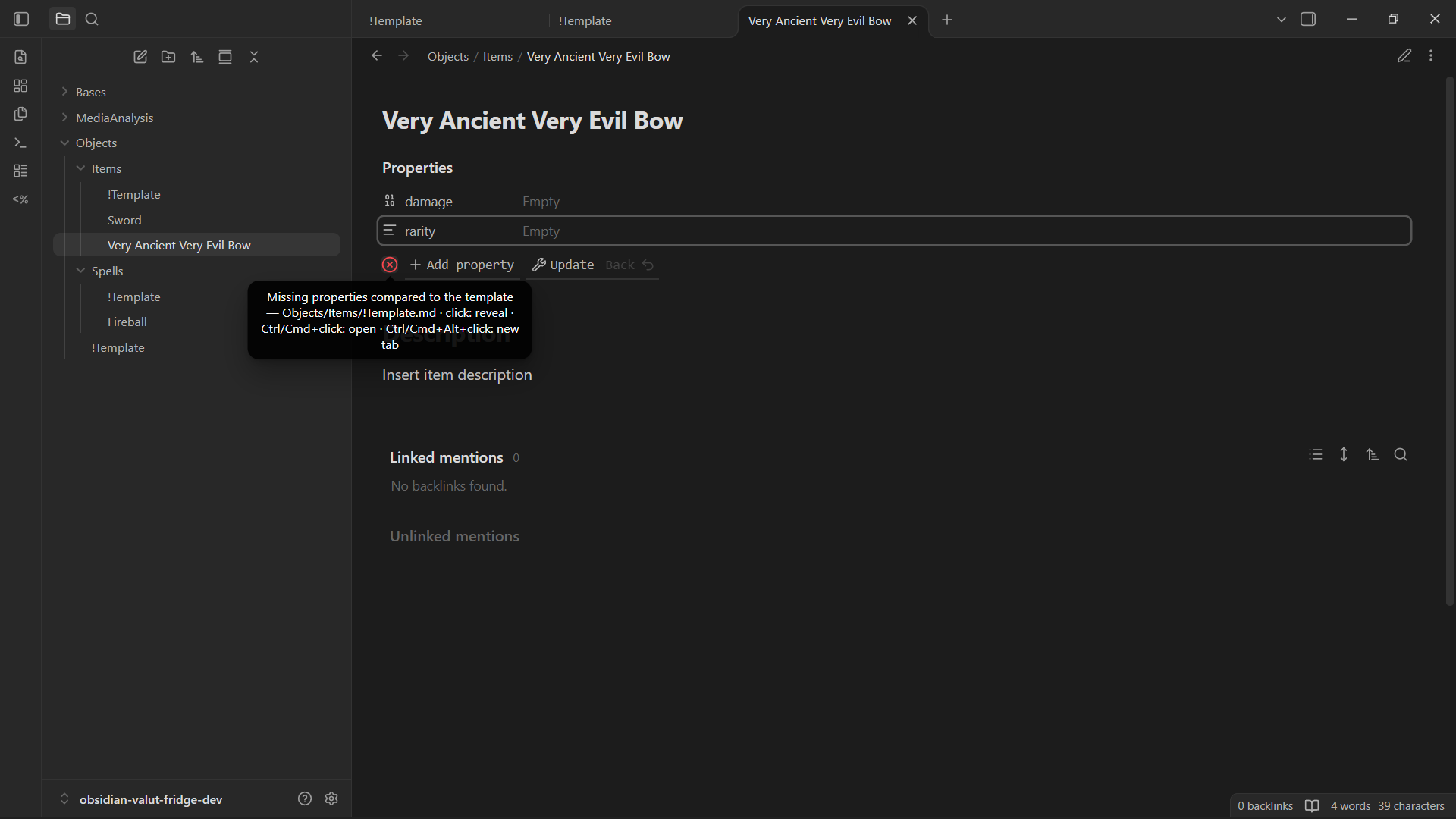
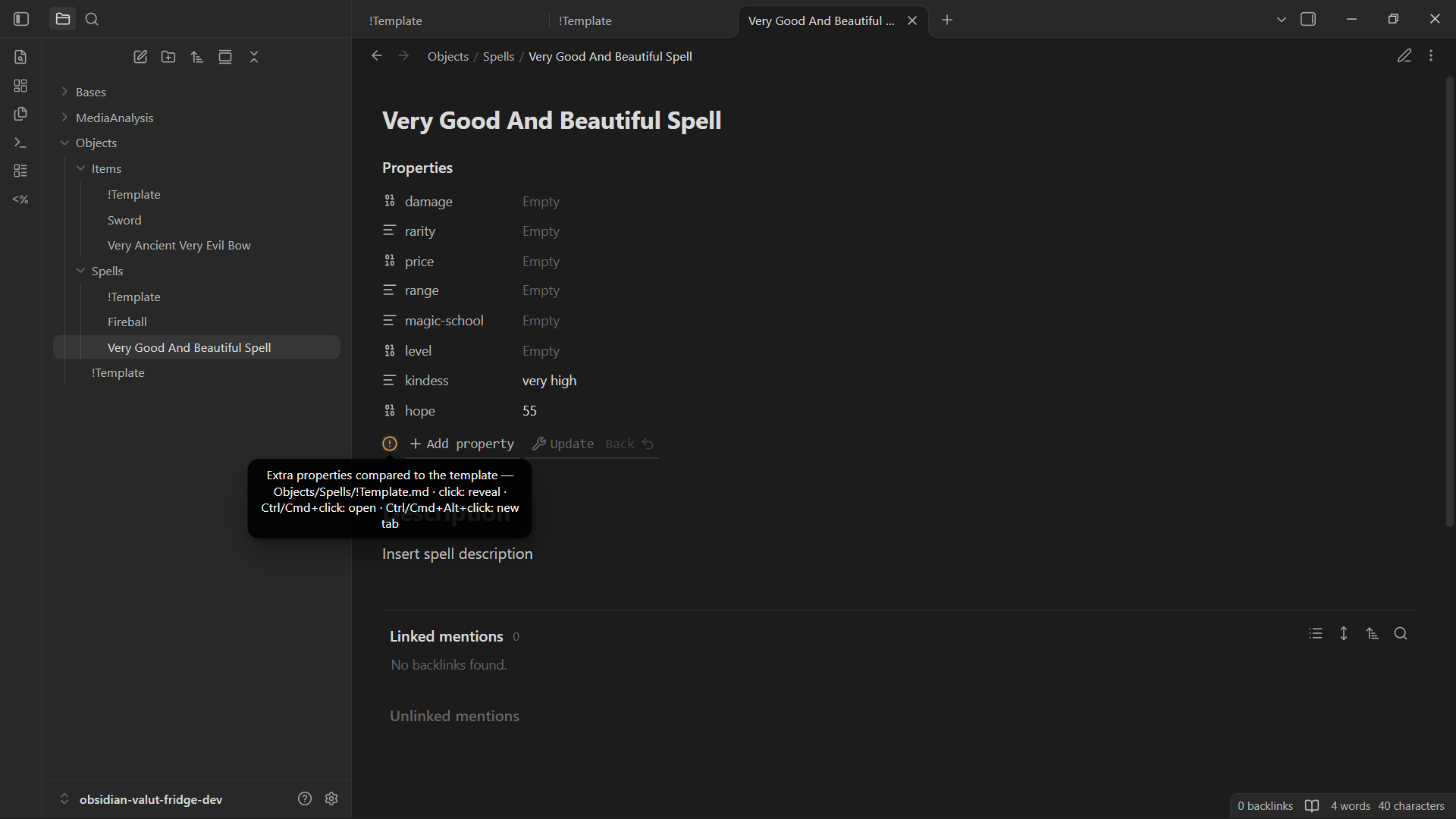
The other features of the plugin are related to make as easy as possible to reconform your current note or template to the parent, using a status icon to signal conformance and the addition of a multi-step button to the properties toolbar to force alignment to template changes.
Screenshots
Notes
No edit to existing notes will ever be done automatically: conformance is only a suggestion and is not granted in any way unless you perform actions explicitly, such as pressing a button.
"Update" will always adjust the properties order to match the template's.
This is meant to work alongside Templater script automations; the plugin exposes no scripting API of its own, and automatic filling is limited to inheritance and auto-apply on new notes.
Features
Template files
A template is a Markdown note named !Template.md (the name is configurable in the settings) whose YAML frontmatter defines the properties that notes in its scope are expected to carry. Its body is used as the initial content of new notes when body copying is enabled. Templates are ordinary vault files: they require no registration, are resolved with the same rules as notes, and their expressions are never evaluated by the plugin.
Cascading templates
A template applies to the folder that contains it and to all its descendants, until a nested !Template.md overrides it. Every template resolves its own reference template among its ancestors and extends it, so properties shared across folders are defined once and each level adds only its own. Inheritance is recursive and has no depth limit.
Auto-apply on new notes
When a note is created with an empty body, including a new nested !Template.md, the properties of its reference template are applied automatically, so the note starts conformant. Files that already contain content, such as notes arriving from sync or import, are left untouched. The settings expose three modes: disabled, properties only, properties and body.
Template status icon
While a note is open, the properties toolbar shows an icon describing its relation to the reference template:
- conforming: the note has exactly the properties of the template;
- extra properties: the note defines properties that the template does not;
- missing properties: the note lacks properties defined by the template.
The tooltip reports the current state together with the path of the reference template.
Template navigation
The status icon doubles as a navigation control for the reference template:
- Click: reveals the template in the file explorer;
- Ctrl/Cmd + Click: opens it in the current tab;
- Ctrl/Cmd + Alt + Click: opens it in a new tab.
On mobile, a tap reveals the template.
Reconform from template
The reconform button in the properties toolbar cycles through three consecutive steps, from the least to the most invasive:
- Update: adds the missing properties and restores the template's order;
- Align: also removes the properties that the template does not define;
- Reset: restores the template's default values.
Back undoes the last step and rewinds the button. Existing notes are never modified unless the button is pressed, and the toolbar can be hidden on notes that have no template.
Templater integration (optional)
Template properties and bodies may contain <% … %> expressions, which templates preserve verbatim. When the corresponding setting is enabled, the plugin evaluates them while writing to a note, so the note receives the resulting value instead of the raw expression. Evaluation is never applied to template files; script blocks (<%* … %>) execute code and should only be used in templates you trust.
Settings
All behaviour is configured in the plugin settings, without any per-folder configuration:
- template file name;
- auto-apply mode (disabled, properties only, properties and body);
- Templater evaluation in notes;
- toolbar visibility (always, or only when a template applies).
Installation
Manual installation:
- Download
main.js,manifest.jsonandstyles.cssfrom the latest release. - Put them in
<your-vault>/.obsidian/plugins/cascade-templates/. - Enable "Cascade Templates" in Settings → Community plugins.
With BRAT, add the repository URL and install the plugin from there.
License
MIT. See LICENSE.