Search...Search plugins and themes...
⌘K
Sign in
  • Get started
  • Download
  • Pricing
  • Enterprise
  • Account
  • Obsidian
  • Overview
  • Sync
  • Publish
  • Canvas
  • Mobile
  • Web Clipper
  • CLI
  • Learn
  • Help
  • Developers
  • Changelog
  • About
  • Roadmap
  • Blog
  • Resources
  • System status
  • License overview
  • Terms of service
  • Privacy policy
  • Security
  • Community
  • Plugins
  • Themes
  • Discord
  • Forum / 中文论坛
  • Merch store
  • Brand guidelines
Follow us
DiscordTwitterBlueskyThreadsMastodonYouTubeGitHub
© 2026 Obsidian

Canvas Stickers

romubunturomubuntu17 downloads

Add your own stickers on your Obsidian canvas!

Add to Obsidian
  • Overview
  • Scorecard
  • Updates2

Add stickers to your canvas view to customize your nodes!

Why Canvas Stickers

  • Easy adding stickers • With the stamp, you can easily add your sticker on your canvas with one mouse click.
  • Favorites Stickers Panel • A Miro/Figma-inspired quick access menu to quickly access to your most used sticker.
  • Full Stickers Panel • Browse a view where all your stickers are automatically grouped by parent folder.
  • Stickers Custom Nodes • Canvas nodes specifically customized for stickers to provide the best possible experience.

How to use

Sticker Folders

To get started, create a “Stickers” folder at the root of your vault; this folder will hold all your stickers. Add a subfolder named “Favorites”; this folder will hold your favorite stickers, up to a maximum of 8 stickers. Folder paths can be customized in the settings.

Commands/Shortcuts

There are two shortcuts/commands for using Canvas Stickers:

  • Open Sticker Favorites - Shift+T • Opens the favorites view
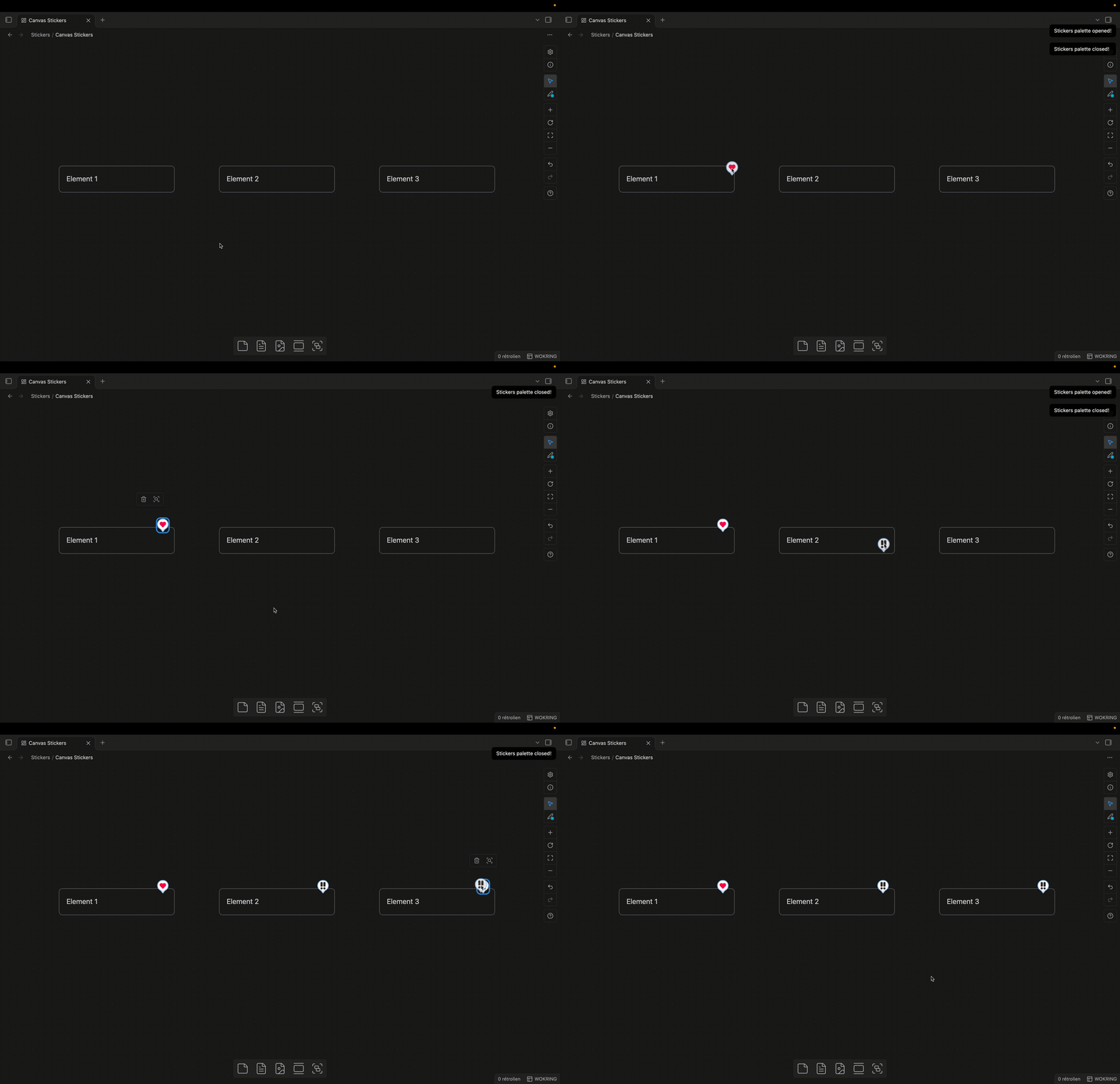
Canvas Stickers • Stickers Favorites

  • Toggle Sticker Palette - Shift+Cmd/Ctrl +T • Toggles the view showing all stickers.
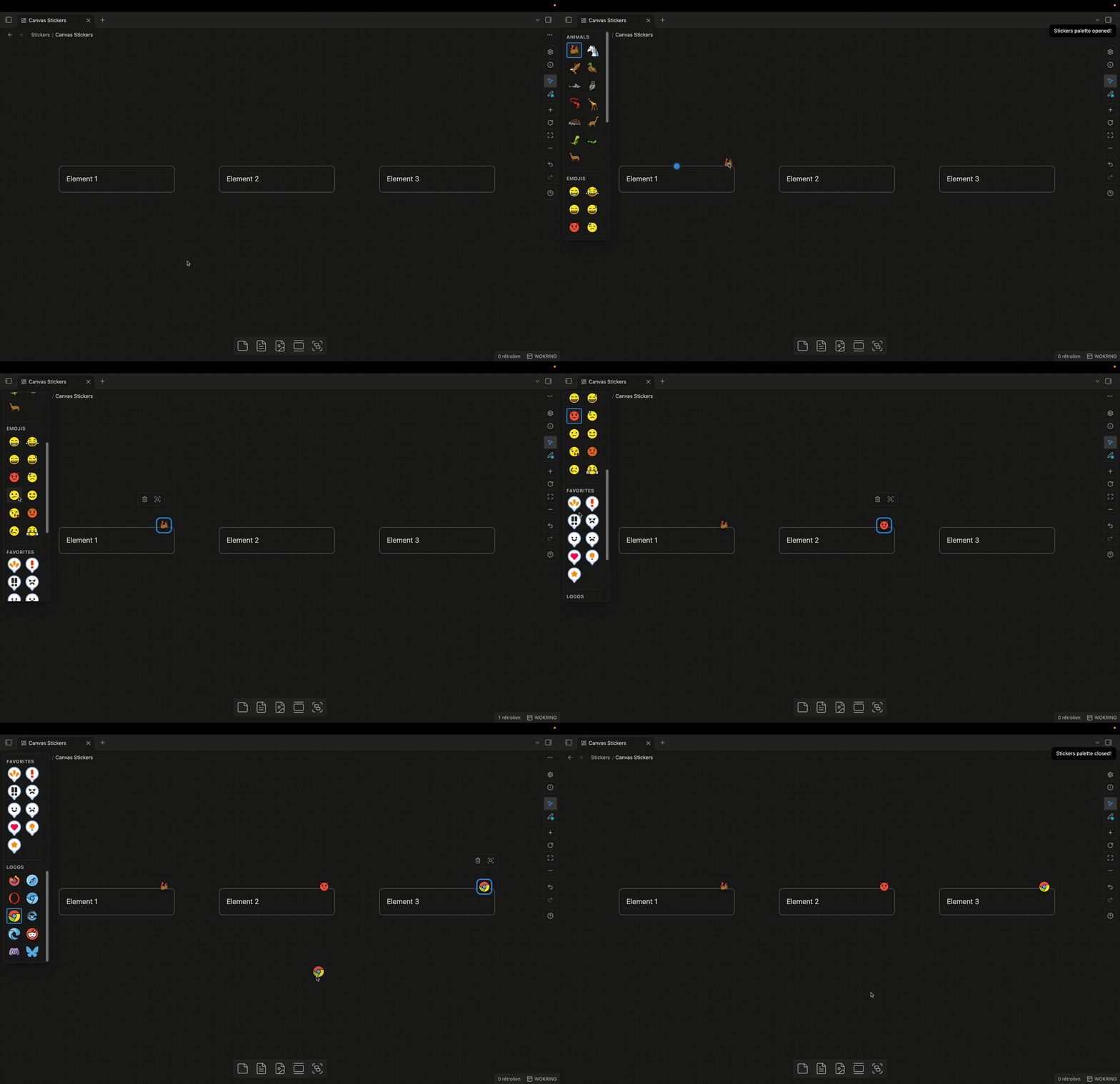
Canvas Stickers • Stickers Palette

Few recommendations for icon libraries

  • Kenney Emotes Pack
  • Open Emojis
HealthExcellent
ReviewSatisfactory
About
Add stickers to Canvas nodes with a one-click stamp and dedicated sticker node types for optimal display. Organize stickers in folders, pin up to eight favorites in a quick-access panel, and browse a full sticker palette automatically grouped by folder.
CanvasImagesFolders
Details
Current version
1.0.1
Last updated
4 days ago
Created
4 days ago
Updates
2 releases
Downloads
17
Compatible with
Obsidian 1.5.7+
Platforms
Desktop only
License
GPL-3.0
Report bugRequest featureReport plugin
Sponsor
Buy Me a Coffee
Author
romubunturomubunturomubuntu
GitHubromubuntuv2
Blueskyromubuntu.bsky.social
Xromubuntu
  1. Community
  2. Plugins
  3. Canvas
  4. Canvas Stickers

Related plugins

Node Screenshot

Capture node effortlessly with precision screenshot.

Advanced Canvas

Supercharge your canvas experience. Create presentations, flowcharts and more.

Quick Explorer

Perform file explorer operations (and see your current file path) from the title bar, using the mouse or keyboard.

Flexplorer

Enhance the file explorer with custom sorting, pinning, and hiding.

TTRPG Tools - Maps

A toolbox for interactive fantasy maps.

Folder notes

Create notes within folders that can be accessed without collapsing the folder, similar to the functionality offered in Notion.

Relay

Collaborate in real time with live cursors. Share folders. Manage access to updates.

Ink

Handwriting and drawing directly between paragraphs using a digital pen, stylus, or Apple pencil.

Featured Image

Automatically set a featured image property in your notes based on the first image.

Image Captions

Add captions to images with inline Markdown and link support. The caption format is compatible with the Commonmark spec and other Markdown applications.