Node Screenshot
 cestfredy2k downloads
Capture node effortlessly with precision screenshot.
- Overview
- Scorecard
- Updates2
A plugin for Obsidian that lets you capture any node of a Canvas as a PNG image.
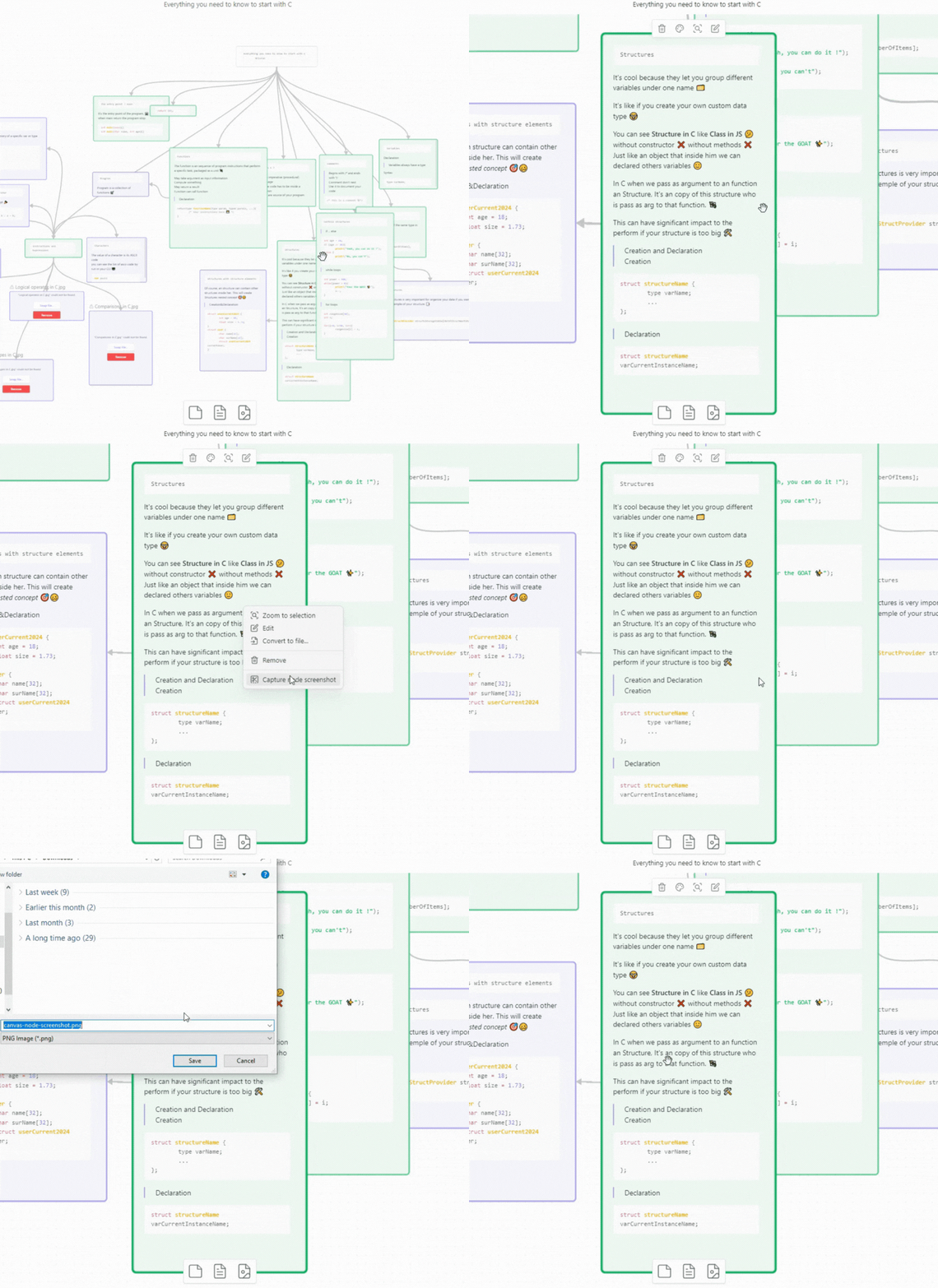
Features
- Capture a single Canvas node as a PNG image, straight from its context menu.
- The background of the image matches your theme (light or dark).
- No settings to configure: install it and it works.
Usage
- Open a Canvas.
- Right-click the node you want to capture.
- Select Capture node screenshot in the menu.
- Choose where to save the image. By default it is named after the capture date and time, for example
canvas-node-screenshot-2026-09-19-143210.png.
Installation
From Obsidian (recommended)
- Open Settings → Community plugins.
- If needed, turn off Restricted mode.
- Click Browse and search for Node Screenshot.
- Click Install, then Enable.
Manual installation
- Go to the Releases page and download
main.jsandmanifest.jsonfrom the latest release. - In your vault, create the folder
.obsidian/plugins/canvas-node-screenshot/and copy both files into it. - Restart Obsidian (or reload the plugin list), then enable Node Screenshot in Settings → Community plugins.
Development
npm install
npm run dev # rebuilds main.js on every change
npm run build # type-checks and builds for production
To release a new version, run npm version patch (or minor / major). It updates manifest.json and versions.json and creates the matching git tag.
Support
- Found a bug or have an idea? Open an issue.
- If you find this plugin helpful, you can Star ⭐ this repository.
License
HealthExcellent
ReviewSatisfactory
About
Capture screenshots of individual Canvas nodes in Obsidian. Save images directly to a chosen folder from the Canvas menu for quick export and reuse.Details
Current version
1.0.1
Last updated
21 hours ago
Created
3 years ago
Updates
2 releases
Downloads
2k
Compatible with
Obsidian 0.15.0+
Platforms
Desktop, Mobile
License
MIT