Canvas Mind Tree
 theluckystrike14 downloads
Build a mind map on any canvas with the keyboard, with child and sibling cards and a tidy tree layout.
- Overview
- Scorecard
- Updates1
Build a mind map on any canvas with the keyboard, with child and sibling cards and a tidy tree layout.
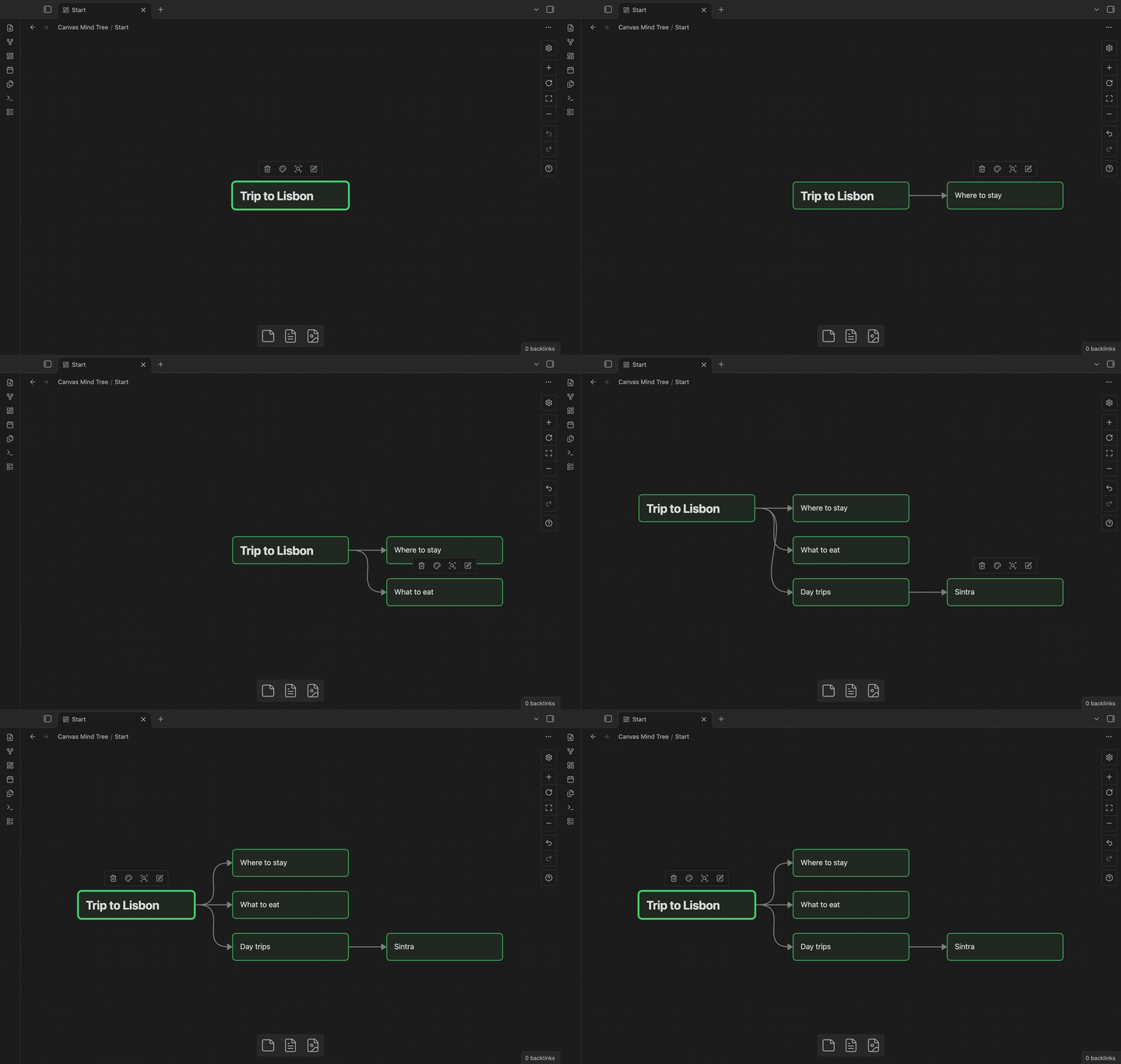
Canvas Mind Tree works on the normal canvas of Obsidian. Select a card and press Tab to add a child card. Press Enter to add a sibling card. The new card opens in edit mode, takes the colour of its parent and never covers another card. Your canvas stays a normal canvas file, so it opens the same with or without the plugin.
Features
Child and sibling cards from the keyboard
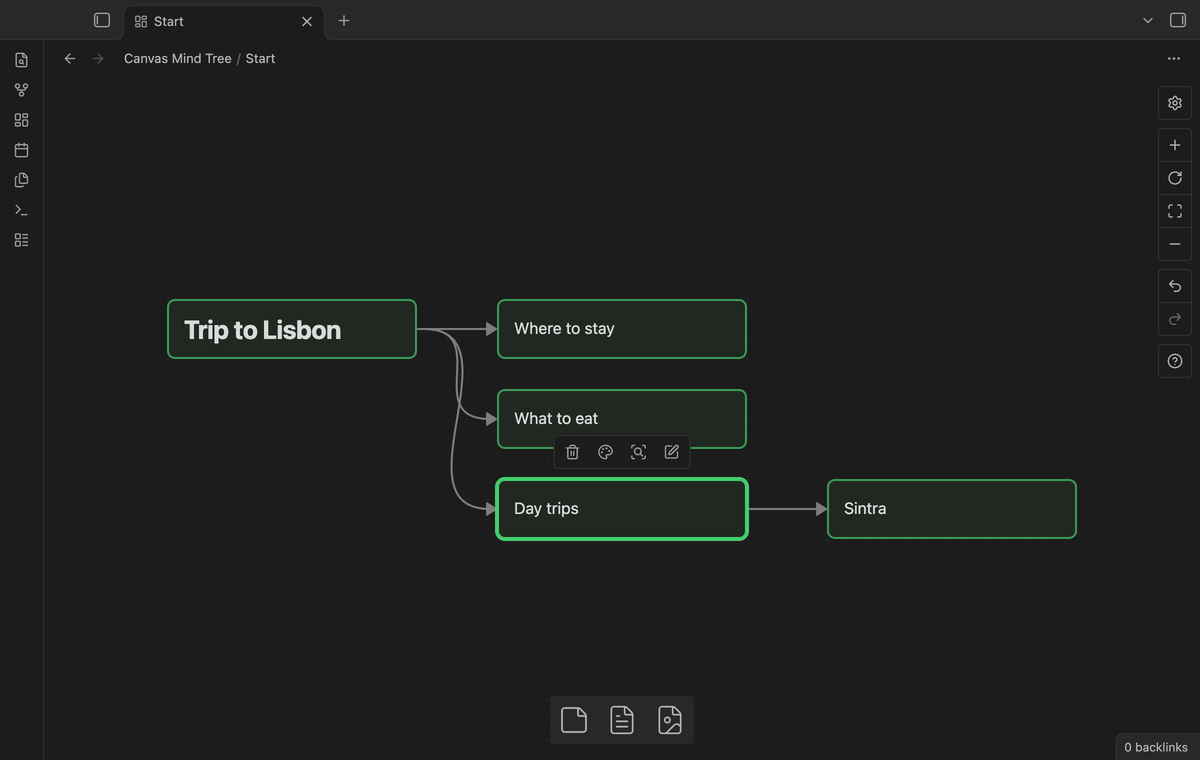
Select one card and press Tab. A new card appears to the right, joined to the selected card by an edge. Press Enter to add a sibling below the selected card. Enter on a card with no parent adds a child. The new card is selected and in edit mode, so you can type at once.
While you type in a card, press Ctrl+Enter, or Cmd+Enter on a Mac. The edit ends and a new sibling card opens.
Keys that stay out of your way
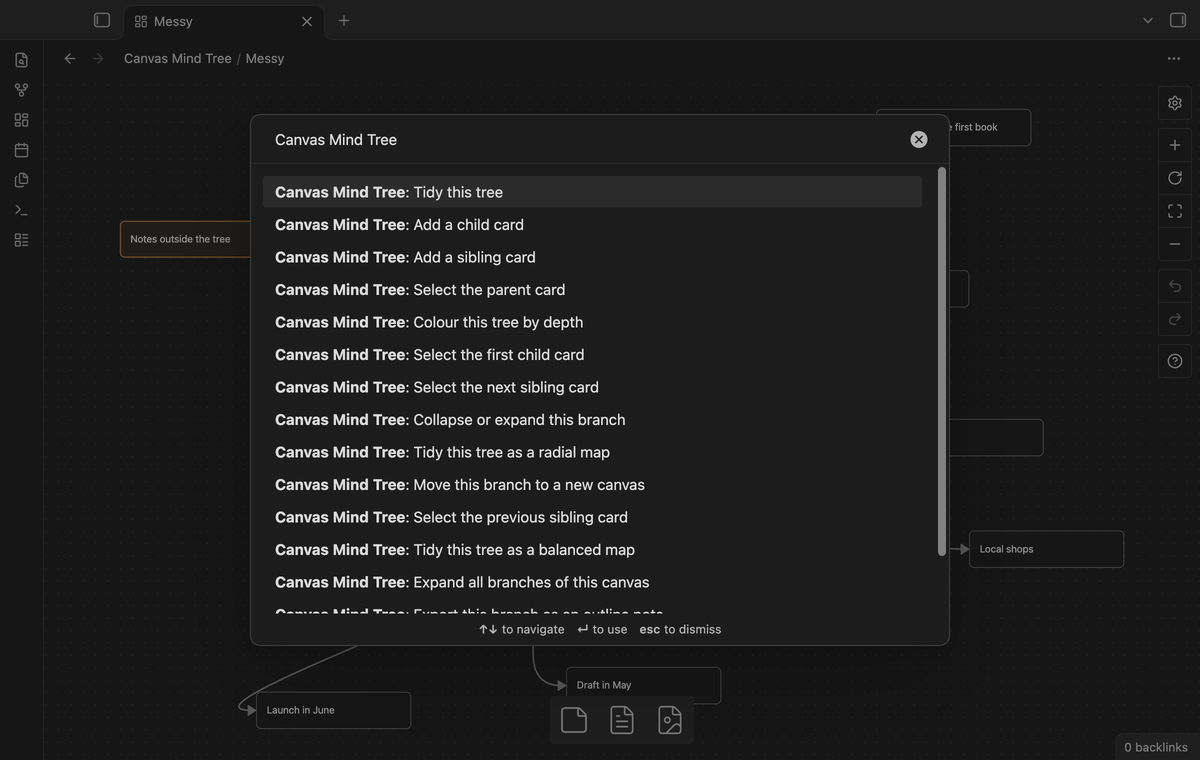
The keys work only in a canvas, only when one card is selected and only when no card is in edit mode. Tab in a note, in a card that you edit or in a settings field does what it always does. Each action is also a command, so you can give it your own hotkey. The plugin sets no default hotkeys.
Alt with an arrow key moves the selection. Alt+Left goes to the parent card, Alt+Right to the first child, and Alt+Down or Alt+Up to the next or previous sibling.
Free space and the parent colour
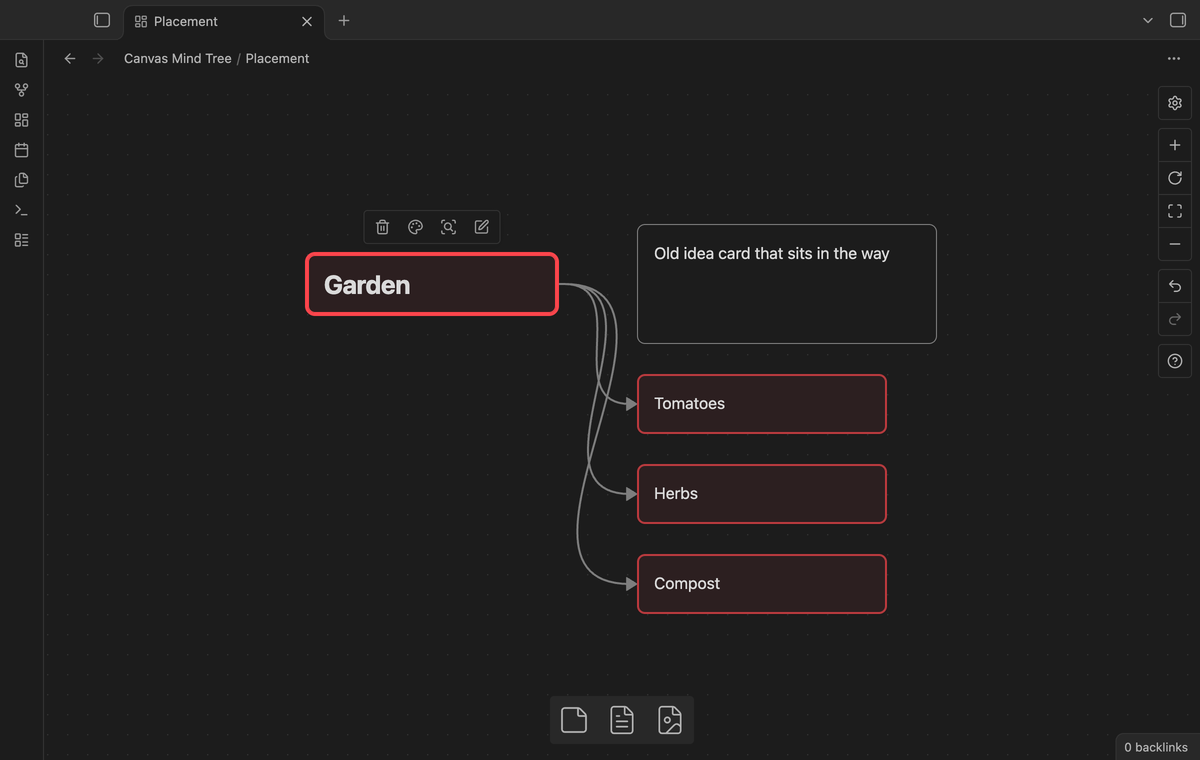
Before a new card goes onto the canvas, the plugin looks for free space. When a card is in the way, the new card moves down until it has room. Groups do not count, so you can grow a tree inside a group. A new card copies the colour of its parent, both the six preset colours and custom hex colours.
Tidy this tree
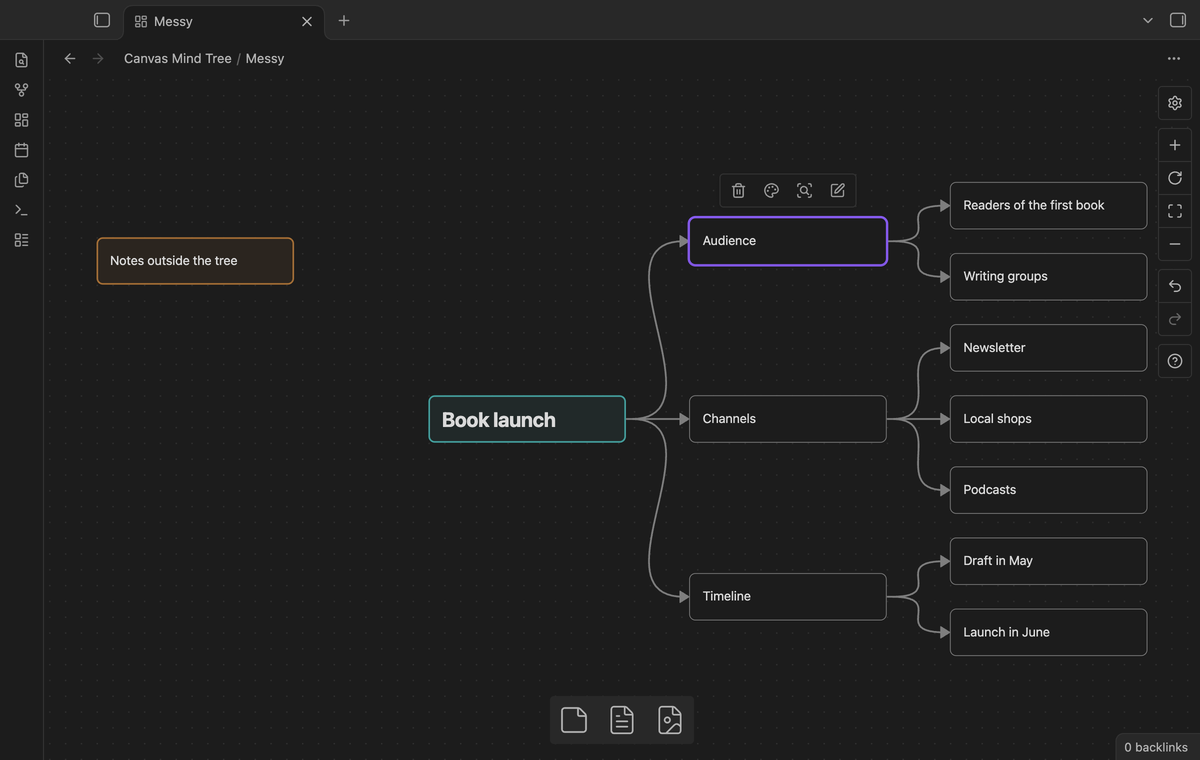
The command "Tidy this tree" lays out the tree of the selected card. The root card keeps its place. Choose left to right, right to left or top to bottom in the settings. Each branch gets the room of its cards, so the cards of the tree do not overlap each other. Cards that are not part of the tree do not move, so a tree card can land on top of one of them.
Collapse and expand a branch
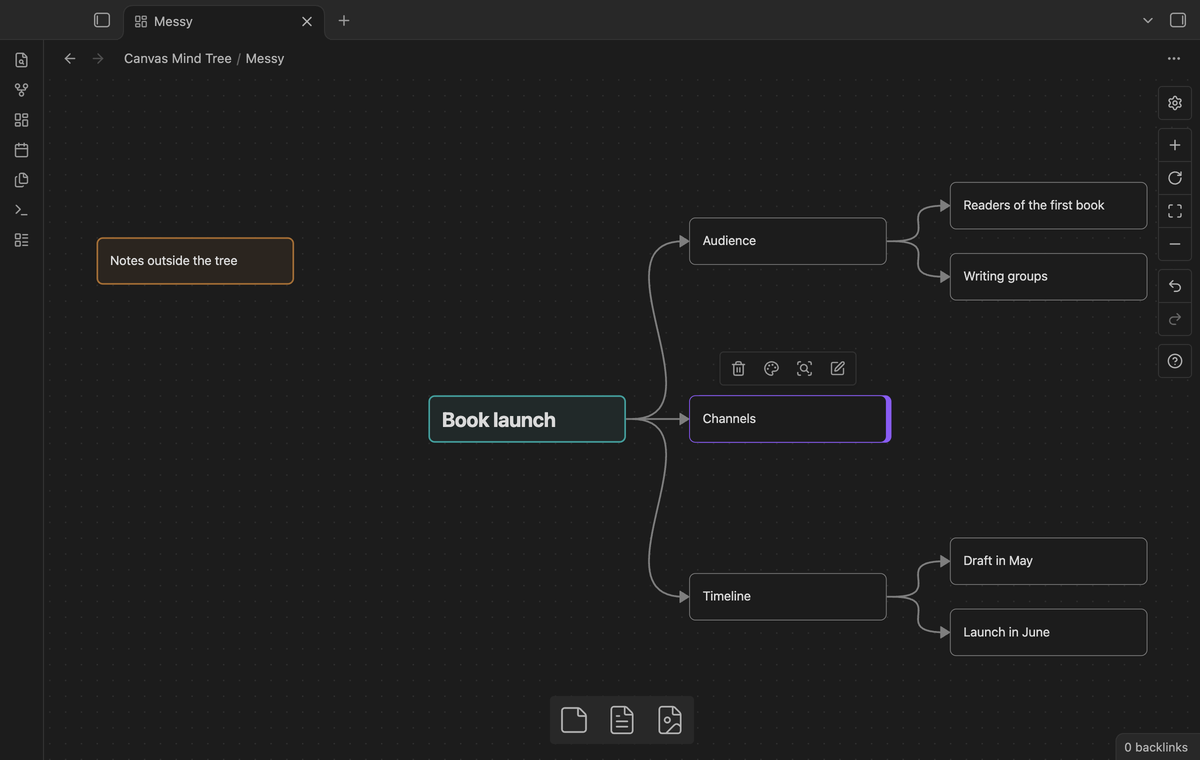
The command "Collapse or expand this branch" hides the cards under the selected card. The card itself stays in view with a mark on its side. Run the command again to show the cards. The canvas file does not change. The plugin keeps the collapsed cards of each canvas in its own data, so they stay collapsed when you open the canvas again.
Pro features
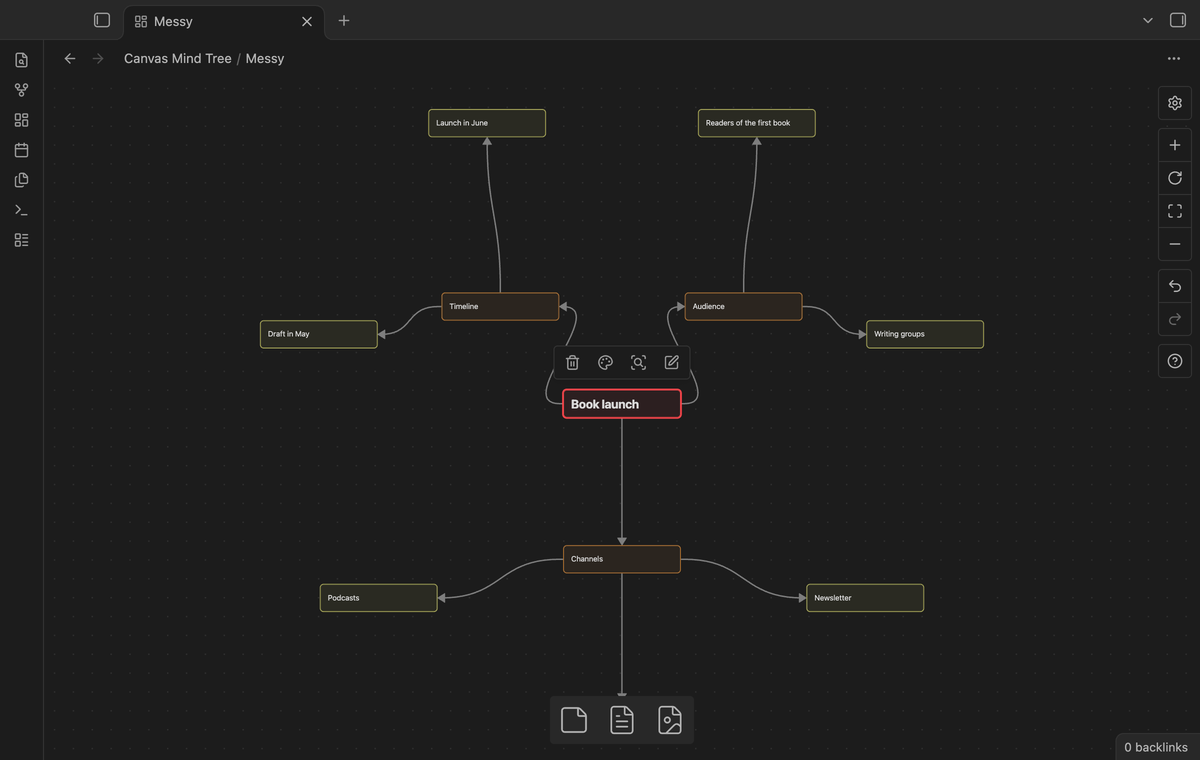
Pro adds balanced and radial layouts, outline export, a tree from a note, depth colours and branch moves. The section "Payment, account and network" gives the price and the sign in.
- Balanced and radial layouts. A balanced map puts half of the main branches on each side of the root. A radial map puts each depth on a ring around the root.
- Outline export. Write a branch as a Markdown list into a new note next to the canvas.
- Tree from a note. Pick a note, and its headings and list items become a tree of cards.
- Depth colours. Give each depth of the tree its own preset colour.
- Branch move. Move a branch to a new canvas. A card that links to the new canvas takes its place.
Install
When Canvas Mind Tree is listed in the community directory, open Settings, then Community plugins, then Browse, and search for "Canvas Mind Tree". Select Install, then Enable.
To install by hand, download main.js, manifest.json and styles.css from the latest release. Put the three files in <vault>/.obsidian/plugins/canvas-mind-tree/. Then reload Obsidian and turn on Canvas Mind Tree.
The plugin works on desktop and on mobile. On a phone without a keyboard, use the commands from the command palette or the mobile toolbar.
Usage
Quick start
- Turn on Canvas Mind Tree.
- Open a canvas and add a text card with your main idea.
- Select the card and press Tab. Type the first branch.
- Press Ctrl+Enter, or Cmd+Enter on a Mac, to add the next branch. Press Escape, then Tab, to go one depth down.
- Run "Tidy this tree" when you want a clean layout.
Commands
The command palette has 15 commands. Nine are free.
- Add a child card, and add a sibling card.
- Select the parent card, the first child card, the next sibling card or the previous sibling card.
- Tidy this tree.
- Collapse or expand this branch.
- Expand all branches of this canvas.
Each of the six Pro features of the section Pro features has one command.
How the plugin reads a tree
An edge goes from a parent card to a child card. A card with no edge into it is a root. An edge that makes a loop does not count. Group nodes are never part of a tree.
Settings
Keys
- Use the mind map keys in a canvas. On by default. Turn it off to use only the commands.
Layout
- Direction. Left to right by default. It sets where new child cards go and the direction of the tidy command.
- Horizontal gap. 80 by default. The space between columns of cards, in canvas pixels.
- Vertical gap. 30 by default. The space between rows of cards, in canvas pixels.
Pro
The Pro group shows if Pro is on. The Pro sign in is below it.
FAQ
Does the plugin change the format of my canvas?
No. It writes normal JSON Canvas cards and edges. A canvas that you made with Canvas Mind Tree opens the same in Obsidian without the plugin and in other JSON Canvas apps. Only the collapse state lives in the data of the plugin.
What are the known limits?
An added card needs two undos, one for the card and one for its edit mode. The radial layout can put cards on top of each other when a card has 10 or more children. Use the balanced layout for such a tree.
What happens after an Obsidian update?
The plugin uses parts of the canvas that Obsidian does not document. If an update changes them, the commands show a notice and change nothing. Your canvas stays safe.
Payment, account and network
The core features are free. Pro features need a GitHub Sponsors sponsorship of theluckystrike: $5 a month or more, or $15 once. A total payment of $15 meets the payment requirement for Pro without further payment. Sign-in and the checks below still apply. Your notes stay readable and editable with or without Pro.
One payment turns on Pro in every NoteMods plugin.
GitHub handles the payment. Sponsor at https://github.com/sponsors/theluckystrike?frequency=one-time&metadata_source=canvas-mind-tree. You need no account for the free features. Pro needs the GitHub account that sponsors.
Until you select "Sign in with GitHub" in the settings, Canvas Mind Tree makes no network requests. Sign in uses the GitHub device flow. Canvas Mind Tree sends its public client ID and the scope read:user to https://github.com/login/device/code and shows you a code. While you enter the code at https://github.com/login/device, it asks https://github.com/login/oauth/access_token every few seconds to check the sign-in status. The scope permits profile reads only. GitHub needs this access to show the sponsorship tier. It grants no repository scope and no write access.
After sign in, Canvas Mind Tree sends one query to https://api.github.com/graphql. It checks if the signed-in account sponsors theluckystrike. It asks for the tier and the total payment to theluckystrike. The plugin reuses a successful check for 7 days. Failed checks can retry after 6 hours. Select Refresh to request an earlier check. It sends no note content, file names or other vault data, and it has no telemetry.
After a successful check, Pro can work offline for up to 14 days. Sign out or a negative sponsorship answer turns Pro off. The plugin stores the GitHub token through the secret storage API of Obsidian. It does not put the token in its saved settings or its local sponsorship data. The local storage of this device keeps your GitHub login, the tier and the time of the last check. Sign out clears the token. You can also revoke the access in your GitHub settings, under Applications.
Support
The plugin page is canvas-mind-tree.
Report bugs and ask for features in the GitHub issues of this repository. Add your Obsidian version, your device and a small canvas that shows the problem.
Community
Questions, bugs or plugin ideas? Talk to me and other Obsidian users in Zovo Chat on Telegram. It has a topic for these plugins. You can also open an issue here.
License
MIT