BuJo Bullets
 frankolson4k downloads
Alternate checkbox types to support Bullet Journal bullets.
- Overview
- Scorecard
- Updates6
Alternate checkbox types for Obsidian to support Bullet Journal bullets.
Features
- Custom rendering of Bullet Journal styled checkboxes
- Right-click menu to update bullet type
- Obsidian commands and hotkeys to update bullet type
Installation
Follow the steps below to install BuJo Bullets.
- Search for "BuJo Bullets" in Obsidian's community plugins browser
- Enable the plugin in your Obsidian settings (find "BuJo Bullets" under "Community plugins").
- Start creating bullets in your notes using the BuJo Bullets syntax.
Getting Started
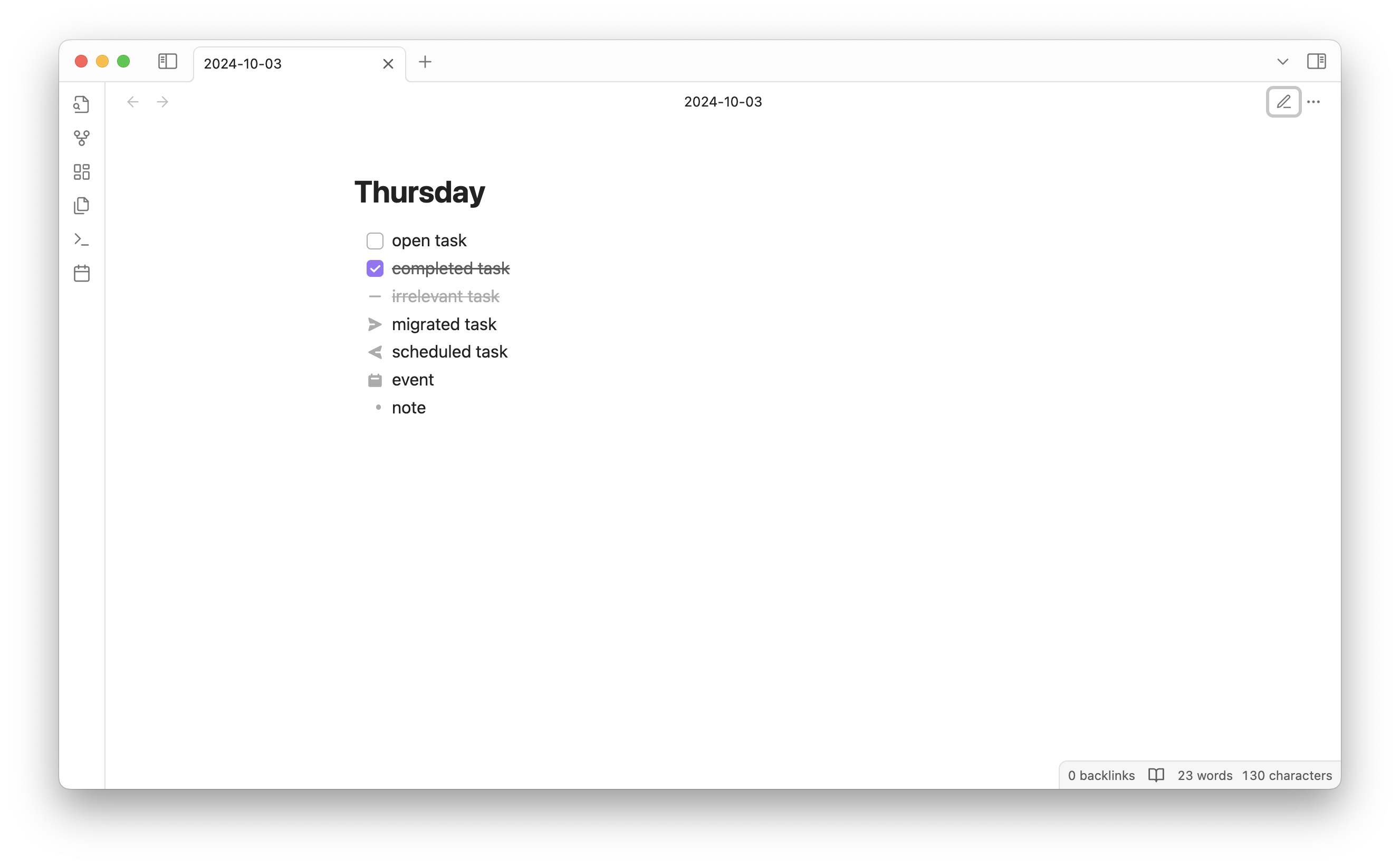
BuJo Bullets adds support for the following bullet types:
- [ ] incomplete task
- [x] completed task
- [-] irrelevant task
- [>] migrated task
- [<] scheduled task
- [o] event
When in Obsidian's reading mode, the bullets will be displayed using the following icons:
Signifiers
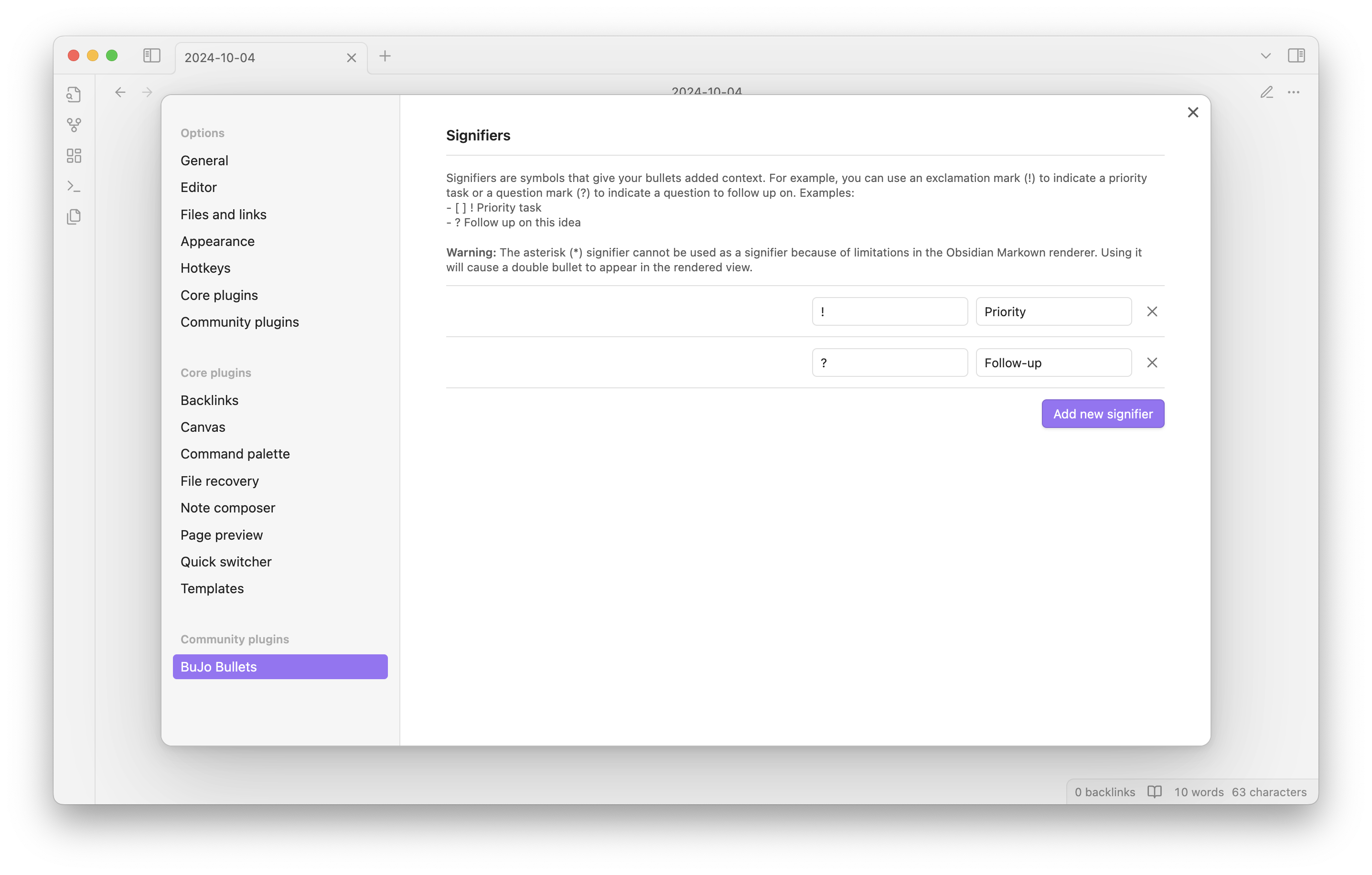
This plugin also allows you to add signifiers to your bullets. Signifiers are added to the start of any bullet and are highlighted to help you quickly identify added context.
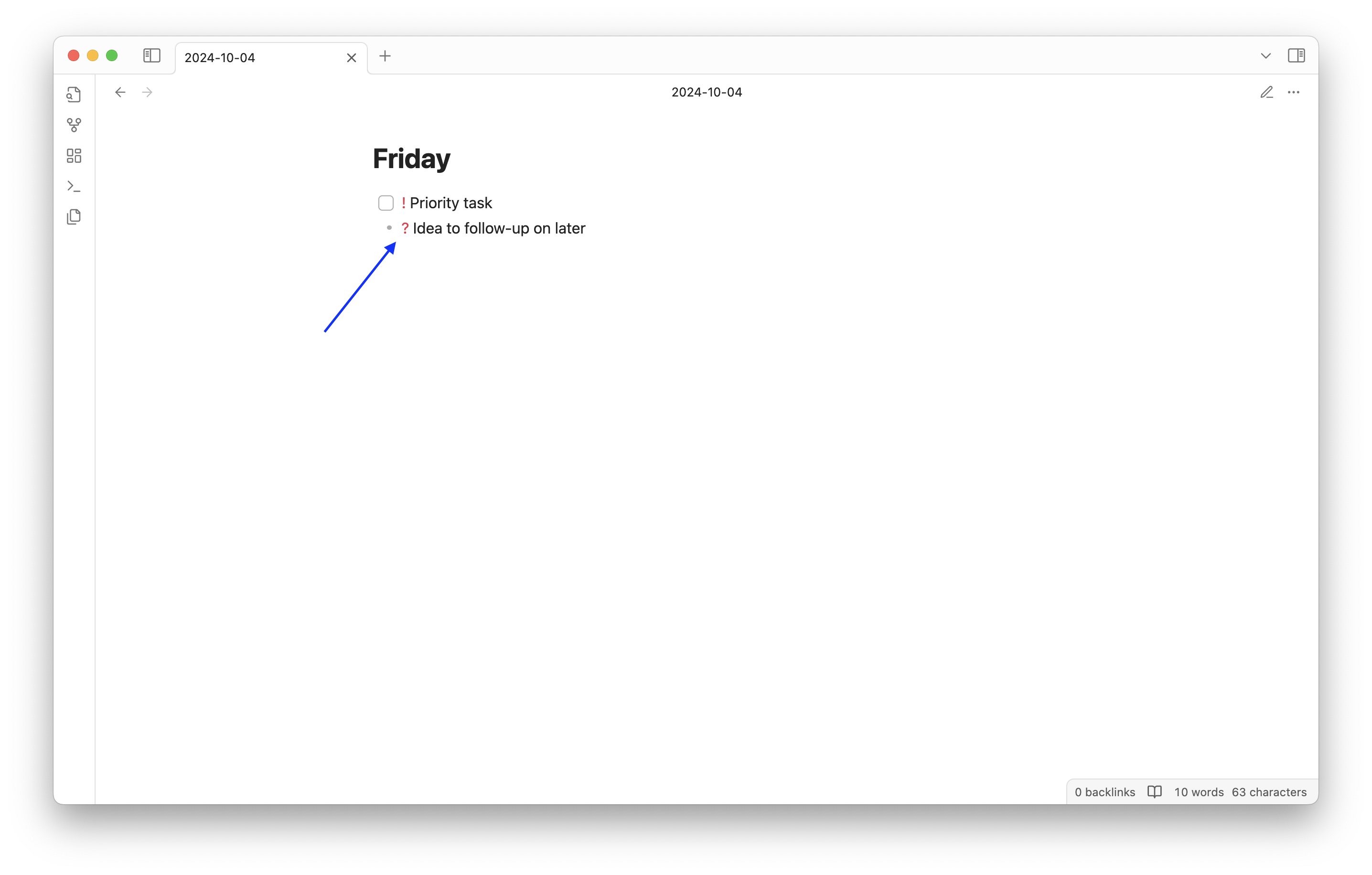
By default, the exclamation point ! and the question mark ? are supported as signifiers. You can update these and/or add your own signifiers by updating the plugin settings.
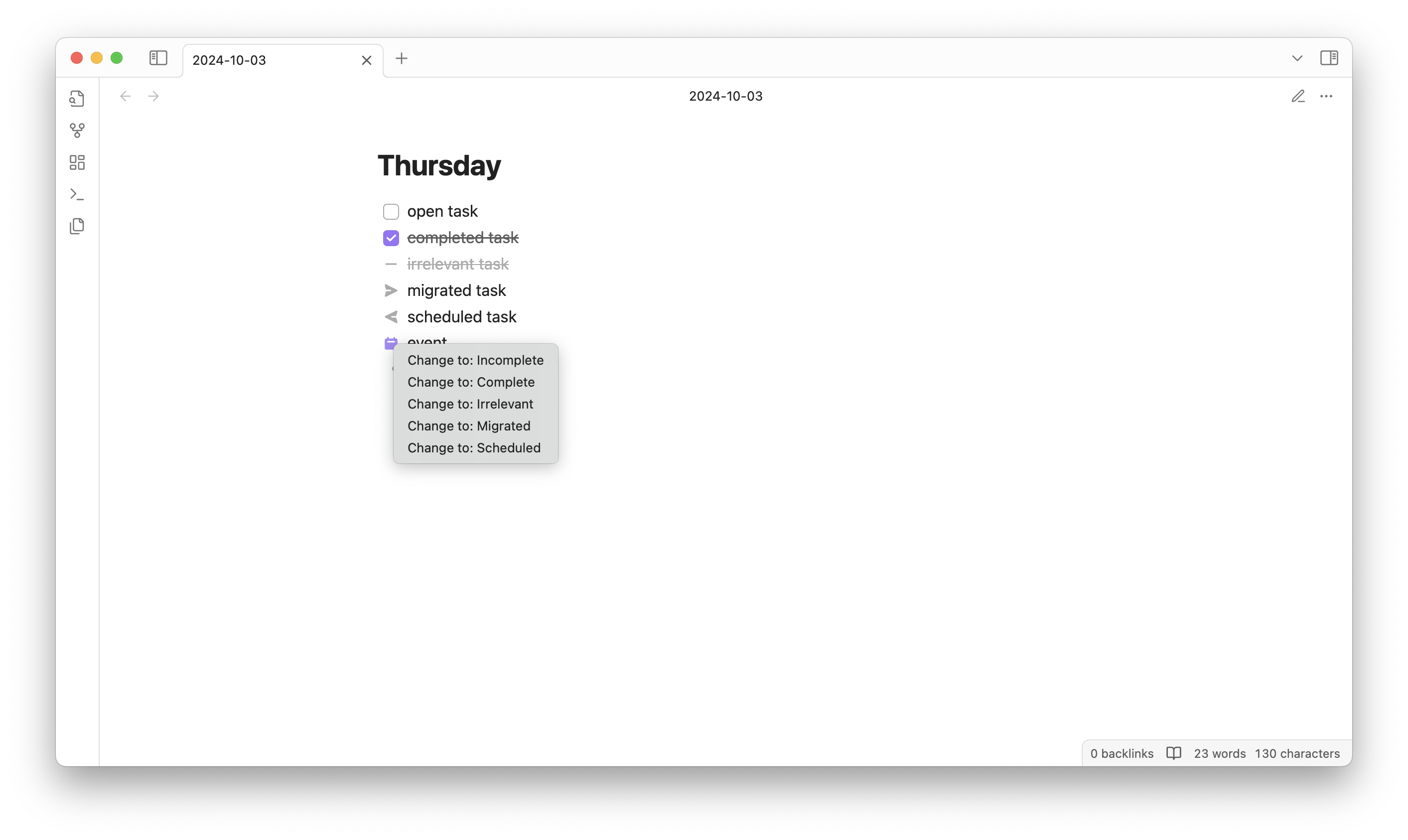
Right-click Menu
You can right-click on any of the supported bullet types to open a context menu that will allow you to change the bullet type.
Commands and Hotkeys
This plugin also provides Obsidian commands and hotkeys to change the bullet type of the current line.
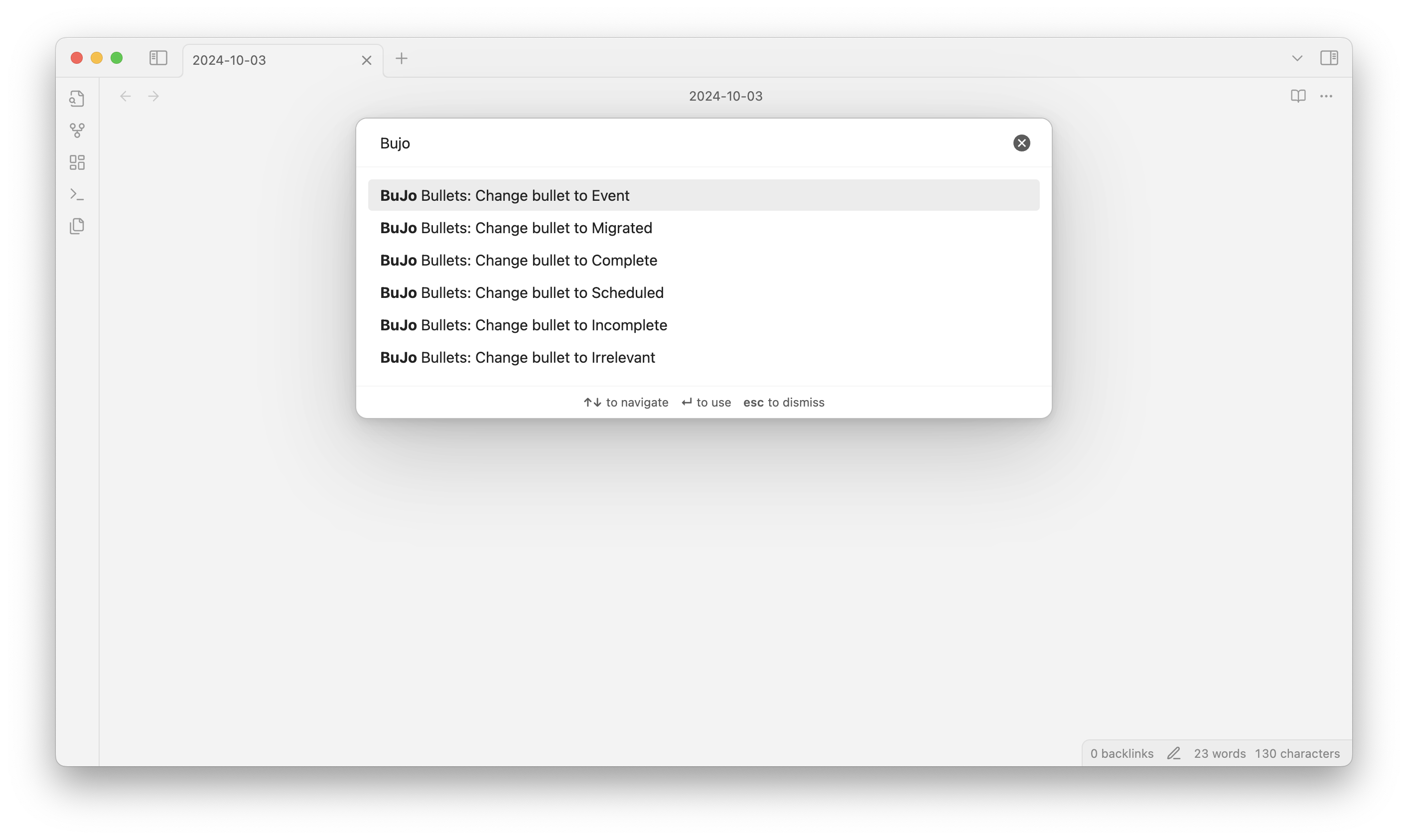
Per Obsidian's recommendations default hotkey values are not set, but here are some suggestions:
- Change to "incomplete task" -
Ctrl/Cmd + I - Change to "completed task" -
Ctrl/Cmd + D - Change to "irrelevant task" -
Ctrl/Cmd + ~ - Change to "migrated task" -
Ctrl/Cmd + > - Change to "scheduled task" -
Ctrl/Cmd + < - Change to "event" -
Ctrl/Cmd + shift + o
Keep in mind, for "incomplete task" and "completed task" types you can use Obsidian's default hotkey for toggling checkboxes: Ctrl/Cmd + L
License
This plugin is released under the MIT license. See the LICENSE file for more information.
Icons are sourced from the Obsidian Minimal theme: https://github.com/kepano/obsidian-minimal/blob/8cb709a373c9601a9e9172eaa75fdbeba4412c43/src/scss/app/editor.scss
Known Issues
- Copying custom checkboxes from reading mode will not copy the custom bullet type
- Undo does not work as expected when changing bullet types from the right-click menu
Donations
I really enjoy building stuff. Sometimes for myself, sometimes for others. If have been helped by this plugin and wish to support it, please see the following link:
https://github.com/sponsors/frankolson
Donations will go towards my computing costs, licenses for development tools, and the time I spend developing and supporting this plugin.
Thank you!