BibLens
 marekpola170 downloads
Detects Bible references, displays verse or passage text on hover, and lets you insert it into your note.
- Overview
- Scorecard
- Updates1
An Obsidian plugin that detects Bible references in your notes and shows the verse text as a hover preview — in the editor and in Reading View.
Works fully offline. No external services required.
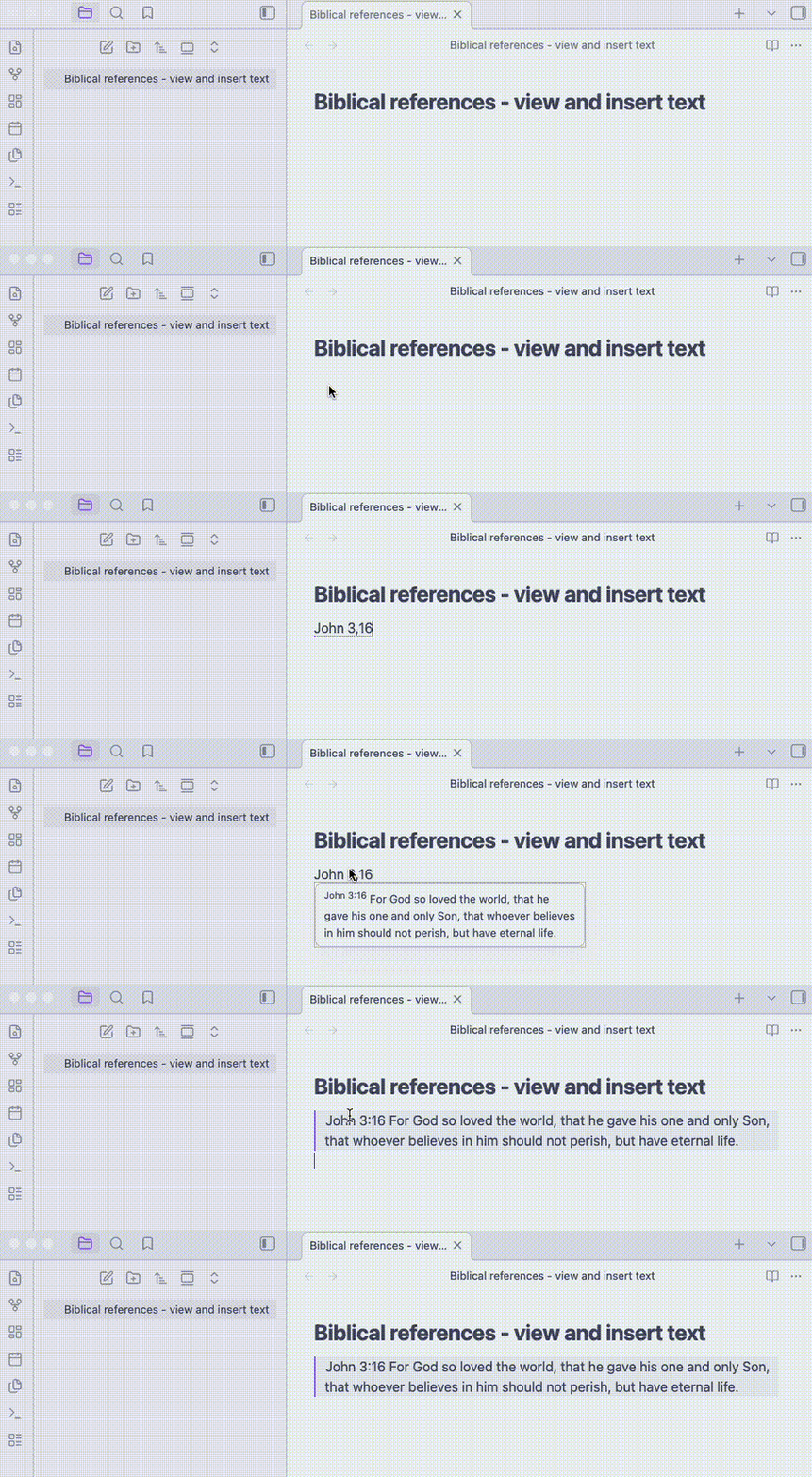
Demo
Features
Automatic reference detection
BibLens recognises Bible references directly in your Markdown notes.
Examples:
John 3:16
Exod 2,15
Isa 6,25-7,3
Detected references are underlined in the editor.
Hover preview
Hovering a reference displays the verse text.
Supported in:
- Reading View
- Live Preview editor
The preview shows the verse number and verse text.
If the verse is not available in the selected translation, the plugin shows:
Verse not found
Insert verse text
Command palette command:
BibLens: Insert verse text after reference
The command finds the last reference before the current position and inserts the verse text after it.
The command:
BibLens: Replace previous reference by quote
replaces the reference with an Obsidian blockquote containing the verse or passage text.
Example:
Mat 1,3
becomes
> Matt 1,3 — Judah the father of Perez and Zerah by Tamar...
Translations and language packs
BibLens separates software from data.
The plugin downloads available resources from the BibLens data repository.
Resource types:
- Bible translations
- Language packs (book name aliases)
- Reference formats (abbreviation rules)
Users can install and remove these resources from the plugin settings.
Settings
The settings panel allows you to configure:
Current settings:
- Translation
- Language pack
- Reference format
Advanced:
- parsing rules
All installed resources can be managed directly from the settings interface.
Data repository
Available translations and language packs are stored in a separate repository:
https://github.com/marekpola/biblens-data
This allows new translations and language packs to be published without updating the plugin.
Installation
Community Plugins (recommended)
- Open Settings → Community Plugins
- Disable Safe Mode
- Search for BibLens
- Install and enable the plugin
Manual installation
- Download the latest release
- Extract the files to:
.obsidian/plugins/biblens
- Reload Obsidian
- Enable the plugin in Community Plugins
License
MIT License