Search...Search plugins and themes...
⌘K
Sign in
  • Get started
  • Download
  • Pricing
  • Enterprise
  • Account
  • Obsidian
  • Overview
  • Sync
  • Publish
  • Canvas
  • Mobile
  • Web Clipper
  • CLI
  • Learn
  • Help
  • Developers
  • Changelog
  • About
  • Roadmap
  • Blog
  • Resources
  • System status
  • License overview
  • Terms of service
  • Privacy policy
  • Security
  • Community
  • Plugins
  • Themes
  • Discord
  • Forum / 中文论坛
  • Merch store
  • Brand guidelines
Follow us
DiscordTwitterBlueskyThreadsMastodonYouTubeGitHub
© 2026 Obsidian

Better MathJax

greasycatgreasycat11k downloads

Math autocompletion and customizable snippets.

Add to Obsidian
  • Overview
  • Scorecard
  • Updates1

This plugin will make the mathjax experience in Obsidian better by providing autocompletion.

Features

Autocompletion with inline Mathjax rendering after detection of a $$ or $$$$ block.
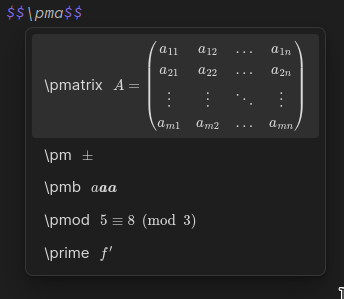
2023-01-26_18-29-32.png

Using key shortcuts to show a helper modal for reference purposes and fast editing snippets
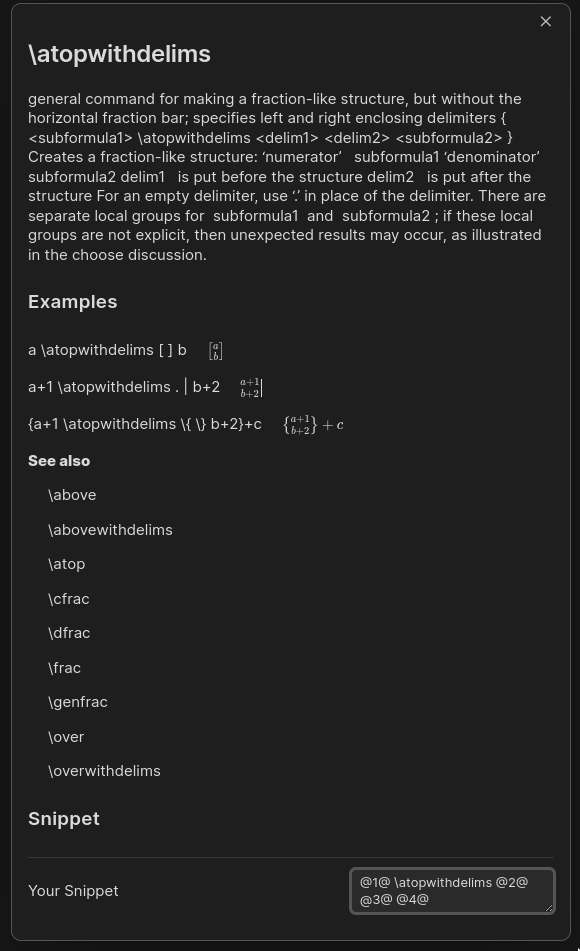
2023-01-26_18-30-09.png

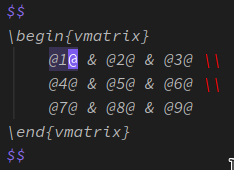
Quick Navigation With Placeholder

2023-01-26_18-36-24.png

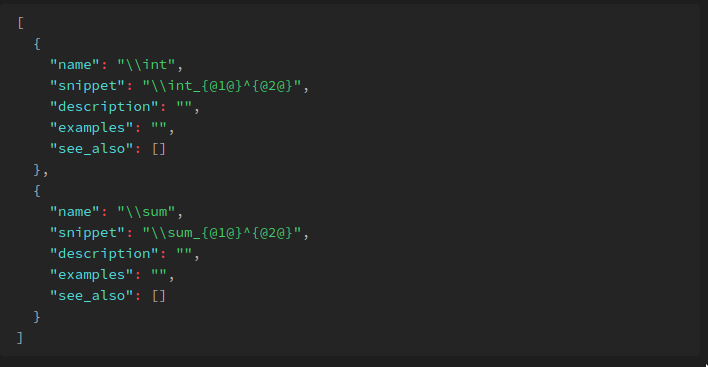
Fully customizable configuration

2023-01-26_18-32-28.png

Installation

1. Downloads from Obsidian Community Plugins List

2. Manual

  • Create $YOUR_VAULT_FOLDER$/.obsidian/better-mathjax folder
  • Put the release files main.js.bak, manifest.json and styles.css into $YOUR_VAULT_FOLDER$/.obsidian/better-mathjax

Usage

PLEASE SET HOTKEYS!!!

Hotkeys/Keymappings (example)

  1. Confirm Selected Entry: Enter
  2. Select Previous/Up: Ctrl+[
  3. Select Next/Down: Ctrl+]
  4. Select Next Placeholder: Ctrl+'
  5. Select Previous Placeholder: Ctrl+;
  6. Show help info for the current selection: Ctrl+Shift+/
  7. Manual Reload Configuration file: None

Special Thanks

  • Where the mathjax data came from CC2.5
  • The LCS implementation MIT
  • My first attempt of mathjax autocompletion MIT
HealthFair
ReviewRisks
About
Add MathJax autocompletion with live inline rendering when typing $$ or $$$$ blocks. Show a helper modal and insert editable snippets with hotkeys, navigate placeholders quickly, and customize behavior in settings.
MathAutocompleteHotkeys
Details
Current version
1.0.1
Last updated
4 years ago
Created
4 years ago
Updates
1 release
Downloads
11k
Compatible with
Obsidian 0.15.0+
Platforms
Desktop, Mobile
License
MIT
Report bugRequest featureReport plugin
Sponsor
Buy Me a Coffee
Author
greasycatgreasycat
github.com/greasycat
GitHubgreasycat
  1. Community
  2. Plugins
  3. Math
  4. Better MathJax

Related plugins

Numerals

Turn any code block into an advanced calculator. Evaluate math expressions on each line of a code block, including units, currency, and optional TeX rendering.

Calctex

Calculate LaTeX formulas.

SpellFix

seamlessly accept spellchecker suggestions.

Latex Suite

Make typesetting LaTeX math as fast as handwriting through snippets, text expansion, and editor enhancements.

Footnote Shortcut

Makes creating footnotes more fun!

Various Complements

Complete words similar to auto-completion in an IDE.

Tab Switcher

Switch your tabs with Ctrl + Tab in recently used order like in a browser.

Hotkey Helper

Easily see and access any plugin's settings or hotkey assignments (and conflicts) from the Community Plugins tab.

Emoji Toolbar

Quickly search for and insert emojis into your editor.

Colored Text

Color the selected texts.