Search...Search plugins and themes...
⌘K
Sign in
  • Get started
  • Download
  • Pricing
  • Enterprise
  • Account
  • Obsidian
  • Overview
  • Sync
  • Publish
  • Canvas
  • Mobile
  • Web Clipper
  • CLI
  • Learn
  • Help
  • Developers
  • Changelog
  • About
  • Roadmap
  • Blog
  • Resources
  • System status
  • License overview
  • Terms of service
  • Privacy policy
  • Security
  • Community
  • Plugins
  • Themes
  • Discord
  • Forum / 中文论坛
  • Merch store
  • Brand guidelines
Follow us
DiscordTwitterBlueskyThreadsMastodonYouTubeGitHub
© 2026 Obsidian

Bento Grid

RuveydaRuveyda78 downloads

A draggable, resizable bento-style grid for embedding markdown and widgets.

Add to Obsidian
  • Overview
  • Scorecard
  • Updates2

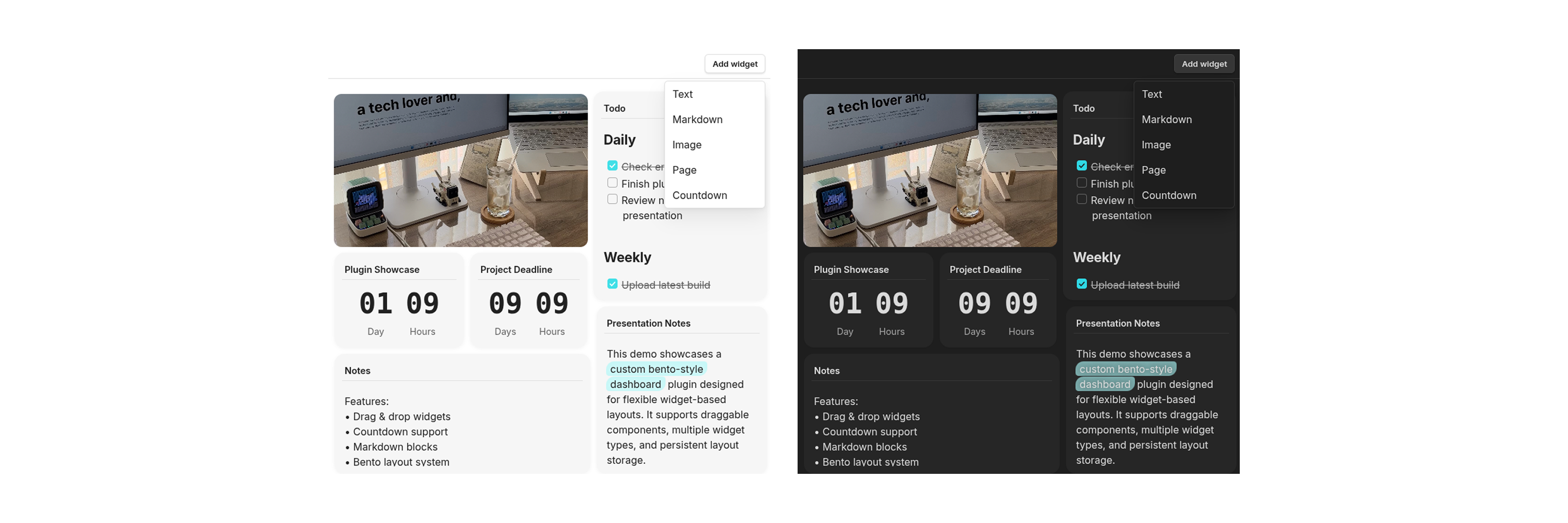
Obsidian plugin that creates a customizable bento-style grid inside a pane. Widgets can contain rendered markdown, images, pages, countdowns, and other content types. Items can be dragged, resized, and arranged to create personalized dashboards.
Overview

Features

  • Drag & drop widgets
  • Resize widgets using drag handles
  • Render markdown inside widgets
  • Support for multiple widget types:
    • Markdown
    • Images
    • Pages
    • Countdowns
  • Flexible bento-style layouts
  • Transparent and standard widget modes

Getting Started

  1. Search for Bento Grid in Community Plugins.
  2. Install and enable the plugin in Obsidian.
  3. Open any note where you want to create a bento grid.
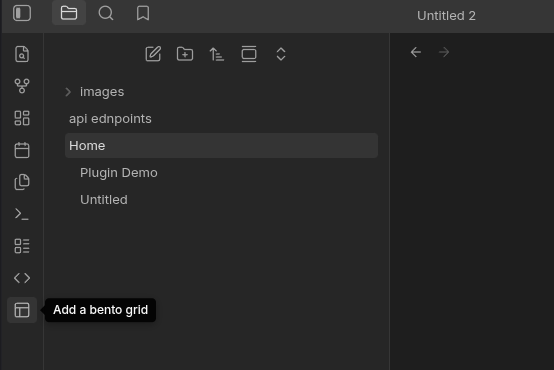
  4. Click the pane layout button in the sidebar to open a Bento Grid pane.
  5. Add widgets using the Add Widget button and customize your layout however you like.
Usage

Notes / TODO

  • Improve markdown rendering, fix rendering problem
  • Add additional widget types
  • Improve mobile responsiveness

The plugin needs getMarkdownFiles() to locate notes containing frontmatter metadata before reading selected files.

If you find this plugin useful, consider supporting me:

HealthExcellent
ReviewPassed
About
Create a customizable bento-style grid inside a pane to build personalized dashboards. Add draggable, resizable widgets that render Markdown, images, pages and countdowns, and arrange flexible layouts with transparent or standard widget modes.
CanvasInterface
Details
Current version
1.0.1
Last updated
Last week
Created
Last week
Updates
2 releases
Downloads
78
Compatible with
Obsidian 1.0.1+
Platforms
Desktop, Mobile
License
MIT
Report bugRequest featureReport plugin
Sponsor
Ko-fi
Author
RuveydaRuveydaruveydayilmaz
github.com/ruveydayilmaz
GitHubruveydayilmaz
  1. Community
  2. Plugins
  3. Canvas
  4. Bento Grid

Related plugins

Advanced Canvas

Supercharge your canvas experience. Create presentations, flowcharts and more.

Hider

Hide interface elements such as tooltips, status bar, titlebar, and more.

Meta Bind

Make your notes interactive with inline input fields, metadata displays, and buttons.

Commander

Customize your workspace by adding commands everywhere, create macros and supercharge your mobile toolbar.

Note Toolbar

Add customizable toolbars to your notes.

Agent Client

Chat with Claude Code, Codex, Gemini CLI, and more via the Agent Client Protocol — right from your vault.

Dragger

Drag and drop any block (paragraphs, headings, lists, etc.) to rearrange content like Notion.

Iconic

Customize your icons and their colors directly from the UI, including tabs, files & folders, bookmarks, tags, properties, and ribbon commands.

Typewriter Mode

Typewriter scroll, writing focus, current line highlight, paragraph dimming, and more!

Hover Editor

Transform the Page Preview hover popover into a fully working editor instance.