Search...Search plugins and themes...
⌘K
Sign in
  • Get started
  • Download
  • Pricing
  • Enterprise
  • Account
  • Obsidian
  • Overview
  • Sync
  • Publish
  • Canvas
  • Mobile
  • Web Clipper
  • CLI
  • Learn
  • Help
  • Developers
  • Changelog
  • About
  • Roadmap
  • Blog
  • Resources
  • System status
  • License overview
  • Terms of service
  • Privacy policy
  • Security
  • Community
  • Plugins
  • Join the community
  • Discord
  • Forum / 中文论坛
  • Merch store
  • Brand guidelines
Follow us
DiscordTwitterBlueskyThreadsMastodonYouTubeGitHub
© 2026 Obsidian

Auto Folder Collapse

dariocasciatodariocasciato6k downloads

Automatically collapses subfolders when a parent folder is collapsed

Add to Obsidian
  • Overview
  • Scorecard
  • Updates14

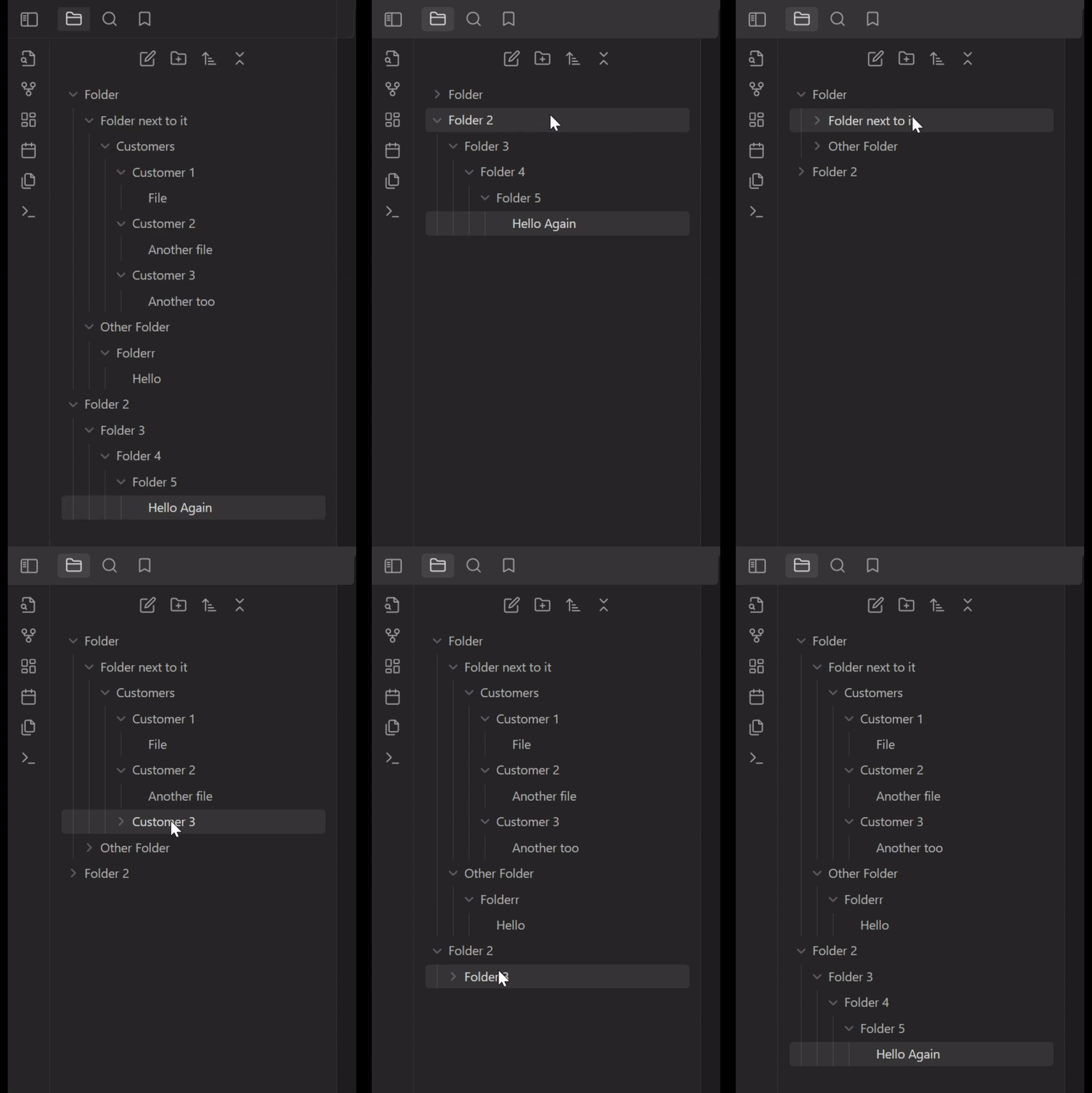
A plugin for Obsidian that automatically collapses all child folders when you collapse a parent folder. This helps keep your file explorer organized and clutter-free.

Installation

Downloading from the Obsidian.md Community Plugin Browser

  1. Open Obsidian and go to Settings.
  2. Navigate to the Community plugins section.
  3. Click on Browse and search for Auto Folder Collapse.
  4. Click Install and then Enable.

Downloading from the GitHub Repository

  1. Download the plugin files from the GitHub repository.
  2. Copy the Plugin Folder to your Obsidian vault's plugins folder: <vault>/.obsidian/plugins/.
  3. Enable the plugin in Obsidian:
    • Open Obsidian and go to Settings.
    • Navigate to the Community plugins section.
    • Refresh the Community Plugin list.
    • Enable the new Plugin.

Demo

Usage

Once the plugin is enabled, it will automatically collapse all child folders when you collapse a parent folder. You don't need to do anything else!

The plugin offers two independent features, each controlled by a toggle in Settings → Auto Folder Collapse.

Feature Default What it does
Auto-collapse children on parent collapse Off When you collapse a folder, every sub-folder inside it is collapsed too (original behaviour).
Exclusive accordion Off When you expand a folder, all other folders that are not its ancestors or descendants are automatically collapsed. This keeps the sidebar focused on the area you’re working in.

Enable or disable either feature at any time; the change takes effect immediately.

Troubleshooting

If you encounter any issues with the plugin, try the following steps:

  1. Ensure you are using the minimum required version of Obsidian (0.12.0).
  2. Disable and re-enable the plugin in the Obsidian settings.
  3. Restart Obsidian.

If the problem persists, please report it on the GitHub Issues page.

Author

Developed by Dario Casciato.

Buy me a espresso

License

This plugin is licensed under the MIT License.

89%
HealthGood
ReviewSatisfactory
About
Collapse child folders automatically when you collapse a parent to keep the file explorer organized and clutter-free. Create an accordion-style sidebar by collapsing unrelated folders on expand to keep focus on the active branch.
FoldersSidebarNavigation
Details
Current version
1.2.4
Last updated
5 months ago
Created
2 years ago
Updates
14 releases
Downloads
6k
Compatible with
Obsidian 0.12.0+
License
MIT
Report bugRequest featureReport plugin
Sponsor
Buy Me a Coffee
Author
dariocasciatodariocasciato
github.com/DarioCasciato
GitHubdariocasciato
  1. Community
  2. Plugins
  3. Folders
  4. Auto Folder Collapse

Related plugins

Notebook Navigator

Alternative file browser with folders, tags, properties, shortcuts, previews, keyboard navigation, drag and drop, and pinned notes.

Recent Files

Display a list of recently opened files.

TagFolder

Show tags as folder.

Custom File Explorer sorting

Manual or automatic config-driven reordering and sorting of files and folders in File Explorer.

Reveal Active File Button

Add a button to the top of the File Explorer, to reveal the active file.

Folder notes

Create notes within folders that can be accessed without collapsing the folder, similar to the functionality offered in Notion.

Manual Sorting

Drag'n'Drop sorting within file explorer.

File Explorer Note Count

See the number of notes in each folder within the file explorer.

Quick Explorer

Perform file explorer operations (and see your current file path) from the title bar, using the mouse or keyboard.

File Tree Alternative

An alternative file tree view with separate folder and file panes.