Audio Interface
 Johannes Kaindl202 downloads
Read notes aloud with system voices and export them as WAV with a local, downloadable German voice. No cloud, no account.
- Overview
- Scorecard
- Updates9
🇬🇧 English · 🇩🇪 Deutsch
Read your notes aloud and turn them into WAV files — locally, with no cloud, no account, no Python.
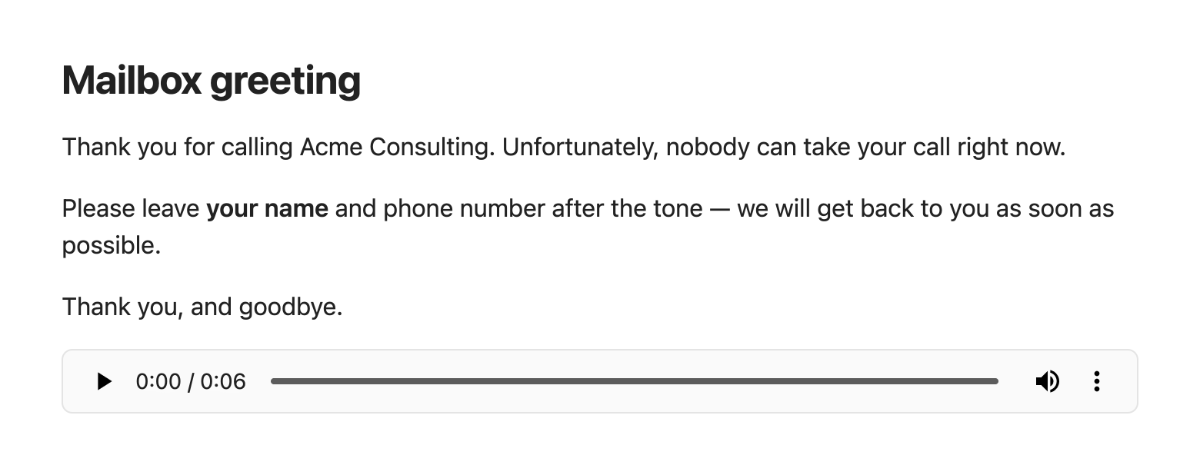
Reading aloud works the moment you install the plugin, with the voices already on your computer. Exporting a note as a WAV file — say, a mailbox greeting for your phone system — is a deliberate opt-in: you enable it, you press Download, and only then does a voice (English or German) arrive on your disk.
Features
- Read aloud the current note or selection with your system voices — start, pause/resume and stop from the command palette, the ribbon icon or the status bar. Nothing to set up.
- Export as WAV with a downloadable voice — English (Piper, LJSpeech) or German (Piper, Thorsten), medium quality, switchable in the settings. Choose the phone-system profile (8 kHz mono 16 bit — what PBX mailboxes such as 3CX expect) or the voice's native 22.05 kHz. Files land next to the note or in a folder of your choice and are never overwritten.
- Read aloud with the downloaded voice instead of the system voice, once it is there.
- Speech-ready text: frontmatter, code blocks, images/embeds and comments are skipped; links speak their display text; headings, lists, tables and callouts are read with natural pauses.
- Turn audio files into text — right-click any audio file in your vault and choose Transcribe audio. The transcript is saved as a note next to the recording, with the audio embedded so you can listen back. Off by default; two backends: a companion program running on your own computer, or an Apple Shortcut (see How it works).
- Works on mobile, too: on iOS/iPadOS, an Apple Shortcut transcribes audio files and turns text into a spoken-word file — the two capabilities that need a downloadable voice or a local program on the desktop. See Set up the Apple Shortcut.
- Honest network use: one download, from this repository's release, only after your click, verified against checksums, removable again. Transcription talks only to an address on your own machine (or to the Shortcuts app, entirely on-device), and only when you turn it on — see How it works.
Requirements
- Obsidian 1.8.7 or newer, desktop (macOS, Windows, Linux) or mobile (iOS/iPadOS 26+ for the Apple Shortcut path). The downloadable voice and WAV export are desktop-only; on mobile, use the Apple Shortcut for transcription and spoken-word files.
- Reading aloud uses the voices of your operating system. If no German voice is listed, install one in the OS (macOS: System Settings → Accessibility → Spoken Content → System voice).
- WAV export needs about 80 MB of free disk space for the first voice and its runtime; a second voice adds about 60 MB, because the runtime is shared.
Install
From Obsidian's Community plugins browser (recommended)
- Settings → Community plugins → Browse, search for "Audio Interface", select Install.
- Enable it.
Updates then arrive like any other community plugin update.
With AnySource Sideloader
AnySource Sideloader installs and updates plugins from any git forge, independent of the Community Store. Add this repository as a source: https://git.jkaindl.de/jkaindl/audio-interface, then install Audio Interface and enable it.
Manual
Download main.js, manifest.json and styles.css from the latest Forgejo release and copy them into <vault>/.obsidian/plugins/audio-interface/, then enable the plugin. Or download audio-interface.zip from the release — it contains exactly these files — and unpack it into .obsidian/plugins/; checksums.sha256 lets you verify the download: shasum -a 256 -c checksums.sha256.
From source
git clone https://git.jkaindl.de/jkaindl/audio-interface
cd audio-interface && npm install && npm run build
# main.js manifest.json styles.css → <vault>/.obsidian/plugins/audio-interface/
Source: git.jkaindl.de/jkaindl/audio-interface
Usage
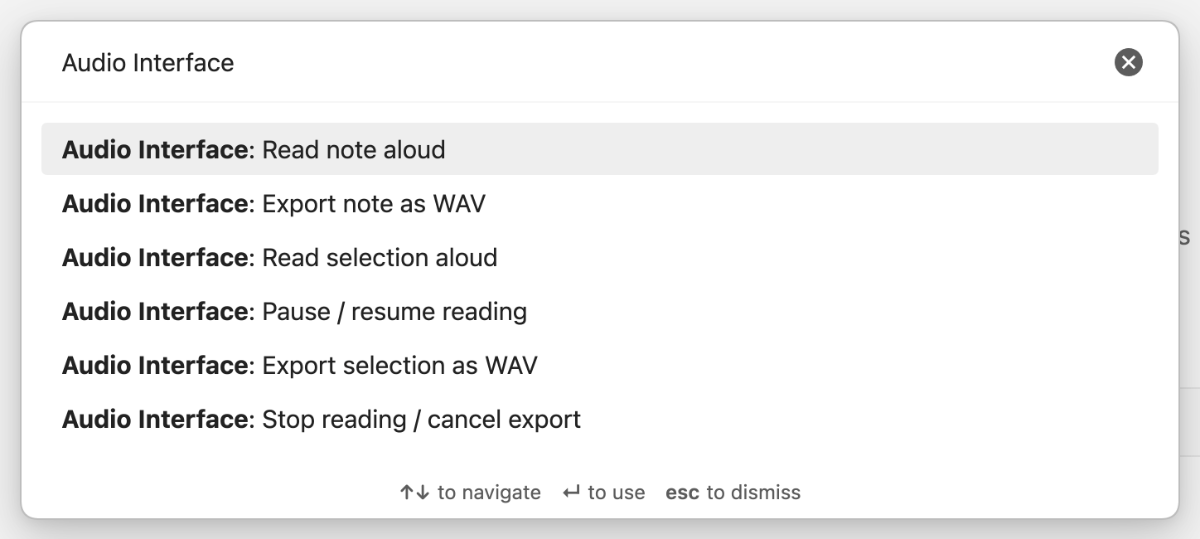
- Open a note and run Read note aloud (command palette, or the ribbon icon). Select some text first and use Read selection aloud for just that part.
- Pause / resume reading and Stop reading / cancel export are commands too — or click the status bar item, which shows the progress while the plugin speaks.
- To export: enable WAV export in the settings and download the voice (see below). The commands Export note as WAV and Export selection as WAV appear in the palette as soon as the voice is ready. The file is written next to the note (or into your target folder), and a notice tells you where.
 |
The status bar item shows what is happening — Reading 1/5, Rendering 2/9, Downloading 12/78 MB — and a click stops it. |
Configuration
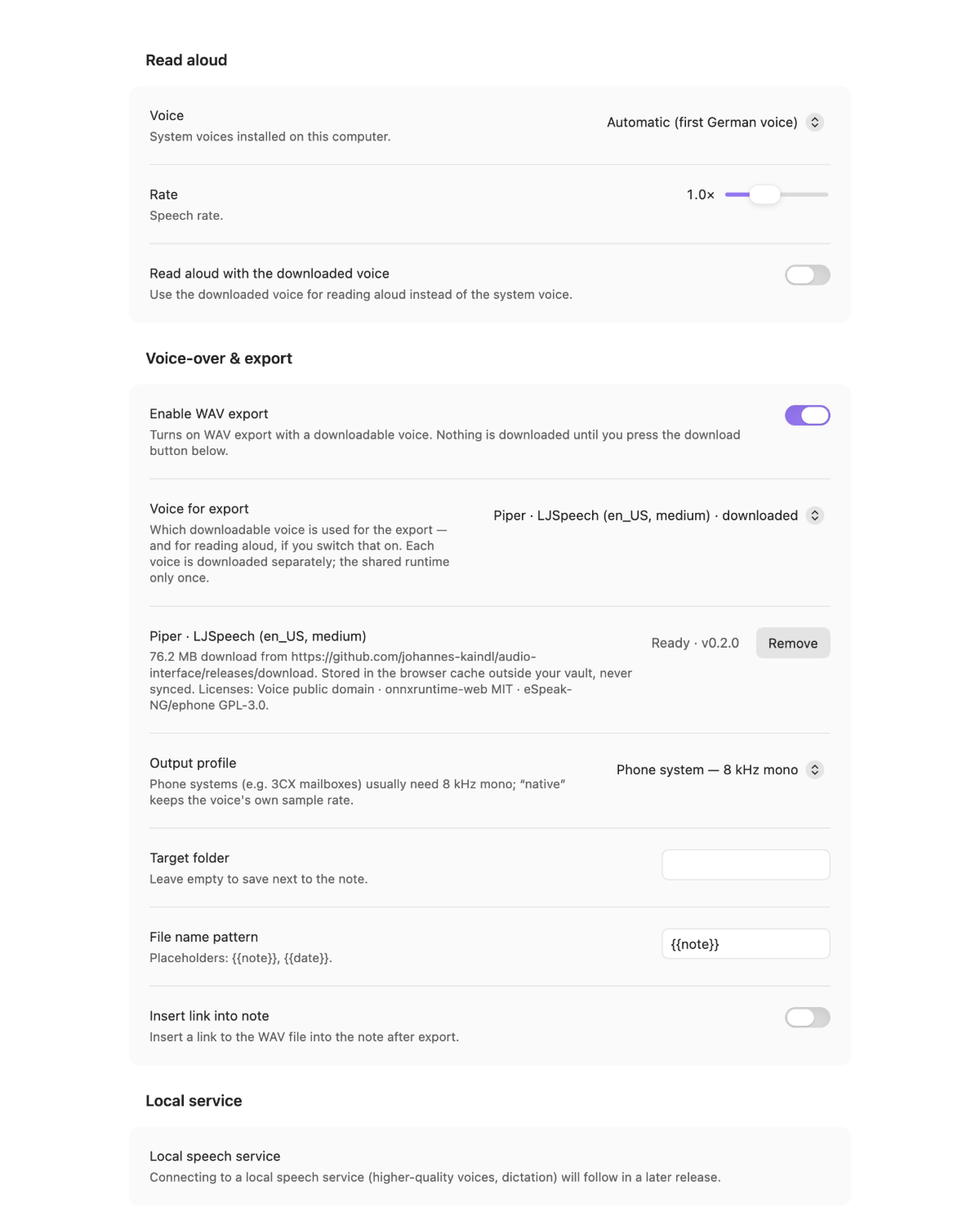
| Setting | What it does | Default |
|---|---|---|
| Voice | Which system voice reads aloud; Automatic picks the first German one | Automatic |
| Rate | Speech rate for reading aloud (0.5×–2×) | 1.0× |
| Read aloud with the downloaded voice | Use the Piper voice instead of the system voice for reading aloud (only shown once the voice is ready) | off |
| Enable WAV export | Reveals the voice row and the export settings — downloads nothing by itself | off |
| Voice for export | Which downloadable voice speaks: Piper · LJSpeech (en_US) or Piper · Thorsten (de_DE). Each entry shows what it still costs to download, or downloaded | follows Obsidian's display language |
| Piper · … (the selected voice) | The voice row: size, source and licenses, with Download / Cancel / Remove | not downloaded |
| Output profile | Phone system — 8 kHz mono or Native (voice sample rate) | Phone system |
| Target folder | Vault folder for the WAV files; empty = next to the note | empty |
| File name pattern | {{note}} and {{date}} are replaced; existing files get -2, -3, … |
{{note}} |
| Insert link into note | Append ![[file.wav]] at the cursor after a successful export |
off |
How it works
Reading aloud uses the browser's speech synthesis inside Obsidian — your operating system's voices, sentence by sentence, with pauses derived from the note's structure. No audio data is produced, which is also why system voices cannot export a file.
WAV export is an opt-in. Out of the box the plugin downloads nothing. When you enable export
and press Download, it fetches these files once, from this repository's Forgejo release
(https://git.jkaindl.de/jkaindl/audio-interface/releases); no other server is contacted:
| File | Size | What it is | License |
|---|---|---|---|
piper-worker.js |
≈ 3 MB | Synthesis worker (Piper pipeline, eSpeak-NG phonemizer as WASM, English + German dictionaries) | AGPL-3.0-or-later; contains ephone/eSpeak-NG (GPL-3.0-or-later), onnxruntime-web (MIT) |
ort-wasm-simd-threaded.wasm |
≈ 13 MB | ONNX Runtime Web (CPU) | MIT |
en_US-ljspeech-medium.onnx + .json |
≈ 61 MB | Piper voice LJSpeech (English, 22.05 kHz) | dataset public domain |
de_DE-thorsten-medium.onnx + .json |
≈ 60 MB | Piper voice Thorsten (German, 22.05 kHz) | dataset CC0 |
Only the voice you selected is fetched — the first two files are shared, so a second voice costs just its model.
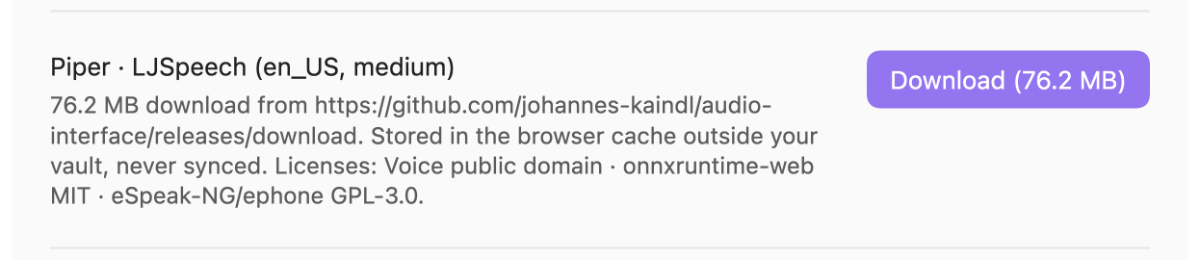 |
Every file is checked against a SHA-256 checksum embedded in the plugin before it is used; a mismatch disables the voice and names the file. The files live in the browser cache of the Obsidian app, outside your vault — never synced, never in your files — and Remove deletes them again. The download can be cancelled; partial downloads resume. |
Synthesis then runs in a Web Worker inside Obsidian (ONNX Runtime, CPU), the result is resampled
to the chosen profile, encoded as 16-bit WAV and written through Obsidian's vault API. There is no
telemetry. Architecture and measurements: AGENTS.md.
Transcription and what leaves your vault
Nothing leaves your computer. Turning Turn audio files into text on lets the plugin talk to
one more address — a transcription program that you run on your own machine, by default
http://127.0.0.1:8765. The settings accept only local addresses (127.0.0.1, localhost,
[::1]); anything else falls back to the default, so a typo cannot send your recordings to a
stranger's server. The plugin never starts that program, and never installs it: if it is not
running, you get a message and nothing else happens.
When you transcribe a file, the plugin decodes it inside Obsidian, mixes it down to mono,
resamples it to 16 kHz and sends that as WAV. Decoding locally is not a detail — the program reads
audio through libsndfile, which does not understand webm or m4a, and those are exactly what
Obsidian's own audio recorder produces. The transcript is written as a new note next to the
recording; nothing is overwritten.
The companion program is audio-ui — speech
recognition (Parakeet) running locally on Apple Silicon. It is optional: without it, the plugin
does everything else exactly as before.
Spoken-word files and mobile (Apple Shortcut)
On iOS/iPadOS there is no local companion program and no downloadable voice, so two features run through an Apple Shortcut instead: transcription (a second backend next to the local program, switchable in the settings) and a new spoken-word file — turn a note or selection into an audio file, saved into the vault. Both work on the desktop too, as a second option. See Set up the Apple Shortcut for setup, limits (no streaming, the shortcut chooses the file extension) and troubleshooting.
Roadmap
Transcribing audio files is available now (see above). Live dictation — speaking and having the text appear as you go — needs the companion program to listen to the microphone itself, which is being built there; the plugin will stay a thin client that receives text. Higher-quality voices through the same local program are planned for a later release.
Contributing
Issues and pull requests on git.jkaindl.de.
Test-driven (npm run gate); larger features via brainstorm → spec → plan → TDD
(specs and plans live in the maintainer's vault cockpit). See AGENTS.md.
Documentation
- Documentation index
- Getting started — from reading a note aloud to a WAV file
- Set up the Apple Shortcut — transcription and spoken-word files on mobile
- Troubleshooting — the messages you may see, what they mean and what to do
License
- Code: AGPL-3.0-or-later (
LICENSE). - Documentation: CC BY-SA 4.0 (
LICENSE-DOCS). - Third-party: onnxruntime-web (MIT), ephone/eSpeak-NG (GPL-3.0-or-later), Piper voices LJSpeech (dataset public domain) and Thorsten (dataset CC0) — shipped as release assets, see the table above.
Copyright © 2026 Johannes Kaindl.