Search...Search plugins and themes...
⌘K
Sign in
  • Get started
  • Download
  • Pricing
  • Enterprise
  • Account
  • Obsidian
  • Overview
  • Sync
  • Publish
  • Canvas
  • Mobile
  • Web Clipper
  • CLI
  • Learn
  • Help
  • Developers
  • Changelog
  • About
  • Roadmap
  • Blog
  • Resources
  • System status
  • License overview
  • Terms of service
  • Privacy policy
  • Security
  • Community
  • Plugins
  • Themes
  • Discord
  • Forum / 中文论坛
  • Merch store
  • Brand guidelines
Follow us
DiscordTwitterBlueskyThreadsMastodonYouTubeGitHub
© 2026 Obsidian

ArchWiki Reader

lucifayrlucifayr3k downloads

Read any ArchWiki page.

Add to Obsidian
  • Overview
  • Scorecard
  • Updates6

An Obsidian plugin to download and read ArchWiki pages.
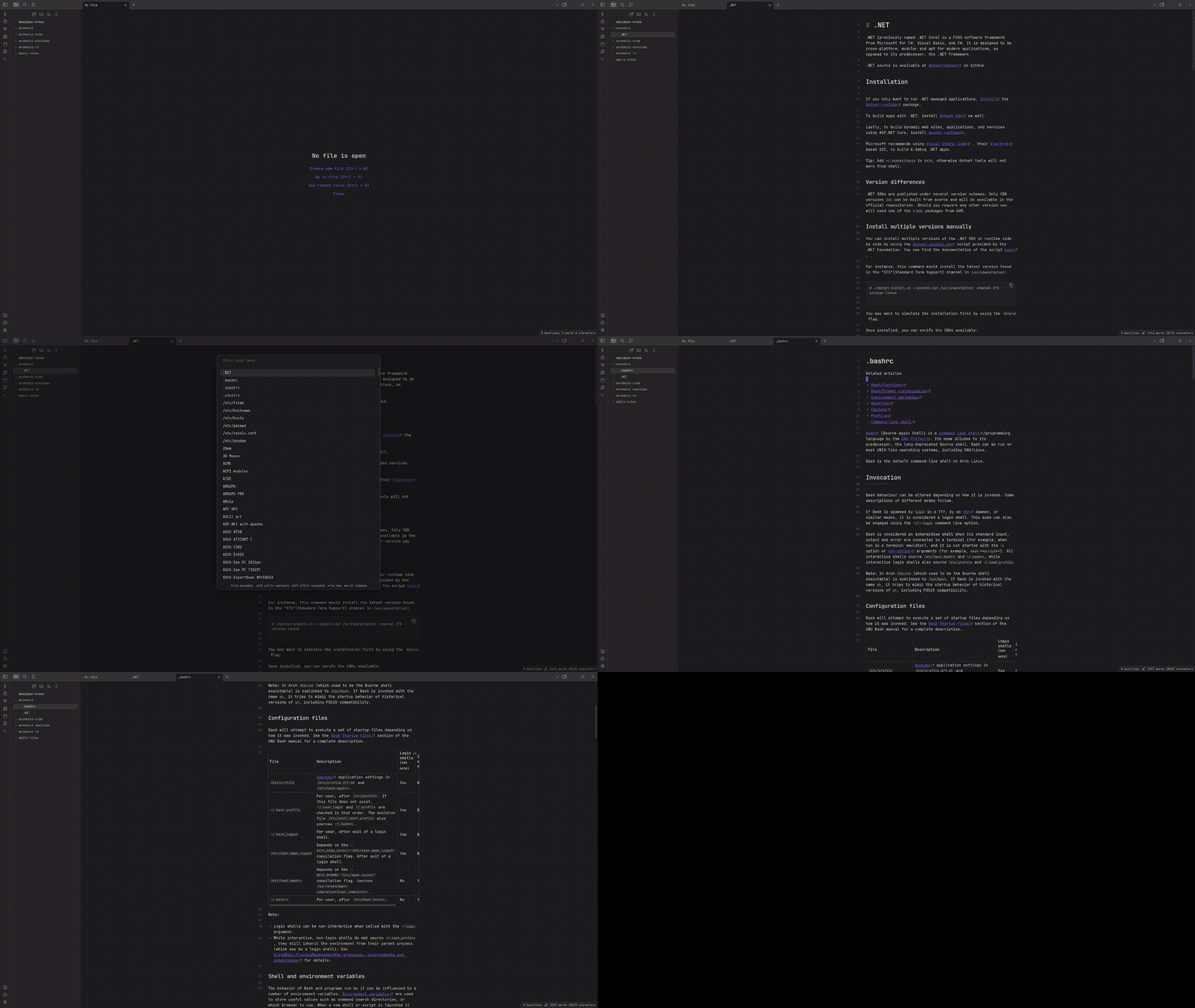
preview

Dependencies

This plugin uses the CLI tool archwiki-rs. Installation instructions are available here.

How to use

Run the command 'Read ArchWiki page' and enter the name of the page you wish to download. If the page exists on the ArchWiki it will be downloaded as a Markdown file and opened in a new tab.

Suggestions

After installing the plugin a list of all pages grouped into categories will be fetched from the ArchWiki. This list of pages will be suggested to you when searching for a page.

71%
HealthGood
ReviewSatisfactory
About
Download ArchWiki pages as Markdown and open them in a new Obsidian tab for reading and editing. Fetch a categorized index of pages and show suggestions when searching to speed up finding content.
ImportMarkdownAutocomplete
Details
Current version
2.0.0
Last updated
3 years ago
Created
3 years ago
Updates
6 releases
Downloads
3k
Compatible with
Obsidian 0.15.0+
Platforms
Desktop only
License
MIT
Report bugRequest featureReport plugin
Sponsor
Support
Author
lucifayrlucifayr
github.com/Jackboxx
GitHublucifayr
  1. Community
  2. Plugins
  3. Import
  4. ArchWiki Reader

Related plugins

Importer

Import data from Notion, Evernote, Apple Notes, Microsoft OneNote, Google Keep, Bear, Roam, and HTML files.

Various Complements

Complete words similar to auto-completion in an IDE.

Docxer

Import Word files easily. Adds a preview mode for .docx files and the ability to convert them to markdown (.md) files.

Outliner

Work with your lists like in Workflowy or Roam Research.

Zotero Integration

Insert and import citations, bibliographies, notes, and PDF annotations from Zotero.

Readwise Official

Sync highlights from Readwise to your vault.

Linter

Format and style your notes. Linter can be used to format YAML tags, aliases, arrays, and metadata; footnotes; headings; spacing; math blocks; regular Markdown contents like list, italics, and bold styles; and more with the use of custom rule options.

Fantasy Statblocks

Create, manage and view a Fantasy Bestiary with Dungeons and Dragons style statblocks.

Numerals

Turn any code block into an advanced calculator. Evaluate math expressions on each line of a code block, including units, currency, and optional TeX rendering.

Custom Frames

Turn web apps into panes using iframes with custom styling. Also comes with presets for Google Keep, Todoist and more.