AnySource Sideloader
 Johannes Kaindl105 downloads
Install and update plugins from any git forge (GitHub, Forgejo, Gitea, raw URLs) with subscribable catalogs.
- Overview
- Scorecard
- Updates13
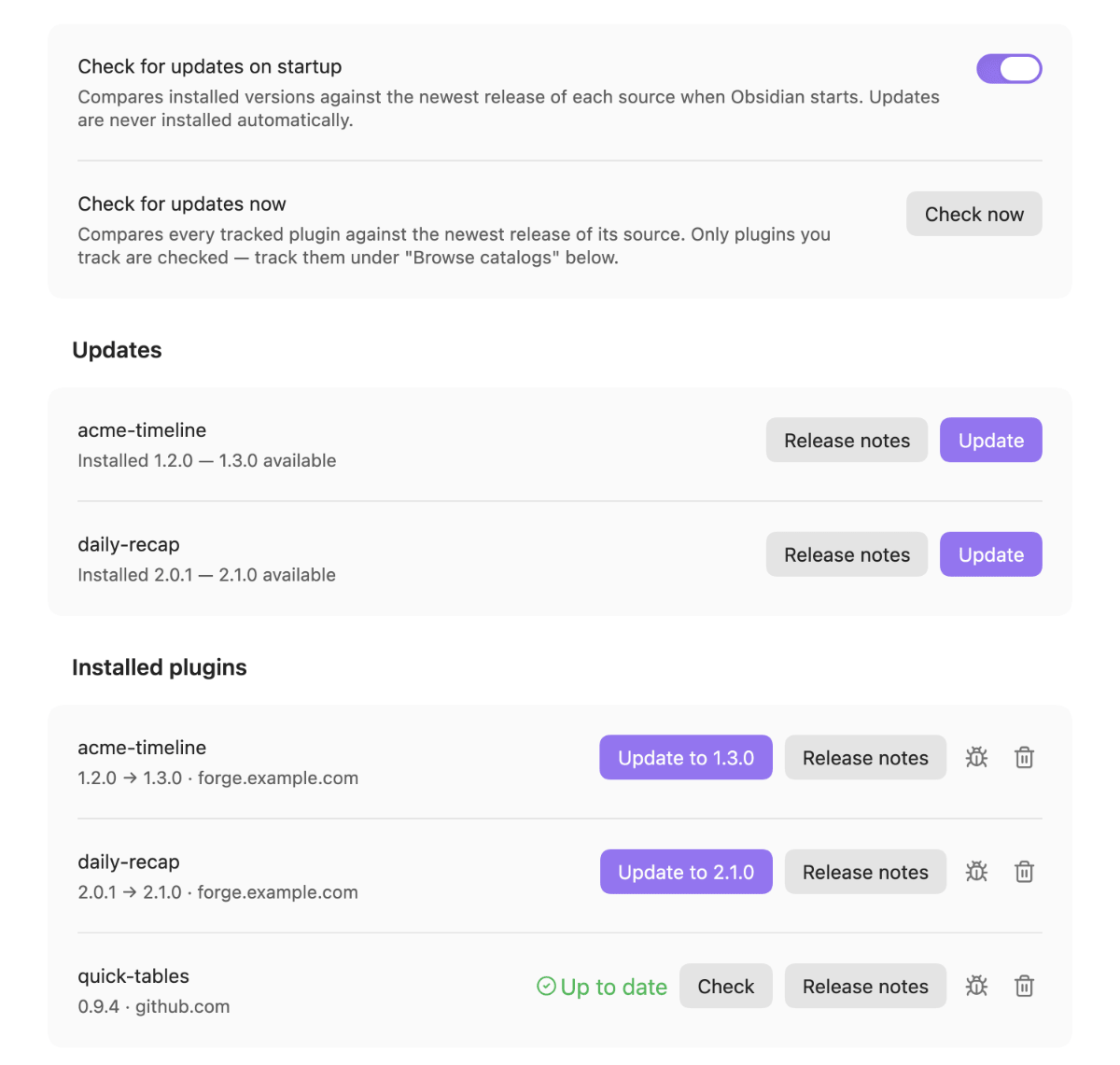
Install and update Obsidian plugins from any git forge — GitHub, Forgejo, Gitea, or raw URLs — including subscribable plugin catalogs, without waiting on the Community Store.
Auch auf Deutsch verfügbar: README.de.md.
Why this exists
Not every plugin you want to use is in the Community Store: your own plugins, an organisation's internal plugins in a private repository, and plugins that live on a self-hosted forge such as Forgejo or Gitea. AnySource Sideloader installs and updates these straight from their release pages, and keeps them up to date the way the Store does for its own plugins — with a visible check, release notes and a confirmation before anything is applied. It is a complement to the Store, not a replacement: plugins you already have from the Store are left alone unless you choose to track them.
It also removes a single point of failure. The Store depends on GitHub, and when a maintainer's account is flagged, their plugins can become uninstallable overnight — one such flag made 21 plugins disappear in a single day, none of them with a code problem. A plugin whose release also lives on another forge stays installable.
The full trade-off, including what a single self-hosted channel costs, is in Why there is only one distribution channel.
Features
- Any git forge as a source — GitHub, Forgejo, Gitea, or a plain raw-file URL. The forge type is detected from a pasted repo URL; nothing needs to be configured per source.
- Subscribable catalogs — a catalog is one JSON file listing plugins. Versions always come live from each plugin's own forge, never from the catalog.
- Everything lives in the settings tab, where Obsidian manages plugins anyway — no extra sidebar view, and the layout is Obsidian's own.
- Tracks plugins you already have. Installed but unmanaged plugins are recognised and can be adopted with one click, or all at once — no reinstall, no version loss.
- Checksum verification of every downloaded release asset before anything is written.
- Private repositories via per-host access tokens kept in Obsidian's keychain.
- Nothing happens without confirmation — every install and update is a deliberate, visible action, and updates are never applied automatically.
Requirements
- Obsidian 1.11.4 or newer (the version that introduced the keychain API used for access tokens).
- Works on desktop and mobile; no Node, no runtime dependencies, no external binaries.
- A network connection to whichever forge hosts the plugins you install. Nothing is sent anywhere else.
Install
Because this plugin's whole purpose is working without the Community Store, its own first install is manual. It is the only one — from then on the plugin installs and updates everything else, including itself.
The steps are the same on macOS, Linux and Windows. You do not need to find your vault on disk and you do not need to unhide hidden folders.
- Allow community plugins. Settings → Community plugins; if it offers Exit Restricted mode, click that first. A plugin sitting in exactly the right place never loads while Restricted mode is on, with no error to tell you so.
- Download the three files from the latest GitHub release:
main.js,manifest.jsonandstyles.css. Those links always point at the newest release. - Open the plugins folder from inside Obsidian — still under Community plugins, click the folder icon next to Installed plugins (Open plugins folder). Your file manager opens in
<vault>/.obsidian/plugins/. - Create a folder named
anysource-sideloaderthere and put the three files directly into it. - Click Reload plugins and switch AnySource Sideloader on. No restart needed.
Longer version with the folder layout and what to do if something does not load: Install by hand.
Usage
Add a plugin. Run the command Install plugin from URL and paste a repository URL — the front page of the repo, not a release or file link:
https://github.com/user/repo
https://git.jkaindl.de/jkaindl/some-plugin
The forge type is detected automatically. → Add sources and catalogs
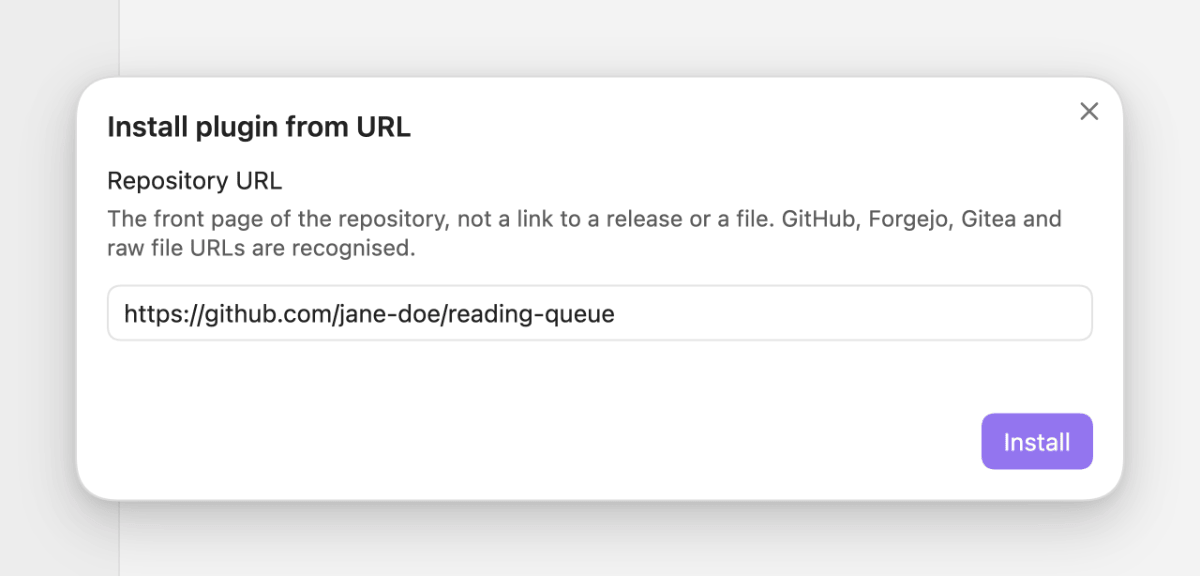
Click the preview for the full-size dialog
Subscribe to a catalog. A catalog is one JSON file listing several plugins, subscribable by URL under Catalogs in the plugin's settings. One is subscribed out of the box so the browse list is not empty; the plugins maintained by this repo's author are published as:
https://git.jkaindl.de/jkaindl/obsidian-catalog/raw/branch/main/catalog.json
It lives in its own repository rather than in this one: a catalog lists what exists, and that is not tied to this client's release cycle. → Catalog format
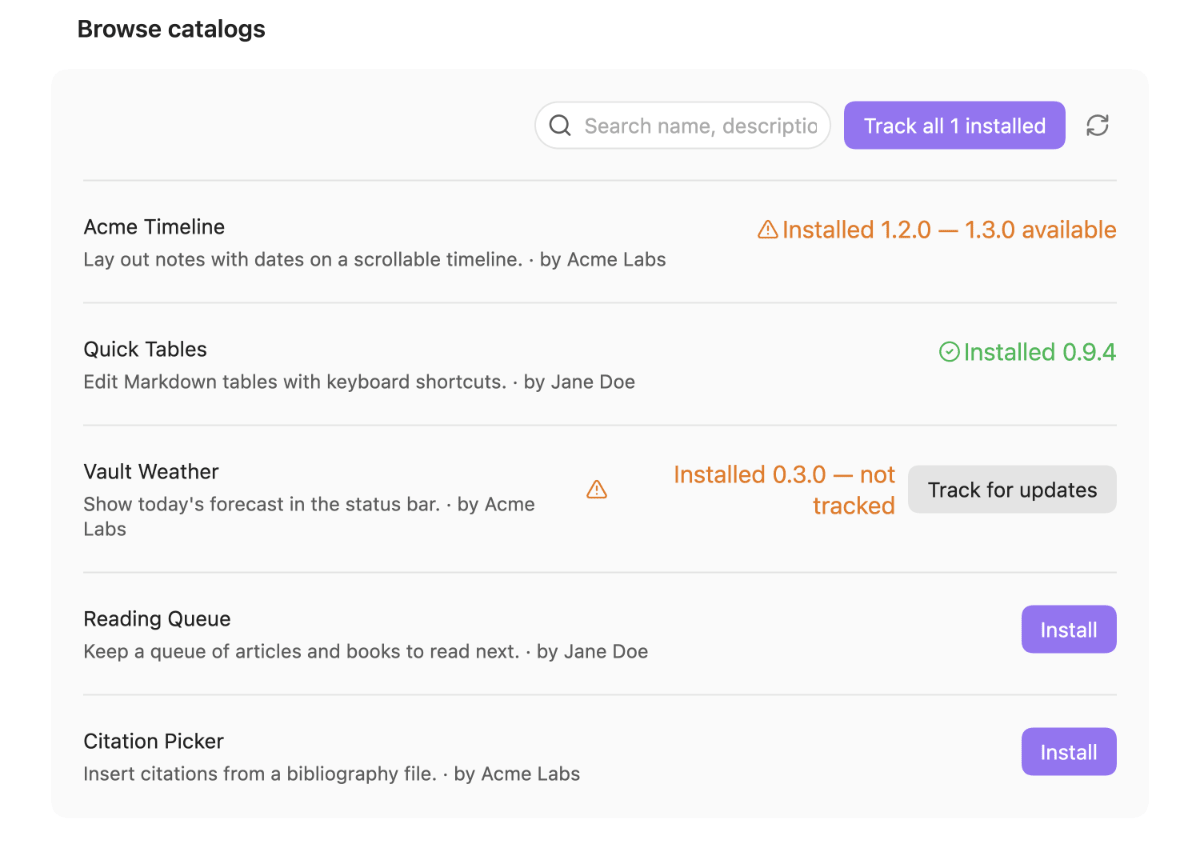
Already have plugins installed? They are recognised, not ignored. A catalog entry whose plugin is already present offers Track for updates instead of Install, and Track all N installed does the whole set. This matters because update checks only cover tracked plugins. → Adopt existing plugins
Check and update. Check now, the check-updates command, or once on startup. Each row
carries its own button — Check while nothing is pending, Update to <version> once a
newer release is known. Release notes are shown before anything is applied, and nothing is
applied without confirmation. The Sideloader updates itself the same way. → Keep plugins up to
date
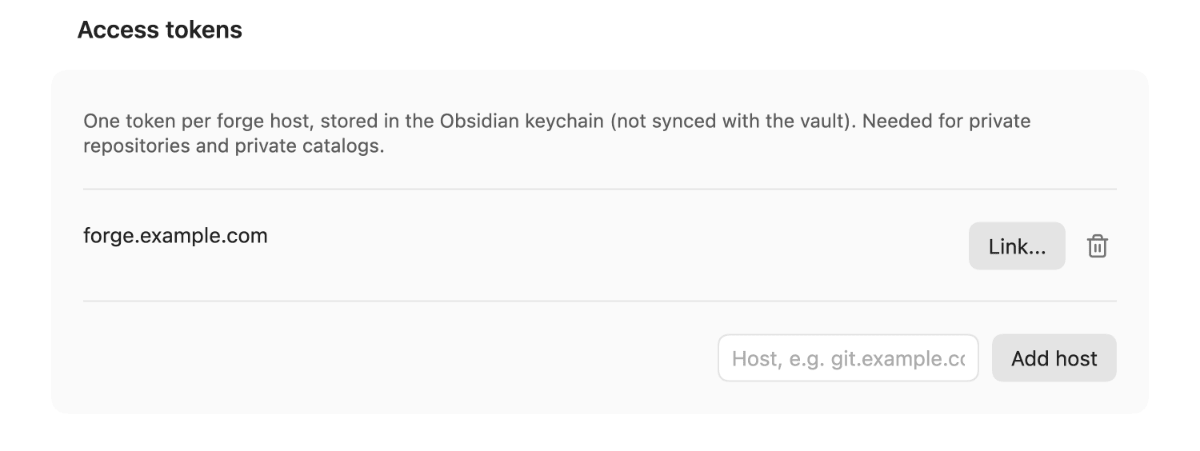
Private repositories. Tokens are stored per forge host in Obsidian's keychain — never in
data.json, never in plain text. → Private
repositories
Configuration
Two things are configurable, both in the plugin's settings tab:
- Access tokens, per forge host. Private repos and private catalogs need one. Tokens go
into Obsidian's own keychain via the built-in
SecretComponent— never intodata.json, never in plain text. A token is sent to every source on the host it belongs to, and to no other host. This is what makes the organisation case work: a private Forgejo/Gitea instance with internal plugins and one catalog, and members authenticating with a host-scoped token. - Check for updates on startup (on by default). Runs one check shortly after Obsidian starts. It reads only; nothing is ever applied without confirmation.
Full list of settings, commands and what is written to data.json: Settings and
commands.
How it works
- When a release carries a
checksums.sha256file, every downloaded asset is verified against it before installation; a mismatch blocks the install. - No silent auto-updates: every update is a deliberate, visible action, preceded by the release notes of the new version.
- An id-change guard prevents a malicious or misconfigured release from silently swapping out the plugin id an install is bound to.
What checksums do and do not prove is set out in the security model — worth reading before installing anything you did not write.
Documentation
- Documentation index — tutorial, how-to guides, reference and explanation.
- Getting started — from nothing to your first sideloaded plugin.
- Troubleshooting — a message or symptom, its cause, and what to do.
Known limitations
Installing a plugin runs third-party code with full Obsidian API access, and the install
dialog is the only gate; checksums prove transport integrity, not authenticity. Private
GitHub sources are experimental for a measured reason, and the raw fallback only knows the
branch names main and master.
The complete list, with what is measured and what is not, is in Known limitations and the security model.
License
- Code: AGPL-3.0-or-later (
LICENSE). - No runtime dependencies. Vendored build/test helpers from the author's own
obsidian-kit/code-kitcarry their provenance headers insrc/vendor/.