Search...Search plugins and themes...
⌘K
Sign in
  • Get started
  • Download
  • Pricing
  • Enterprise
  • Account
  • Obsidian
  • Overview
  • Sync
  • Publish
  • Canvas
  • Mobile
  • Web Clipper
  • CLI
  • Learn
  • Help
  • Developers
  • Changelog
  • About
  • Roadmap
  • Blog
  • Resources
  • System status
  • License overview
  • Terms of service
  • Privacy policy
  • Security
  • Community
  • Plugins
  • Themes
  • Discord
  • Forum / 中文论坛
  • Merch store
  • Brand guidelines
Follow us
DiscordTwitterBlueskyThreadsMastodonYouTubeGitHub
© 2026 Obsidian

Aloud

adrianlyjakadrianlyjak15k downloads

Speak text from your notes. Converts text to speech in real-time using lifelike voices from OpenAI.

Add to Obsidian
  • Overview
  • Scorecard
  • Updates54

Highlight and speak text from your Obsidian notes. Converts text to audio using lifelike voices from various providers.

Just add your API key from a supported provider. Choose from available voices.
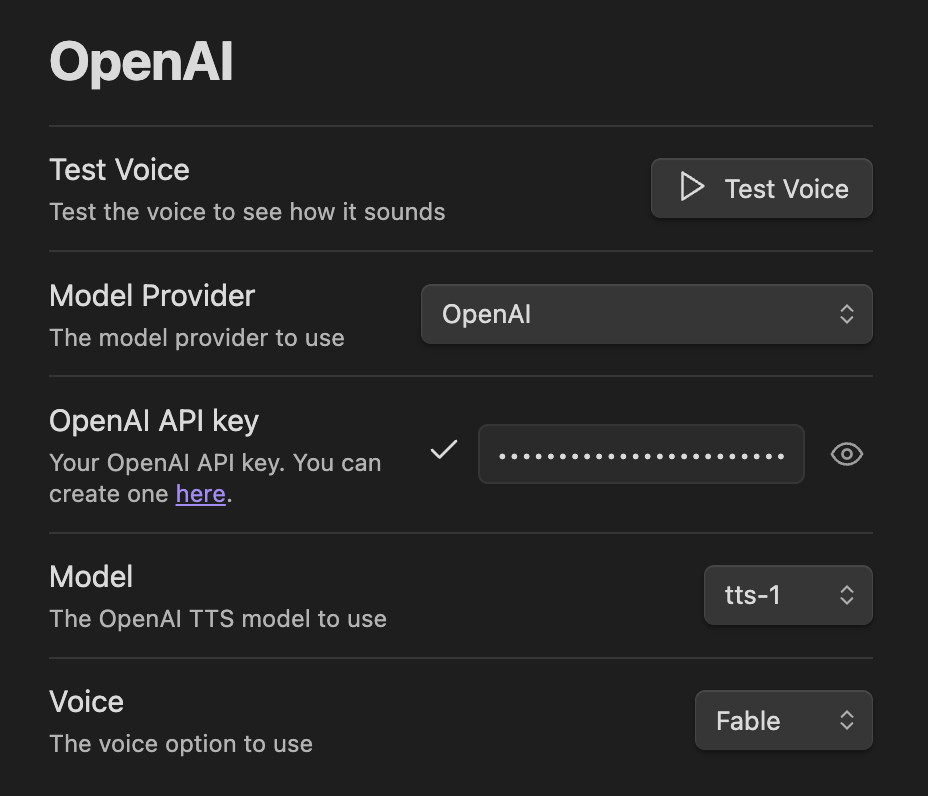
Settings View

Supported TTS Models:

  • OpenAI: (e.g., tts-1, tts-1-hd, gpt-4o-mini). OpenAI charges Audio at $0.015 per 1,000 characters.
  • Google Gemini: (Gemini 2.5 series)
  • Hume AI: (Hume voices with customization)
  • ElevenLabs: (Model selection, voice selection, stability/similarity options)
  • Fish Audio: (S2 Pro/S1 models with custom voice model IDs)
  • Azure Speech Services: (Region, voice and output format selection)
  • MiniMax: (speech-2.6-hd, speech-2.6-turbo, speech-02-hd, speech-02-turbo, speech-01-hd, speech-01-turbo)
  • AWS Polly: (Region, voice, neural/standard engine, output format)

You can also configure a custom API endpoint if you have an OpenAI compatible API server that has an /v1/audio/speech endpoint. For example openedai-speech.

Features:

Visual Feedback: Active sentence is highlighted and updated as playback progresses.

Listen immediately: Audio is streamed sentence-by-sentence. Jump back and forth by skipping by sentence.

Variable Speeds: On device playback rate adjustor for improved audio quality.

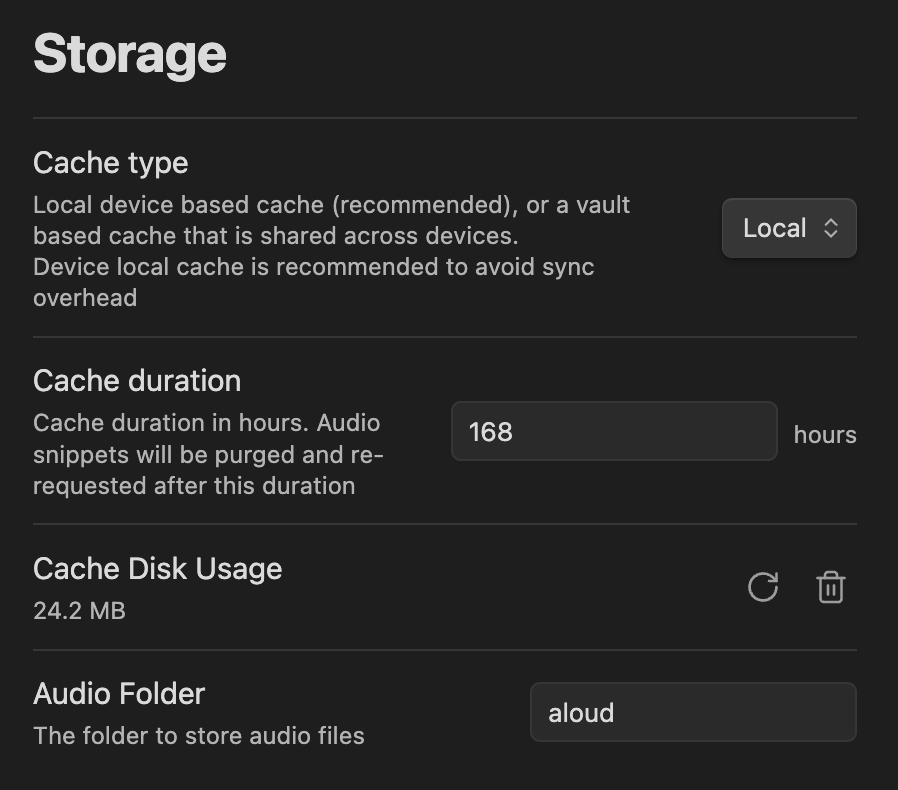
Caching: Audio is cached in your vault to reduce costs, and automatically removed. Cache duration is configurable. Audio may be cached device local or in a vault directory.
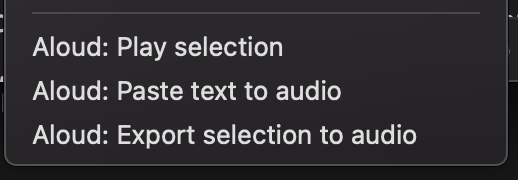
Export and Embed Audio: Quickly export to audio files: export audio files from selection, or embed audio by pasting text from your clipboard.
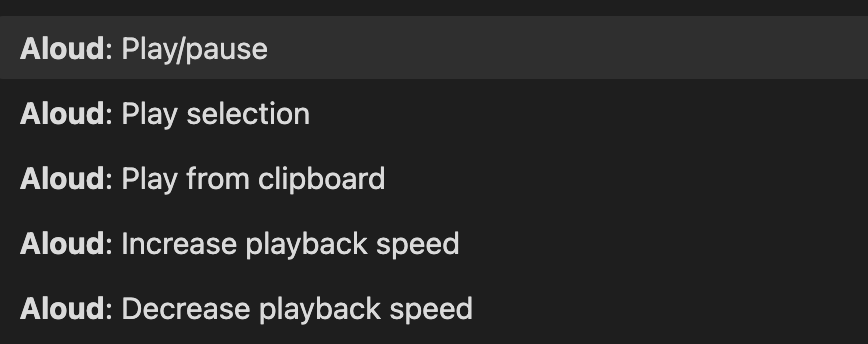
Play text from anywhere: Lots of commands. Play text to speech directly from your clipboard.
OS Integration: Integrates with your mobile phone to play while locked. Pause/Play with OS controls on desktop.

Alternate TTS Models

You can also run alternate models if you have an OpenAI‑compatible API server that exposes /v1/audio/speech (for example, openedai-speech). Configure the URL and API key in the plugin settings under “OpenAI Compatible (Advanced)”.

Support

If you find this plugin useful, you can support development on Ko-fi. Donations help cover API keys for testing provider integrations.

73%
HealthExcellent
ReviewCaution
About
Highlight and play text from notes using lifelike voices from OpenAI, Google Gemini, ElevenLabs, Azure, AWS Polly, Hume, MiniMax or a custom OpenAI-compatible endpoint. Stream audio sentence-by-sentence with active-sentence highlighting, adjustable speed, local caching to reduce cost, quick export/embed, clipboard playback and OS media control support.
AIAttachmentsExport
Details
Payments
Optional
Current version
0.15.1
Last updated
3 weeks ago
Created
2 years ago
Updates
54 releases
Downloads
15k
Compatible with
Obsidian 0.15.0+
Platforms
Desktop, Mobile
License
MIT
Report bugRequest featureReport plugin
Sponsor
Ko-fi
Author
adrianlyjakadrianlyjak
github.com/adrianlyjak
GitHubadrianlyjak
  1. Community
  2. Plugins
  3. AI
  4. Aloud

Related plugins

Local GPT

Local Ollama and OpenAI-like GPT's assistance for maximum privacy and offline access.

Whisper

Speech-to-text using OpenAI Whisper.

Nexus AI Chat Importer

Import AI chat conversations from ChatGPT, Claude, and Le Chat exports into Obsidian as clean, readable Markdown files.

Copilot

Your AI Copilot: Chat with Your Second Brain, Learn Faster, Work Smarter.

Claudian

Embeds Claude Code/Codex as an AI collaborator in your vault. Your vault becomes agent's working directory, giving it full agentic capabilities: file read/write, search, bash commands, and multi-step workflows.

Smart Connections

AI link discovery copilot. See related notes as you write. Lookup using semantic (vector) search across your vault. Zero-setup local model for embeddings, no API keys, private.

Agent Client

Chat with Claude Code, Codex, Gemini CLI, and more via the Agent Client Protocol — right from your vault.

Text Generator

Generate text content using GPT-3 (OpenAI).

Smart Composer

AI chat with note context, smart writing assistance, and one-click edits for your vault.

Image Context Menus

Image context menus (mostly on right click): Copy to clipboard, Open in default app, Show in system explorer, Reveal file in navigation, Open in new tab.