Search...Search plugins and themes...
⌘K
Sign in
  • Get started
  • Download
  • Pricing
  • Enterprise
  • Account
  • Obsidian
  • Overview
  • Sync
  • Publish
  • Canvas
  • Mobile
  • Web Clipper
  • CLI
  • Learn
  • Help
  • Developers
  • Changelog
  • About
  • Roadmap
  • Blog
  • Resources
  • System status
  • License overview
  • Terms of service
  • Privacy policy
  • Security
  • Community
  • Plugins
  • Themes
  • Discord
  • Forum / 中文论坛
  • Merch store
  • Brand guidelines
Follow us
DiscordTwitterBlueskyThreadsMastodonYouTubeGitHub
© 2026 Obsidian

AI Chat Sidebar

Stv LStv L286 downloads

AI chat sidebar for Obsidian with Claude Max OAuth, Anthropic API key, and ChatGPT Plus/Codex support.

Add to Obsidian
  • Overview
  • Scorecard
  • Updates6

AI Chat Sidebar is a desktop-only Obsidian plugin that adds an AI chat sidebar with Claude Max OAuth support, an Anthropic API key fallback, and optional ChatGPT Plus/Codex support.

Demo
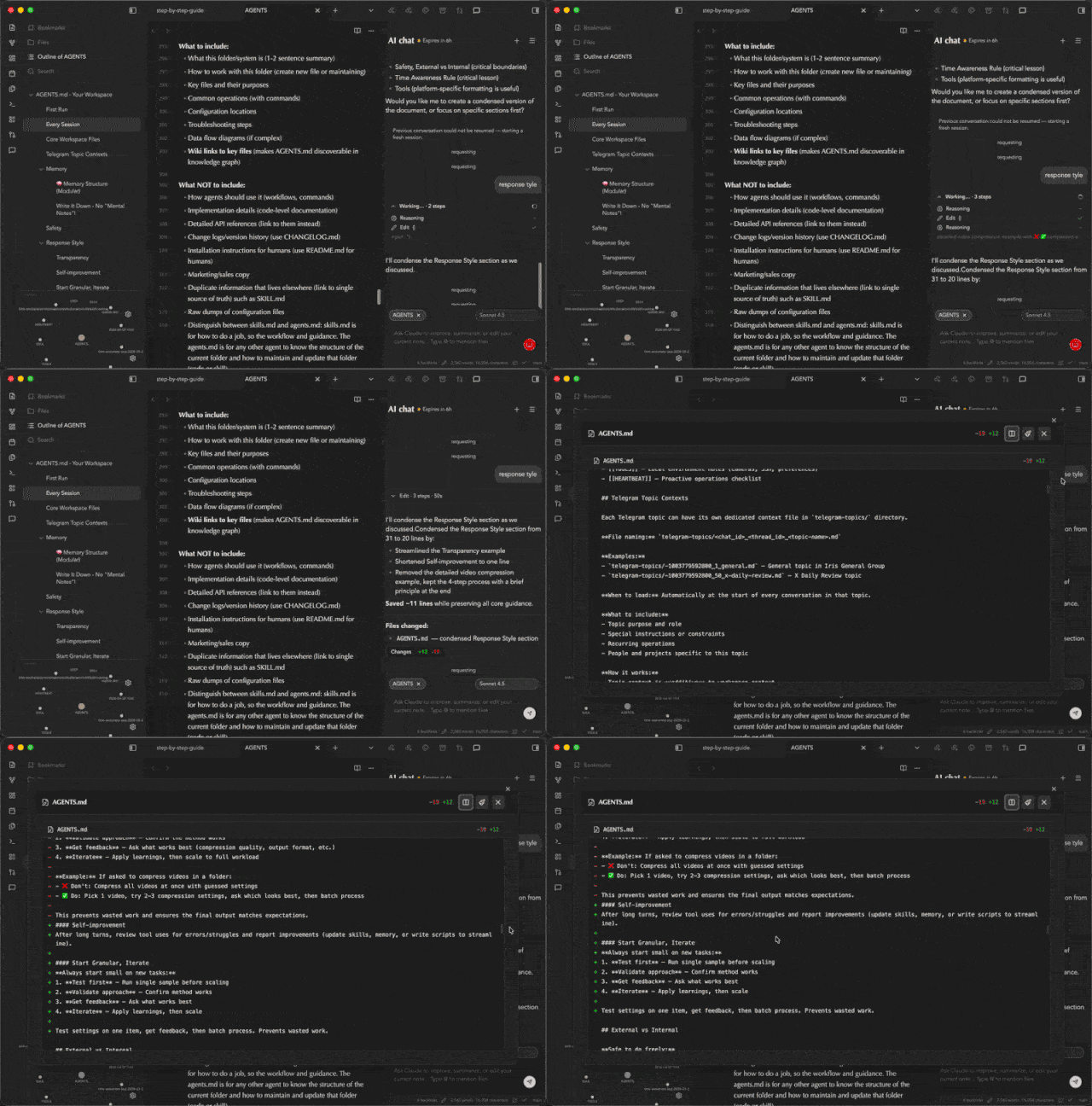
AI Chat Sidebar demo

Features

  • AI chat sidebar inside Obsidian
  • Claude Max OAuth sign-in
  • Anthropic API key fallback
  • ChatGPT Plus/Codex OAuth sign-in
  • Streaming responses
  • Active note context and file mentions
  • Multi-file diff review UI

Support

For support, updates, and product notes, visit theindie.app. You can also email [email protected].

Disclosures

  • Account requirements: Claude Max, an Anthropic API key, or ChatGPT Plus/OpenAI access is required depending on the selected provider.
  • Network use: prompts, active note context, selected text, file mentions, and generated responses may be sent to Anthropic/Claude or OpenAI services depending on the selected provider.
  • Local token storage: API keys, OAuth tokens, refresh tokens, selected models, and chat session identifiers are stored in this vault's Obsidian plugin data.
  • File access: by default, the plugin can include the active markdown note in chat context. File mentions can reference additional vault files.
  • Agent edits: when asked to edit notes, the bridge may let the selected AI agent modify files in the vault. Review generated diffs before relying on changes.
  • Runtime files: bridge scripts are bundled into main.js and written under the installed plugin folder so the marketplace package can stay limited to Obsidian's standard release files.
  • Telemetry and ads: this plugin does not collect client-side telemetry and does not display ads.

Development

npm install
npm run dev

Production build:

npm run build

The Marketplace release artifact is the bundled Obsidian plugin surface:

  • main.js
  • manifest.json
  • styles.css

The Claude and Pi bridges, plus the Claude SDK CLI runtime, are bundled into main.js and materialized at runtime under the installed plugin folder. Do not attach files from scripts/ as Marketplace release assets.

Do not commit local plugin state files such as .env, data.json, or generated logs.

HealthExcellent
ReviewCaution
About
Add a desktop-only AI chat sidebar with Claude Max OAuth, Anthropic API key fallback, and optional ChatGPT Plus/Codex support. Stream responses, include active note context and file mentions, run multi-file diff reviews, and let agents propose edits (review diffs before applying).
AISidebarEditing
Details
Current version
1.0.5
Last updated
2 months ago
Created
2 months ago
Updates
6 releases
Downloads
286
Compatible with
Obsidian 1.4.5+
Platforms
Desktop only
License
0BSD
Report bugRequest featureReport plugin
Author
Stv LStv Ltektrg
GitHubtektrg
  1. Community
  2. Plugins
  3. AI
  4. AI Chat Sidebar

Related plugins

HiNote

Add comments to highlighted notes, use AI for thinking, and flashcards for memory.

Gemini Scribe

Allows you to interact with Gemini and use your notes as context.

Claude Sidebar

Run Claude Code in your sidebar.

Notebook Navigator

A better file browser and calendar inspired by Apple Notes, Bear, Evernote and Day One.

Advanced Tables

Improved table navigation, formatting, and manipulation.

Claudian

Embeds Claude Code/Codex and other local Agents as AI collaborators in your vault.

Meta Bind

Make your notes interactive with inline input fields, metadata displays, and buttons.

Copilot

Your AI Copilot: Chat with Your Second Brain, Learn Faster, Work Smarter.

Fast Note Sync

Real-time sync of your vaults across server, mobile, and web; shareable with anyone; supports REST and MCP integrations to build your personal AI knowledge base.

Vertical Tabs

Offer an alternative view that displays open tabs vertically, allowing users to group and organize tabs for a better navigation experience.