AI Article
 jiang871 downloads
Extract article style from notes and generate articles for your workspace.
- Overview
- Scorecard
- Updates1
An Obsidian plugin for content creators to extract article writing style from reference notes and generate new articles in the same style.
Who It's For
- Newsletter and public account writers
- Xiaohongshu, Zhihu, and blog creators
- Editors and content operators
- Anyone who needs to distill article style and rewrite with consistency
Core Features
- Single-note style distillation
- Multi-note style distillation
- Style-based article generation
- Distilled style saved to
文章风格库 - Generated output saved to
生成稿
Folder Conventions
文章素材: reference notes to analyze文章风格库: distilled style files生成稿: generated article output
Install and Enable
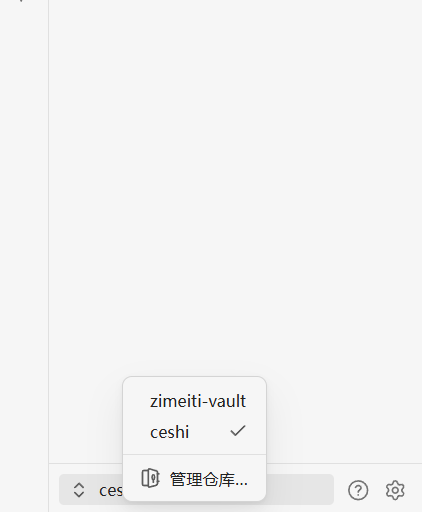
Step 1: Open Obsidian and add a Vault from the lower-left corner
Select the full Vault folder you received.
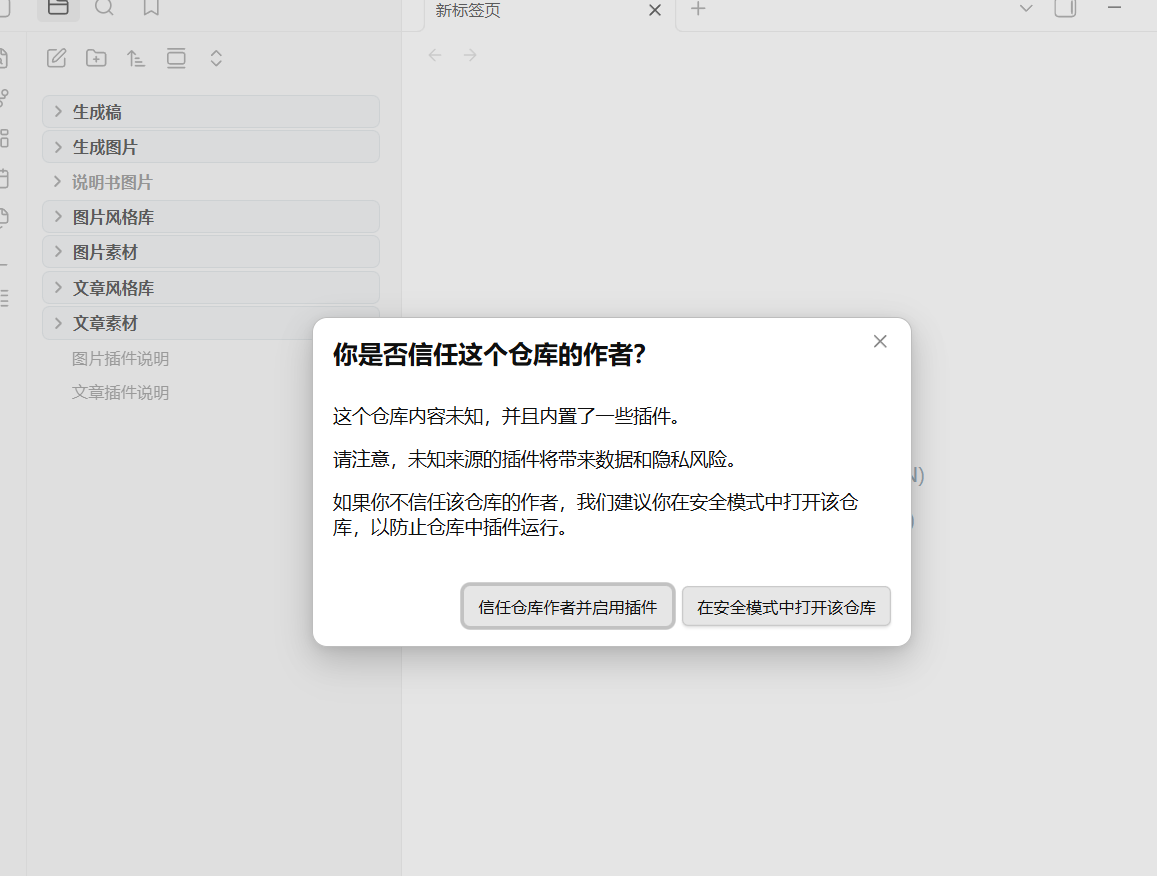
Step 2: Click "Trust Author"
If the Vault includes plugins and settings, Obsidian will show a security prompt. Click "Trust Author" to continue.
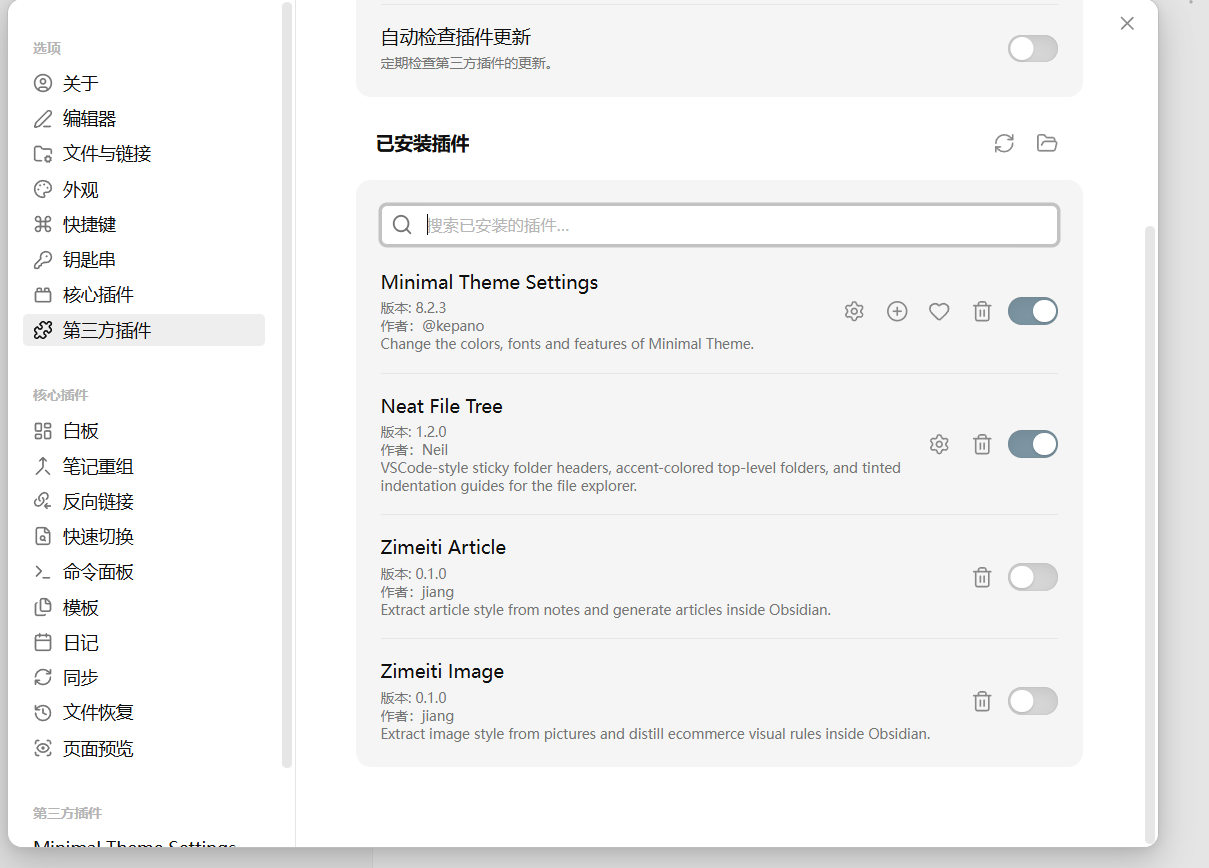
Step 3: Enable the plugin in Community Plugins
Find the article plugin in the Community Plugins list and turn it on.
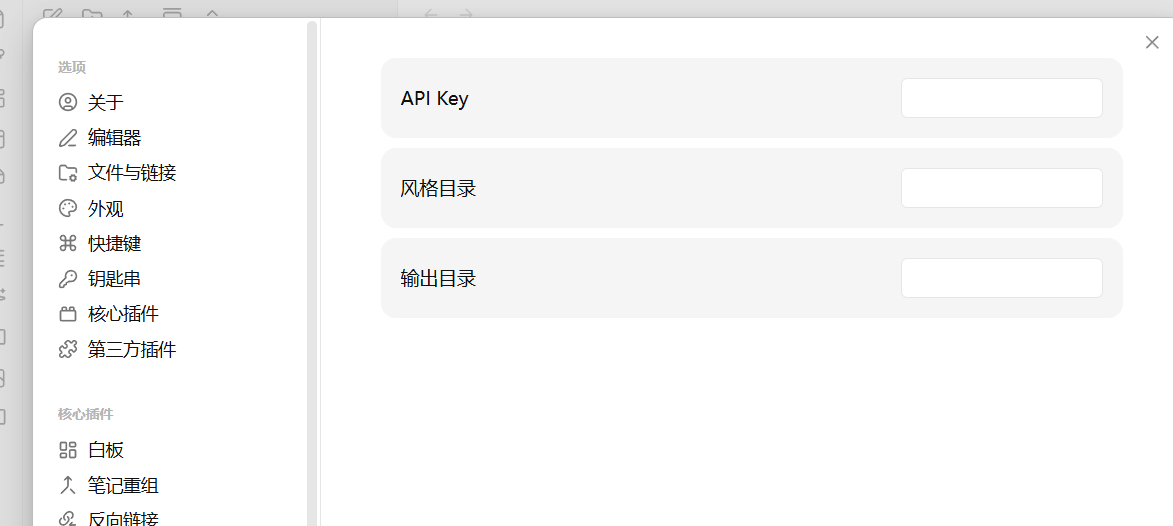
Step 4: Open plugin settings and enter your API Key
Go to the plugin settings page, fill in the API Key field, and save.
Step 5: Open the usage guide
After enabling the plugin, open the article plugin documentation inside the Vault for the full workflow.
Usage
- Enter your API Key in plugin settings.
- Open one or more notes.
- Run
文章风格蒸馏from the note menu. - Enter a style name.
- For writing, right-click a folder and choose
生成文章. - Fill in the title, requirements, and whether to use an existing style.
- The result will be saved to
生成稿.
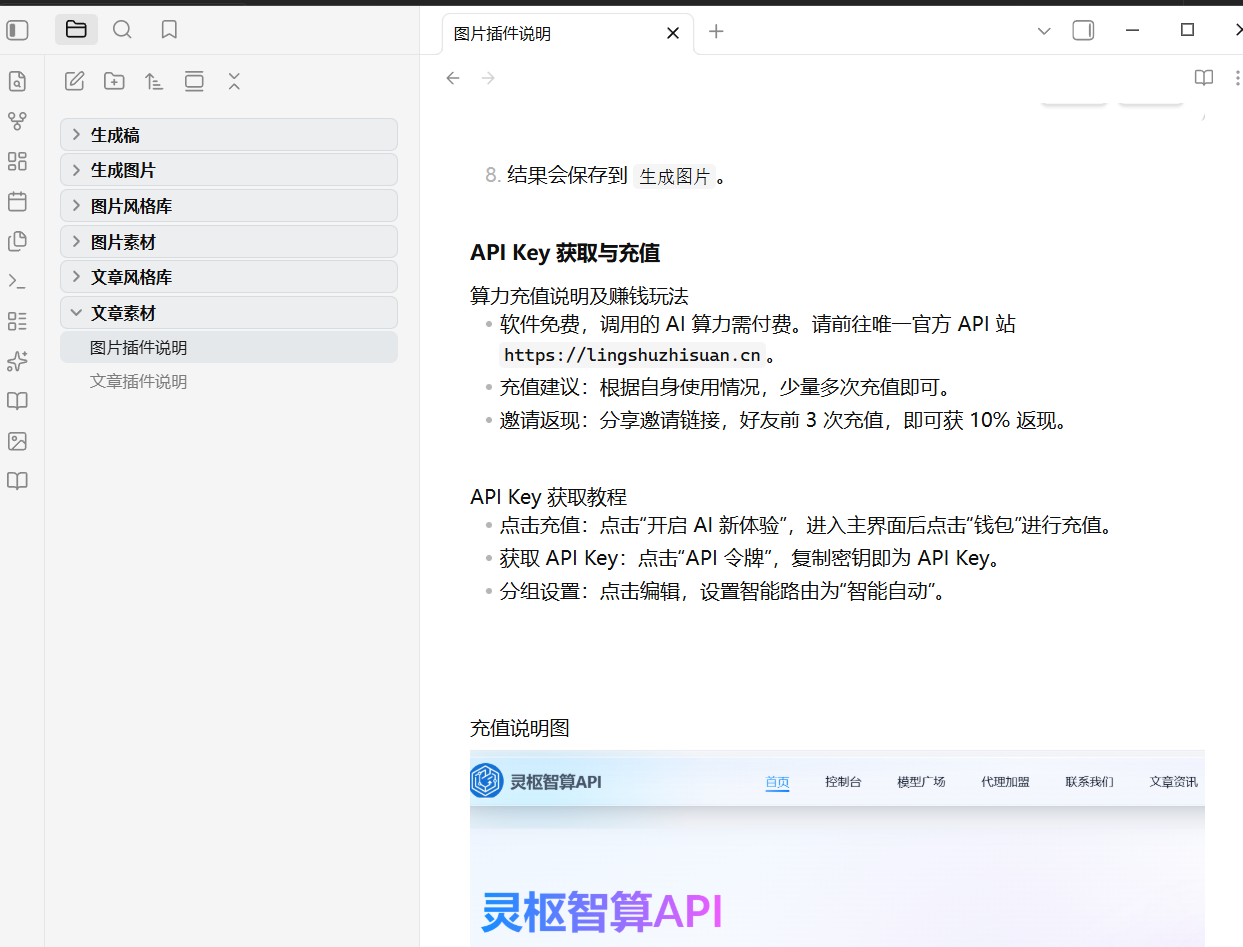
API Key and Recharge
- Visit
https://lingshuzhisuan.cn - Recharge your account and obtain an API Key there
- Paste the API Key into the plugin settings
Release Assets
When publishing a GitHub Release, upload these files:
main.jsmanifest.jsonstyles.css
HealthExcellent
ReviewSatisfactory
About
Extract article writing styles from single or multiple reference notes and save them to a style library. Generate new articles in a chosen style and save outputs to a generated-drafts folder for consistent, style-matched content.Details
Current version
1.0.0
Last updated
2 months ago
Created
2 months ago
Updates
1 release
Downloads
871
Compatible with
Obsidian 1.5.0+
Platforms
Desktop, Mobile
License
MIT
Author