Search...Search plugins and themes...
⌘K
Sign in
  • Get started
  • Download
  • Pricing
  • Enterprise
  • Account
  • Obsidian
  • Overview
  • Sync
  • Publish
  • Canvas
  • Mobile
  • Web Clipper
  • CLI
  • Learn
  • Help
  • Developers
  • Changelog
  • About
  • Roadmap
  • Blog
  • Resources
  • System status
  • License overview
  • Terms of service
  • Privacy policy
  • Security
  • Community
  • Plugins
  • Themes
  • Discord
  • Forum / 中文论坛
  • Merch store
  • Brand guidelines
Follow us
DiscordTwitterBlueskyThreadsMastodonYouTubeGitHub
© 2026 Obsidian

Zimeiti Article

jiangjiang1 downloads

Extract article style from notes and generate articles inside Obsidian.

  • Overview
  • Scorecard
  • Updates2

面向内容创作者的 Obsidian 插件,用于蒸馏对标文章风格,并基于风格生成新文章。

适用人群

  • 公众号作者
  • 小红书 / 知乎 / 博客内容创作者
  • 新媒体编辑
  • 需要批量提取文章风格并仿写的人

核心能力

  • 单篇文章风格蒸馏
  • 多篇文章风格蒸馏
  • 基于风格生成文章
  • 风格结果保存到 文章风格库
  • 生成结果保存到 生成稿

目录约定

  • 文章素材:放待分析的参考文章
  • 文章风格库:保存蒸馏后的风格文件
  • 生成稿:保存生成结果

安装与启用

第一步:打开 Obsidian 后,点击左下角添加 Vault

选择你收到的完整 Vault 文件夹。
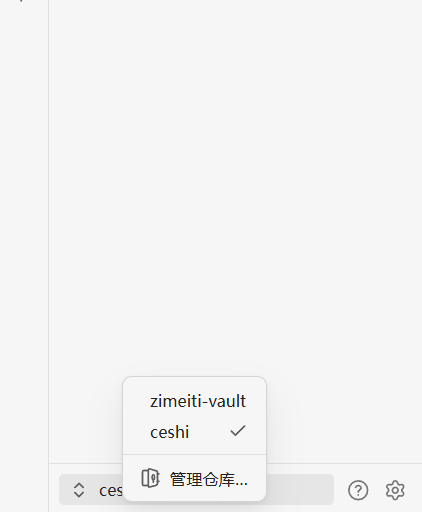
第一步-添加Vault

第二步:点击“信任作者”

如果 Vault 内包含插件和配置,Obsidian 会弹出安全提示。这里需要点击“信任作者”。
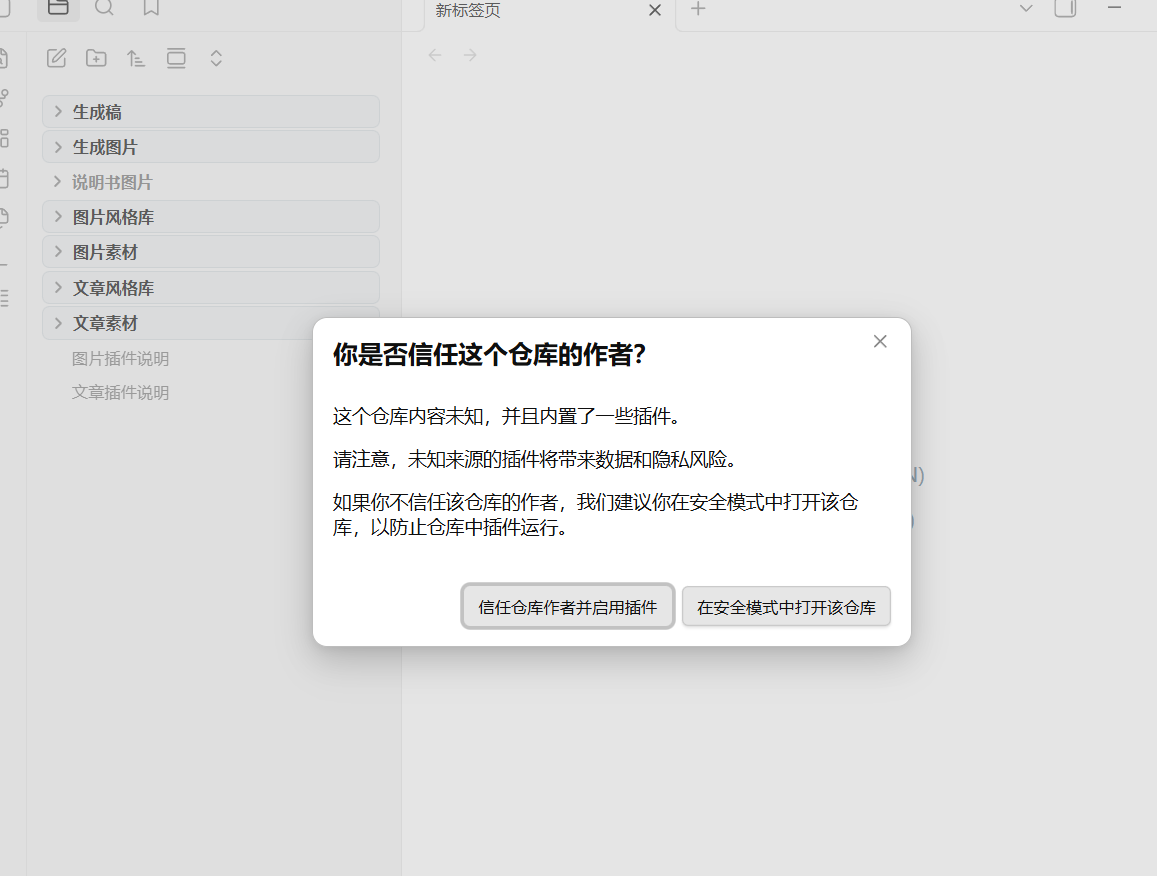
第二步-点击信任

第三步:点击插件右侧按钮,开启插件

在社区插件列表中找到文章插件,点击右侧开关启用。
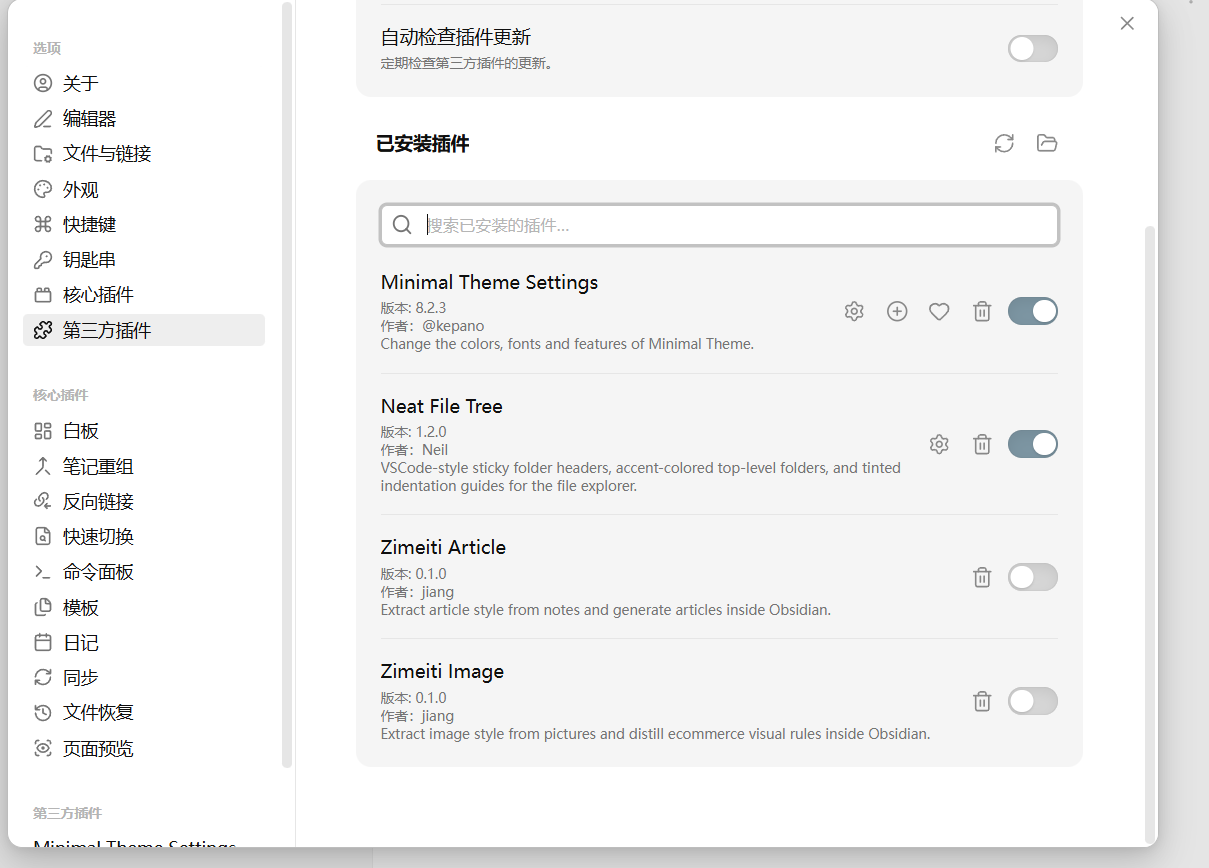
第三步-开启插件

第四步:点击插件设置,输入 API Key

进入插件设置页,在 API Key 输入框中填入你的 Key 并保存。
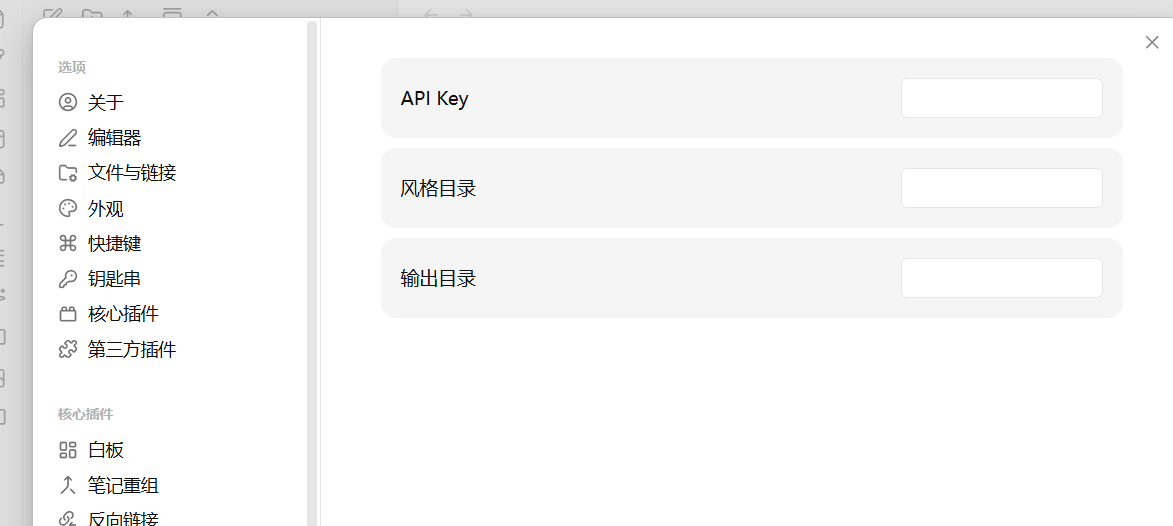
第四步-输入APIKey

第五步:查看插件使用说明

启用成功后,可以打开 Vault 内的文章插件说明文档查看完整流程。
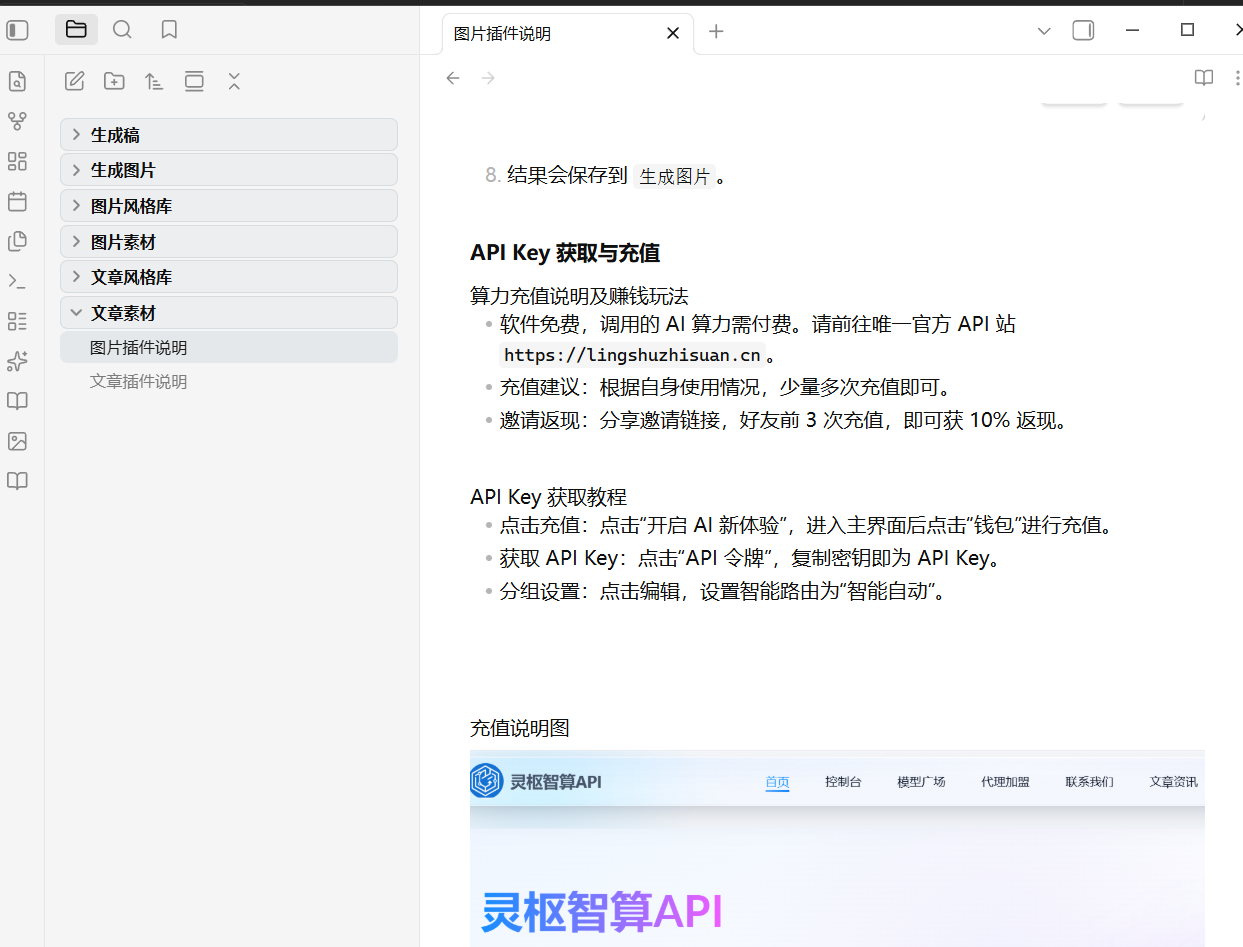
第五步-查看使用说明

使用方式

  1. 在插件设置中填写 API Key。
  2. 打开一篇或多篇文章。
  3. 右键执行 文章风格蒸馏。
  4. 输入风格名称。
  5. 需要写作时,在文件夹上右键选择 生成文章。
  6. 填写标题、需求,选择是否使用已有风格。
  7. 结果会保存到 生成稿。

API Key 获取与充值

  • 请前往 API 站点 https://lingshuzhisuan.cn
  • 完成充值后,在站点内获取 API Key
  • 将 API Key 填入插件设置页即可使用

Release 附件

发布版本时请在 GitHub Release 中上传以下文件:

  • main.js
  • manifest.json
  • styles.css
HealthExcellent
ReviewRisks
About
Distill writing styles from single or multiple reference articles and save distilled profiles to a style library. Generate new articles that mimic chosen styles and save outputs to the generated drafts folder for quick editing and reuse.
AIWritingFolders
Details
Current version
0.1.0
Last updated
4 weeks ago
Created
4 weeks ago
Updates
2 releases
Downloads
1
Compatible with
Obsidian 1.5.0+
Platforms
Desktop, Mobile
License
MIT
Report bugRequest featureReport plugin
Author
jiangjiangjiang
GitHubjavajiang
  1. Community
  2. Plugins
  3. AI
  4. Zimeiti Article

Related plugins

Text Generator

Generate text content using GPT-3 (OpenAI).

Smart Composer

AI chat with note context, smart writing assistance, and one-click edits for your vault.

Local GPT

Local Ollama and OpenAI-like GPT's assistance for maximum privacy and offline access.

ChatGPT MD

A seamless integration of ChatGPT, OpenRouter.ai and local LLMs via Ollama into your notes.

BMO Chatbot

Generate and brainstorm ideas while creating your notes using Large Language Models (LLMs) such as OpenAI's "gpt-3.5-turbo" and "gpt-4".

GPT-3 Notes

Generate notes on any subject using OpenAI's GPT-3.5 and GPT-4 language models.

Claudian

Embeds Claude Code/Codex and other local Agents as AI collaborators in your vault.

Copilot

Your AI Copilot: Chat with Your Second Brain, Learn Faster, Work Smarter.

Fast Note Sync

Real-time sync of your vaults across server, mobile, and web; shareable with anyone; supports REST and MCP integrations to build your personal AI knowledge base.

Longform

Helps you write and edit novels, screenplays, and other long projects.