Search...Search plugins and themes...
⌘K
Sign in
  • Get started
  • Download
  • Pricing
  • Enterprise
  • Account
  • Obsidian
  • Overview
  • Sync
  • Publish
  • Canvas
  • Mobile
  • Web Clipper
  • CLI
  • Learn
  • Help
  • Developers
  • Changelog
  • About
  • Roadmap
  • Blog
  • Resources
  • System status
  • License overview
  • Terms of service
  • Privacy policy
  • Security
  • Community
  • Plugins
  • Join the community
  • Discord
  • Forum / 中文论坛
  • Merch store
  • Brand guidelines
Follow us
DiscordTwitterBlueskyThreadsMastodonYouTubeGitHub
© 2026 Obsidian

Zhongwen Block

0918nobita0918nobita4k downloads

Code blocks with features for Chinese learners.

Add to Obsidian
  • Overview
  • Scorecard
  • Updates18

An Obsidian plugin which provides code blocks with features for Chinese learners

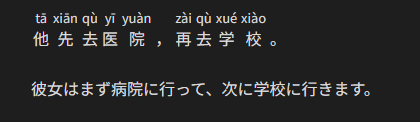
Each Chinese sentence in zh-cn code block will be annotated with corresponding pinyin as ruby.

Each Chinese sentence in zh-hk code block will be annotated with corresponding jyutping as ruby.

In order to help you remember the pronunciation, each pinyin/jyutping is displayed only while the Chinese sentence is hovered.
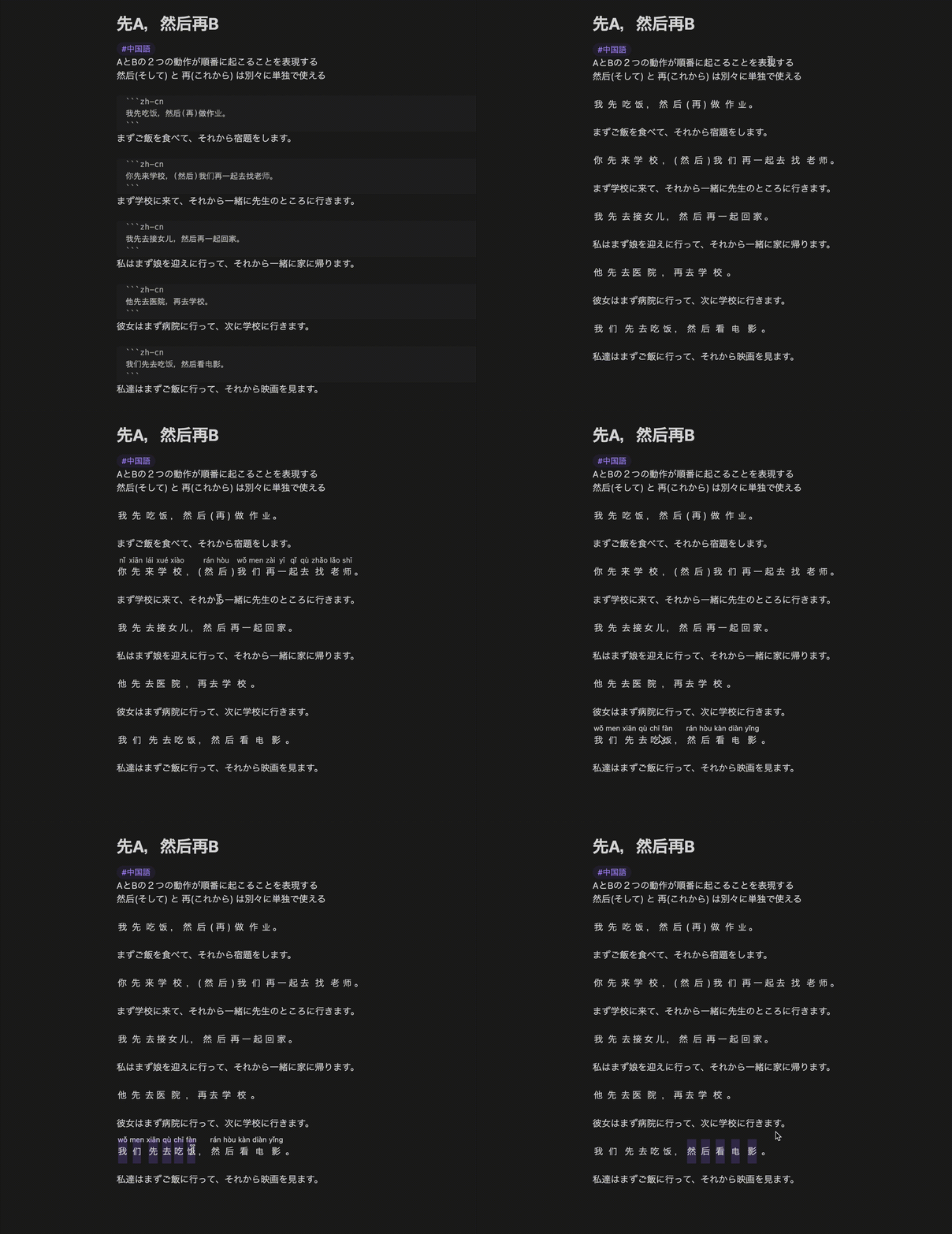
Screen recording

Editing view:

```zh-cn
他先去医院,再去学校。
```

彼女はまず病院に行って、次に学校に行きます。

Reading view:

(Default)
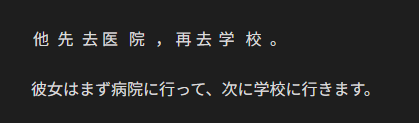
Reading view (default)

(On hover)

Reading view (on hover)

Settings

Language

Default: English

This plugin supports English and Japanese.

Always show pinyin

Default: false

When true, each pinyin will be displayed from the beginning.
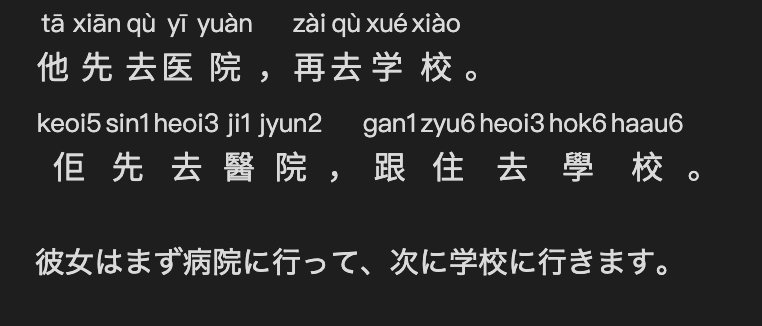
Reading view (Always show)

Attribution

  • Zhongwen Block depends on pinyin-pro in order to convert Chinese into pinyin.
  • Zhongwen Block depends on to-jyutping in order to convert Chinese into jyutping.
FOSSA Status

Development

Install Node.js & pnpm

$ mise install

Install dependencies

$ pnpm install

Build

$ pnpm run build

Lint/format check

$ pnpm run check

Test

$ pnpm run test
87%
HealthGood
ReviewSatisfactory
About
Annotate Chinese code blocks with pinyin (zh-cn) or jyutping (zh-hk) as ruby text that appears on hover. Enable an option to always show pronunciations and select English or Japanese UI.
AnnotationLanguagesMarkdown
Details
Current version
0.8.0
Last updated
10 months ago
Created
3 years ago
Updates
18 releases
Downloads
4k
Compatible with
Obsidian 0.15.0+
License
MIT
Report bugRequest featureReport plugin
Sponsor
GitHub Sponsors
Author
0918nobita0918nobita
github.com/0918nobita
GitHub0918nobita
  1. Community
  2. Plugins
  3. Annotation
  4. Zhongwen Block

Related plugins

Importer

Import data from Notion, Evernote, Apple Notes, Microsoft OneNote, Google Keep, Bear, Roam, and HTML files.

Outliner

Work with your lists like in Workflowy or Roam Research.

Various Complements

Complete words similar to auto-completion in an IDE.

Linter

Format and style your notes. Linter can be used to format YAML tags, aliases, arrays, and metadata; footnotes; headings; spacing; math blocks; regular Markdown contents like list, italics, and bold styles; and more with the use of custom rule options.

Fantasy Statblocks

Create, manage and view a Fantasy Bestiary with Dungeons and Dragons style statblocks.

Admonition

Admonition block-styled content.

Custom Frames

Turn web apps into panes using iframes with custom styling. Also comes with presets for Google Keep, Todoist and more.

Auto Link Title

Automatically fetches the titles of links from the web.

Kindle Highlights

Sync your Kindle book highlights using your Amazon login or uploading your My Clippings file.

Automatic Table Of Contents

Create a table of contents in a note that updates itself when the note changes.