Zadachi
 bu4ak7 downloads
Create task lists in Markdown notes, set priorities, and archive completed tasks.
- Overview
- Scorecard
- Updates4
Task lists that live in your Obsidian notes.
English · Русский
Create a task list in any folder, give it a name, and start adding tasks. Each list is a Markdown note you can move or rename.
Mark a task Urgent, Important, both, or neither. Zadachi sorts tasks into the four groups of the Eisenhower matrix, a method popularized by Stephen Covey.
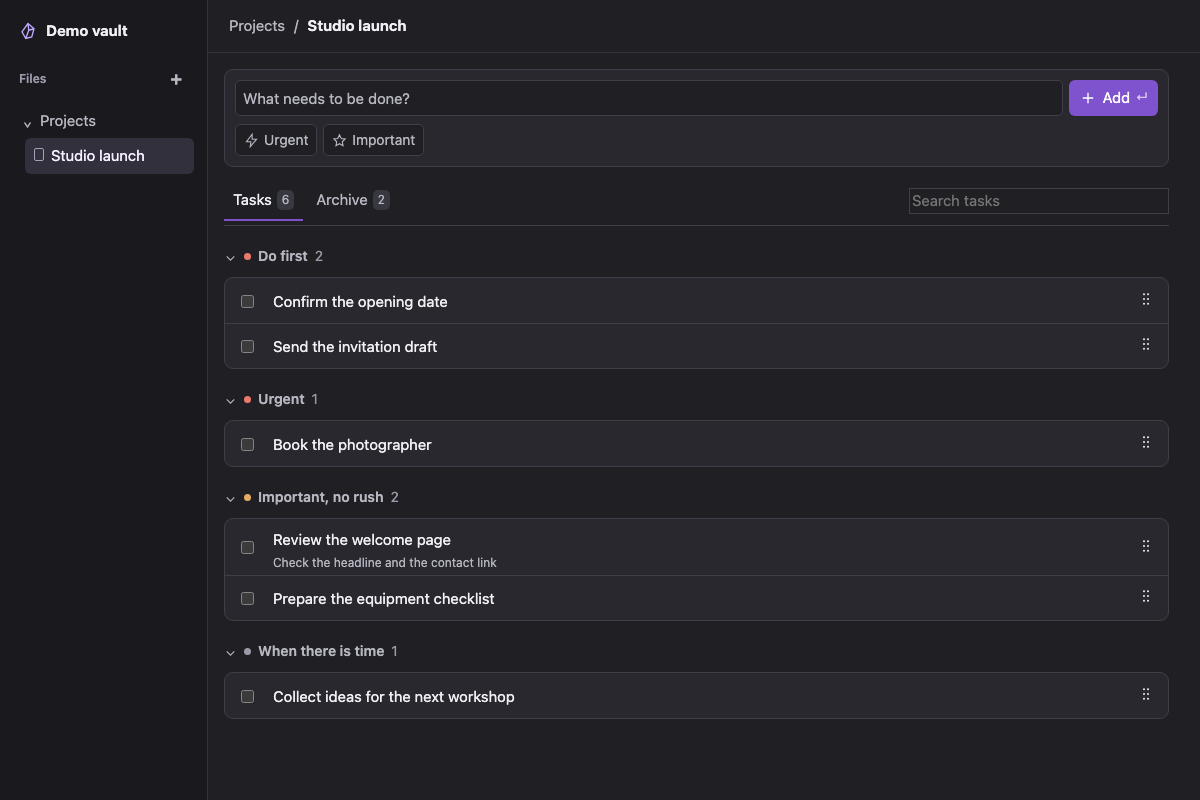
Screenshots and demos use sample tasks in a browser preview.
Install
- Download
main.js,manifest.json, andstyles.cssfrom the latest release. - Put the three files in
<your vault>/.obsidian/plugins/zadachi/. Create the folder if needed. - Restart Obsidian and enable Zadachi in Settings → Community plugins.
Requires Obsidian 1.8.7 or later. Tested on macOS and in an Android 11 emulator with Obsidian 1.8.7. iOS has not been tested.
Create your first list
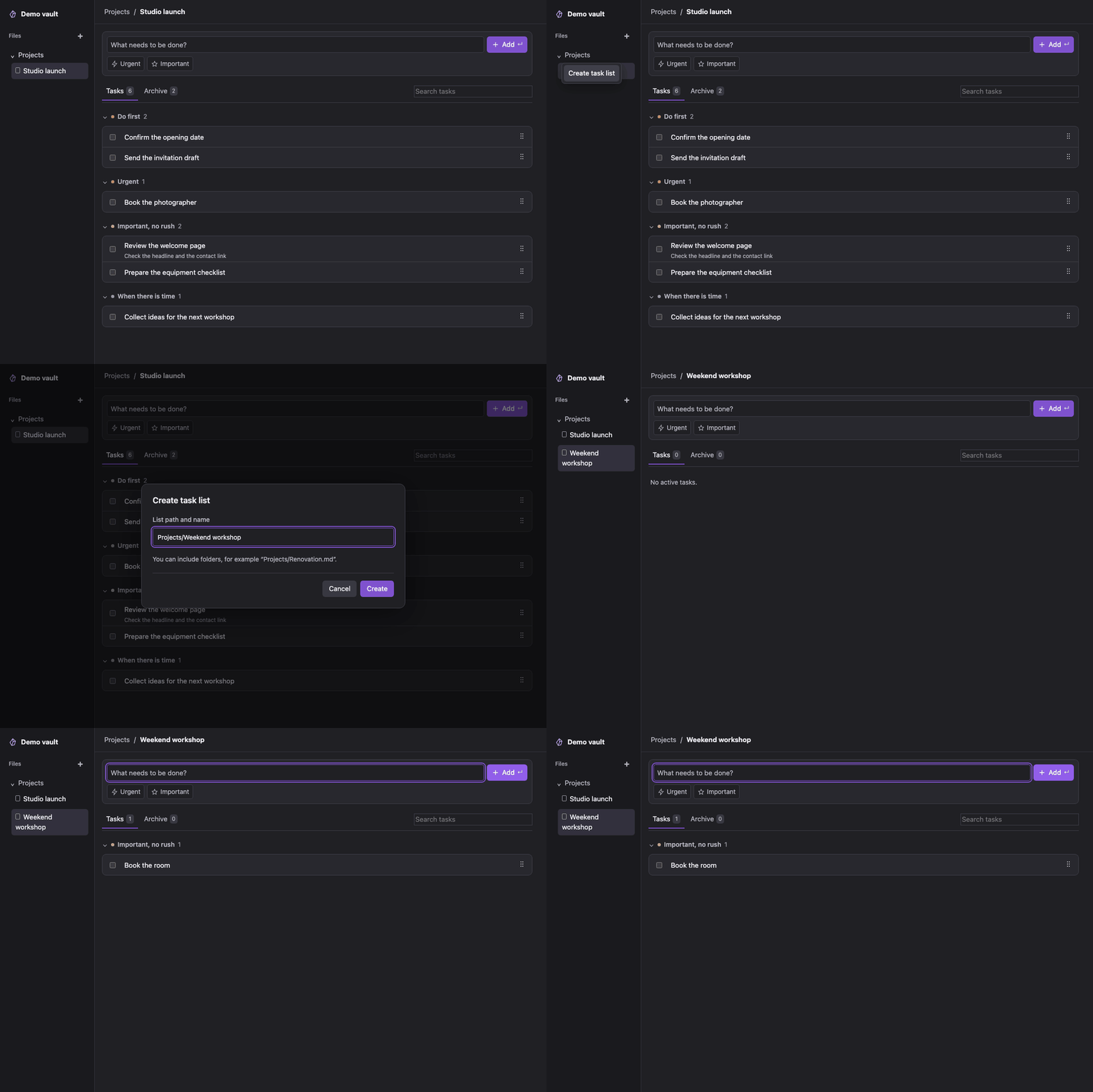
- Right-click a folder in the file explorer and choose Create task list. You can also run Zadachi: Create task list from the command palette.
- Enter a name, such as Studio launch. Zadachi creates a Markdown note in that folder and opens the task view.
- Type a task and press Enter or choose Add. Use Urgent and Important to place it in a priority group.
Reorder tasks
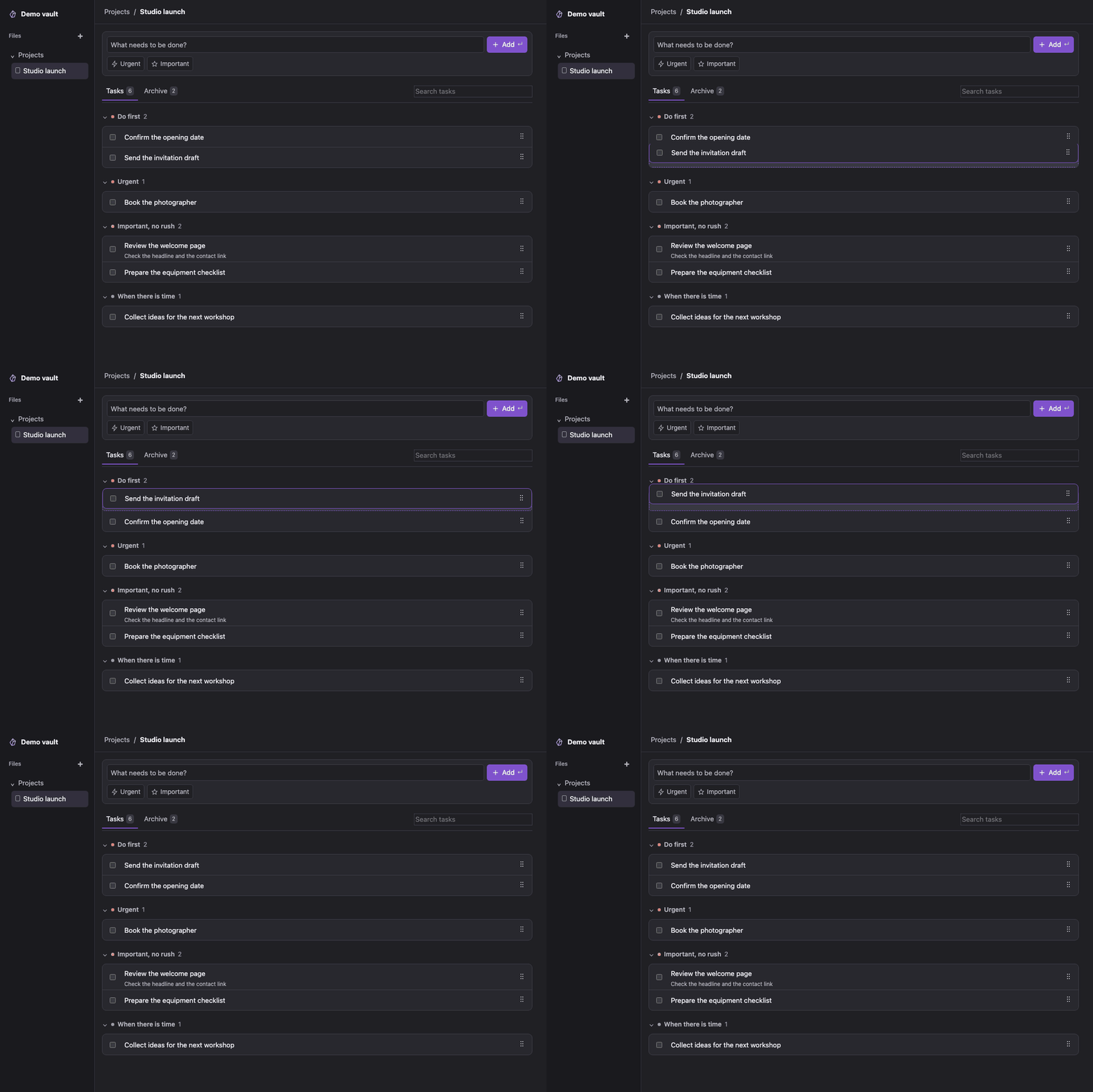
Drag a task by the six-dot handle within its priority group. The gap shows where the task will land. With the handle focused, use Alt + ↑ or Alt + ↓ to move it. To change its group, click the task title and edit its priority.
Complete and find tasks
- Click a task title to edit its name, priority, or optional note.
- Tick a task to move it to Archive. Untick it there to return it to Tasks.
- Delete one archived task or clear the archive after confirmation. Undo is available for seven seconds.
- Search by title or note in the current tab. Click a priority group's heading to collapse or expand it.
Where tasks are stored
Each list is a separate .md note. Obsidian's file explorer can move or rename it. To see its source, choose Open as Markdown from the tab menu. Preserve the generated markers when editing the source.
When no task list is open, the Zadachi ribbon button opens the default list. Change its location in Settings → Zadachi. You can also choose English, Russian, or the Obsidian interface language there.
Zadachi reads and writes inside your vault. It has no telemetry, account requirement, or automatic network requests.
Build from source
With Node.js 24:
npm ci
npm test
npm run build
The build writes main.js to the repository root. See release instructions for packaging.
Report bugs in GitHub Issues. Include the Obsidian version, platform, and steps to reproduce. Use sample tasks instead of sharing your vault.