YouTube Study Hub
 chilipeppers25 downloads
Turn YouTube videos and playlists into structured study courses and chapter-based notes with clickable timestamps and progress tracking.
- Overview
- Scorecard
- Updates3
⭐ If YouTube Study Hub helps you learn faster, a star on GitHub helps other learners find it. Found a bug or have an idea? Open an issue.
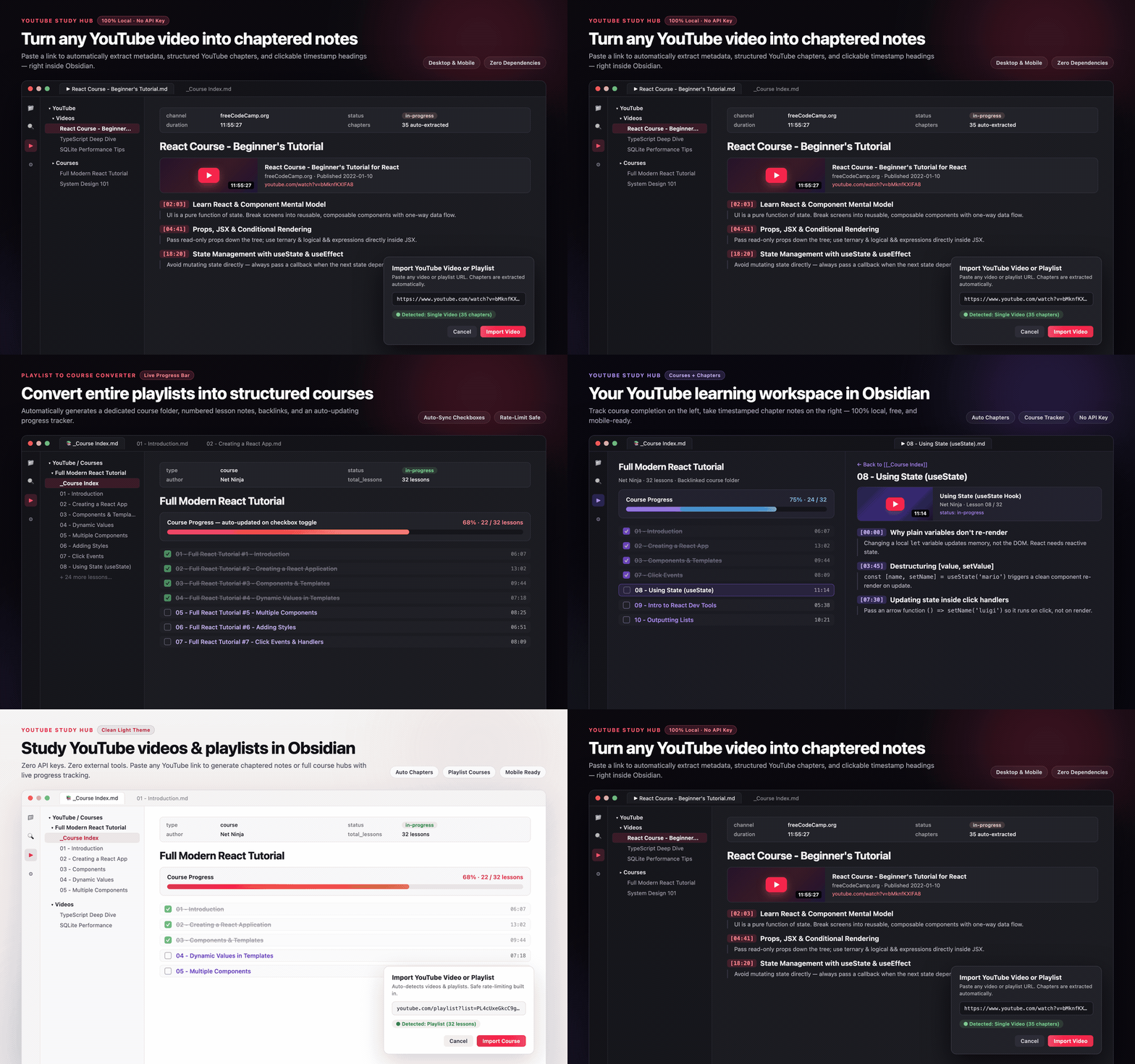
Turn YouTube videos and playlists into structured study courses and chapter-based notes inside Obsidian — 100% local, free, and with zero API keys.
Features
- Single video import with auto-chapters: paste any
youtube.com/watch?v=…,youtu.be/…, orshorts/…link to create a clean note with YAML metadata, optional video embed, and clickable chapter headings (## [04:15] Chapter Name) jumping straight to that timestamp. - Smart chapter fallback: reads structured YouTube chapter markers first, falls back to parsing timestamps from the video description, and creates a clean
## Notessection if a video has no chapters. - Playlist to course converter: paste any public or unlisted playlist URL to generate a dedicated course folder with:
- numbered lesson notes (
01 - Lesson Title.md,02 - …) linking back to the course index; _Course Index.mdwith a live progress bar (<progress>) and lesson checklist that updates automatically when you tick off lessons;- rate-limit safe toggle: create lightweight lesson notes instantly (and fetch chapters for any lesson later with a command), or fetch all chapters upfront with a polite delay.
- numbered lesson notes (
- Customizable themes: automatically adapts to Obsidian light & dark modes, plus built-in accent presets (Obsidian Accent, YouTube Crimson, Electric Violet, and Emerald Study).
- Safe duplicate handling: never overwrites existing notes — prompts you to open the existing file or create a separate copy.
- Zero API keys, works on desktop & mobile: uses Obsidian's built-in
requestUrlwith no external binaries (yt-dlp,ffmpeg) or backend servers.
Commands
| Command | What it does |
|---|---|
| Import YouTube video & chapters | Opens the import modal for a single video |
| Import YouTube playlist as course | Opens the import modal to turn a playlist into a course folder |
| Fetch chapters for active video note | Fetches and appends YouTube chapters to the open video/lesson note |
Installation
From source (development)
npm install
npm run build
Copy main.js, manifest.json, and styles.css into <vault>/.obsidian/plugins/youtube-study-hub/ and enable YouTube Study Hub in Settings → Community plugins.
From GitHub Releases
Download main.js, manifest.json, and styles.css from the latest release into <vault>/.obsidian/plugins/youtube-study-hub/.
Privacy
YouTube Study Hub makes requests only to youtube.com when you explicitly trigger an import. No analytics, telemetry, API keys, or third-party servers are used.
Support
If this plugin saves you time while studying from YouTube, consider supporting development on Patreon or starring the repository.
License
MIT © 2026 David (chi-li-peppers)