Search...Search plugins and themes...
⌘K
Sign in
  • Get started
  • Download
  • Pricing
  • Enterprise
  • Account
  • Obsidian
  • Overview
  • Sync
  • Publish
  • Canvas
  • Mobile
  • Web Clipper
  • CLI
  • Learn
  • Help
  • Developers
  • Changelog
  • About
  • Roadmap
  • Blog
  • Resources
  • System status
  • License overview
  • Terms of service
  • Privacy policy
  • Security
  • Community
  • Plugins
  • Themes
  • Discord
  • Forum / 中文论坛
  • Merch store
  • Brand guidelines
Follow us
DiscordTwitterBlueskyThreadsMastodonYouTubeGitHub
© 2026 Obsidian

WuCai highlights Official

makediffmakediff5k downloads

Sync WuCai highlights into your notes.

Add to Obsidian
  • Overview
  • Scorecard
  • Updates14

This official plugin maintained by the 希果壳五彩 team enables you to easily and automatically export all your digital highlights to Obsidian .
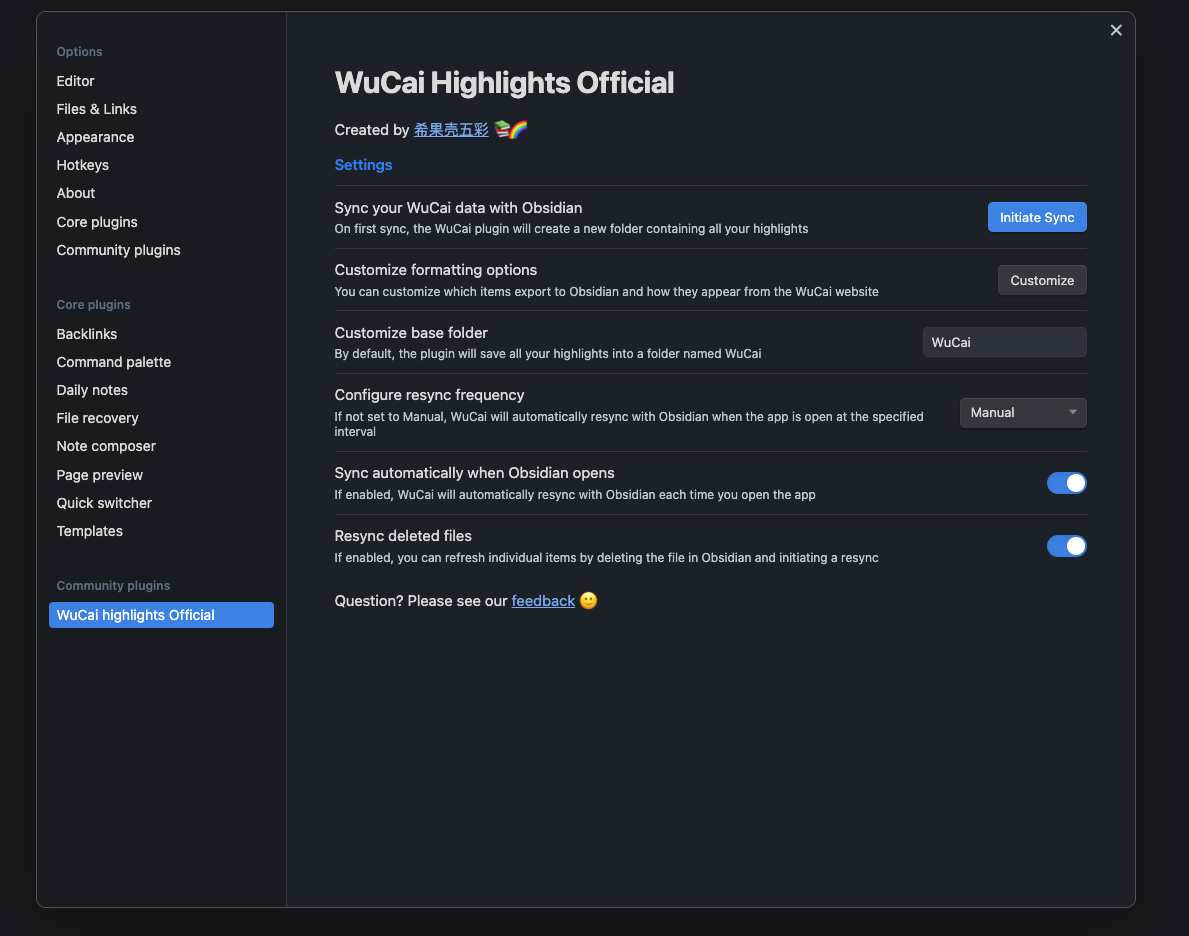
Note: This plugin requires a subscription with 希果壳五彩 — a paid service that makes it easy to aggregate and review all your reading data into one place.


Features

  • Continuous, automatic syncing — Take a highlight to the highlight in your Obsidian vault

Usage

  • Install the WuCai Official plugin within Obsidian
  • Enable the plugin
  • Connect the plugin to your WuCai account
  • Initiate the first sync
  • Thereafter, the plugin can be configured to sync automatically or manually

Support

  • Please see our feedback 🙂
75%
HealthExcellent
ReviewCaution
About
Sync all digital highlights from your WuCai account directly into your Obsidian vault with continuous automatic syncing. Requires an active WuCai subscription to export highlights for centralized review and note-taking.
IntegrationsAnnotation
Details
Official
Officially made by its original creators.
Payments
Paid
Current version
26.4.11
Last updated
Last month
Created
3 years ago
Updates
14 releases
Downloads
5k
Compatible with
Obsidian 0.12.10+
Platforms
Desktop, Mobile
License
GPL-3.0
Report bugRequest featureReport plugin
Author
makediffmakediff
www.dotalk.cn/product/wucai
GitHubmakediff
  1. Community
  2. Plugins
  3. Integrations
  4. WuCai highlights Official

Related plugins

ZotFlow

Keep your research in flow! #Zotero #PDF #Annotation

Local REST API & MCP Server

Unlock your automation needs by interacting with your notes over a secure REST API.

BRAT

Easily install a beta version of a plugin for testing.

Maps

Adds a map layout to bases so you can display notes as an interactive map view.

Self-hosted LiveSync

Sync vaults securely to self-hosted servers or WEBRTC.

Zotero Integration

Insert and import citations, bibliographies, notes, and PDF annotations from Zotero.

Readwise Official

Sync highlights from Readwise to your vault.

Agent Client

Chat with Claude Code, Codex, Gemini CLI, and more via the Agent Client Protocol — right from your vault.

Fast Note Sync

Real-time sync of your vaults across server, mobile, and web; shareable with anyone; supports REST and MCP integrations to build your personal AI knowledge base.

Image Converter

Convert, compress, resize, annotate, markup, draw, crop, rotate, flip, align, drag-resize, rename with variables, and batch process images: WEBP, JPG, PNG, HEIC, TIF