Writing Better
 suffername43 downloads
An editor's notes on your paragraphs: what a reader notices, the craft card that fits, and one edit to try. Never rewrites your prose.
- Overview
- Scorecard
- Updates1
An editor's notes on your paragraphs. It points at the words a reader stumbles on and names one edit to try. It never rewrites you.
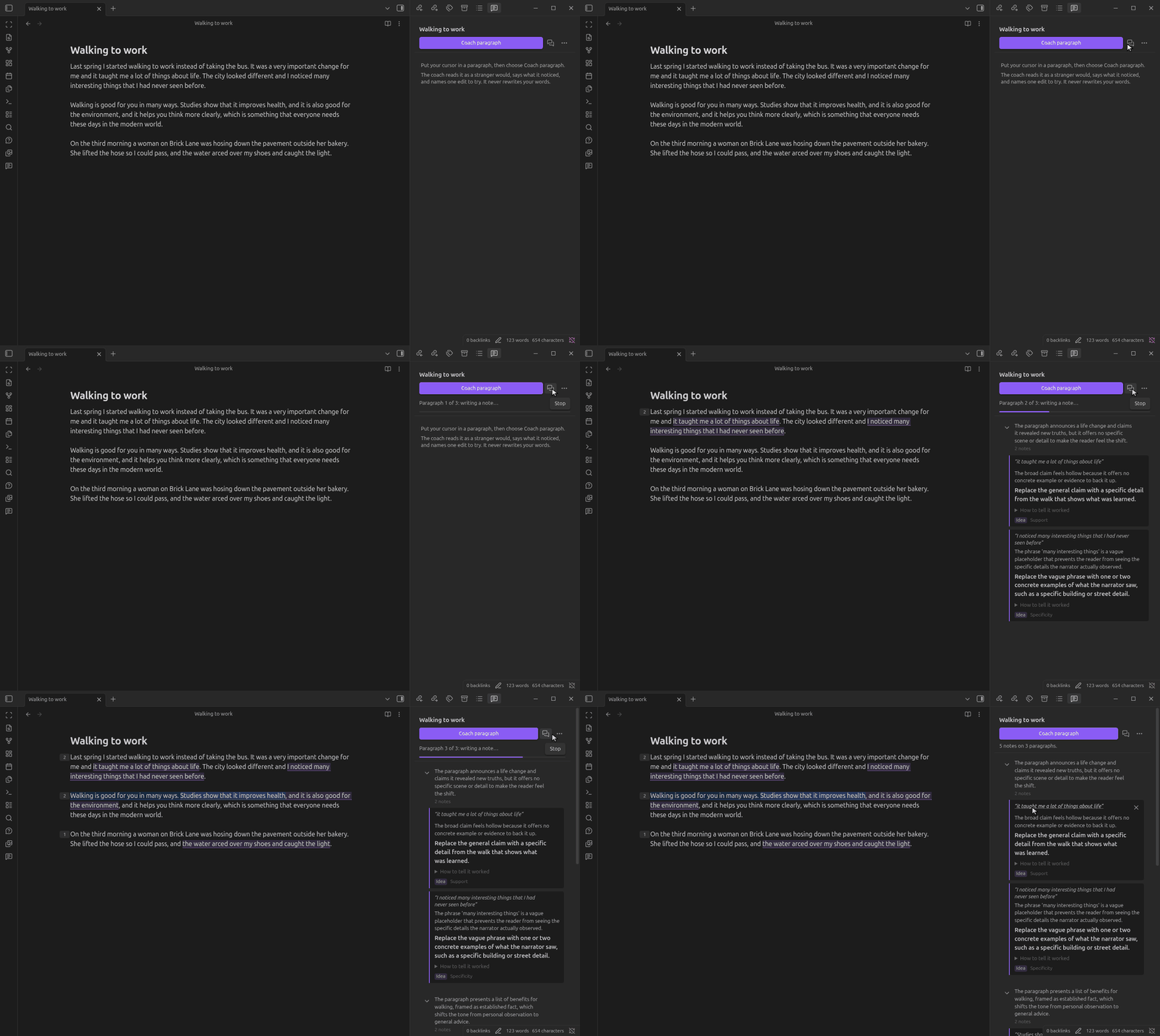
What it does
- Reads like a stranger. For each paragraph, it says in one or two sentences what a reader takes from it.
- Points at your words. Each note quotes the exact words it is about, and the editor marks them.
- Names one edit. A note says what the words do to a reader, then names one edit to try first. The edit comes from a bank of 170 craft cards.
- Stays quiet when a paragraph works. A paragraph with nothing to fix gets its summary and no notes.
- Never writes your prose. A code check refuses any note that gives you a replacement sentence. The words stay yours.
- Runs on your machine. It uses a language model on a server you choose, such as Ollama. The card search runs inside Obsidian.
Use it
- Put your cursor in a paragraph.
- Run Coach this paragraph from the command palette, the editor menu, or the Writing notes panel.
- Read the notes in the panel. Click a quote to go to its words.
- Rewrite the words, or dismiss the note.
To coach a whole note, run Coach this note. It skips any paragraph it has already coached and not changed since, so you can run it again after you edit. Stop ends a run after the step in progress.
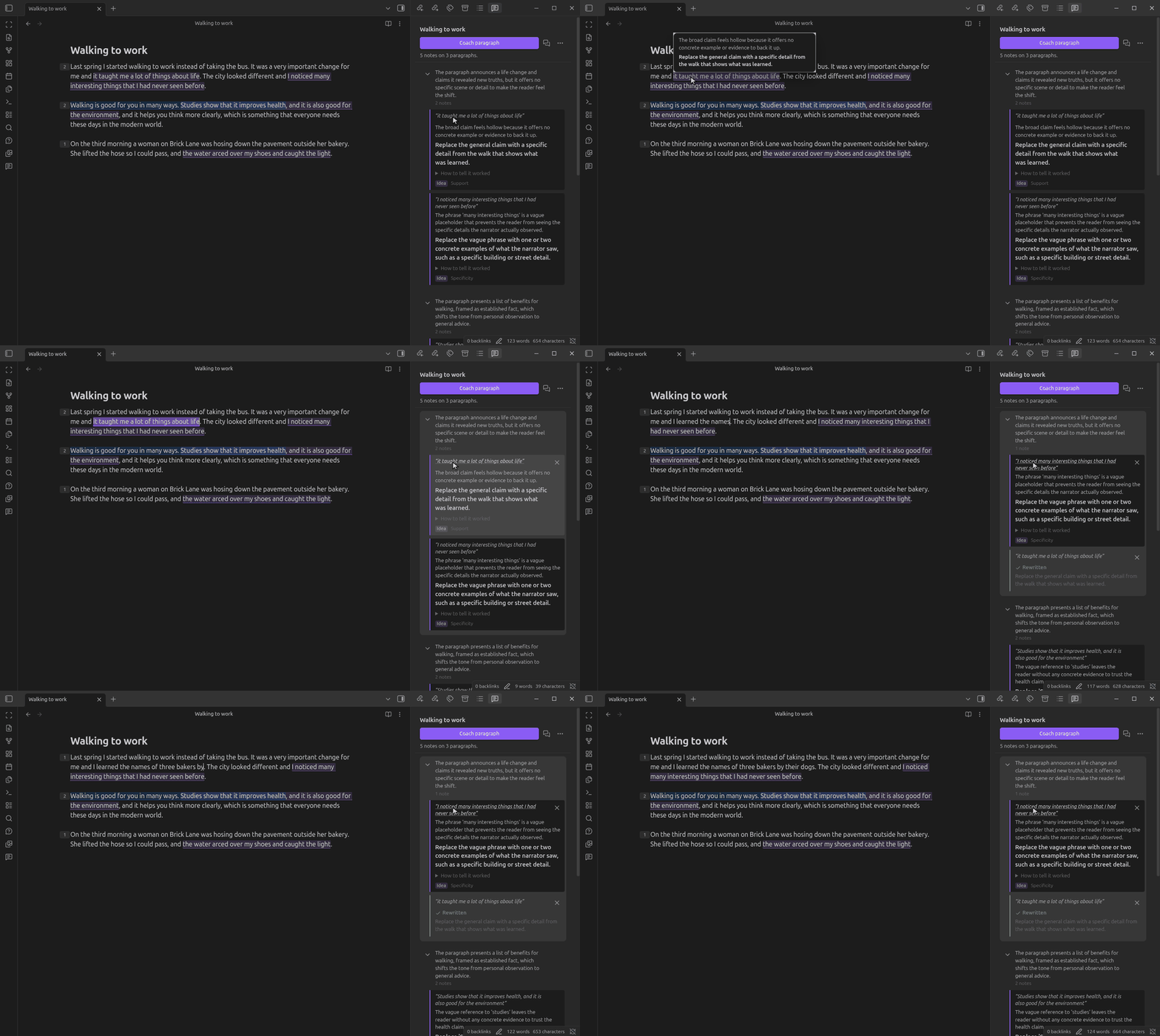
What a note holds
| Part | What it tells you |
|---|---|
| Quote | The exact words the note is about. |
| Diagnosis | What those words do to a reader. |
| Move | The one edit to try first. |
| Check | How to tell, without the coach, whether the edit worked. |
| Level | Idea, structure or line. An idea note comes first, because a line edit assumes the idea is settled. |
The marks in the editor take their colour from the Level. A number beside each coached paragraph counts its open notes, and a tick means the paragraph reads well.
When you change the quoted words, the note shows Rewritten. Clear done notes removes those notes.
In the editor and the panel
| Action | Result |
|---|---|
| Hover a mark | Shows the diagnosis and the move. |
| Click a mark | Selects its note in the panel. |
| Click a quote in the panel | Selects the words in the editor. |
| ↑ and ↓ in the panel | Move between notes. |
| Enter / Delete in the panel | Go to the words / dismiss the note. |
| Coach again (↻ on a group) | Coaches that one paragraph afresh. |
You can give hotkeys to Go to the next writing note and Go to the previous writing note.
Settings
| Setting | What it does |
|---|---|
| Server address | Any server with an OpenAI-compatible API. The default is Ollama at http://127.0.0.1:11434/v1. |
| Model name | The model on that server. A larger model notices more. |
| API key | Only if your server needs one. Obsidian keeps it in secret storage on this device. |
| Embedding model | A one-time download, about 244 MB. It finds the cards that fit a note. |
The Writing notes panel tells you when the server cannot be reached or the embedding model is missing, and what to do about each.
Privacy and network use
- The paragraph you coach, the paragraph before it and the note's title go to the server in Server address, and to nothing else. With a local server, they do not leave your machine.
- The embedding model downloads once, on request, from Hugging Face (EmbeddingGemma) and jsDelivr (the ONNX runtime). Each file is checked against a SHA-256 hash. No writing is sent.
- The notes are kept in the plugin's data, keyed by file path. The plugin never writes to your notes.
Requirements
- Obsidian 1.13 or later, on desktop.
- A language model server, such as Ollama with
ollama pull gemma3:4b.
Credits
- Card search: EmbeddingGemma, under the Gemma terms of use, run by Transformers.js.
- The craft cards were written for this plugin.
License
MIT