- Overview
- Scorecard
- Updates3
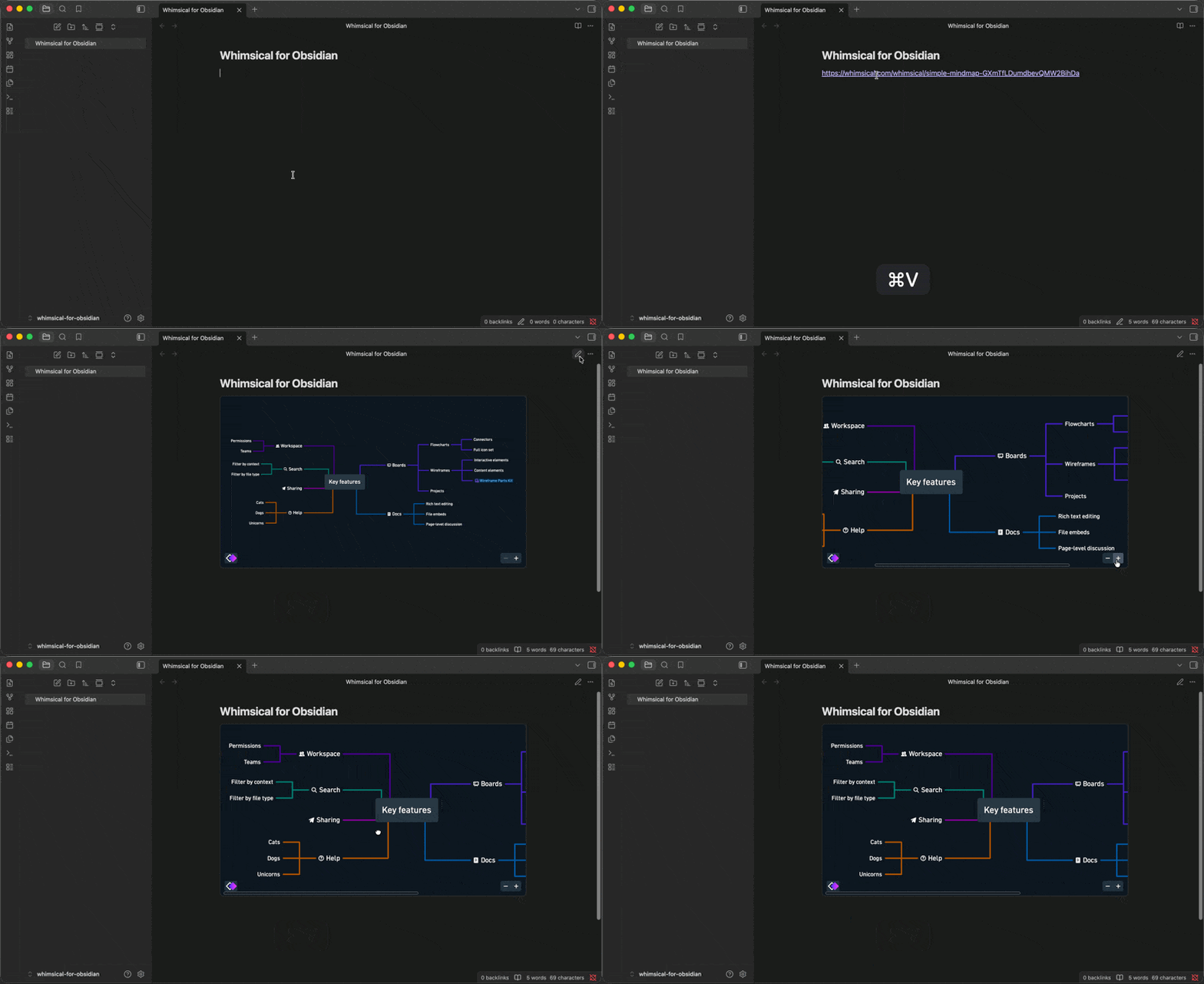
Embed live Whimsical boards in your Obsidian notes. Put a Whimsical link on its own line and the board renders inline — in Reading view and in Live Preview.
🚀 Features
- 🖼️ Live boards in your notes – pan, zoom, and explore without leaving Obsidian.
- 🔗 Just paste a link – no setup, no special syntax: the link becomes the board.
- 🌍 Public and private boards – public boards show up instantly; private boards ask you to sign in to Whimsical first, right inside the note.
⚠️ Boards appear in Reading view and Live Preview. In Live Preview, placing the cursor on the embed's line reveals the raw link for editing (the board reloads when the cursor leaves the line). In Source mode, links stay plain text.
🖱️ How to Use
Copy a board's link from Whimsical and paste it on its own line in a note. In Reading view and Live Preview the link turns into the live board, matching your light or dark theme.
What works:
https://whimsical.com/<some-board-slug>— ✔️https://www.whimsical.com/<some-board-id>— ✔️https://whimsical.com/<workspace>/<some-board-slug>— ✔️https://whimsical.com/templates/affinity-diagram— ❌ (not a board)- A link mixed into a sentence with other text — ❌ (stays a plain link)
Links mentioned mid-sentence stay ordinary links on purpose, so your prose never gets interrupted by a large embed. Links that point at a specific frame or presentation keep pointing there.
🌍 Public vs. private boards
- Public boards appear right away — no Whimsical account needed.
- Private boards show Whimsical's sign-in screen inside the note. Sign in there and the board appears. The plugin never sees or stores your password.
📦 Installation Guide
From Community Plugins: open Settings → Community plugins → Browse, search for "Whimsical", and install.
Manual installation: download the three files from the latest GitHub release and place them in your vault like this:
<vault>/
└── .obsidian/
    └── plugins/
        └── whimsical/
            ├── main.js
            ├── manifest.json
            └── styles.css
Then enable the plugin from Settings → Community plugins.
🛠️ Development
⚠️ Develop and test this plugin in a dedicated test vault — never in a vault you rely on for real notes. Obsidian's own developer documentation warns against developing plugins in a primary vault, since a broken build or a bug in early-stage code can affect the vault it's loaded into.
Build and test commands
npm ci           # install exact dependency versions
npm run dev       # esbuild watch build for local development
npm run lint      # eslint
npm test          # vitest
npm run typecheck # tsc --noEmit
npm run build     # typecheck + production esbuild build
npm run check     # lint + test + build (what CI runs)
npm run audit     # dependency audit (see policy below)
Release assets
A release consists of exactly three files, matching what Obsidian's plugin
loader expects in a plugin's folder: main.js, manifest.json, and
styles.css. These are attached to each GitHub release tagged with the
plugin's semantic version (e.g. 1.0.0).
Audit policy
npm run audit runs two checks and both must pass in CI:
npm audit --omit=dev— every advisory affecting runtime (production) dependencies blocks CI, at any severity.npm audit --audit-level=high— every high or critical advisory anywhere in the full dependency tree (including dev-only dependencies) blocks CI.
Lower-severity advisories that affect only dev-only (build/test-time)
dependencies do not block CI on their own — they remain visible in
npm audit output, but the project may temporarily accept them while an
exact compatible upgrade is pursued, provided the dependency path and the
rationale for accepting the risk are documented in the pull request that
introduces or observes it. Runtime-affecting or high/critical advisories
are never accepted this way — they must be fixed before merging.
📄 License
This plugin is released under the MIT License.