WebDAV Explorer
 sunmagicshow759 downloads
WebDAV Explorer: Connect to WebDAV server, preview files directly in web view, and generate links through simple drag-and-drop.
- Overview
- Scorecard
- Updates6
📖 Overview
A WebDAV plugin for Obsidian that enables seamless file management through WebDAV protocol. Drag and drop files to generate links, double-click to open files directly in Obsidian!
✨ Features
- 📂 WebDAV File Browser - Access WebDAV servers and browse files and folders
- 🎯 Drag & Drop Link Generation - Simply drag files into Obsidian to automatically generate markdown links
- 🎬 Media Preview - Preview videos and images directly within Obsidian (Videos require Media Extended plugin)
- 🖱️ Double-click to Open - Double-click any file to open it in Obsidian's built-in browser
- ⬇️ File Download - Directly download Obsidian-supported formats to your vault; unsupported formats use the system downloader
- 📤 Right-click Upload - Right-click on a single file or folder and select "Upload to WebDAV" to upload to the current browsing path
- 📁 Drag & Drop Upload - Drag a single file or folder into the WebDAV view to upload it to the current browsing path
- 🔄 Duplicate File Handling - Automatically detects duplicate files during upload, offering options to overwrite, rename, or cancel
- ✏️ File Rename - Right-click on files or folders in the WebDAV view and select "Rename" to rename them
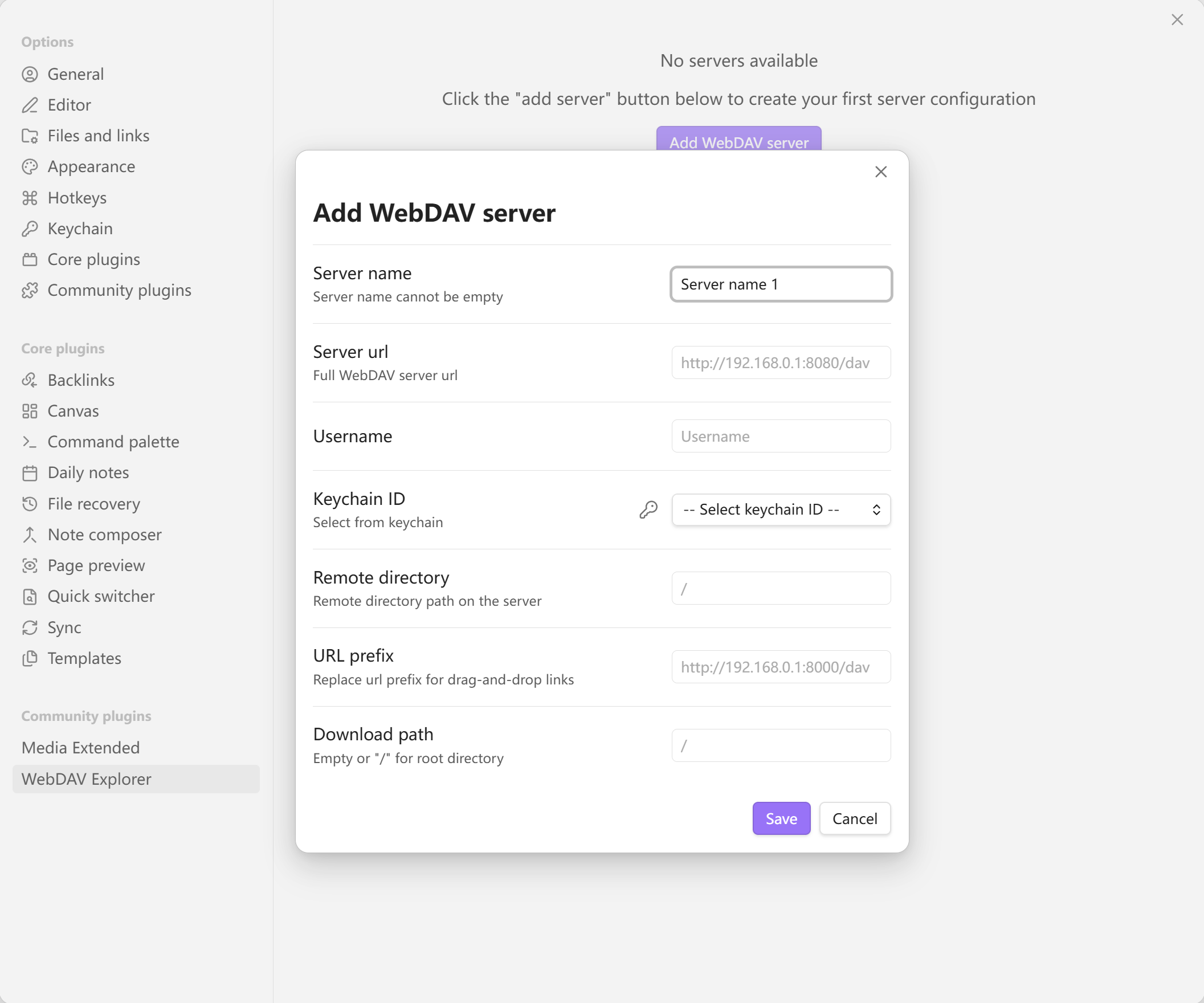
⚙️ Settings Example
📋 Requirements
🌐 CORS Configuration
💡 Recommended: For the best real-time file preview experience, it is recommended that your WebDAV server supports CORS (Cross-Origin Resource Sharing). If your server does not support CORS, the plugin will automatically use an alternative approach (authorization + blob mode) to handle file previews.
Recommended CORS header configuration:
Access-Control-Allow-Origin: *Access-Control-Allow-Methods: GET, PROPFIND, OPTIONS, PUT, DELETEAccess-Control-Allow-Headers: Authorization, Content-Type, *Access-Control-Expose-Headers: Content-Length, Content-Type
🎮 Usage Demo
HealthGood
ReviewCaution
About
Browse and manage files on WebDAV servers from Obsidian. Drag files into notes to auto-generate Markdown links, double-click to open in-app, preview media, upload/download items, and handle duplicates with overwrite or rename options.Details
Current version
1.0.5
Last updated
6 months ago
Created
11 months ago
Updates
6 releases
Downloads
759
Compatible with
Obsidian 1.8.7+
Platforms
Desktop only
License
MIT
Author